
Why Matter Still Sucks in 2026!

My hobby which has also become my part-time job is building out and managing my smart home. I’ve become obsessed with automations. Back when I started this journey in 2016 I was primarily focused on Apple HomeKit (now called Apple Home) and while Apple Home has served me well for most of those years, to be honest I kinda outgrew its limitations. But even before I moved over to Home Assistant, when buying a smart home device I had to make sure that it supported Apple Home/HomeKit. This limited my choices.
I have moved 99% of my smart home over to the open source platform Home Assistant where the sky is the limit in terms of integrations and automation capabilities. While Home Assistant does have a steeper learning curve, once you get the hang of it, it’s a blast to use. 
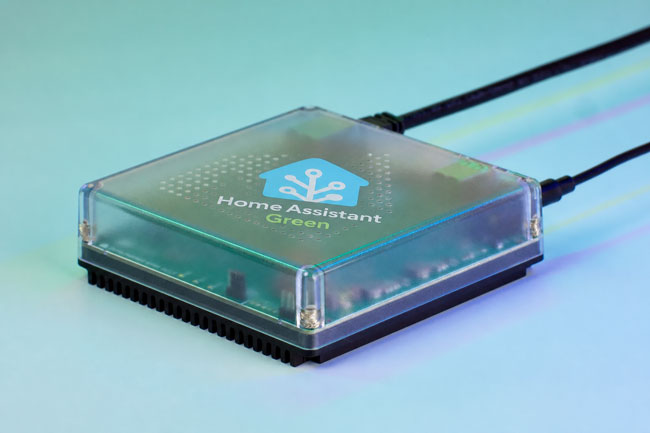
Home Assistant can run on just about any always on computer and for a while I ran it in a container on my Synology NAS. Then I decided to get the Home Assistant Green which is a dedicated device with Home Assistant pre-installed. This is the EASIEST way to get started.

Although Home Assistant allows you to integrate just about any smart device with either native integrations or ones built by the community, there are times where you’ll bring a device in via the new standard, Matter. 

What is Matter (the short definition)?

Matter is an open-source, IP-based connectivity standard developed by the Connectivity Standards Alliance (CSA). It is designed to act as a universal “common language” for smart home hardware, allowing devices from different manufacturers to communicate locally over existing Wi-Fi, Ethernet, and Thread networks. Its core promise is to eliminate proprietary hubs and ensure that any Matter-certified device works seamlessly across major smart home platforms like Apple Home, Google Home, Amazon Alexa, Homey, and Home Assistant.
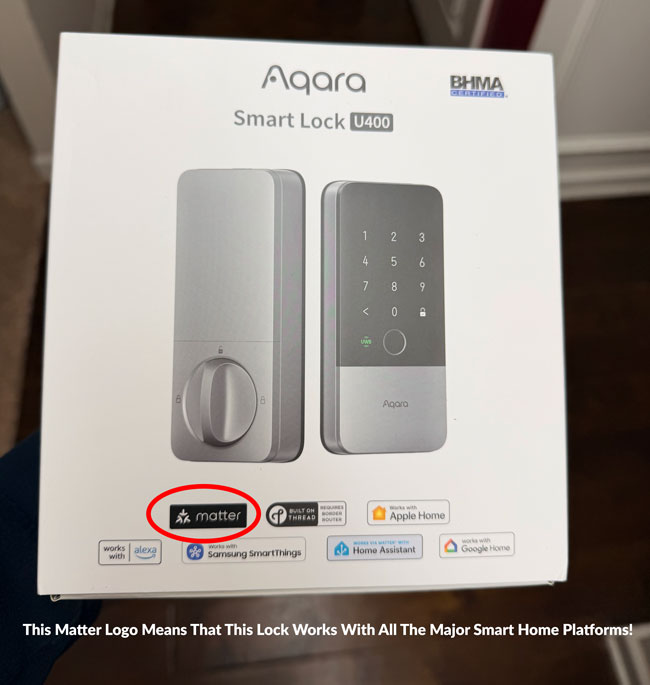
The promise of Matter was that instead you going to buy a smart home peripheral like a light bulb, thermostat, smart lock, etc and having to worry if it’s compatible with your smart home ecosystem of choice, Alexa, Google, Apple Home, SmartThings, etc., if it was Matter compatible it would work!

This also meant that the makers of these devices would have less hoops to jump through to bring their products to market. Instead of having to get each company to certify their products, they would just need it to be Matter certified and then they’d be good to go!

A Brief History: From Hype to Hesitation

The Genesis (2019): Matter began its life in December 2019 under the project name CHIP (Connected Home over IP). It was backed by an unprecedented alliance of tech rivals—Apple, Google, Amazon, and Samsung—alongside Zigbee Alliance members, aiming to solve the fragmented “walled garden” smart home crisis.  

The Launch & Delays (2022): After multiple delays, the Zigbee Alliance rebranded as the CSA, and Matter 1.0 officially launched in October 2022. The initial release was heavily criticized for being rushed, buggy, and limited to a tiny handful of basic device types (like smart plugs and light bulbs).  

The Iteration Years (2023–2025): The CSA moved to a bi-annual release schedule to patch holes. Matter 1.2 added robot vacuums and refrigerators; Matter 1.3/1.4 focused heavily on energy management (solar, EV chargers, heat pumps); and Matter 1.5 finally introduced security camera infrastructure.  

Where It Stands Today (2026): While the standard is technically mature on paper (flirting with version 1.6), the real-world consumer experience remains incredibly fragmented.

Ok, this sounds promising! Why does Matter still suck in 2026?

Continue reading “Why Matter Still Sucks in 2026!”

Sidewalking Away: Why I Finally Swapped Ring Alarm for Abode

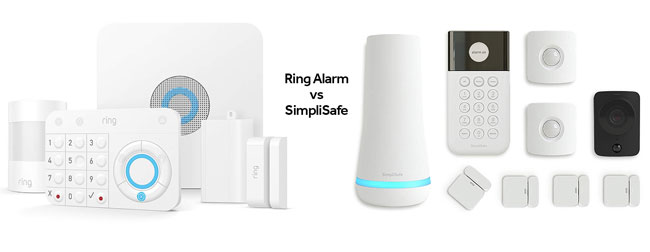
If my last post about Ring’s “Search Party” controversy didn’t make it clear, I have been walking away from Ring. I ditched my Ring cameras long ago and replaced the one floodlight that I had left with a Reolink. I was even willing to put up with them doubling the annual cost of my professional monitoring service from $99/year to $198/year as this newer price is more inline with everyone else out there.

My Ring Alarm System disconnected and boxed up!

However, I figured that I’d keep using the alarm since it didn’t really mean much in terms of their new privacy controversies. That just came to an end because the absolute final straw wasn’t just a creepy Super Bowl ad—it was a hardware “upgrade” that felt like a downgrade for power users. Ring’s new 3rd Gen sensors have officially ditched the local Z-Wave hub connection in favor of Amazon Sidewalk.

While Amazon pitches this as “effortless connectivity,” it really means your home’s security heartbeat is now dependent on a neighborhood-wide mesh network rather than the base station sitting twenty feet away. I’m not interested in my door, window and gate sensors “phoning home” every time I open a door, via my neighbor’s Echo speaker, so I finally pulled the trigger and moved everything over to Abode (btw that’s Abode not Adobe). It’s been a breath of fresh air to have a system that actually plays nice with HomeKit out of the box and has a great Home Assistant integration, keeps things local, and doesn’t treat my privacy like a community resource.

The up front hardware cost

Continue reading “Sidewalking Away: Why I Finally Swapped Ring Alarm for Abode”

The Best Smart Lock of 2026 (So Far) Just Got Even Better!

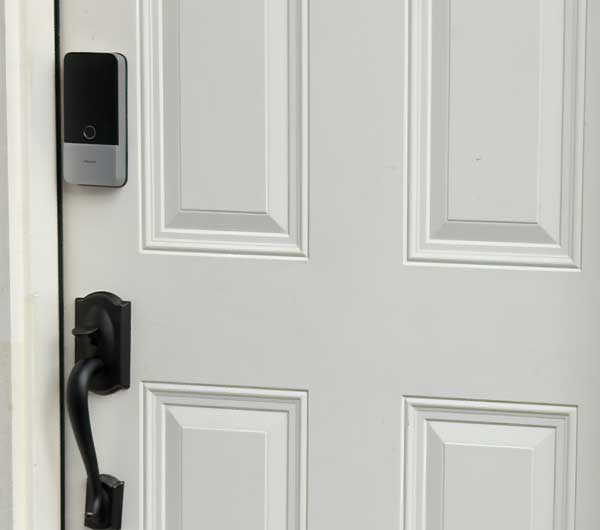
Hey I know that we’re only in month three of 2026 and there are new products being introduced all the time. However, Aqara came out with a banger of a smart lock, the Aqara U400 that has now raised the bar.

It actually dethroned my previous favorite smart lock of all time, the Lockly Visage Zeno on one of my doors.

Why is the Aqara U400 so cool?

The Aqara 400 is the first available smart lock to support UWB (Ultra Wide-Band) here in the U.S. This technology enables you to unlock your door just by approaching it with your phone in your pocket or Apple Watch on your wrist. I’m not talking about waving your phone or watch in front of the lock (that’s Apple Home Key technology which this lock supports too), no I mean just having a compatible device on you.

Apple Home Key vs. Facial Recognition vs. UWB

Continue reading “The Best Smart Lock of 2026 (So Far) Just Got Even Better!”

My 2023 Smart Home: New Additions and Recent Evictions!

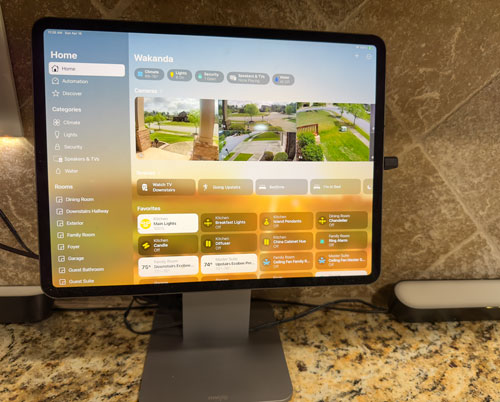
Dedicated Apple Home iPad Pro in the kitchen

Ever since I ventured into the realm of smart homes in 2016, upon moving into my newly constructed abode, I’ve been managing a variety of gadgets such as thermostats, garage door openers, security cameras, alarm systems, and more, all via the Apple Home app on my mobile devices and Mac.

My smart home journey has been a constant evolution. Over the years, some devices have proved their worth and remained constant companions, like my trusty Lutron Caseta products. Others have given way to innovation, like my August WiFi smart locks, which have since been replaced with the more advanced Schlage Encode Plus locks.

Back in 2021, I shared my first smart home tour video. I skipped the 2022 tour, but I’m excited to announce that I’ve returned with an upgraded Smart Home Tour Video for 2023!

In this new video, I didn’t get into every single device I use. Instead, I focused on showcasing the new additions to my home automation ecosystem and the devices I’ve phased out. Nonetheless, I thought it would be a good idea to provide a comprehensive list of all my smart home devices right here:

Continue reading “My 2023 Smart Home: New Additions and Recent Evictions!”

23 Products That Make Up My Ultimate Smart Home

I’ve been building out my smart home since 2016. I use all three leading smart home platforms: Apple HomeKit, Amazon Alexa and Google Home and while each one has its advantages, Apple HomeKit is my platform of choice as it does the most. While just about any device can be controlled via an app, what makes a smart home really smart is when you can control multiple devices with a single voice command, scene or automation. With HomeKit I have automations setup like “Going Upstairs” which locks the entry doors, turns off the patio fans, turns off the family room lights and fan, turns on the hallway lights, changes colors of the Hue lights in the bedroom, makes sure the garage doors are closed, arms the alarm “home”, closes the blinds and turns off the TV downstairs. There is no other platform besides HomeKit that would let me do all of those things using devices from so many different manufacturers, with one command. 

I wanted to create this video last year and then the pandemic hit and I decided to postpone it. I finally sat down to create it and here it is:

Although I put the links to everything in the video description, there is a character limit and I couldn’t go into much detail. Therefore I’ve also put the descriptions and links to each product below:

WiFi Router

Continue reading “23 Products That Make Up My Ultimate Smart Home”

3 New Additions to My Smart Home

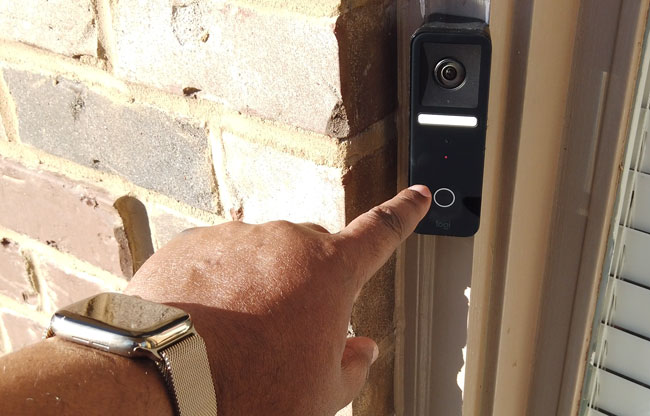
I recently added three new items to my smart home. The first one is one I’ve been waiting for the longest. When my home was built in 2016 I went with a Ring Pro doorbell. It was a good choice at the time and has worked well for me. However, my smart home platform of choice is Apple’s HomeKit and Ring is not native to HomeKit. While I was able to integrate it through unofficial HomeBridge support, HomeBridge doesn’t give it all the available features of HomeKit and now HomeKit Secure Video. While there have been a couple of entries into the HomeKit video doorbell market, one is extremely expensive and the other one doesn’t yet support HomeKit Secure Video. That all changed last week with the introduction of Logitech’s Circle View Wired Doorbell.

Logitech Circle View Wired Doorbell

Logitech is no stranger to HomeKit. Their Logitech Circle cameras are in use and loved by many, but this is their first entry into the video doorbell market. Sometimes it’s better not to be first. By taking their time they got many things right out of the gate that others still struggle with. First and foremost this doorbell not only supports HomeKit but also supports HomeKit Secure Video which is Apple’s locally encrypted video stored in iCloud. Most others promise this feature in an upcoming software update or not at all. Logitech built it in from the start. They also did a great job including everything you would need including a choice of mounting brackets.

Here’s my video review:

Continue reading “3 New Additions to My Smart Home”

The NEW Lutron Caséta Occupancy Sensor is Great but Unnecessarily Limited

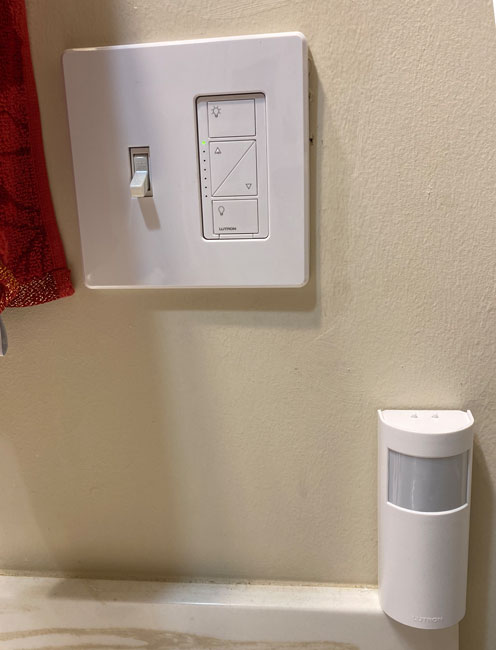
The Lutron Caséta Occupancy Sensor below the Lutron Caséta Dimmer Switch

Motion / Occupancy Sensors can make a smart home that much more smart and convenient. However, most of them suffer from slow response times. What good is a motion sensor if you walk past it and it takes several seconds to actually do what you set it up to do? Or worse it doesn’t respond at all. Walking into a dark room or hallway in the middle of the night and having the lights come on is a wonderful thing. Walking several steps into that dark room or hallway before the light comes on, not so much. I know what some of you are saying…”just hit the switch on the wall. Problem solved.” Yep. That would do it. So would getting up and changing the volume on the TV, yet you use a remote control. Convenience is convenience. Everyone has a different threshold.

The Lutron Caséta Occupancy Sensor has the best response time, but…

Continue reading “The NEW Lutron Caséta Occupancy Sensor is Great but Unnecessarily Limited”

HomeKit vs. Alexa vs. Google Home – Which smart home platform is best?

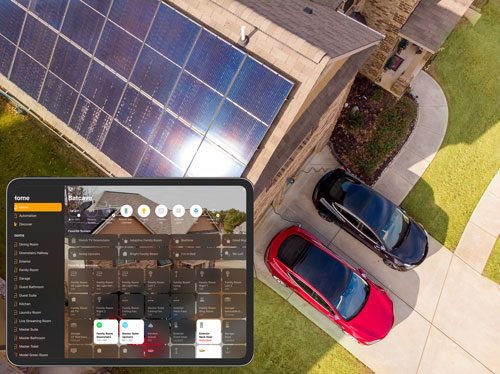
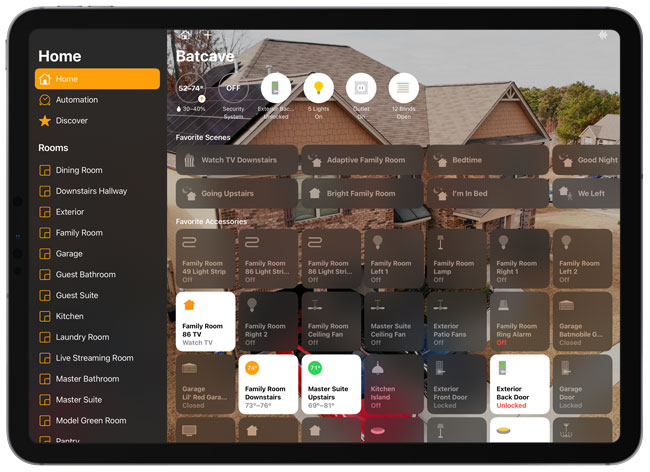
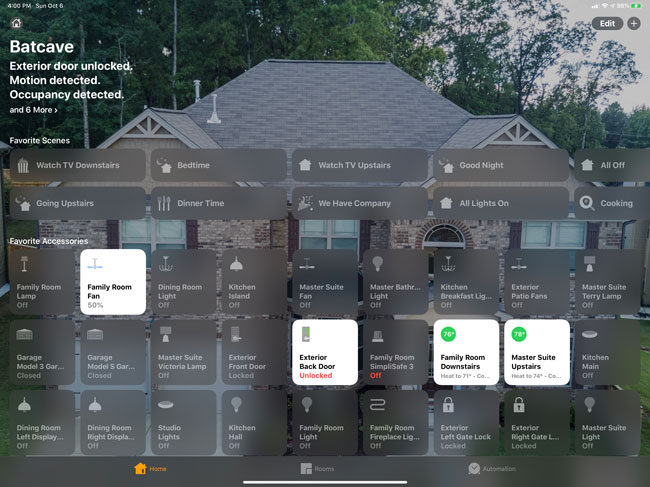
My Smart Home in the Apple Home App on iPad
My Smart Home in the Apple Home App on iPad Pro

I’ve been into home automation and smart home gear for years. I really got serious about it when we built a new house in 2016. A new house meant being about to start from scratch with the best solutions for every aspect of home automation that I wanted. When you talk smart home the usual suspects come to people’s minds: lights, cameras, thermostats, locks, security systems, shades/window blinds, garage door openers, etc. Beyond simple control from your smartphone, smart home automation is really about Scenes and Routines. It’s about using one verbal command, or press one button or come home and have a series of things happen.

This is when picking a smart home platform comes into play

Continue reading “HomeKit vs. Alexa vs. Google Home – Which smart home platform is best?”

Wemo Mini Smart Plug Review – Alexa, HomeKit & Google enabled

Anyone that knows me knows that I’m a huge fan of smart home gear. When we built our house back in 2016 I got a chance to have a clean slate and really install all the latest and greatest smart home gear of the time. I wanted lights that would come and and go off at different times, WiFi controlled garage door openers, cameras, voice assistants and more. When it came to lighting I standardized on the Lutron Caséta system. I’ve been 100% happy with it for the last two years. While I love the Caséta system it does have a hard limit of 50 devices per hub. I couldn’t believe it one day when I went to add a device and it told me that I had hit the limit. Now keep in mind that’s wall switches, lamps and pico remotes. But yeah, I hit the 50 limit. Luckily I was able to unpair a remote that we weren’t really using and add the last device.

Continue reading “Wemo Mini Smart Plug Review – Alexa, HomeKit & Google enabled”