

If my last post about Ring’s “Search Party” controversy didn’t make it clear, I have been walking away from Ring. I ditched my Ring cameras long ago and replaced the one floodlight that I had left with a Reolink. I was even willing to put up with them doubling the annual cost of my professional monitoring service from $99/year to $198/year as this newer price is more inline with everyone else out there.

However, I figured that I’d keep using the alarm since it didn’t really mean much in terms of their new privacy controversies. That just came to an end because the absolute final straw wasn’t just a creepy Super Bowl ad—it was a hardware “upgrade” that felt like a downgrade for power users. Ring’s new 3rd Gen sensors have officially ditched the local Z-Wave hub connection in favor of Amazon Sidewalk.
While Amazon pitches this as “effortless connectivity,” it really means your home’s security heartbeat is now dependent on a neighborhood-wide mesh network rather than the base station sitting twenty feet away. I’m not interested in my door, window and gate sensors “phoning home” every time I open a door, via my neighbor’s Echo speaker, so I finally pulled the trigger and moved everything over to Abode (btw that’s Abode not Adobe). It’s been a breath of fresh air to have a system that actually plays nice with HomeKit out of the box and has a great Home Assistant integration, keeps things local, and doesn’t treat my privacy like a community resource.
The up front hardware cost
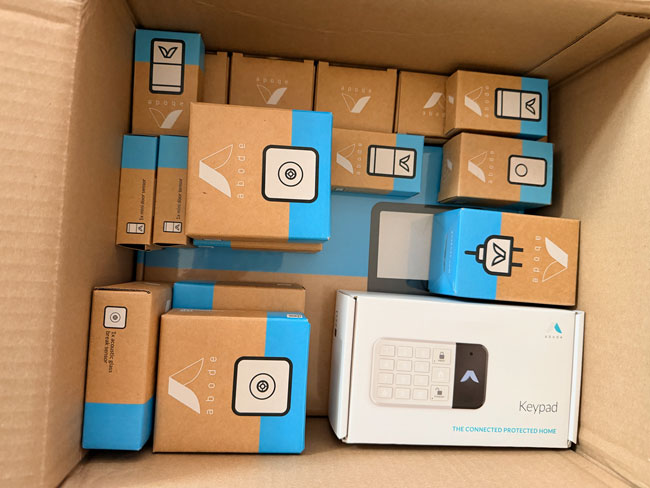
No matter which DIY Alarm System you go with, there will be an up front cost for the hardware. You’ll need to buy the system (the hub that connects to your network, the brains), all the motion and contact sensors that you want. As well as any extras such as glass break sensors, keypads, key fobs, panic buttons, and cameras.
I started with this 15 Piece Bundle, which included: 1 Smart Security Hub, 1 Keypad 2, 1 Keyfob, 2 Motion Sensors, 1 Acoustic Glass Break Sensor, and 6 Mini Door/Window Sensors. I added additional motion, glass break and door/window sensors to match what I had with my Ring Alarm.
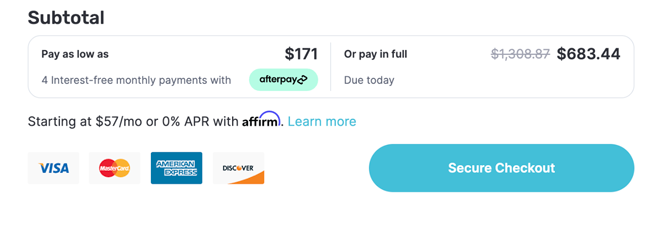
Everything was on sale for 50% off. The bundle’s regular price was $275 and then the other sensors I ordered ala cart: Contact Sensors $19.99 each, Motion Sensors $29.99/each, Glass Break Sensors $36.99/each, Panic Button $11.00/each and one year of professional monitoring for $245.99. My out the door price with the discount was $683.44 (which included the first year of professional monitoring) for $1,308.87 worth of equipment and service. While that was an incredible deal, it was still $683.44 to replace something that was working fine just on principle.
The Installation
I have to say that this was one of the smoothest hardware installs I’ve ever done. Everything connects wirelessly to the base station via the Z-Wave protocol (not WiFi). I did have to do one online support chat, but that didn’t have anything to do with the hardware install. I setup the base station first and for whatever reason it wouldn’t take my order number for the pre-paid 1 year of Professional Monitoring. I got the issue resolved in about 10 minutes via the chat and the rest of the installed went perfectly.
After I setup the base station and got the monitoring assigned then I just had to pull the battery tab on each sensor and add it. It was all very straightforward.
What about cameras?
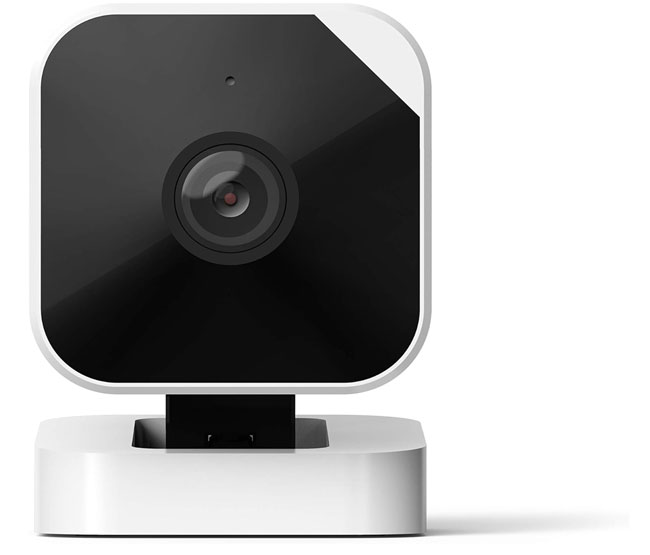
My bundle did include one of their WiFi cameras and it’s still in the box as I have no need for Abode’s cameras. I already standardized on Unifi Protect cameras years ago. I added the Reolink Floodlight Camera to my Protect NVR via ONVIF. I can’t tell you if the Abode cameras are good or not, but from what I’ve read they are not the best. Take that with a grain of salt as I’ve not tried them myself.
Great Alternatives to Ring Cameras
Smart Home Integration
One of the things that’s extremely important to me is that my Security System has to also tie into my smart home platform. My smart home platform of choice is Home Assistant. The reason that this is important to me is that I want to tie the Security System into automations that automatically arm and disarm it based on certain conditions. My “Good Night” script arms the Abode system to “Home” (aka Stay). When the last person leaves the house the system automatically arms to “Away.” When the first person arrives home, it automatically disarms.
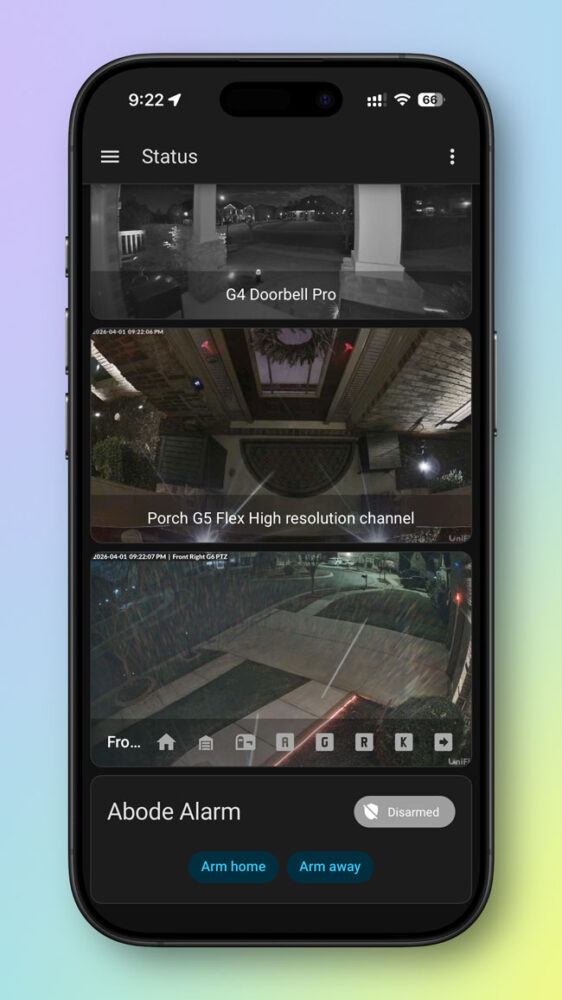
A side benefit to smart home integration is that you can use the motion and contact sensors in automations too. For example, I have a voice announcement play when doors are opened ie. “Back Door Open.” I have an automation that turns on the hall light when the Abode hallway motion detector detects motion at night.
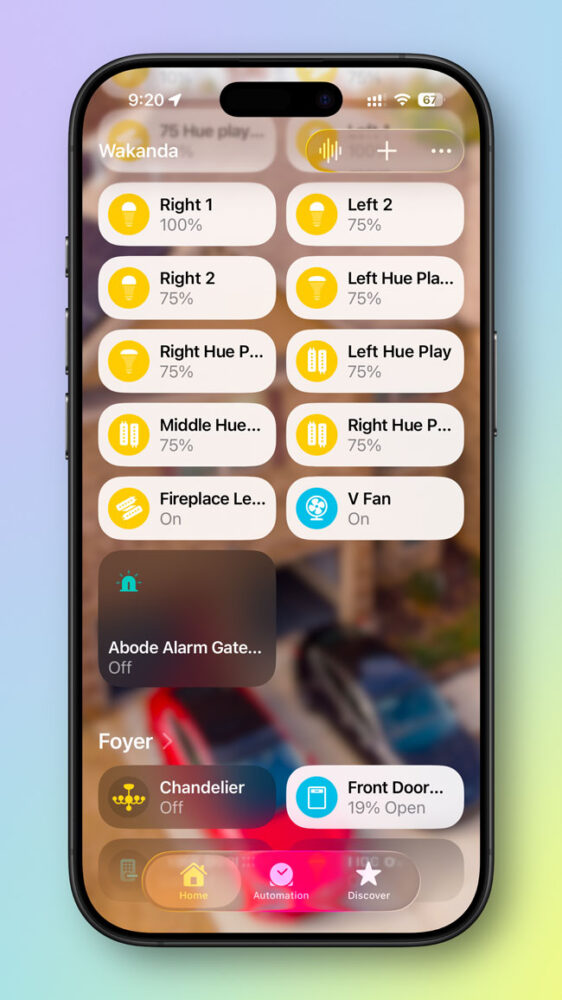
The Abode Security system has native support for Apple Home, Alexa, Google Home and there is a Home Assistant integration. In order to get the Ring Alarm into Apple Home, I had to run a separate computer running HomeBridge. I also had to do two separate integrations to get Ring into Home Assistant. I’m happy to see Abode integrate much easier and native support for Apple Home.
The Bottom Line

After running both systems side-by-side for a week, I was ready to rip out all the Ring gear and cancel my Monitoring Subscription that had just renewed. Ring refunded the unused portion of my subscription no questions asked. I was actually impressed by how easy it was to cancel online without hearing a sales pitch about how I should stay.
The Ring system worked fine for years, but I don’t feel like funding their surveillance network anymore. Abode made the process of switching as easy as it could be.
You can get the Abode Security System directly from Abode here. You can also order from Amazon here.