

My hobby which has also become my part-time job is building out and managing my smart home. I’ve become obsessed with automations. Back when I started this journey in 2016 I was primarily focused on Apple HomeKit (now called Apple Home) and while Apple Home has served me well for most of those years, to be honest I kinda outgrew its limitations. But even before I moved over to Home Assistant, when buying a smart home device I had to make sure that it supported Apple Home/HomeKit. This limited my choices.
I have moved 99% of my smart home over to the open source platform Home Assistant where the sky is the limit in terms of integrations and automation capabilities. While Home Assistant does have a steeper learning curve, once you get the hang of it, it’s a blast to use.
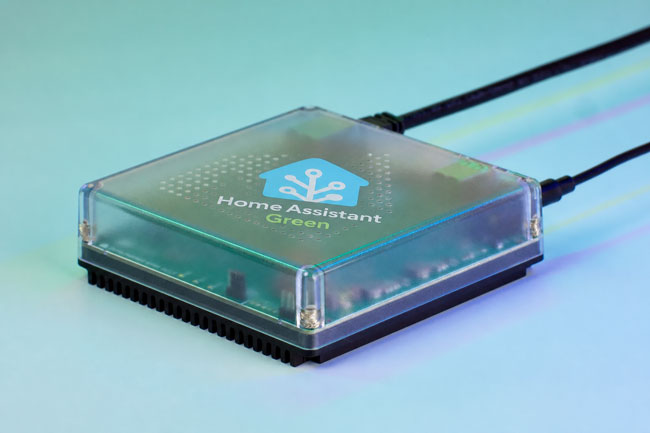
Although Home Assistant allows you to integrate just about any smart device with either native integrations or ones built by the community, there are times where you’ll bring a device in via the new standard, Matter.
What is Matter (the short definition)?

Matter is an open-source, IP-based connectivity standard developed by the Connectivity Standards Alliance (CSA). It is designed to act as a universal “common language” for smart home hardware, allowing devices from different manufacturers to communicate locally over existing Wi-Fi, Ethernet, and Thread networks. Its core promise is to eliminate proprietary hubs and ensure that any Matter-certified device works seamlessly across major smart home platforms like Apple Home, Google Home, Amazon Alexa, Homey, and Home Assistant.
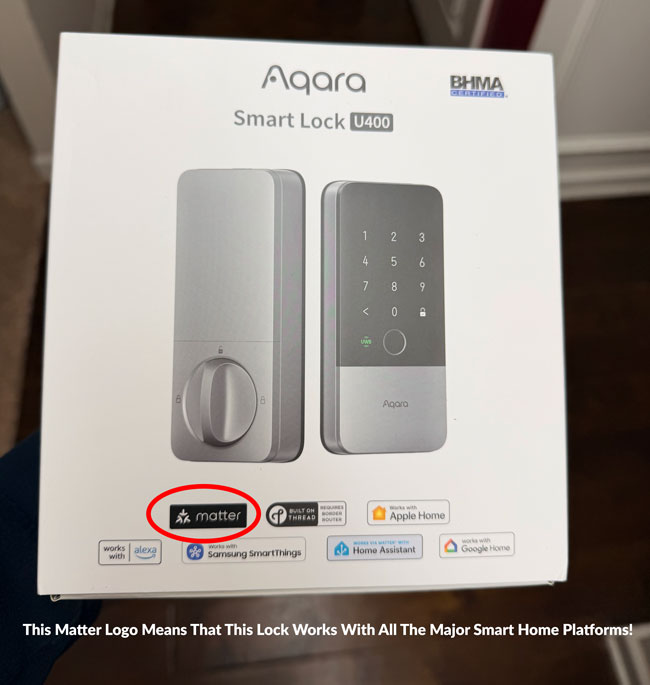
The promise of Matter was that instead you going to buy a smart home peripheral like a light bulb, thermostat, smart lock, etc and having to worry if it’s compatible with your smart home ecosystem of choice, Alexa, Google, Apple Home, SmartThings, etc., if it was Matter compatible it would work!
This also meant that the makers of these devices would have less hoops to jump through to bring their products to market. Instead of having to get each company to certify their products, they would just need it to be Matter certified and then they’d be good to go!
A Brief History: From Hype to Hesitation

• The Genesis (2019): Matter began its life in December 2019 under the project name CHIP (Connected Home over IP). It was backed by an unprecedented alliance of tech rivals—Apple, Google, Amazon, and Samsung—alongside Zigbee Alliance members, aiming to solve the fragmented “walled garden” smart home crisis.
• The Launch & Delays (2022): After multiple delays, the Zigbee Alliance rebranded as the CSA, and Matter 1.0 officially launched in October 2022. The initial release was heavily criticized for being rushed, buggy, and limited to a tiny handful of basic device types (like smart plugs and light bulbs).
• The Iteration Years (2023–2025): The CSA moved to a bi-annual release schedule to patch holes. Matter 1.2 added robot vacuums and refrigerators; Matter 1.3/1.4 focused heavily on energy management (solar, EV chargers, heat pumps); and Matter 1.5 finally introduced security camera infrastructure.
• Where It Stands Today (2026): While the standard is technically mature on paper (flirting with version 1.6), the real-world consumer experience remains incredibly fragmented.
Ok, this sounds promising! Why does Matter still suck in 2026?
The “Version Mismatch” & Platform Sluggishness
The CSA can write specifications all day long, but Matter only works if the big ecosystems implement them. In 2026, we have a massive fragmentation problem where a device manufacturer might build a cutting-edge Matter 1.4 or 1.5 sensor, but platforms like Google Home or Amazon Alexa are still lagging behind, only fully supporting version 1.0 or 1.2 features. This creates a terrible user experience where a device connects, but its advanced features are completely missing unless you drop back to the manufacturer’s proprietary app.
An example of this version mismatch is when I went in search of a new air purifier. I found one that had Matter and I thought, great I’ll be future proofed. At the time I didn’t realize that Apple hadn’t yet upgraded Apple Home to support the version of Matter that supports air purifiers. I got my new air purifier, got it setup in the manufacturers app and then was excited to add it to Apple Home only to see that after it added it, there was just a box icon with no controls where the air purifier was supposed to be. In other words since Apple Home didn’t yet support that version of Matter, it had no way of knowing what this device was or how to control it.
Now eventually, Apple did update Apple Home to the version of Matter that did support air purifiers and as soon as they did, the one that I had added to Apple Home showed up with the controls for it in the Apple Home app, but it was a months long process of waiting. During that waiting period I had to use the manufacturers app to control the air purifier.
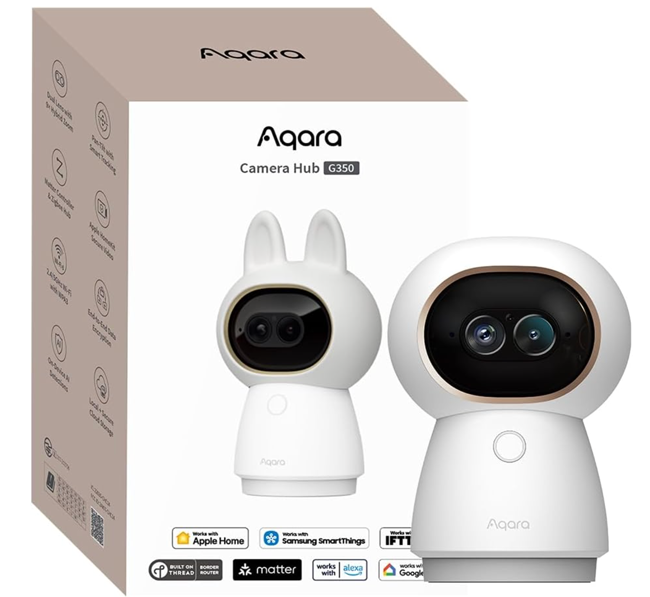
Today as of the date of this post we’re in this situation again. Matter 1.5 officially supports security cameras as a category and Aqara has introduced one of the first cameras that works via Matter. However, the only smart home ecosystem that supports cameras/Matter 1.5 is Samsung SmartThings. Users of Alexa, Google Home, Apple Home, Home Assistant, etc. will have to wait until that support comes to their ecosystem. This could be months or even years.
While the above is very frustrating, it’s not my biggest pet peeve:
The “Popcorn Effect” and Feature Stripping
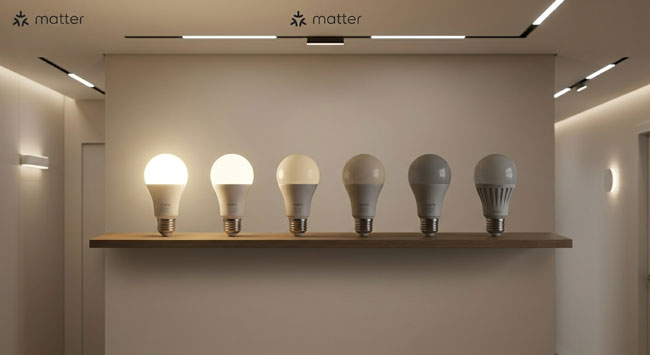
Because Matter has to rely on a standardized cluster of commands to fit every brand, advanced features get stripped away. For example, local scene management is poorly adopted across major ecosystems. If you turn on a group of six Matter light bulbs, they often suffer from the “popcorn effect” (lighting up one by one with a visible stagger) because they are missing the simultaneous multicast scene execution that older native systems like Philips Hue (Zigbee) perfected years ago.
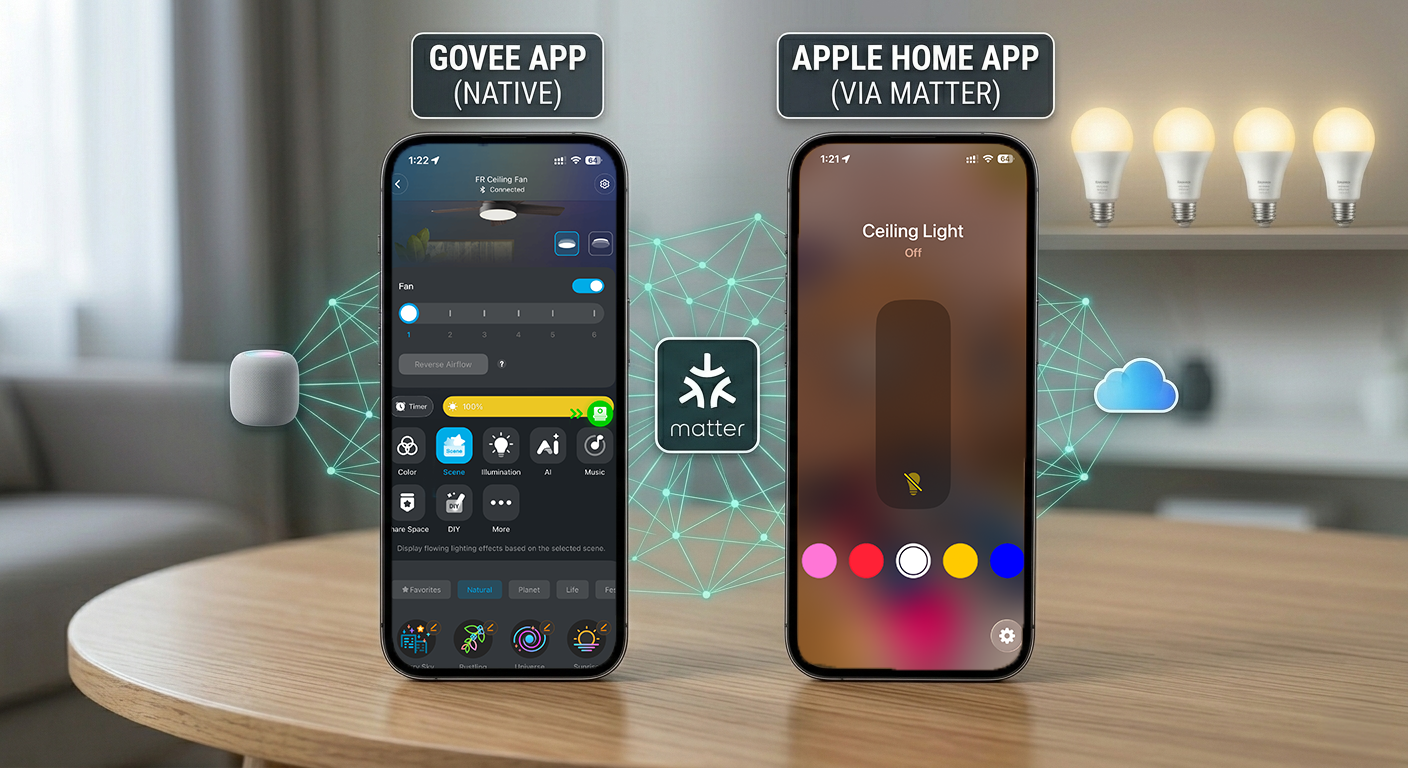
This also leads to a very basic vanilla experience for the user in their smart home platform of choice. Let’s say you get a cool new light from Govee. The light may have tons of effects/scenes that are capable in the Govee app. However, adding that same light to say Apple Home via Matter means that you’ll only get On, Off, Dim and the ability to pick a Solid Color. That’s it! If you want the cool scenes and effects, you’ll still need to fire up the manufacturer’s app which defeats the whole purpose of having a unified smart home platform.
This is not the fault of Govee or Apple, it’s the limitation of what Matter allows. Now this doesn’t mean that Govee (and other manufacturers) and Apple (and other smart home platforms) can’t do better to push the limits of Matter, but they usually just stick to the easy path and tell the user to do all the cool stuff in their app.
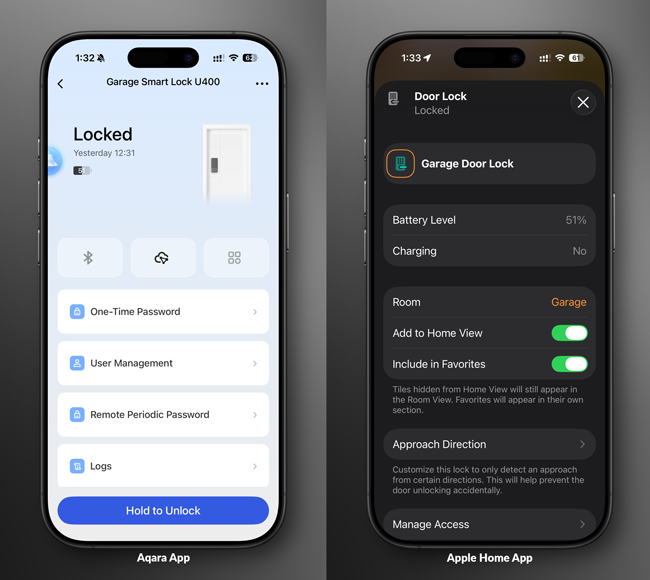
For example, earlier this year I got the cool new Aqara U400 Ultra Wide-Band (UWB) smart lock for my garage door. This lock features several unlock methods including UWB, Apple Home Key, Fingerprint reader, keypad and more. You can add the lock directly to your smart home platform of choice via Matter. However, if you want to add finger prints (duh, of course you do, that’s why you bought it!) then you’ll need the Aqara app. If you want to fine tune several of the other settings, you’ll need the Aqara app.
The other problem with Matter is that the quality of Matter devices varies greatly. Some devices will pair/add to your smart home platform on the first try, while others may or may not pair after the 20th try. Ask anyone who’s tried the new Ikea Matter over Thread products how their setup process went?
Matter works over three methods: WiFi, Thread and Ethernet. While WiFi is the easiest, it’s not the best for battery operated devices such as presence sensors (note that most presence sensors are powered via USB, but newer ones are battery operated) and contact sensors as the power requirements for WiFi are too high.
What’s the Big Deal? Can’t you just use the Manufacturer’s App then?
That is the big deal! Yes you can and probably will get the best and most complete experience by using the manufacturer’s app, but then that defeats the purpose of having a unified smart home. I don’t want to have to think about the device I’m about to control, remember the manufacturer and then launch their app. I want to launch a single app, in my case the Home Assistant or Apple Home app and control everything in one place.
That brings us the Thread!
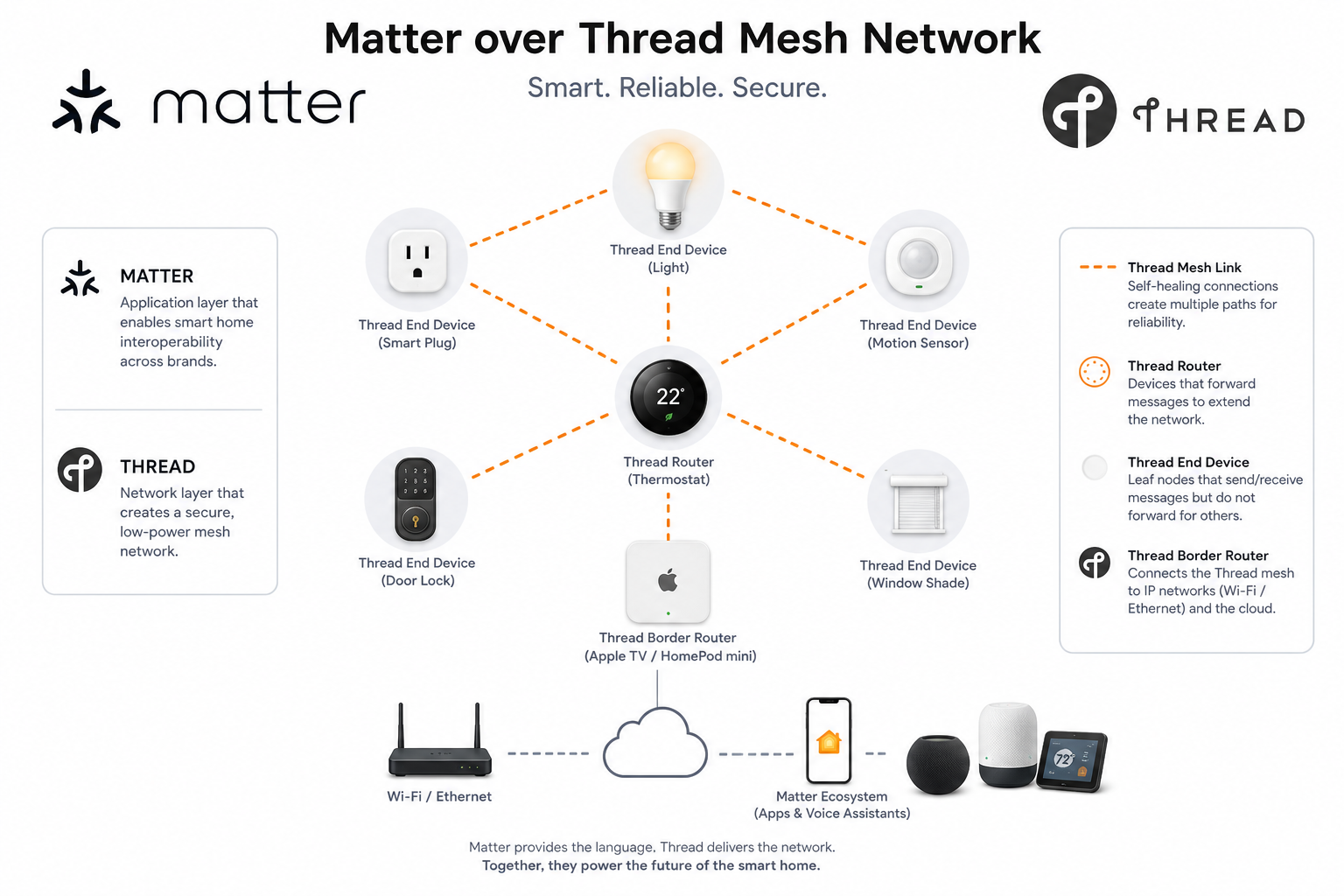
Matter over Thread is a specific, high-performance way of running the Matter smart home standard.
To understand it easily, think of Matter as the language the smart devices speak, and Thread as the highway they use to talk to each other.
Instead of sending Matter data over traditional Wi-Fi, Matter over Thread uses a dedicated, low-power, IP-based wireless mesh network built specifically for IoT hardware.
How It Works (The Core Mechanics)
• IPv6 Native: Thread is unique because it is a low-power mesh network that natively supports IPv6. This means a Matter over Thread device has its own direct IP address, just like a laptop on Wi-Fi, allowing the Matter protocol to talk to it directly without needing a translation bridge.
• The Mesh Network: Thread devices don’t all crowd your main Wi-Fi router. Instead, any Thread device that plugs into a wall (like a smart plug or light switch) acts as a Router, repeating and strengthening the signal. Battery-powered devices (like motion sensors) act as End Devices, waking up only when needed to talk to the nearest routing device.
• The Thread Border Router: Because Thread uses a different frequency protocol (802.15.4) than your phone or computer (WiFi/Ethernet), it requires a bridge to connect the Thread mesh network to your local home network. This is called a Thread Border Router. Many modern smart hubs (like the Apple TV 4K, HomePod, Google Nest Hub, or specialized home automation hubs like Homey Pro) have Thread Border Routers built right into them.
Why Matter over Thread Matters (The Promises)
In a perfect smart home setup, using Matter over Thread offers three massive advantages over traditional Wi-Fi or older protocols like Zigbee and Z-Wave:
• No Proprietary Hubs: Unlike Zigbee or Z-Wave, which require a specific manufacturer’s bridge (e.g., a Philips Hue Bridge) to translate signals into something your network can read, any Matter-approved Thread Border Router can pass traffic to any Matter over Thread device, regardless of the brand.
• Self-Healing Reliability: If a plug-in Thread device gets unplugged, the mesh network automatically reroutes the data through a different path in seconds, ensuring your sensors and switches stay online.
• Blazing Speed and Low Power: Thread is incredibly fast, virtually eliminating the lag often seen with Bluetooth or cloud-based Wi-Fi devices, while using so little energy that battery-powered sensors can last for years on a single coin cell.
Where Thread falls apart:
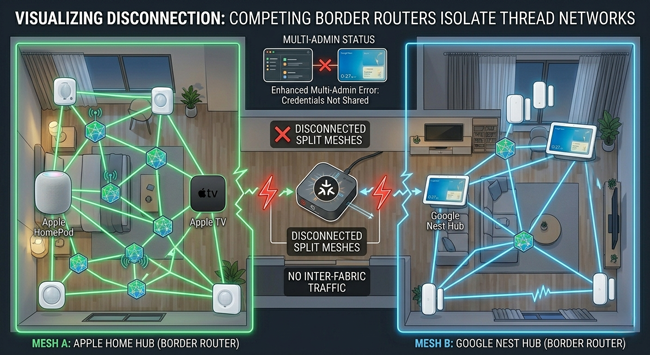
The catch in 2026 is that while Matter over Thread is brilliant on paper, it often falls apart if you have Border Routers from different brands (like Apple and Google) fighting over who manages the Thread credentials, leading to fragmented, split-mesh networks.
Well that sounds simple! Just turn off the Thread border router in your other hubs. For, example if I’m an Apple Home user, but I also have an Alexa or Google Home hub, I should just turn off the Thread border router in those other hubs. There’s one problem! YOU CAN’T TURN IT OFF. Sadly as of the writing of this post they don’t let you simply turn off the Thread border router. I had to actually get rid of a couple of my Google Home Hubs because their Thread Border Routers were screwing up my Thread network.
While the CSA promised Thread Credential Sharing (so Apple, Google, and Amazon would share one unified mesh network), the tech giants still struggle to pass those credentials reliably behind the scenes. This forces the user to become a network engineer just to stop their Google Nest Hub from hijacking routing duties from their Apple Home Hubs.
I have a lot of friends in the smart home space and ALL of them complain about Thread! When it works it’s GREAT. When it stops working there’s no easy way to troubleshoot it or figure out why it stopped working. I can’t count how many Saturday mornings I used to walk around unplugging, replugging and rebooting things.
It took me months to stabilize my Thread network. I only have a few Thread devices left as I replaced all the mission critical ones with devices that ran on other more proven standards. I have the New Aqara U400 smart lock which is Matter over Thread, an Eve Energy Smart Plug or two, and a SmartWave smart shade that is Matter over Thread. Thankfully these devices are working great. I refuse to buy any new ones for now unless it’s my only option.
The Bottom Line
I’m happy that Matter was invented as it does allow me to shop for devices without worrying about if they are compatible with a specific smart home platform. For example, before Matter, Govee never supported Apple Home. Therefore, I never bought any of their products. Now all of their new products are Matter compatible and I have several of them now. When a good Matter device works, it’s pretty magical. However, I’m also frustrated by the lack of cohesion in the industry and the fragmentation across all players.
My most reliable devices are the ones based on older standards like Zigbee, Z-Wave, and WiFi. I have a SmartWings PoE (Power Over Ethernet) smart shade that is Matter over Ethernet and it is probably my most rock solid Matter device.
Some companies have not jumped into the Matter pool yet because they simply don’t need to. Companies like Lutron make smart light switches and smart shades that already support ALL the popular smart home platforms. So there would be little to no advantage for them to upgrade everything to Matter at this point. Guess what? My Lutron Caseta products are also my most rock solid devices in my smart home.
While Matter has opened up the playing field, it has also made for a frustrating game. Hopefully things will continue to improve as the Matter standard matures, but for right now it’s confusing and frustrating for most.