Why Matter Still Sucks in 2026!

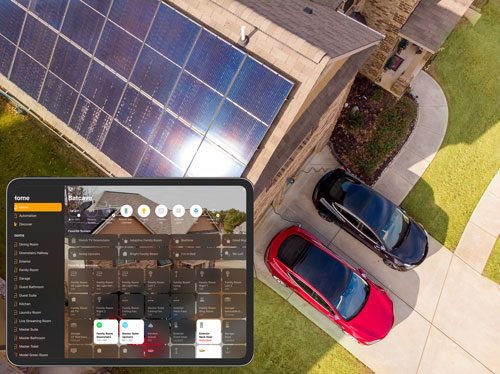
My hobby which has also become my part-time job is building out and managing my smart home. I’ve become obsessed with automations. Back when I started this journey in 2016 I was primarily focused on Apple HomeKit (now called Apple Home) and while Apple Home has served me well for most of those years, to be honest I kinda outgrew its limitations. But even before I moved over to Home Assistant, when buying a smart home device I had to make sure that it supported Apple Home/HomeKit. This limited my choices.
I have moved 99% of my smart home over to the open source platform Home Assistant where the sky is the limit in terms of integrations and automation capabilities. While Home Assistant does have a steeper learning curve, once you get the hang of it, it’s a blast to use. 
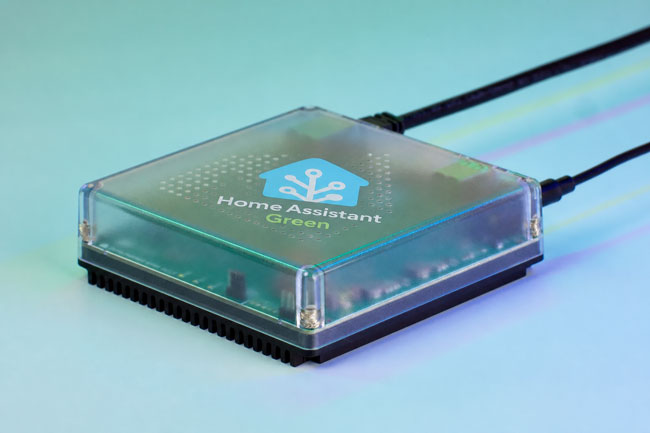
Home Assistant can run on just about any always on computer and for a while I ran it in a container on my Synology NAS. Then I decided to get the Home Assistant Green which is a dedicated device with Home Assistant pre-installed. This is the EASIEST way to get started.

Although Home Assistant allows you to integrate just about any smart device with either native integrations or ones built by the community, there are times where you’ll bring a device in via the new standard, Matter. 

What is Matter (the short definition)?

Matter is an open-source, IP-based connectivity standard developed by the Connectivity Standards Alliance (CSA). It is designed to act as a universal “common language” for smart home hardware, allowing devices from different manufacturers to communicate locally over existing Wi-Fi, Ethernet, and Thread networks. Its core promise is to eliminate proprietary hubs and ensure that any Matter-certified device works seamlessly across major smart home platforms like Apple Home, Google Home, Amazon Alexa, Homey, and Home Assistant.
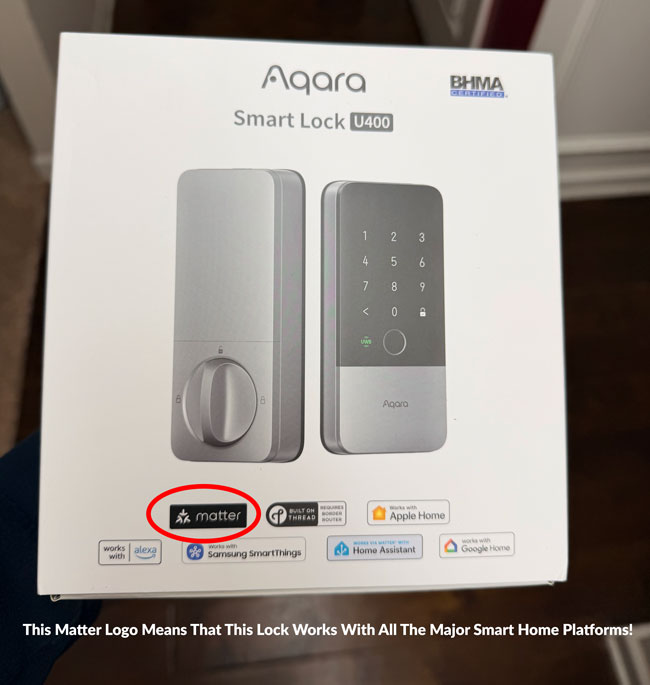
The promise of Matter was that instead you going to buy a smart home peripheral like a light bulb, thermostat, smart lock, etc and having to worry if it’s compatible with your smart home ecosystem of choice, Alexa, Google, Apple Home, SmartThings, etc., if it was Matter compatible it would work!

This also meant that the makers of these devices would have less hoops to jump through to bring their products to market. Instead of having to get each company to certify their products, they would just need it to be Matter certified and then they’d be good to go!

A Brief History: From Hype to Hesitation

The Genesis (2019): Matter began its life in December 2019 under the project name CHIP (Connected Home over IP). It was backed by an unprecedented alliance of tech rivals—Apple, Google, Amazon, and Samsung—alongside Zigbee Alliance members, aiming to solve the fragmented “walled garden” smart home crisis.  

The Launch & Delays (2022): After multiple delays, the Zigbee Alliance rebranded as the CSA, and Matter 1.0 officially launched in October 2022. The initial release was heavily criticized for being rushed, buggy, and limited to a tiny handful of basic device types (like smart plugs and light bulbs).  

The Iteration Years (2023–2025): The CSA moved to a bi-annual release schedule to patch holes. Matter 1.2 added robot vacuums and refrigerators; Matter 1.3/1.4 focused heavily on energy management (solar, EV chargers, heat pumps); and Matter 1.5 finally introduced security camera infrastructure.  

Where It Stands Today (2026): While the standard is technically mature on paper (flirting with version 1.6), the real-world consumer experience remains incredibly fragmented.

Ok, this sounds promising! Why does Matter still suck in 2026?

Continue reading “Why Matter Still Sucks in 2026!”

Sidewalking Away: Why I Finally Swapped Ring Alarm for Abode

If my last post about Ring’s “Search Party” controversy didn’t make it clear, I have been walking away from Ring. I ditched my Ring cameras long ago and replaced the one floodlight that I had left with a Reolink. I was even willing to put up with them doubling the annual cost of my professional monitoring service from $99/year to $198/year as this newer price is more inline with everyone else out there.

My Ring Alarm System disconnected and boxed up!

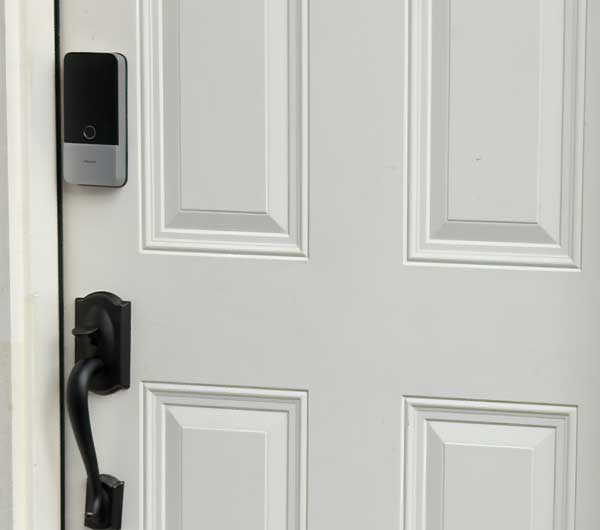
However, I figured that I’d keep using the alarm since it didn’t really mean much in terms of their new privacy controversies. That just came to an end because the absolute final straw wasn’t just a creepy Super Bowl ad—it was a hardware “upgrade” that felt like a downgrade for power users. Ring’s new 3rd Gen sensors have officially ditched the local Z-Wave hub connection in favor of Amazon Sidewalk.

While Amazon pitches this as “effortless connectivity,” it really means your home’s security heartbeat is now dependent on a neighborhood-wide mesh network rather than the base station sitting twenty feet away. I’m not interested in my door, window and gate sensors “phoning home” every time I open a door, via my neighbor’s Echo speaker, so I finally pulled the trigger and moved everything over to Abode (btw that’s Abode not Adobe). It’s been a breath of fresh air to have a system that actually plays nice with HomeKit out of the box and has a great Home Assistant integration, keeps things local, and doesn’t treat my privacy like a community resource.

The up front hardware cost

Continue reading “Sidewalking Away: Why I Finally Swapped Ring Alarm for Abode”

The Best Smart Lock of 2026 (So Far) Just Got Even Better!

Hey I know that we’re only in month three of 2026 and there are new products being introduced all the time. However, Aqara came out with a banger of a smart lock, the Aqara U400 that has now raised the bar.

It actually dethroned my previous favorite smart lock of all time, the Lockly Visage Zeno on one of my doors.

Why is the Aqara U400 so cool?

The Aqara 400 is the first available smart lock to support UWB (Ultra Wide-Band) here in the U.S. This technology enables you to unlock your door just by approaching it with your phone in your pocket or Apple Watch on your wrist. I’m not talking about waving your phone or watch in front of the lock (that’s Apple Home Key technology which this lock supports too), no I mean just having a compatible device on you.

Apple Home Key vs. Facial Recognition vs. UWB

Continue reading “The Best Smart Lock of 2026 (So Far) Just Got Even Better!”

Secure Your Smart Home in 2026: Unifi IoT VLAN Firewall Rules for Apple Home & Matter Users!

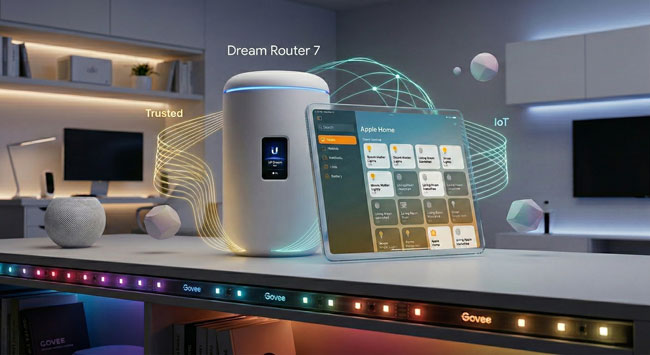
Just over a year ago, I published a video tutorial on how to configure a UniFi IoT VLAN and Zone-based firewall rules for an Apple Home smart home. While that setup worked beautifully at the time, the smart home landscape has evolved rapidly over the last year—especially with the explosion of Matter-over-Wi-Fi devices.

If you followed that original video, you might have noticed that newer accessories (like Govee Matter lights) pair successfully but then inevitably throw a dreaded “No Response” error in the Apple Home app a few minutes later.

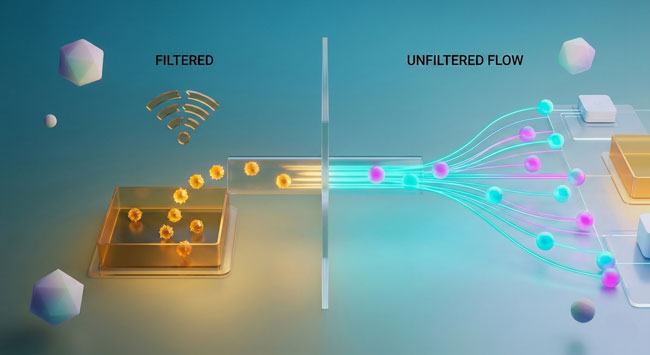
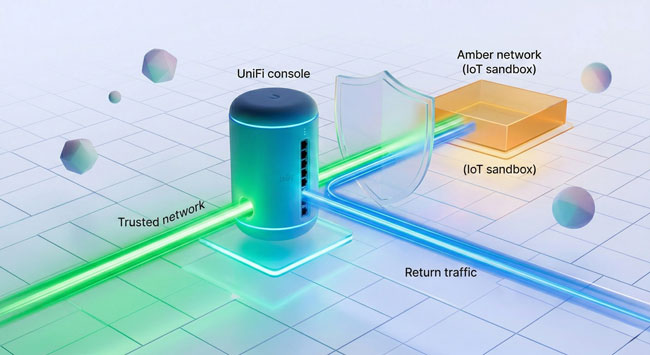
After diving deep into the latest UniFi OS updates and the strict networking requirements of the Matter protocol, I’ve completely overhauled my UniFi configuration. We are ditching the tedious port-specific firewall rules and fixing the multicast settings that are silently breaking your smart home.

This is important: While I initially visualized this setup around a UDM-Pro, UniFi’s form factors have diversified. But whether you have a cylindrical Dream Machine or Dream Router, or a rack-mount Dream Machine Pro, Pro Max, or next-gen Gateway, they all run the exact same UniFi OS, and this guide is the definitive update for all of them.

Here is the bulletproof way to configure your modern UniFi gateway for Apple Home, Home Assistant, Homey Pro, and Matter.

1. Ditch the Port Rules for “Stateful” Firewall Rules

In my original video, I had you create a Network Object for specific ports (80, 443, and 5353 for mDNS) and build rules around them. Delete those rules.

Continue reading “Secure Your Smart Home in 2026: Unifi IoT VLAN Firewall Rules for Apple Home & Matter Users!”

I Switched to Unifi Protect and Dumped my Google Nest Cams

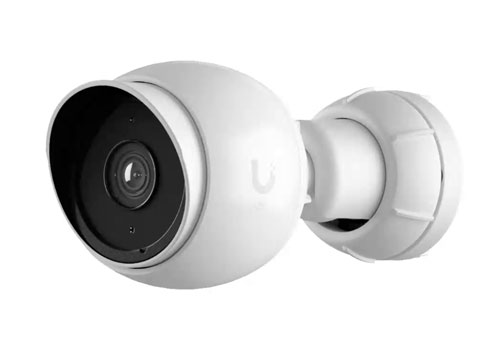
Unifi G5 Bullet
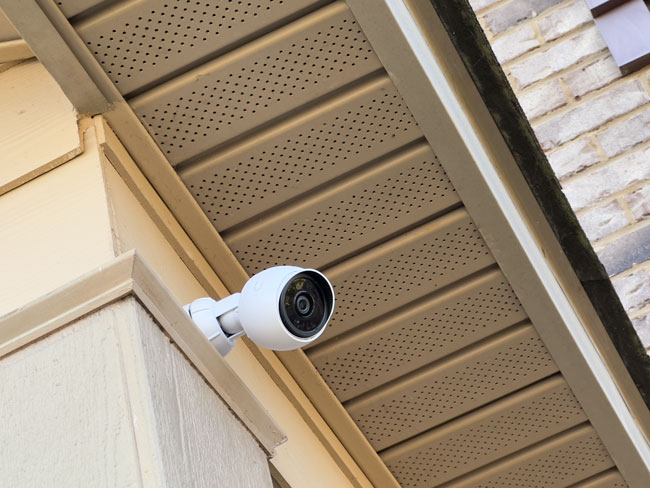
Unifi Protect G5 Bullet POE Camera under my front awning.

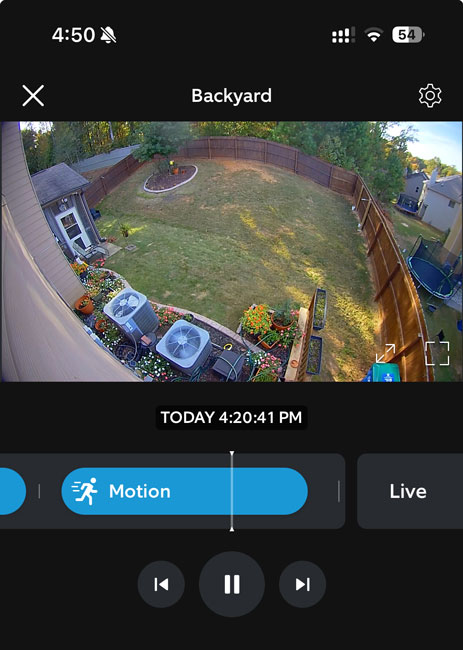
I’m a fan of having security cameras around my property that allow me to look at my surroundings at any time, day or night, and best of all, when I’m traveling. I’ve used various cameras/brands over the years, and at one point, I had cameras from Ring, Google, Logitech, and Eufy simultaneously. While I had each camera for a different reason and feature set, it was really a mess. Of course, each camera had its own app, and the only thing that made this setup bearable was that I could bring them all into Apple Home to see them all simultaneously.

In My Experience, Event-based Cameras Suck!

Ring Floodlight Cam Events

The first cameras to get booted were the Logitech Circle View cameras. While these cameras tend to work well most of the time, they were the flakiest when it came to staying connected to WiFi. They required regular reboots because of regular WiFi disconnects. The second problem is that while they worked natively with Apple’s Home and HomeKit Secure Video, this means that they only recorded if they thought an event was taking place. This sounds reasonable. If something triggers the motion sensor, it should start recording. The problem with “event-based cameras” is that sometimes they miss events. In other words, when you go back to look at the footage at a time when you know something happened, the clip is nowhere to be found because it didn’t record.

A prime example of this was when a very large package arrived at my house by mistake, and it was for a neighbor. I informed my neighbor that their package was next to my garage and that they could pick it up anytime. While my neighborhood is relatively safe, I still wanted confirmation that the right person took the package. When I went to review the footage from the Ring cam, the package was there one second, and the next, it was gone. There was no recording of the package actually being taken. This package was so big that it would have taken two people to carry it. So it’s not like it didn’t record the event because it was grabbed quickly. This is when I realized just how much event-based recording sucks! They are hit-and-miss.

Cameras that record 24/7 are better!

Continue reading “I Switched to Unifi Protect and Dumped my Google Nest Cams”

I Just Revamped My Home Office

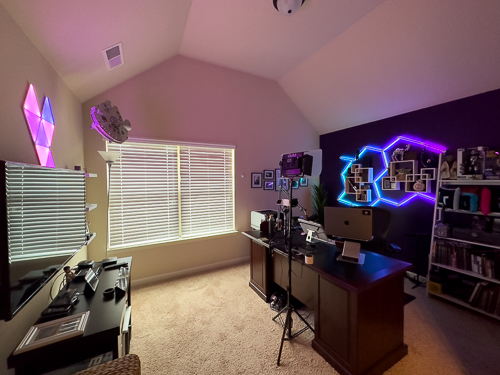
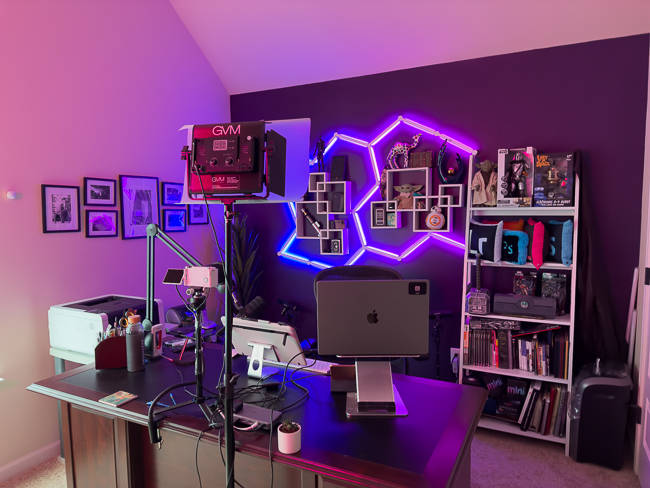
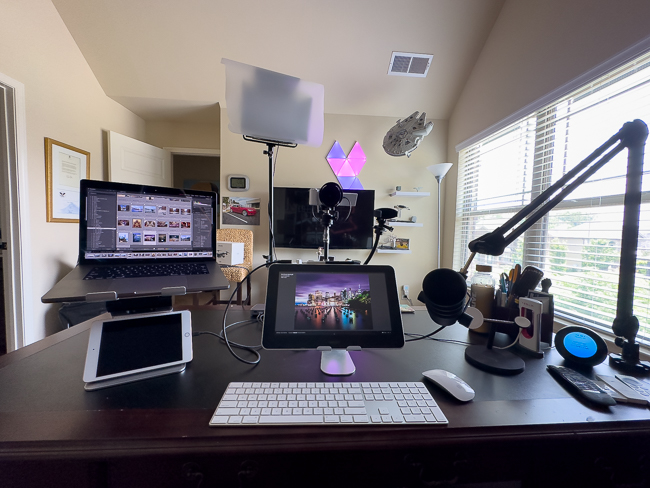
I’ve worked from home most of my career. Having a great home office setup for me is very important. We had the Forth of July week off, and I took this opportunity to revamp my home office setup. This included some cleaning, decluttering, and painting.

This is the office that I use to do offices work, remote meetings and record tutorials.

I posted some pics of my new setup, and my followers insisted I do a video tour.So I recorded one that you can check out here.

Although I put links to all the gear in the description of the video, I putting in this post for your convenience as well:

Continue reading “I Just Revamped My Home Office”

My 2023 Smart Home: New Additions and Recent Evictions!

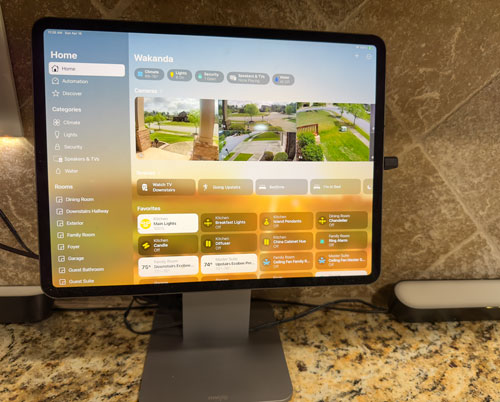
Dedicated Apple Home iPad Pro in the kitchen

Ever since I ventured into the realm of smart homes in 2016, upon moving into my newly constructed abode, I’ve been managing a variety of gadgets such as thermostats, garage door openers, security cameras, alarm systems, and more, all via the Apple Home app on my mobile devices and Mac.

My smart home journey has been a constant evolution. Over the years, some devices have proved their worth and remained constant companions, like my trusty Lutron Caseta products. Others have given way to innovation, like my August WiFi smart locks, which have since been replaced with the more advanced Schlage Encode Plus locks.

Back in 2021, I shared my first smart home tour video. I skipped the 2022 tour, but I’m excited to announce that I’ve returned with an upgraded Smart Home Tour Video for 2023!

In this new video, I didn’t get into every single device I use. Instead, I focused on showcasing the new additions to my home automation ecosystem and the devices I’ve phased out. Nonetheless, I thought it would be a good idea to provide a comprehensive list of all my smart home devices right here:

Continue reading “My 2023 Smart Home: New Additions and Recent Evictions!”

23 Products That Make Up My Ultimate Smart Home

I’ve been building out my smart home since 2016. I use all three leading smart home platforms: Apple HomeKit, Amazon Alexa and Google Home and while each one has its advantages, Apple HomeKit is my platform of choice as it does the most. While just about any device can be controlled via an app, what makes a smart home really smart is when you can control multiple devices with a single voice command, scene or automation. With HomeKit I have automations setup like “Going Upstairs” which locks the entry doors, turns off the patio fans, turns off the family room lights and fan, turns on the hallway lights, changes colors of the Hue lights in the bedroom, makes sure the garage doors are closed, arms the alarm “home”, closes the blinds and turns off the TV downstairs. There is no other platform besides HomeKit that would let me do all of those things using devices from so many different manufacturers, with one command. 

I wanted to create this video last year and then the pandemic hit and I decided to postpone it. I finally sat down to create it and here it is:

Although I put the links to everything in the video description, there is a character limit and I couldn’t go into much detail. Therefore I’ve also put the descriptions and links to each product below:

WiFi Router

Continue reading “23 Products That Make Up My Ultimate Smart Home”

No WiFi Dead Spots PERIOD. Linksys Velop WiFi 6 Mesh Router Review

Linksys Velop WiFi 6 Mesh Router

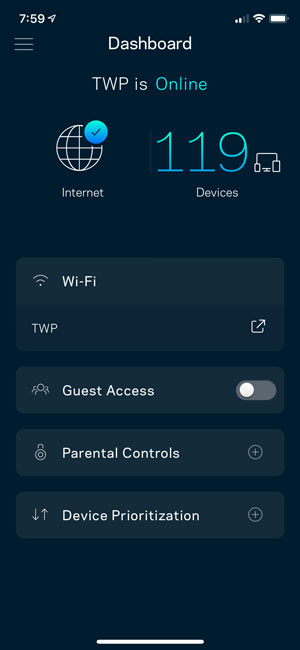
I can’t believe that it has been almost two years since I moved away from my Apple AirPort Extreme WiFi routers. You can see my original Linksys Velop review from May 2018 here. I grew my original three node Tri-band Linksys Velop network to five nodes that year and it worked pretty well for me. However, I’m a speed freak. I want the fastest possible network speeds that I can get and I zero tolerance for dead spots. I have a fairly large network with anywhere from 110 to 130 devices connected at any given time. I also have a smart home and stable fast WiFi is a must for a smart home to function successfully. This need for speed lead me to look at the NEW Linksys Velop WiFi 6 Mesh Router.

The Linksys Velop WiFi 6 Mesh Router is a BEAST!

It’s not only significantly larger in size, but it also improves upon the Velop Tri-band Mesh Router in every way. The specs are mouth-watering.

Continue reading “No WiFi Dead Spots PERIOD. Linksys Velop WiFi 6 Mesh Router Review”