My house was built in 2016. Back then I went with the security system that had been partnered with the builder. It turned out to be Alarm.com and later was acquired by Brinks. The system itself did its job. I was even able to set it up so that it could be armed via my voice by Alexa, Google Home and their mobile app. The system was basic and covered all the entry doors as well as a motion detector. It included a panel on the wall and this panel had the siren built-in as well as a cellular connection to the monitoring service. That’s it.
Why I switched from a system that I had paid off to one that I would have to buy from scratch?
There are several security web cameras and video doorbells on the market right now. Each as you would expect has its advantages and disadvantages over the other one. While there are several viable options out there, today I’m going to focus on three that I use regularly. All of these webcams connect to your home/office network via Wi-Fi. By no means should you walk away thinking that these are the only three options. However, these are the three that I’ve had the most direct experience with.
Why use more than one brand?
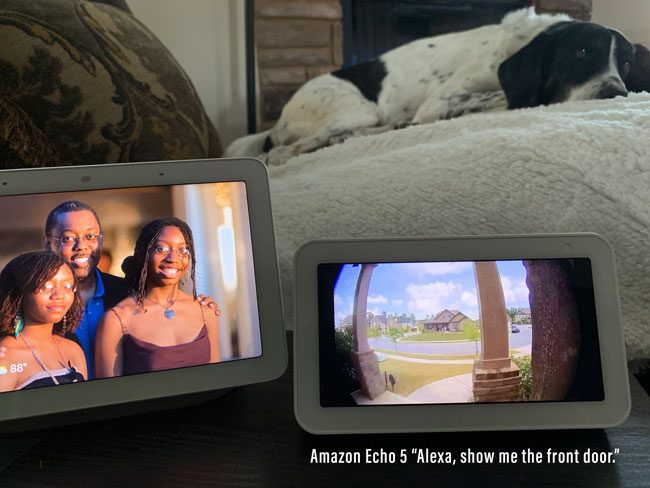
You can absolutely get good cameras from any of the three vendors I’m reviewing today and use that brand exclusively. However, sticking with a single brand may mean that you’re missing out on other features and uses that you may be interested in. For example, I like my Ring cameras because Ring offers solar powered options that don’t require a power outlet outside the house or having to constantly take them down and charge their internal batteries. Ring also works with Amazon Echo (Alexa) smart speakers with displays so that you can view them in any room without having to fire up the app on your phone.
Amazon Echo 5 Showing the Ring Video Pro Doorbell by saying “Alexa, show me the front door.”
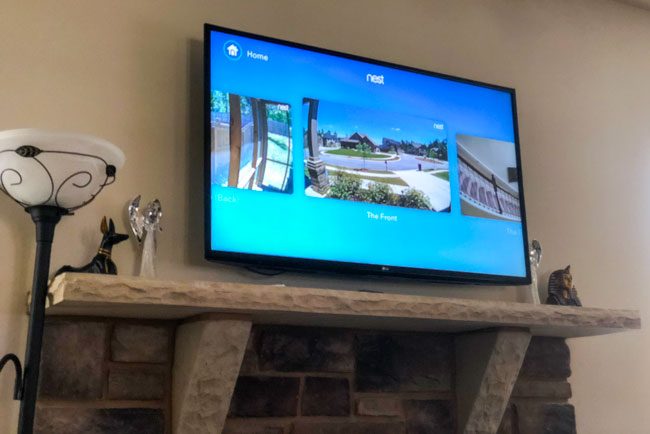
Nest offers both indoor and outdoor cameras that work just as good as the ones from the other two vendors, but I really like that they offer of all things a native Apple TV app so that I can view my cameras on the big screen.
Logitech offers cameras that cost less and have the big advantage of having native HomeKit support. Having HomeKit support means that the cameras can be integrated into HomeKit Automations. For example, if someone walks within range of a camera at night it can trigger lights inside and/or outside the home to come on automatically. Logitech also lets you do more without having to pay for a monthly subscription to store the videos in the cloud. Because Nest cameras are powered via AC they are always recording/streaming whether there is activity or not. This way you can look at any timeframe to see what happened even if there wasn’t a specific event trigger.
I love all of these features and use them daily, but don’t worry, I’ll tell you by the end of this post which camera I’d go with if I could only pick one.
It was roughly 17 years ago that the first Roomba robotic vacuum was introduced. Being a gadget geek I bought one. It was OK. Yes as a vacuum I was immediately amazed by how much it actually picked up, but as time went on it was obvious that the “brain” of the original Roomba wasn’t that smart. It would seemingly randomly go over the same places over and over again while missing other places completely. It was also easy for it to get stuck and not figure out how to get free. Lastly, it almost never returned home on its own. I would have to pick it up and return it to the charging base more often than not. When the rechargeable batteries died, I never bothered to replace them. I was over it.
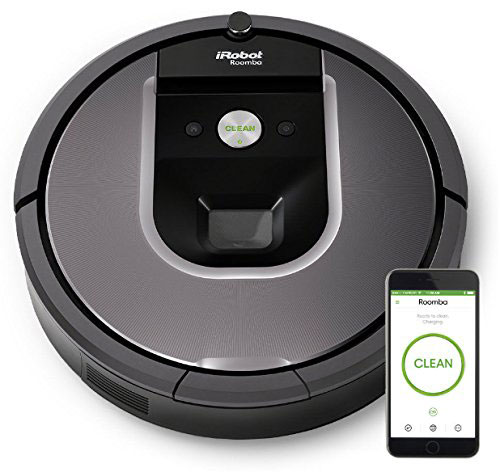
17 Years Later the iRobot Roomba 960 is MUCH MUCH BETTER!
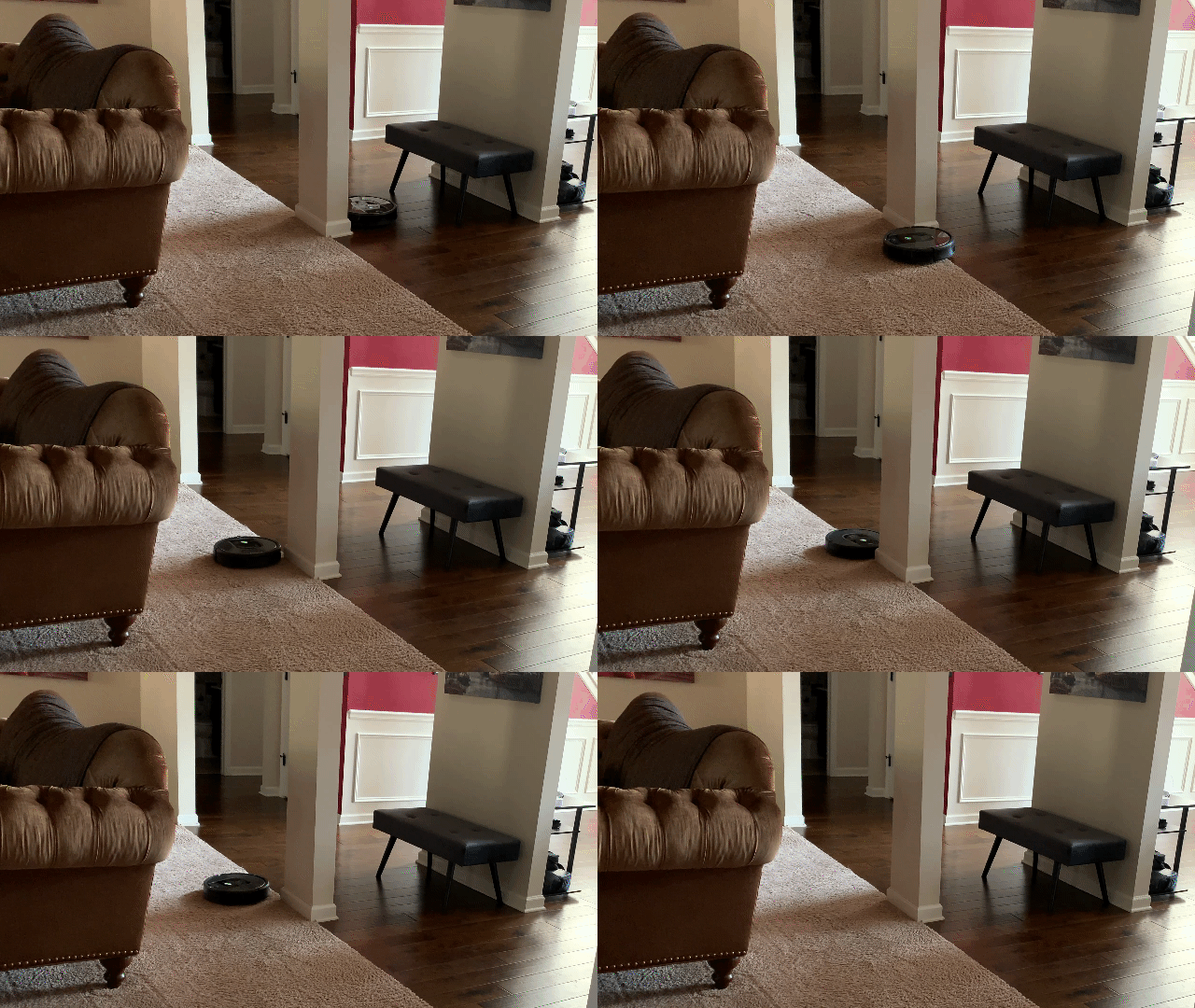
Vacuuming is absolutely a task that needs to be done and is one that in most cases we wish it could be done by someone or something else. There isn’t much joy derived from vacuuming by hand. So if you could literally have a robot (or should I say droid – sorry I had a Star Wars moment) do it. Why not? I researched various robotic vacuums and settled on the iRobot Roomba 960 It’s in the middle of the product line. It’s not the most or least expensive model. It’s priced and featured comfortably right in the middle. Trust me, it wasn’t easy spending this much money on something that I hadn’t proven to be worth it, but a little over a month later and I couldn’t imagine life without it.
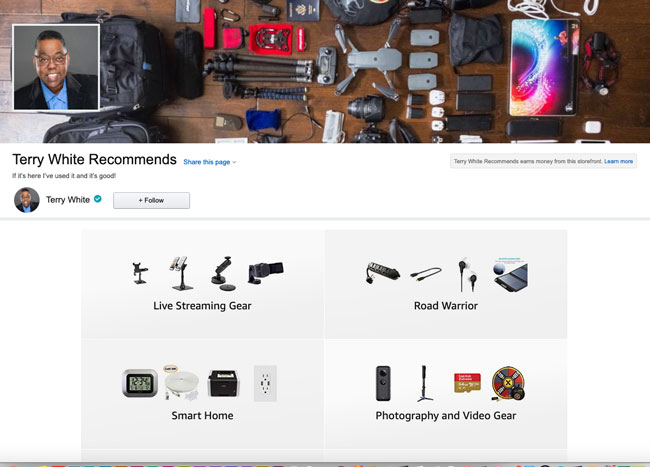
Thanks to Amazon’s new Influencer Program, I can now put all my gadget and photography recommendations in one place. This is the most complete guide that I’ve ever had simply because Amazon carries so many products. Does this mean that I don’t shop or recommend places like B&H Photo anymore? Absolutely not. I love B&H and quite honestly I will continue to buy my big ticket photography gear and electronics from there. However, there are so many things that I recommend that B&H just doesn’t carry. That’s why I’m stoked to have the opportunity to have my own spot on Amazon. There isn’t anything here that I haven’t used personally. The only possible exception would be a newer version of a gadget or piece of tech that I use that is no longer available.
They are nicely organized by category. You can see my recommendations here.
For the past two years I’ve been looking for a solution to automate my blinds without having to replace them with new ones. I would love to have Serena blinds by Lutron to integrate into my existing system, but those would set me back anywhere from $500-$800 a window. I just can’t justify that. Luckily now I don’t have to. I stumbled upon the MySmartBlinds Automation kit. MySmartBlinds allows you to automate your existing traditional horizontal blinds. I have 24 windows with these blinds already installed. No need to replace the blinds. I can just pick and choose which windows I want to automate and install the MySmartBlinds kit.
How hard are they to install?
It takes about 10-20 minutes to install the kit on one set of blinds. I can do it pretty quickly now that I’ve done about 10 of my windows. Here’s a video of how the installation and setup in the app works:
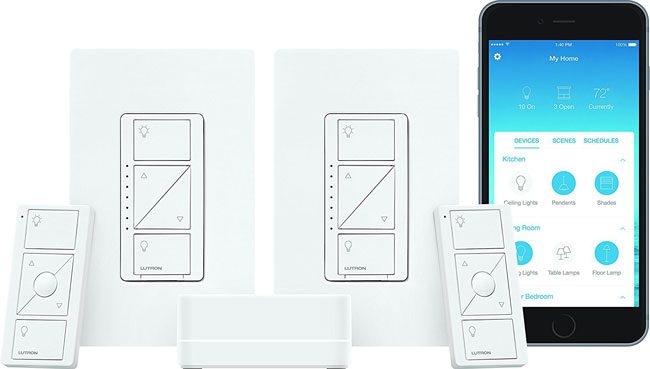
Anyone that knows me knows that I’m a huge fan of smart home gear. When we built our house back in 2016 I got a chance to have a clean slate and really install all the latest and greatest smart home gear of the time. I wanted lights that would come and and go off at different times, WiFi controlled garage door openers, cameras, voice assistants and more. When it came to lighting I standardized on the Lutron Caséta system. I’ve been 100% happy with it for the last two years. While I love the Caséta system it does have a hard limit of 50 devices per hub. I couldn’t believe it one day when I went to add a device and it told me that I had hit the limit. Now keep in mind that’s wall switches, lamps and pico remotes. But yeah, I hit the 50 limit. Luckily I was able to unpair a remote that we weren’t really using and add the last device.
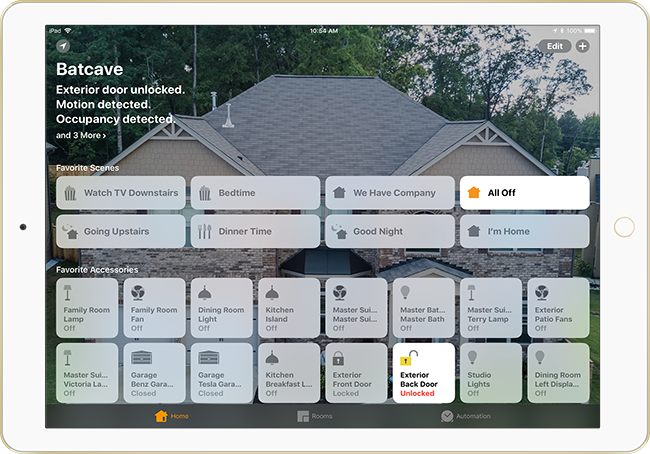
I’m a huge fan of automation in general especially when it comes to smart home stuff. My new home was built two years ago in May 2016. I got the chance to start with a clean slate and put in all the smart home tech that I wanted pretty much from day one. Sadly the builder wasn’t really into smart homes (aside from running ethernet drops) yet so I had to do it all after the house was completed. When people think smart homes one of the first things that comes to mind is lighting and that is pretty much where I started too, but it didn’t stop there. Since most of the things in a smart home are controlled via your mobile devices I also wanted to make sure that most if not all things I did worked with Apple’s HomeKit since I’m an iOS user.
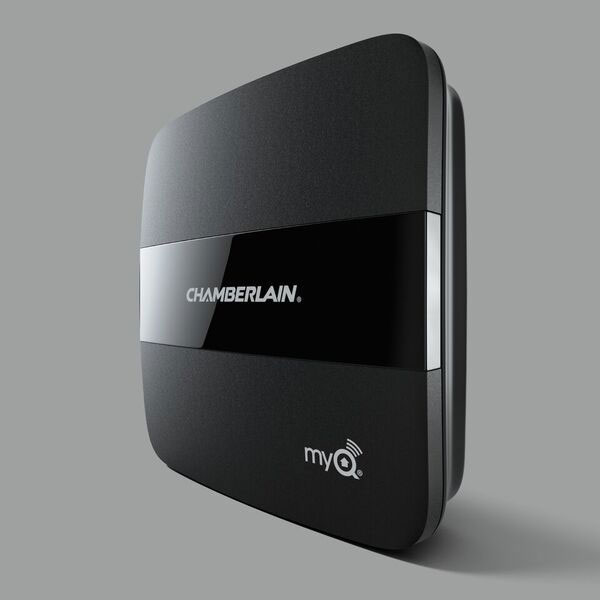
When I had my house built last year the one thing that I was excited about was being able to take advantage of all the cool smarthome options out there. When it came time to buy garage door openers the main thing I wanted was ones with a battery backup. I wanted to be able to still open my garage door in the event of a power outage. When I looked I was pleasantly surprised to find the Chamberlain model that not only had a battery backup, but it was also WiFi and smartphone enabled. Chamberlain has their own app “MyQ” and it works fine, but it’s yet another single purpose app. It would have been nice to be able to also control my openers in the Apple iOS Home app. They kept promising that HomeKit compatibility was coming and they were even featured on the slides in Apple’s keynote address on more than one occasion.
Well it’s been a little over a year since I bought my openers.
Chamberlain Keeps their Promise and Delivers a HomeKit Solution
Have you ever bought something with one use in mind and then later you realized that you could use it for another purpose too? That’s exactly what happened to me when I bought my Bose SoundTouch 300 Soundbar. I was looking for a 5.1 WIRELESS surround sound system. I’m a fan of Bose gear and when my neighbor told me that Bose had just the system I was looking for I ordered it on the spot. Yes there are other wireless systems out there and I even had one. I had a Vizio soundbar with wireless subwoofer. However, with the Vizio soundbar the satellite speakers plugged into the subwoofer. In my family room I don’t have a back wall to run wires. Therefore the Vizio system presented a wiring challenge. The Bose SoundTouch 300 is actually sold piece by piece or you can buy the whole setup. You can just buy the soundbar. You can add on the wireless subwoofer (Acoustimass). You can add on the rear speakers. They are all wireless. Each speaker needs to be plugged into an AC outlet for power, but they don’t need to be wired to the soundbar or any central point. This was exactly what I was looking for. I am completely happy with the performance of the Bose SoundTouch 300.
What I didn’t realize at the time was that you could add additional SoundTouch speakers for music in every room
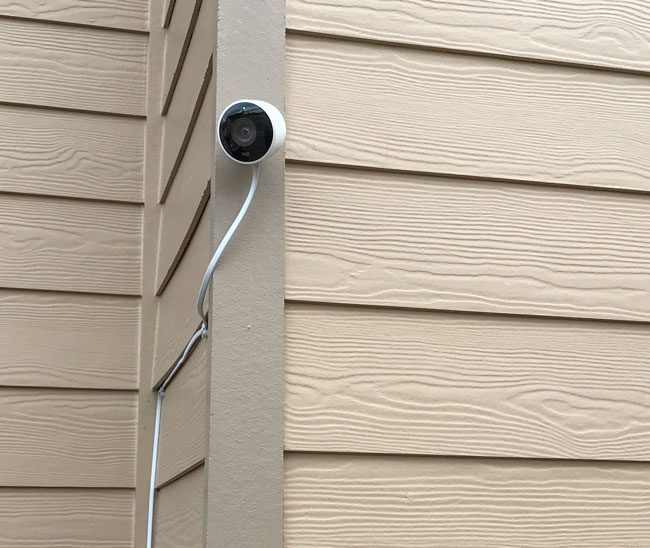
I’ve been buying wifi and ethernet enabled home security cams for years. The first ones I got were made by Panasonic and while the resolution was crappy compared to today’s solutions, they had some nice features such as pan/tilt and even a weatherproof version. I bought the Dropcam when it first hit the scene and it not only worked in 720p HD, but it offered a cloud DVR service. This meant that even if the camera was stolen, the captured video wouldn’t be lost because it was tucked away neatly online for access after the fact. Dropcam was bought out by Google and rebranded Nest Cam. The current indoor Nest Cam has a better camera at 1080p. Checking in your home while you’re away is great. However, these cameras were all designed to work inside, not outside. In most cases people simply place them up against a window to capture what’s going on outside. That works but has its challenges (usually the reflection from the glass can be a pain). Google solved this problem by shipping the Nest Cam Outdoor model.





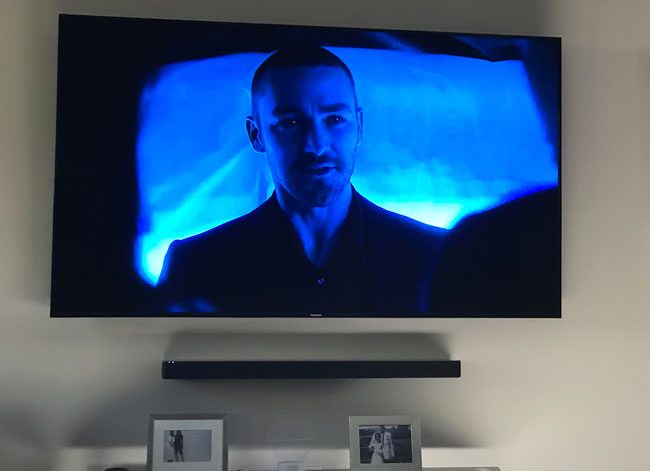
 Soundbar. I was looking for a 5.1 WIRELESS surround sound system. I’m a fan of Bose gear and when my neighbor told me that Bose had just the system I was looking for I ordered it on the spot. Yes there are other wireless systems out there and I even had one. I had a Vizio soundbar with wireless subwoofer. However, with the Vizio soundbar the satellite speakers plugged into the subwoofer. In my family room I don’t have a back wall to run wires. Therefore the Vizio system presented a wiring challenge. The Bose SoundTouch 300 is actually sold piece by piece or you can buy the whole setup. You can just buy the soundbar. You can add on the wireless subwoofer (Acoustimass). You can add on the rear speakers. They are all wireless. Each speaker needs to be plugged into an AC outlet for power, but they don’t need to be wired to the soundbar or any central point. This was exactly what I was looking for. I am completely happy with the performance of the Bose SoundTouch 300.
 model.