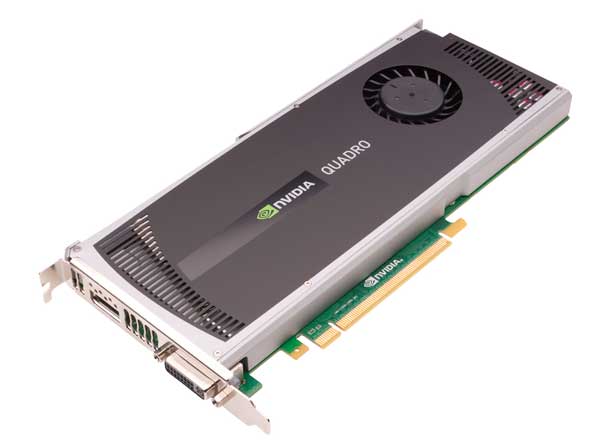
Review: Nvidia Quadro 4000 for the Mac Pro

I never really used to pay much attention to graphics cards in the past. I figured that the stock video card would be more than enough for my needs. I'm not into hardcore gaming where I would need a high frame rate or rendering lots of 3D work. I've also never really had any complaints with the standard video cards that came with my systems in the past. However, this year when I upgraded my 4 year old Mac Pro to a new 12 Core Mac Pro system, I knew that I was going to replace the stock video card. With the introduction of Adobe Premiere Pro CS5 and the Mercury Playback Engine I knew that I would want a compatible video card to take advantage of it. With Mercury Playback Engine in Premiere Pro it has support for the Nvidia Card's CUDA chips and GPU acceleration. This means playing back multiple layers of HD video with effects in real-time without having to render first. Sign me up!


The New Nvidia Quadro 4000
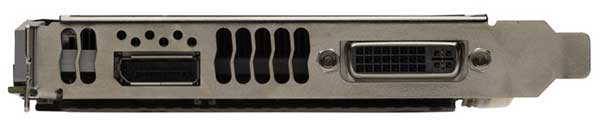
Although I had a loaner Nvidia Quadro 4800 card (their older discontinued card) that worked fine in my new system, I was anxiously awaiting to see the next card they were working on for the Mac Pro. The New Quadro 4000 for Mac (yes it's for PC too) is better in just about every way over the older card. First off it only takes up one slot instead of two like the previous model and the stock ATI card that came with my Mac Pro. Secondly there is a built-in DVI port and a second port in which you can plug in either one of the two supplied dongles. One dongle gives you a Display Port for Apple's and other manufacturers newer displays and the other dongle provides a second DVI port to drive a second display.
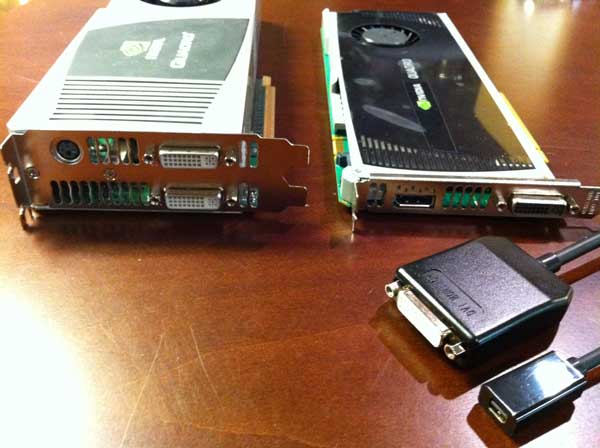
Although I'm perfectly happy using this card to drive my existing 30" Cinema Display, it's nice to know that if I ever have to go to a new display with a Display Port connection, I'm all set. Installation was pretty easy. Install the Driver first! Then just open the case unplug the old card and plug in the new one. It did leave an "open" hole (the old card took up two PCI spots) in the back of the machine as Apple doesn't ship a spare cover. I was going to scrounge around my house looking for one (as I'm sure I have a few), but decided to stick an OWC USB 3.0 card in that slot instead.  

This new card is not only slimmer, but also better on power consumption while providing a 30-40% speed improvement over the previous model in intensive graphics work and has more onboard RAM. Again my main concern was more around Video Editing than scientific computations. So my first question to Nvidia was "how much faster is it in Premere Pro CS5 over the previous model?" The answer was "about 10% faster." What this means to you is that if you have an existing Quadro 4800 card, there is very little reason to buy this one! However, if you're in the market for a NEW card to replace the stock ATI card then this is a great choice. It's less expensive than the previous model and like I said it's faster, uses less space and consumes less power. Full Specs Here.


Putting it to the test

People that do video editing know what it's like to have to render an effect or scene first to preview it before you can move on to the next edit. If you didn't have to render the scene/effect then your editing is going go much much faster. Although the built-in "Software" Mercury Engine in Premiere Pro CS5 works well on a fast system. Having a compatible Nvidia card with CUDA support simply blows away everything else out there on a desktop system!

I recorded this quick video to show the Mercury Playback Engine in action. Rather than do a typical screen recording using software, I wanted to show the real performance without the screen recording software processing in the background. So in this case I setup a video camera pointing at the screen to show the playback in real-time. Enjoy!

httpv://www.youtube.com/watch?v=foLxsL5RU6k


You can get the Nvidia Quadro 4000 for Mac here for $1,195 or here (thanks Brian Stone for this incredible find) for only $761.78!


You can get Adobe Premiere Pro CS5 here.

Download the 30 day trial here and play.

Sync Your Photos From Lightroom 3 to Your iDevice

httpv://www.youtube.com/watch?v=5sRD-siAzE8


In this episode of the Adobe Creative Suite Podcast I'll show you how to sync your photos from Adobe Photoshop Lightroom 3 to a folder and then sync that folder via iTunes to your iDevices. Taking advantage of Lightroom 3's Publish Services we can now publish images to a folder and then automatically update those images with any changes we make in Lightroom. 


See more of my Adobe Creative Suite Videos on my Adobe Creative Suite Podcast

and get the App here. It features EXCLUSIVE CONTENT that no one else gets to see:

Learn Adobe Creative Suite with Terry White - Wizzard Media


24 Hours Without Using My Laptop

When I got my iPad back in April I questioned whether I could get by sometimes with just using my iPad instead of my MacBook Pro. Since that time a lot more Apps have come out and a lot more functionality is there. I don't see the iPad replacing my laptop any time in the near future, but I could certainly see using it solo on short (non business) trips where running my full range of Creative Suite desktop apps is not needed. Last week I took a pleasure trip to New York for a day. Before I left I thought about what I would be doing on this trip and figured that there was technically nothing that I would "need" my laptop for. I knew I would be checking email, social networking, responding to blog comments, browsing the web, reading my RSS feeds, etc. I couldn't think of a single thing that I would "need" to do that I couldn't do on the iPad. So I decided to force myself to use just the iPad the entire, albeit short trip. Just in case: I did bring my MacBook Pro too. However, my goal was to never take it out of the bag. 


I did it

I got through the entire trip without touching the MacBook Pro. I have the WiFi-3G version and I was able to be connected anywhere I went. However, AT&T service in the Times Square hotel I stayed in was horrible. For this reason I pulled out my AirPort Express and connected it to the room's ethernet cable. This gave me much better wireless internet in the room. The only time I was tempted to pull out my MacBook Pro was when I need to type large amounts of text in responding to an email. While I can use the onscreen iPad keyboard just fine, I don't enjoy using it for more than a few words at a time. I was thinking that I should have brought along my keyboard dock.


The next thing I bought

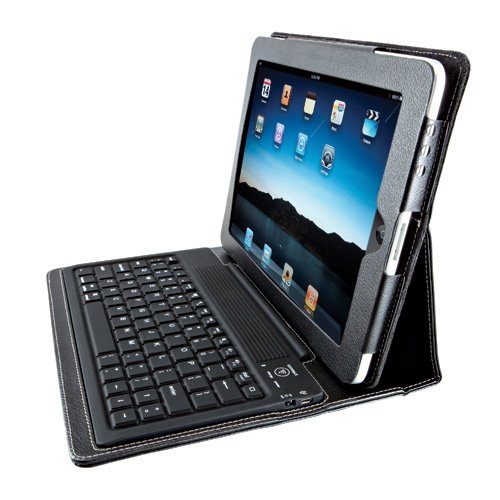
Although this little experiment was a complete success, I saw the immediate need for a keyboard. While I already own the Apple Keyboard Dock, it's not really designed for travel. Then I remembered a Bluetooth Keyboard/Case that a buddy (Mike) showed me and I thought, this is the one I would want to use on my next trip.

I bought it in the airport Brookstone (yes I paid too much) on the way home! They even offered to sell me one that was charged up. I declined as I wasn't going to use it right then and there, but that is a great thing that you do for your customers. Kudos!

I didn't test it until I got home and charged it up. It connected/paired as advertised. However, I hit an immediate snag on the very first thing I typed. I went to repsond to a Twitter comment with "Thank You" and I noticed right then and there that there is no Shift Key on the right side of the keyboard. I thought, "you've got to be kidding me?" Sure enough there are arrow keys, a return key and all the other keys you would expect, but no right side Shift Key. I happened to be on the phone with Scott Kelby (a popular writer/author) and I thought for sure he would share in my shock and frustration and he said "I never use the right Shift key." That floored me! I wondered was I the only one using both Shift Keys on a standard keyboard? Anyway, I can certainly train myself to use just the one on the left, but I thought it was an odd sacrifice for space. Otherwise the keyboard is comfortable and easy to type on. It rocks an impressive 90 hour battery life on a single charge! 

While this case/keyboard is GREAT, it does add a little extra weight onto the already slightly heavy iPad. This will not be my day-to-day case. It will definitely become my travel case!

Brookstone charges $99 for their version of this keyboard/case, but you can get it here for only $69.

Review: The XShot iPhone 4 Case Tripod Adapter

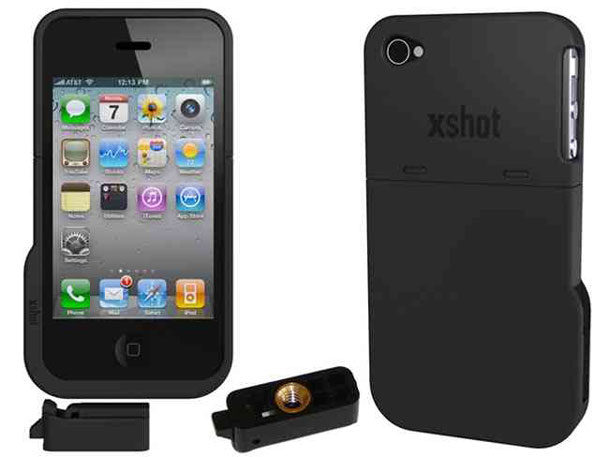
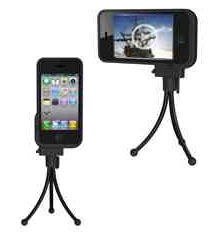
I love it when a company puts a lot of thought into a problem and then comes up with a solution that is so simple you smack your forehead and say "why didn't I think of that?" I've reviewed various iPhone tripod adapters in the past. When XShot asked to send me their new one, my 1st thought was "ok, whatever. sure." I was already in the mindset of "been there, done that." That all changed the minute I opened the box. XShot not only designed the iPhone 4 adapter that many of you have asked me for (one that works both vertically AND horizontally" but they did it in a stealthy way that I didn't even get at first glance. The first thing I thought was "cool". Just put your iPhone 4 in and you can attach it to your tripod in either orientation. I thought that was going to be the end of the review. Problem solved. Moving on… Then it really hit me as to what they did. They didn't just design an iPhone 4 tripod adapter. They designed an iPhone 4 CASE that can be attached to a tripod. 

It's a case stupid

I truly had a "duh" moment. I was thinking that while the adapter was nice I'd have to take my iPhone 4 out of my existing case and put into this "adapter" each time I wanted to use it. It's better than that. This was designed to be an iPhone 4 case first. It's a hard case offering protection to your iPhone 4 and the very necessary cover over the exposed antenna gap. There are two low profile slots on the bottom and the size that allow you to slide on the supplied tripod mount "quick release" clip. AWESOME! You get two clips in the package. This also means speedy changes from portrait to landscape by leaving the clip on the tripod and just sliding the iPhone on or off in the orientation you want. 

Well done XShot! You really were thinking on this one.

You can get the XShot iPhone 4 Case here.

AirPlay for Apple TV is here!


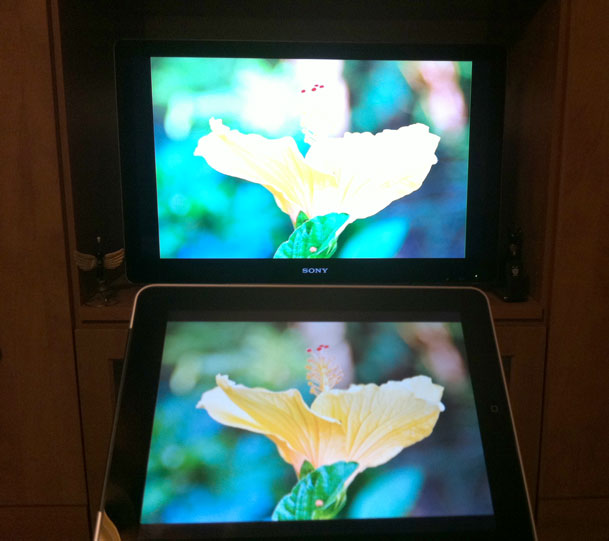
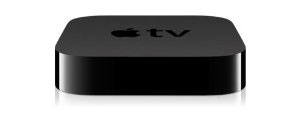
Apple released iOS 4.2(1) this week for iPhone, iPod touch and iPad and one of the most touted features is here. It's called AirPlay. AirPlay is the evolution of AirTunes. You might remember that with AirTunes you could stream audio to a stereo or speakers connected to an AirPort Express or Apple TV. Now with the NEW 2010 Apple TV you can not only stream audio/video from your Mac/PC, but you can also stream audio or video from your iOS device. 


What can you do?

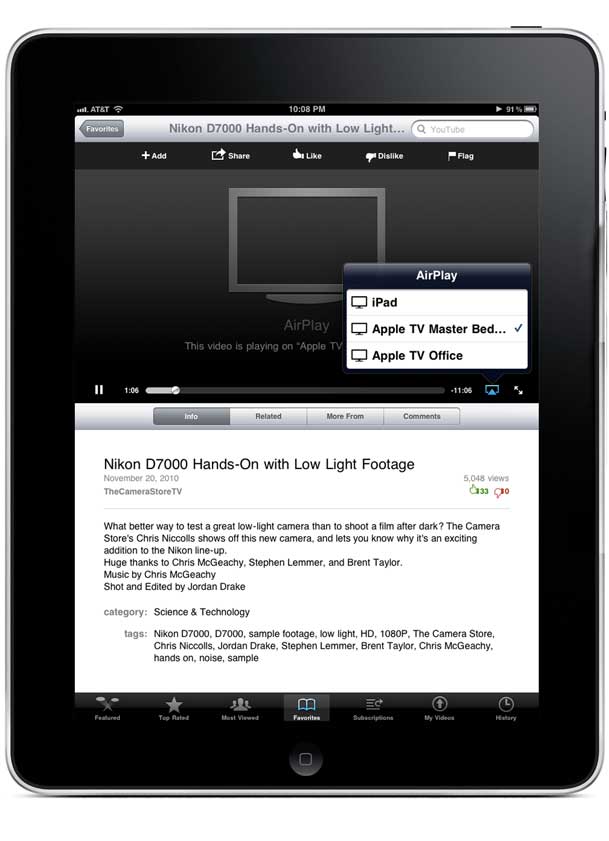
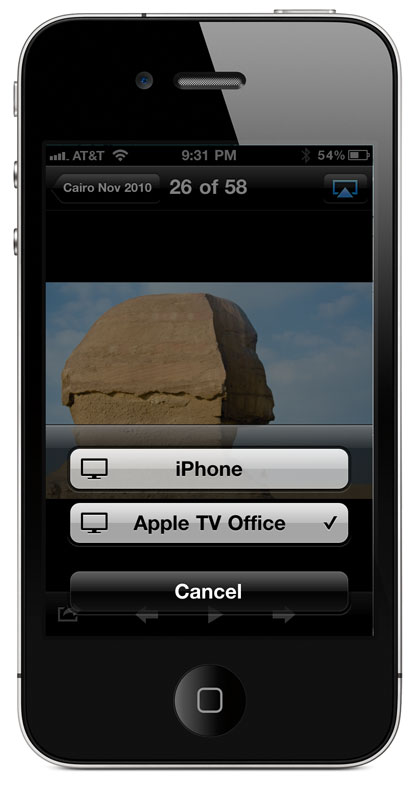
With an iOS device running 4.2.x and an updated 2010 Apple TV you can now stream music from the iPod app, Videos from the Video/iPod App or Pictures from the Photos App. You can also stream YouTube videos from the YouTube App. I imagine as developers update their Apps you'll see more Apps take advantage of AirPlay (content licensing permitting). 


What can't you do?)

You can't stream movies taken with your iPhone 4 directly from your iPhone 4. There seems to be a hardware limit in the iPhone 4 in terms of bitrate/compression that makes it impossible to stream HD videos captured with the iPhone 4 directly to your Apple TV. Also if you own the original Apple TV you're not invited to the AirPlay iOS video streaming party. There is no software update for the older models to allow this feature.


How well does it work?

I streamed a movie from my iPad without skipping a beat (over my 802.11n network)! No pauses, no glitches. It worked fine. I also streamed photos from the Photos app with no problem. Lastly I streamed a YouTube clip and surprisingly (because YouTube pauses all the time) it played without any problems/pauses as well. 


The Bottom Line

If you have an iPhone 3G or higher or an iPad/iPod touch as well as the NEW Apple TV, this is what you've been waiting for! While I think the technology is cool, I still wonder how often I'll actually use it? As I said from the start, it's rare that I would have something on my iOS Device that wouldn't already be on my computer/Apple TV. Granted I could have just taken some photos with the iPhone 4 camera and want to see them right away and there would be a good use case. It would have been nice to view a video shot with the iPhone 4 wirelessly on the big screen, but that's not possible without taking it to the computer first anyway. Time will tell! Nonetheless in my initial testing it all works as advertised.

You can get the NEW Apple TV here for $97.99.

Wireless Speakers: Bluetooth vs. AirPlay

We're on the verge of seeing several new wireless speakers enter the market place. The question though is which wireless technology is going to be right for you? The two formats that will likely be competing for our attention (and dollars) are Bluetooth and Apple's New AirPlay technology found in iDevices running iOS 4.2.

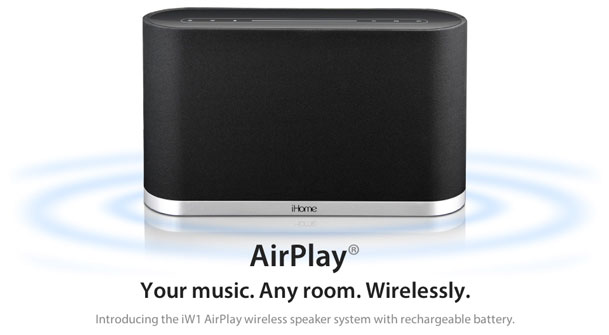
When AirPlay was first announced iHome teased us with a pre-announcement of an AirPlay speaker iW1 they were going to release. No real details were given at the time. So we continue to wait.

In the meantime Jawbone just announced their new Jambox Bluetooth wireless speaker. This one got my attention because in the iOS 4 Apple finally brought "full" Bluetooth Stereo support to iOS. You might remember my review of the Sony Bluetooth Stereo headset and using it with the iPhone. Back then I was able to use it to listen to music and make/receive calls, but the skip forward/back buttons on the headset were non-functional with the iPhone. Now they work fine with the latest iOS.
 

Advantages of Bluetooth Speakers

Bluetooth has been around a lot longer and is built-in to lots of devices. If you get a Bluetooth Speaker chances are you'll be able to use it with more than just your Apple gear. Bluetooth is also peer to peer which means you don't have to be on a network to use it. Once your device is paired to the speaker you can just use the speaker wirelessly anytime you're within 30 feet of it regardless of whether or not a Wi-Fi network is within range.
 

Advantages of AirPlay

AirPlay is new so the performance is yet to be seen. However, seeing how it's built on AirTunes that has been around for a while I'm not expecting any major issues. Video performance will be the only unknown factor at this point. AirPlay has the advantage of distance. While Bluetooth has a limited range of about 30 feet, AirPlay is based on Wi-Fi and therefore can go several hundred feet. You could fire up your iPad that is docked in the living room and pump music out to a speaker on the deck. AirPlay is also not limited to just audio. With AirPlay in theory someone could build a speaker with an LCD in it to be able to watch video content on, in addition to listening to audio content. I don't think we'll see a lot of devices in this category because in order to make sense the device would have to be the size of a TV. However, that does beg the question: will we see big screen TV's with AirPlay built-in? Now that would be cool! Lastly AirPlay has the advantage of being able to stream audio to more than one AirPlay speaker at a time. With AirTunes the current limitation is 3 devices. I use this ability now all the time by sending music from an iMac to the stereo in the living room and the Bose speaker in the Kitchen.


The Bottom Line

While I'm tempted to get the new Jawbone Jambox Speaker just to play, the $199 price tag is a bit of a show stopper for me. While I'm sure it sounds great, I just don't have enough of a need for a "Bluetooth" wireless speaker to drop $200 on it. However, if an AirPlay speaker hits the market soon I'd be more willing to spend the money on it to replace my current setup in the kitchen (a Bose SoundDock connected to an AirPort Express). While the Bose SoundDock has amazing sound, I'd replace it for something that was self contained. (Bose are you listening?) The only reason I have an AirPort Express in that room is to drive that speaker. We should also see some Wi-Fi to Wi-Fi devices in the coming months that will allow streaming without the need of a Wi-Fi hotspot. Ultimately this technology may surpass Bluetooth if it catches on because of the increased range. Things are going to heat up soon and you're going to have lots of choices. Stay tuned!

My New Google TV: A Work In Progress

A little bit about my habit

I admit it. I'm a TV junkie. Yes, I'm one of those guys that actually enjoys TV. Now while you may be picturing this guy laying on a couch with empty potato chip bags all around, I'm not quite that bad. I use TV as a form of turning my brain off. I work long hours every day. I travel for a living and that in and of itself adds layers of stress on my life. I'm constantly on my computer working or reading up on the latest things in tech. When I've had enough! It's time to veg in front of the TV. This means that I'm not looking for inspiration. I'm not looking for a message on life. I'm not looking for controversial issues. I'm looking for simple entertainment. That's it. 

With that said, I've got all the latest TV gear in my home. HDTVs, a theater room, TiVo HD, Apple TV, Comcast HD Cable Service, Slingbox, Playstation 3, Nintindo Wii, Xbox 360 and a Netflix account. At one point I even had both DirecTV AND Comcast until DirecTV all but accused me of lying about a pay per view that I didn't order (as a result I'm no longer a DirecTV customer, their loss!). There is no shortage in ways to watch TV in my life. 


When do I find the time to watch?

I almost NEVER watch a live broadcast. I just don't have the time to sit in front of a TV on someone else's schedule. That's why TiVo HD is my favorite piece of gear out of all of the above boxes. I set up the Season Passes and one time recordings for the shows I want to watch and when I'm home and done with work for the day, I can usually get 3-4 shows in (fast forwarding through commercials) in one sitting. My second favorite box is my Slingbox. This allows me to stream my own TiVo recordings anywhere I happen to be traveling on my computer or my iOS devices. Lastly I also like to watch on those long flights. Therefore I either bring Netflix DVDs or rip the TiVo'd shows to my laptop or my iPad. That pretty much covers that ways that I watch content. I'm not a regular Hulu user and I rarely if ever watch shows on the network websites. The biggest reason for this is that I'm either watching at home and using TiVo or I'm in the air and don't have an internet connection to stream content. So streaming shows to my computer is the least interesting option for me.


The road to Google TV

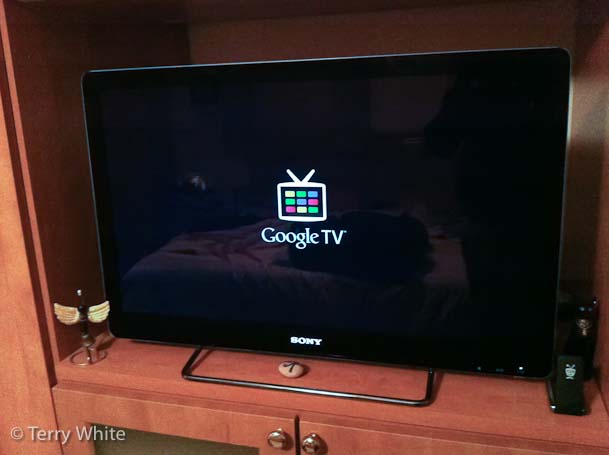
I was intrigued by Google's initial teaser video on the upcoming Google TV and put it on my list of gadgets to check out. At the same time I was looking to replace the HDTV in my bedroom. The one I had was a Sony 32" 720p lower end Bravia. While this TV worked fine, I wanted a few more HDMI ports, Full 1080p resolution and the power saving aspects and clarity of the new LED sets. I was in no hurry and was just waiting for the right deal to come along. Also I had no particular brand in mind. I have no love or hate for Sony. I have several Sony products, but if a better set came along by another manufacturer I'd consider it.

Then I got an email from Sony announcing "the world's first HDTV powered by Google TV". I thought "perfect timing"! I was in the market for a TV and I wanted to tryout Google TV and this would kill two birds with one stone. 

Continue reading “My New Google TV: A Work In Progress”

Adobe Launches Its Digital Publishing Suite: InDesign CS5 to iPad

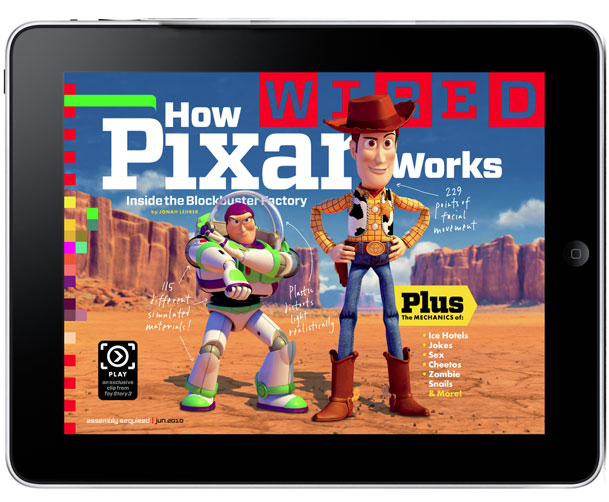
It's been talked about since the release of the Wired iPad App, and now it's here for you to see and explore. Adobe is taking the wraps off the Adobe Digital Publishing Solution today that will allow Magazine publishers to publish electronic versions of their publications as iPad Apps/Issues. Rather than talk about it, I recorded this video to walk you through the process:

httpv://www.youtube.com/watch?v=HlxqsN7HZyU


You find out more as well as download the necessary components for InDesign CS5 to get started here.

Download the Adobe Preview Tool for iPad for Free here from the Adobe

Last Call for HyperMac MacBook Charging Cables

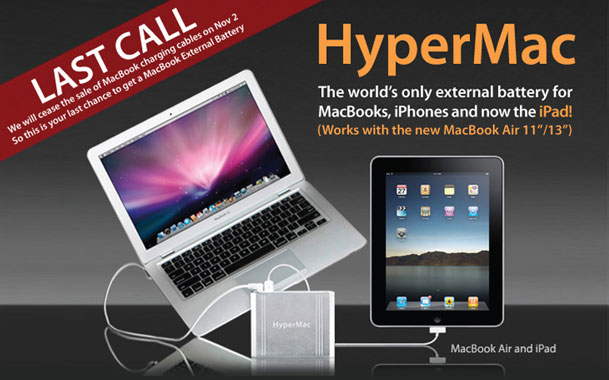
You may remember my review of the HyperMac Battery for the MacBooks here. Well it seems that a good thing has come to an end. The way I understand the story (and NO I'm not a lawyer, so this is just my opinion/interpretation) is that HyperMac guys were buying Apple's external MacBook (Pro/Air) chargers (legitmately) and then retrofitting the cable to their external batteries and selling them. That was until Apple's legal team came down on them and basically forced them to stop. I don't know the legal precedence here, but it seems sad that this vendor, who was providing a benefit to MacBook users is now being forced to stop. As you may know Apple no longer allows you to swap out your own batteries. All current model MacBooks have sealed batteries. So if you run out of juice on a trip, you're just out of luck until you can get to a wall plug. I've used my HyperMac batteries on many trips and it was great arriving with fully charged MacBook Pro and iPhone batteries. I plan to use it on my trip to LA next week for Adobe MAX. I haven't heard of any issues with the batteries or any incidents of MacBook failures as a result. Since Apple doesn't sell any external batteries of their own I don't see a competitive threat either. Lastly, you would think that Apple would license the MagSafe adapter to those wishing to build MacBook peripherals like the popular iGO chargers. 

If you're interested in a HyperMac Battery or Cable for your existing one, you have until November 2nd, 2010 to order. See them here. I may buy another just to eBay at a profit down the road 😉 Oops, did I say that out loud? Actually they'll probably still sell the batteries, just not the cables for Apple's MacBook line.


P.S. HyperMac wasn't the only game in town. I wonder how long these guys will be selling theirs?