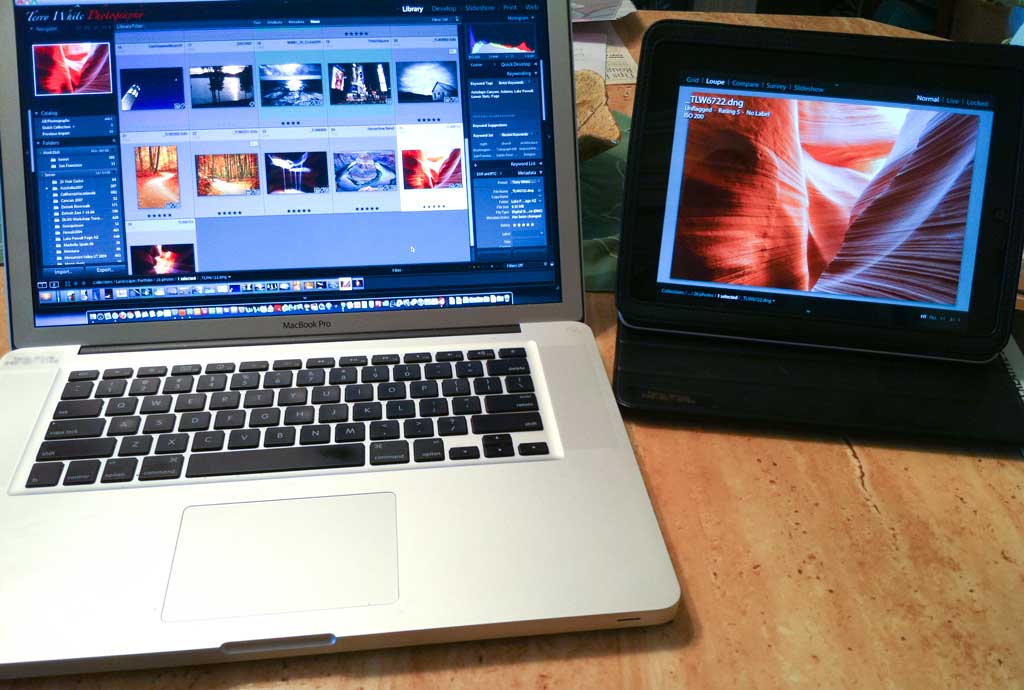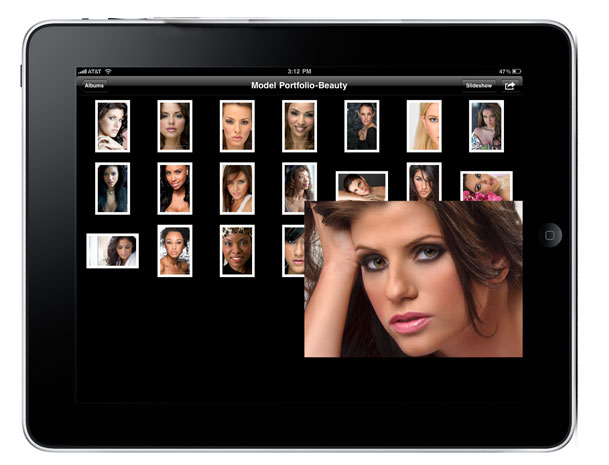
I'm such a tease. I know. 🙂 Although that is Lightroom 3 being displayed on my iPad, it's actually running on my MacBook Pro. Check out how I did it here. I know it's not what you were hoping for, but it's pretty useful nonetheless. Also great for wireless client review in your studio.
Adobe Audition for Mac: Technology “Sneak” Preview
To all my Audio loving Mac buddies, Adobe's Worldwide Creative Suite Evangelist – Jason Levine gives us a special Technology "Sneak" Preview of Adobe Audition for Mac. Check out these two videos:
httpv://www.youtube.com/watch?v=aRc49EKb9VY
httpv://www.youtube.com/watch?v=N1AblAwOpSA
Signup to be notified of the Public Beta here.
The Photoshop CS5 Summit and a New Video on Video
httpv://www.youtube.com/watch?v=bm-smVLREnY
My buddies over at NAPP are headed to the Big Apple (NYC) next Friday, June 25th for The Photoshop CS5 Summit. Sadly I will not be there because I'll be in Nice, France presenting at the Cannes Lions International Advertising Festival. Somehow I'll suffer though it 😉 Nonetheless, you should check out the Photoshop Guys at this FREE event! Find out all the details here.
My Top 5 Favorite Features of the NEW Adobe Creative Suite 5 Production Premium
Although I'm the Adobe Worldwide Creative Suite Design Evangelist and my main passion is for Photography, that doesn't mean that I don't have other interests. Actually my second passion is for digital video. I'm thrilled with all the new capabilities in the New Production Premium Suite and I thought I'd share with you my Top 5 Favorites. Check them out here:
httpv://www.youtube.com/watch?v=4-DXBmxgstU
Do you want MORE Videos on CS5? Of course you do. Check out the NEW Adobe Evangelist TV channel on YouTube. There's lot's of CS5 goodness there including more videos on Digital Video and some HTML 5 goodness. Also if you want to download any of my CS videos and take them with you, head over to my Adobe Creative Suite Video Podcast.
What Do You Want In An iPad Photo Management App?

With Lightroom 3 out the door and now that I'm back from HOW Design Conference, I can start to look forward at upcoming technology, gadgets and projects. While I was at HOW I had the ear of Adobe's Tablet Application Project Manager, John Nack. On Friday, John asked via his blog what people might want in an Lightroom type app for the iPad? Since I reach a ton of iPad users here, I thought I would solicit your feedback and pass it on to John and team.
Two Camps
When I talk to iPad users about this, I get lots of different ideas on what they want and I've summarized them here with two options.
OPTION ONE: There are currently two lines of thought on what photographers really want in an iPad app. If we start with Lightroom's current five modules, we have Library, Develop, Slideshow, Print and Web. One school of thought (the one that I'm in) is that you bring in your photos via the iPad Camera Connection Kit (I reviewed it here) and then you're able to do Library Module type things to them. ie. add keywords, titles, descriptions, picks, flags, stars and possibly even put them in collections. You could also do Develop module type things like Exposure, Noise Reduction, Cropping, etc. Once you get back to your computer, you would connect your iPad via the USB cable (don't scream WiFi because again we can only do what we're allowed to do) and sync everything to your computer right into the desktop version.
OPTION TWO: The other school of thought is to go the other way. Start in Lightroom on the desktop, and sync your catalogs/collections to the iPad for client review and showing your mobile portfolio. Perhaps you'd still have access to Library like functions while your client reviews with you, that sync back to the desktop version.
Personally I think that no matter what, we should have a slideshow feature with music too. However, we also have to keep in mind that Apple doesn't take to kindly to "duplicating" built-in functionality. So again, our hands may be tied in many things we want to do.
So what do you want?
Sound off in the comments below. Also what's the right price for such an App? Um, duh, yeah free is great, but what if it's not? How much is the right price?
By the way, there are no promises here. There are lots of technical limitations to overcome and even then if such an App were to be built, it would still have to be approved by Apple. So keep that in mind. For those of you thinking, "how hard can it be?" You might want to take a look at this post.
Adobe Lightroom 3 is here! See my Top 5 Favorite Features

Adobe Photoshop Lightroom 3 ships today! Once again the public beta has been a huge success. Although there are SEVERAL features (see my other videos) that I like in Lightroom 3, I thought I'd share with you my Top 5 Favorites:
httpv://www.youtube.com/watch?v=xYULXchSTl0
Tech Profile of Russell Preston Brown
Russell Preston Brown
Sr. Creative Director
Company
Adobe Systems Inc.

San Jose, CA
Your blog/website?
Favorite Gadget(s)
Olympus Pen E-PL1, and the Motorokr S9-hd
Your cellphone/smartphone (make/model):
Apple 3G iPhone
Continue reading “Tech Profile of Russell Preston Brown”
Introducing the Photoshop CS5 “Knowledge Panel”
Photoshop CS5 Quietly Delivers the Knowledge Panel
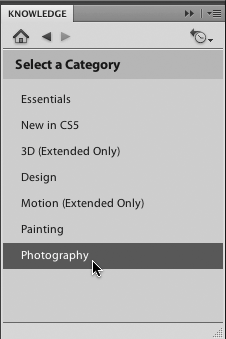
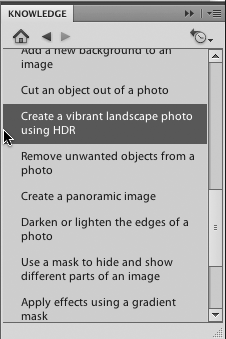
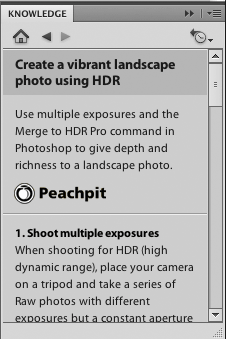
That's right! If you have Photoshop CS5, you have a NEW Panel under Window->Extensions Called "Knowledge". This new panel pulls in industry experts to give you help and step-by-step instructions on completing various tasks in Photoshop. Best of all it's FREE and if you've been connected to the internet and have Photoshop CS5 open it's already there! Here are a few screen shots:

Speaking of Creating an HDR Image
Here's my Lightroom 3 to Photoshop CS5 HDR Pro workflow
httpv://www.youtube.com/watch?v=rab25UTe6HY
Thanks goes out to Scott Kelby and the Photoshop Guys for some GREAT HDR Pro settings.
Continue reading “Introducing the Photoshop CS5 “Knowledge Panel””
The CS5 Wallpaper Images You’ve Been Asking Me For

Since CS3, it has now become a tradition that I provide Creative Suite wall paper/desktop picture images for people to download. The artwork for CS5 is STUNNING! So once again I'm happy to provide you with the imagery so that you can get your CS5 on! You can download them here and there are even some Mobile versions included for your mobile device. Enjoy!
Also don't forget, you can download a FREE Trial of CS5 here and use it fully functional for 30 days.
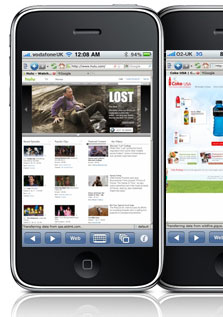
Flash on the iPhone? There is an App for that!

All I'll say is check out this App that I reviewed on Best App Site today.
Tech Profile of Dave Helmly
David Helmly
North American Technical Sales Manager Pro Video/Audio
Company
Adobe Systems,Inc

Annapolis MD
Your blog/website?
Favorite Gadget(s)
This hard as I do a lot of reviews on various products. iPhone is up there but looking forward to seeing what happens with the Android OS, Chrome browser has won me over –Safari is now dead to me, & Garmin Nuvi