
One of my NEW photo sharing workflows is powered by Adobe Revel

iPad_with_DSLR

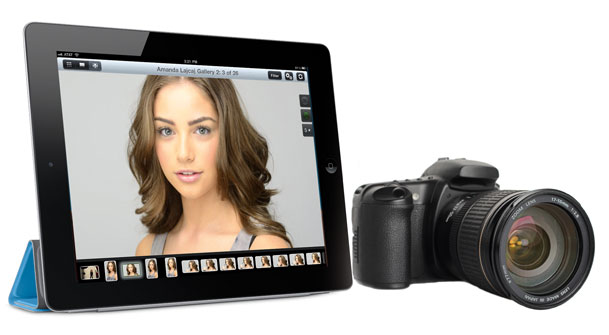
Sometimes you can be so focused on what you do professionally that you totally overlook what’s out there for fun. Both Adobe Photoshop Lightroom 5 and Photoshop CC are at the heart of my day-to-day photography workflows. Many of you have heard me talk about Adobe Revel in the past. I had begun using it as my portfolio App on iPad. I loved that it sync’d my photos from Lightroom to the cloud and instantly to my iPhone and iPads. However, the one BIG THING that was missing from the iOS apps was a “slideshow” feature. Sure you could swipe the images, but you couldn’t simply hit play and let them run. The beautiful new redesign of Revel 2.0 changed all that. The app is gorgeous and has many new features that has me using it as my Portfolio app again. Let me share some of the other updates with you that you may have missed…
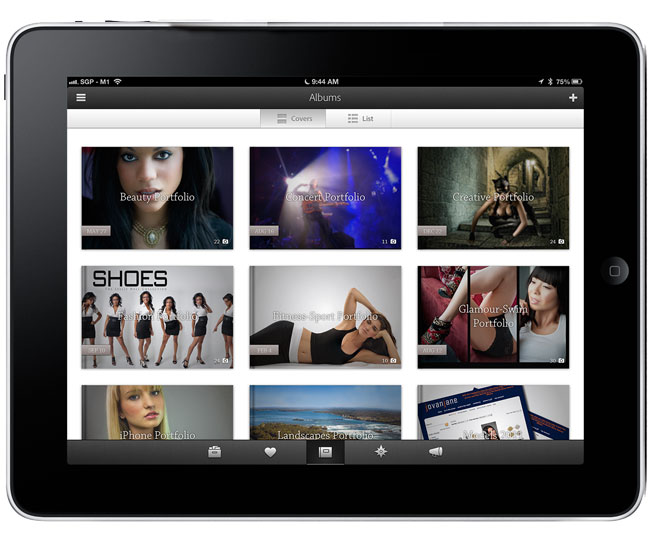
adobe-revel2-ipad


What’s Adobe Revel?

adobe-revel-mac

Adobe Revel is Adobe’s “consumer” based photo sharing service. It’s FREE to use for those with modest needs. With the FREE account you can upload an unlimited number of photos in the 1st 30 days after setting up your account and then 50 photos a month after that. If you “need” more than that you can go UNLIMITED for $5.99/month. Yes, that’s unlimited imports, no limits ever. Once you upload your images to Revel they are instantly available on your Mac, iPhone, iPad and iPod touch (Windows and Android is in the works, but no timeline for when they will be available). As with other services like Flickr. com, most will only need the FREE account, but if you want to handle a lot of photos each month you can go unlimited whenever you want.

Download Adobe Revel for Mac here:

Adobe Revel - Adobe

Download Adobe Revel for iPhone, iPad and IPod touch here:

Adobe Revel - Adobe

Why isn’t this a part of Creative Cloud?

Adobe Revel is on the consumer side of the house and the consumer offerings from Adobe (like Photoshop Elements) will remain separate from the professional offerings in Creative Cloud.


What do the Mac and iOS Apps let you do?
adobe-revel-iPhone5-editing

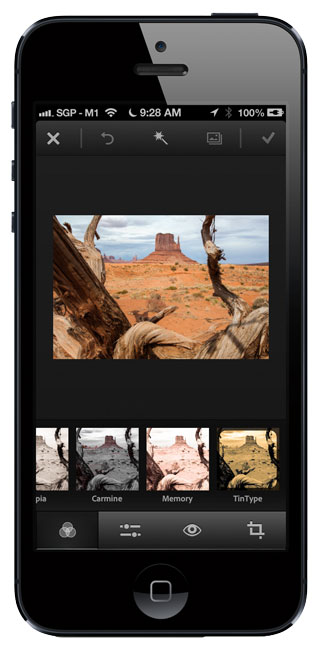
In addition to uploading your photos, the Mac and iOS Revel Apps allow you to do non-destructive edits to your photos. Think of it as a Light version of the Lightroom develop module for consumers. It’s all slider based and like I said, 100% non-destructive. Once you make edits on one device those edits are automatically sync’d to all your other devices. This means that you always have the most up to date photos with you. You can also use the App to display your photos on screen or via AirPlay to say an Apple TV.


How does this work with Lightroom 4 and 5?
adobe-revel-LR

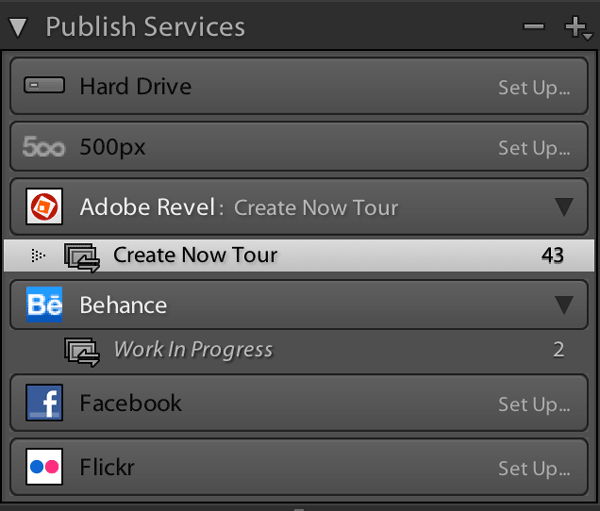
Lightroom 4 had a Revel Publish Service built-in and Lightroom 5 has a plug-in that you can download for free that does the same thing. Get it here. When I sign in to the Revel Publish Service I see my Revel libraries and I can create collections (or better yet, Smart Collections) that represent my portfolios. This means that I can publish my best/favorite images from Lightroom directly to Adobe Revel. I have created a Smart Collection in the Revel Publish service for each of my portfolios. When I update the regular Lightroom collection with new images, all I have to do is hit the Publish button in the corresponding Revel Publish Service Collection and my images are uploaded and my iPhone, iPad and Mac are updated. This has been the easiest way for me to carry my “CURRENT” portfolios around with me on my various devices. Yes the images can be viewed offline too. Actually if it weren’t for the Lightroom tie in I wouldn’t be half as excited about Revel. Since all my photos live in Lightroom it’s the hub of all my photographic workflows.


You mentioned a NEW photo sharing workflow. What’s NEW?
adobe_grouppix_iphone5

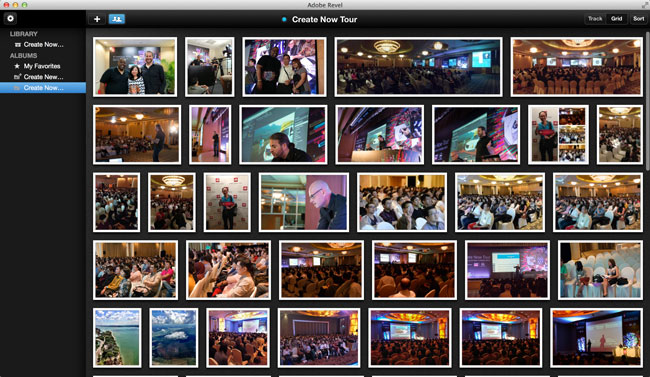
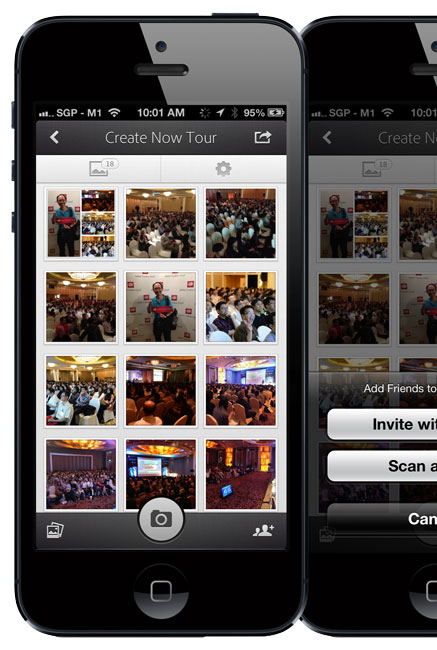
Everything I mentioned above is pretty much old news to Revel. The 2.0 iOS Apps and rate plan changes have been out for a while. What’s new is a couple NEW iPhone Apps. The 1st one is called Grouppix. I reviewed it here last week. When you and your friends download this FREE App, one of you can create a “shared” Album and invite the other to it. At that point anyone that has access to the album can upload pics to it and you all see them. This is GREAT for events such as parties, weddings, conferences, etc. Now everyone will have access to all the photos. That’s pretty cool, but what I didn’t realize right away is that those albums are powered by Revel! If you’re a Revel user those Grouppix shared albums show up in your Revel account. This also means that they show up in the Lightroom Publish Service. This makes it really really really easy for me to not only share photos I’ve taken with my iPhone, but also the ones I’ve taken with my DSLR. I can import my DSLR photos into Lightroom 5, select my picks, Develop them and add them to a Revel collection (Grouppix album), hit Publish and everyone that’s on the shared Grouppix album now has access to them. I did this last week during the Adobe Create Now Tour in APAC and it worked GREAT! If you’re into video there’s also a consumer based video editing app for iPhone called Video Bite. Yep it’s free too. It’s basic, but hey it lets you put clips together quickly and output a final movie right on your iPhone. Also did I mention that it’s free?

Get Adobe Grouppix for iPhone here:

Adobe Grouppix - Adobe

Get Adobe VideoBite for iPhone here:

Adobe® VideoBite - Adobe


Learn more about what Adobe Revel has to offer here.

I’m Off To APAC for the Adobe Create Now Tour

AdobeCreateNowBanner

Rarely do I do a blog post on a Friday evening. However, since I totally forgot to do it earlier and I’ll be offline for about 24 hours I figured better late than never.

I’m headed to Asia and I’m actually thrilled to be back on the road. This is my first international trip this year and I get the pleasure of going to a few places that I haven’t been before. Here’s where and when I’ll be presenting with my colleagues Jason Levine and Paul Burnett.

09-Jul Create Now Roadshow: Bangkok, Thailand
11-Jul Create Now Roadshow: Singapore
16-Jul Create Now Roadshow: Delhi, India
17-Jul Create Now Roadshow: Chennai, India
18-Jul Create Now Roadshow: Bangalore, India

I’m looking forward to seeing all of you on the other side of the planet! If you can make it to the Adobe Create Now Tour be sure to come up and say hello.

P.S. If you approach me and I look sleepy, I probably am 😉

Get the June Issue of Adobe Inspire Magazine on your iPad

adobe_inspire_iPad

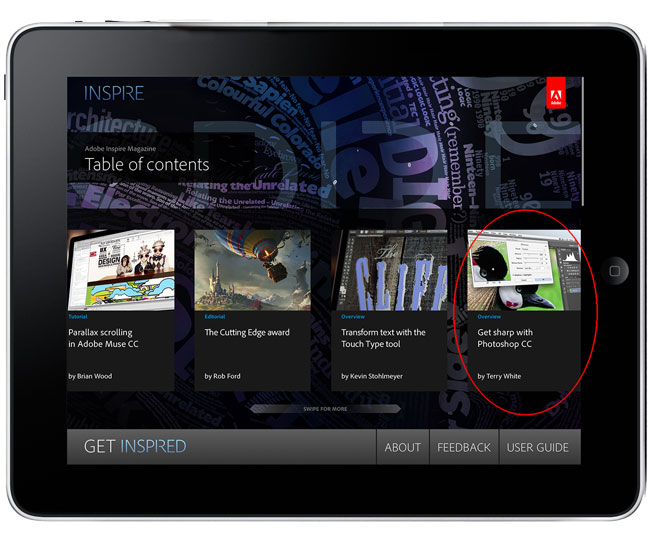
The June 2013 issue of Adobe Inspire Magazine is here! This month’s issue contains articles on Adobe Muse CC, Photoshop CC, the CSS Designer in Dreamweaver CC and more. There’s even an article and video from yours truly on Photoshop CC’s new Sharpening and Upsampling capabilities.

adobe_inspire_iPad_tw

Adobe Inspire is a FREE digital publication created with the Adobe Digital Publishing Suite (DPS) and you can get it here:

Adobe Inspire - Adobe


Don’t have an iPad?

You can also check out the web version here.

15 New Creative Cloud Apps Are Here

cc_apps_up_to_date

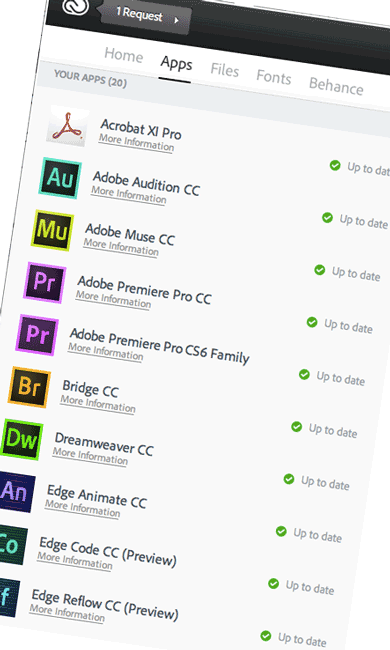
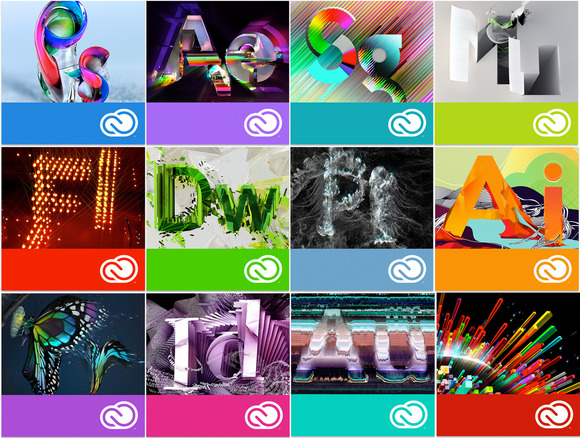
Today’s the day! The long awaited Creative Cloud apps are now available for you to download, install and use. There are new versions of Photoshop, Illustrator, InDesign, Muse, Dreamweaver, Bridge, Premiere Pro, After Effects, InCopy, Flash Pro, Audition, Prelude, Speedgrade, Edge Animate and Edge Inspect, as well as Adobe Scout CC, Edge Code CC Preview and Edge Reflow CC Preview. As a Creative Cloud Member you can download any or all of these applications.

To get started head over to creative.adobe.com, login with your Adobe ID and choose which app you want to download first. You’ll then be prompted to download the new Creative Cloud Desktop (this replaces the old Adobe Application Manager – R.I.P.). Once signed in you can choose which apps you want as well as log in to your Behance account to get activity updates as well.


What else is new?

LR-IC

Beside the CC Apps themselves, there’s a brand new Learning Center where you can view several new getting started videos. There will be content added here on a regular basis. Of course Lightroom 5 is available to Creative Cloud members as well as Adobe InCopy CC. InCopy was never part of the suites and was always a separate purchase just like Lightroom. It’s great to have both of these applications be a part of the Creative Cloud.


See my Creative Cloud Learning Center as well

If you want to see my videos on Creative Cloud, head over to this special playlist I’ve created on YouTube. You can get a taste of it below as well:


What didn’t make it?

While all the CC Apps shipped as planned, two of the services unfortunately aren’t ready yet. The Desktop Sync feature of the New Creative Cloud Desktop app is currently disabled until the back-end performance is where we (and you) want it to be. Also since the Typekit Desktop Fonts rely on the desktop sync features to work, it’s also turned off at this time. As soon as these features are ready they will be enabled in your Creative Cloud Desktop app.

You can still use your 20GB of storage space via your web browser and the mobile apps that sync with it like Photoshop Touch and Adobe Ideas.


How Do I sign up for Creative Cloud and is there a deal?

cctotems

There are several different levels of membership for Adobe Creative Cloud. Everything from individual full memberships to single app memberships to student/teacher memberships and of course team, enterprise and government. There are also special deals for existing Creative Suite users from as far back as CS3.

See the membership options here.

See the special deals for CS3-CS6 users here.

Buy a full year of Creative Cloud at once here.

Buy a full year of Creative Cloud for student/teacher here.

Continue reading “15 New Creative Cloud Apps Are Here”

Lightroom 5 has Shipped!

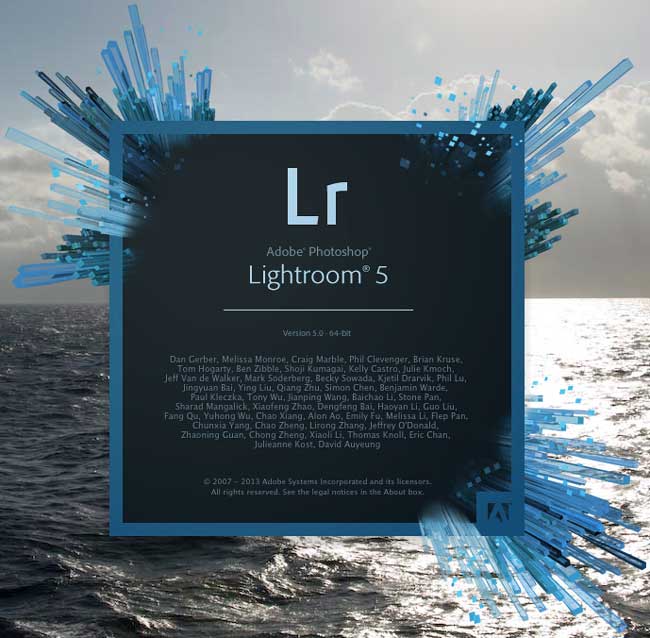
Lr5_splash

Today Adobe has shipped Lightroom 5! With over 400 bugs fixed since the Public Beta and a NEW Publish to Behance feature, Adobe Photoshop Lightroom 5 is now shipping. The retail price of $149 remains in effect as well as an upgrade/student price of $79. Of course Lightroom 5 is also available to Creative Cloud members to download and install at no additional cost.

Key New Features Include:

  • Smart Previews
  • PNG support
  • A new Full Screen Mode
  • User Configurable Grid Overlays
  • Windows HiDPI support
  • New Smart Collection Criteria
  • Behance Publish Service
  • Advance Healing Brush
  • Radial Filter
  • Upright Image Straightening and Perspective Correction
  • LAB Color Readout
  • Book Page Numbers, Improved Text Creation and User Pages
  • Videos in Slideshows
  • Tethering support for Nikon D600
  • Several JDI enhancements


How To Do a Complete Portrait Retouch In Lightroom 5

The Develop module has come a long way in Lightroom 5 and with the addition of the Radial Filter and non-circular Spot Removal Tool I now feel comfortable enough to do a complete portrait retouch in Lightroom. Since all of the adjustments are in the Develop Module the entire process is completely non-destructive.


I’m honored…

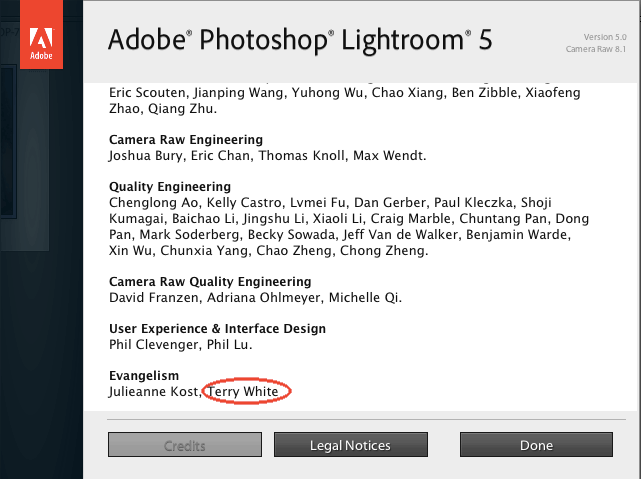
I’m also very honored to have made it into the About Lightroom credits screen. It’s an honor to have my name on such a fantastic product!

about_Lightroom_5


In case you missed it, see Lightroom 5 in action and my Top 5 Favorite Features:


Camera RAW 8.1 and DNG Converter 8.1 Now Available Too

See the details here.


What’s New In Photoshop CC, Illustrator CC, InDesign CC and Muse CC?

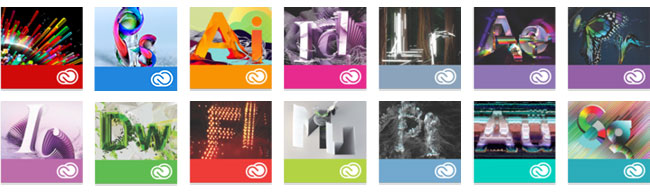
cc-totems

Today Adobe took the wraps off all NEW versions of Photoshop, Illustrator, InDesign, Adobe Muse and more. The Creative Suite (CS) Applications have been rebranded Creative Cloud (CC). I’m here to give you your first look at these applications and to share my Top 5 Favorite Features in each one. I’ve created a Creative Cloud Learning Center playlist on my YouTube channel and added my four new videos to it. I’ll continue to add more videos on Creative Cloud in the coming weeks and months. The NEW CC versions will be available to Creative Cloud Members on June 17th.

Note: Currently there are no plans to add new features to Creative Suite. Creative Suite 6 will continue to be available indefinitely for those that aren’t ready or don’t want to go to Creative Cloud. Also Adobe Photoshop Lightroom and Acrobat Professional will continue to be sold as perpetual licenses. This probably brings up a lot of questions and we’ve tried to anticipate as many as possible. Go here to get answers.

Continue reading “What’s New In Photoshop CC, Illustrator CC, InDesign CC and Muse CC?”

How To Fix Teeth in Photoshop CS6

Photoshop_CS6_Extended

In this episode of the Adobe Creative Suite Podcast Terry White shows how to remove the yellow from teeth as well as how to fix a gap. How to fix teeth in Photoshop.

Are you missing out on my Bonus Content?

See more of my Adobe Creative Suite Videos on my Adobe Creative Suite Podcast and get the App below. It features EXCLUSIVE CONTENT that no one else gets to see. This episode has a BONUS CLIP that is available only in the App! My iOS App is a Universal App for iPhone, iPad and iPod touch. I also have an Android version on the Amazon App Store:

Learn Adobe Creative Suite with Terry White - Wizzard Media


Lightroom 5 – A 1st Look and My Top 5 Favorite Features

Lightroom_5_splash

Lightroom 5 is here! Well at least in Public Beta form and I’m here to give you your 1st look. I’ll take you through my Top 5 favorite features of Lightroom 5. Lightroom 5 has some great new features and several minor enhancements. So by no means is this 1st look all there is to this new version, but these are the 5 features that got me the most excited.


Learn more about the new features of Lightroom 5 in this blog post from the Lightroom team. Grab the Lightroom 5 Public Beta here from Adobe Labs.

P.S. Yes David, this version has tethering support for the Nikon D600! 😉

Are you missing out on my Bonus Content?

See more of my Adobe Creative Suite Videos on my Adobe Creative Suite Podcast and get the App below. It features EXCLUSIVE CONTENT that no one else gets to see. This episode has a BONUS CLIP that is available only in the App! My iOS App is a Universal App for iPhone, iPad and iPod touch. I also have an Android version on the Amazon App Store:

Learn Adobe Creative Suite with Terry White - Wizzard Media