My New MacNews blog

As many of you know I'm a Mac user and usually a fan of Apple's products. There a many times that I would post more about Macs, iPhones and such here, but I try to keep an even balance because I realize that there are a fair number of Windows users here too. So unless it's a hot new product introduction or major update, I tend to just let it go by. 

Back in August of 1986 (yes that's 23 years ago), I founded MacGroup-Detroit. I've been the president of this organization for 23 years. It's a very active Michigan based users group with roughly 500 members. For the last 20+ years we've had a monthly newsletter called "MacNews". About a year ago we went from a printed publication to a PDF online only publication. This was working OK, but the more I thought about it the more I started to wonder "why?" Why go through page layout just to deliver electronic information electronically? So a couple of weeks ago the monthly newsletter was converted into a daily blog. This way, the writers can post content whenever it's ready, the information can be more timely and the members can subscribe via their favorite RSS readers.

Continue reading “My New MacNews blog”

UPS what were you thinking?

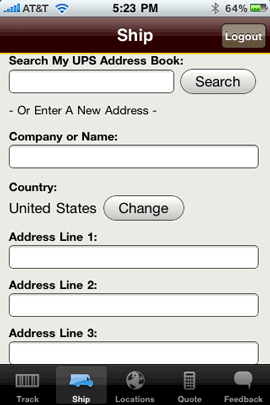
UPS App Address Entry

Nope, this is not iPhone App of the Week day! This is one of those rare moments that something about a product bugs me so much that it can't wait. I just downloaded the FREE UPS iPhone App. Overall I think the App is great and UPS got a lot of things right such as the ability find your closest UPS shipping location and to get shipping estimates. Perfect timing for the holiday season. However, if you use the app to actually ship a package you'll find one major flaw. When it comes time to enter the destination address you can choose between your online UPS Account Address Book OR Enter it Manually! That's right! The app can not use the addresses from your Contacts already on your iPhone or iPod touch. Sure you can copy and paste, but that will be a multi-step process since you'd have to go back and forth between Contacts and the App to copy and paste each line of the address. There are silly, stupid little apps on the App Store that can look up Addresses from the Contacts list. I can't believe that UPS wouldn't have included this. Luckily it should be a relatively easy thing to fix, but wow! UPS, what were you thinking?

Continue reading “UPS what were you thinking?”

iPhone App of the Week – Nice List

NiceListicon

It's that time of year again and many of you are about to start (or have started) your holiday gift shopping. There are several good iPhone/iPod touch apps out there for managing lists, but for holiday shopping it's probably best to go with one designed to give you more than just a check list. I used one last year and it was great because besides letting me add people and the gifts that I wanted to get them, it also kept track of the budget and total spent.


Here's what I look for in a Holiday Gift List App

  • The ability to easily add names from my Contacts. Chances are if you're on my list, you're already in my Contacts. So why have to type them in from scratch.
  • The ability to add multiple gifts per person and their estimated costs
  • Of course the ability to check off what I've bought 
  • A passcode lock for the app itself to keep prying eyes out 🙂
  •  

NiceList-addperson

Continue reading “iPhone App of the Week – Nice List”

Appear to Never Sleep with FutureTweets

futuretweets

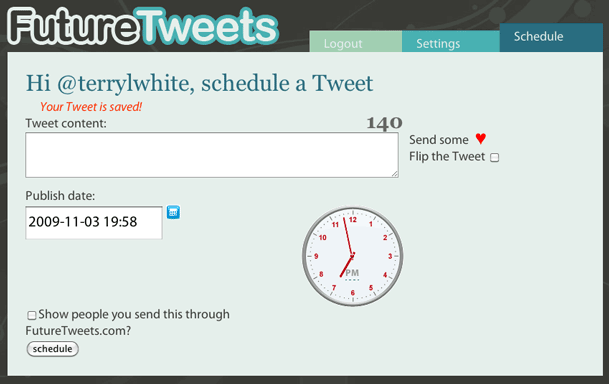
I love social networking! I'm on Facebook and Twitter and I find these sites really useful to get the word out about things that I'm doing or working on and where I'm going to be presenting. However, I do work a day job and can't be spending all my time tweeting and facebooking (yeah it's a word now) all day long. However, sometimes I want my message to get out at specific times during the work day. With my blog or podcasts it's easy! I can write a post any time and schedule it to go live any day or time that I want. However, for Twitter.com it's not so easy. The Tweets are in real-time.


That's where FutureTweets.com comes in

Thanks to my friend Stevie Lynn for sharing this site with me. If you login at FutureTweets.com you can schedule your tweets (announcements) to go out whenever you want. It's that simple. So now you can have the appearance of never sleeping. 🙂

Continue reading “Appear to Never Sleep with FutureTweets”

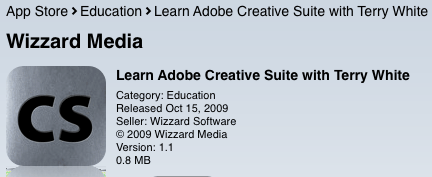
Wanna learn the Adobe Creative Suite? There’s an App for that!

CS app on the App Store

My New iPhone App is Now Available!


As you may already know I have one of the Top Ranked Video Podcasts on iTunes! Each week I provide tips and tutorials on how to use the Adobe Creative Suite via the Adobe Creative Suite Video Podcast.
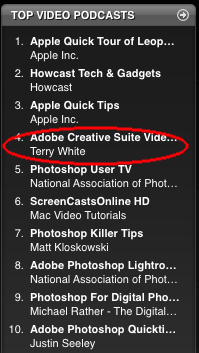
Top How To Video Podcasts

Well now there's an app for that! I'm very pleased to announce the immediate availability of my NEW iPhone App. The "Learn Adobe Creative with Terry White" (CS) not only gives you access to my near 300 Video Tutorials, but here's the catch – you will have access to videos that won't be posted anywhere else! That's right – BONUS CONTENT!


How does your app work?

CSappLoading

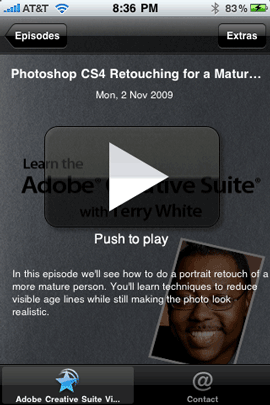
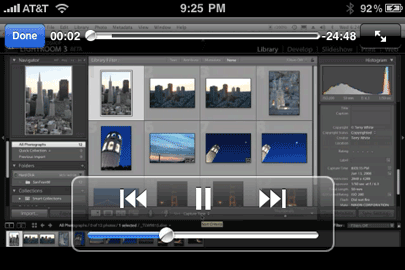
Once you install the CS App you can go and watch any video you want as often as you want. The videos will be streamed to your iPhone or iPod touch. So you don't have to wait for them to download first before you start watching. Rewind, pause or skip ahead.
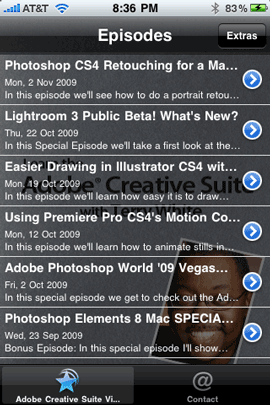
CSappEpisodes      .CSappPlay


CS-playing


How is this App better than just downloading your Podcast?

I knew you were gonna ask that. 🙂 The biggest difference is the EXCLUSIVE Bonus Content. Starting with my Lightroom 3 Beta Episode you'll be able to tap the "Extras" button and see an additional tutorial that can't be seen anywhere else. These Episode Extras will be in the form of video or PDFs with additional tips, techniques, steps, etc., and only available to the users of this app! Also the app just makes it easier to get straight to my show and all of my episodes without the multiple taps it would take in the iTunes or iPod app.
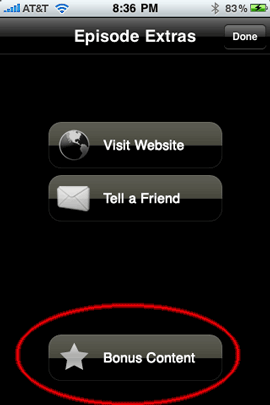
CSappBONUS

That's right, you get to see more tips and more techniques from videos recorded specifically for the users of this app. This week I posted a video on Retouching in Photoshop CS4. In addition to that episode, there is a bonus clip that covers additional techniques.


What if I want to watch your tutorials offline?
CSdl

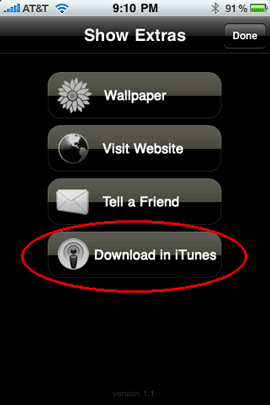
There's a button for that. You can tap the "Download in iTunes" button and the app will take you right to my page on the iTunes store to download the episode of your choice right to your iPhone/iPod touch. Then you can watch it offline.


Will there be new content?

Absolutely! This is not a static app. It's the app that keeps on giving. On average I record at least one tutorial a week. So you'll have something new to watch all the time. My goal is to also provide Bonus content with each new episode from here on out as well.


How do I get it?

The "Learn the Creative Suite with Terry White" app is available for both the iPhone and the iPod touch. You can get it from the App Store for $1.99 here:

Learn Adobe Creative Suite with Terry White

I hope you like it and if you do get it, Thank YOU!

P.S. Also do me a favor and if you like it don't forget to go back and rate it on the App Store. It helps!


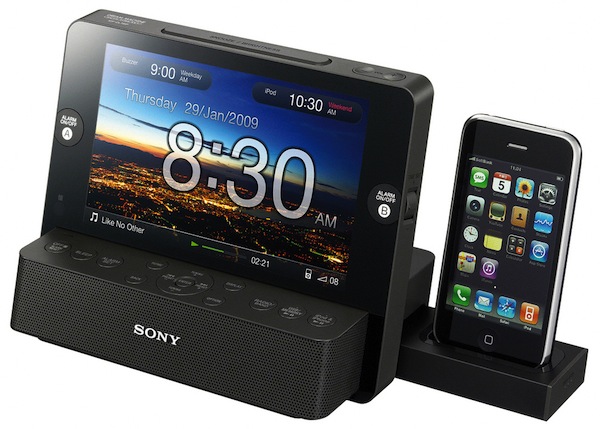
Sony FM/AM Clock Radio Digital Picture Frame with iPod/iPhone Dock Review

ICFCL75IP

How's that for the longest product name in history? Oops, I forgot to stick in the model number: ICF-CL75iP. Ahhh, that's better! Wait, I forgot Dream Machine. OK, that's it.

A couple of months back I saw a pre-announcement that Sony was coming out with an Alarm Clock that had a built-in iPod/iPhone dock – YAWN! I know, who cares right? There are so many options out there, what's Sony going to bring to the table? Well there was one thing that got my attention and that's the built-in digital picture frame. This clock radio, iPod dock has a nice big 7" display. 

Rather than spending a lot of time trying to describe it, here's a video I recorded:

httpv://www.youtube.com/watch?v=WE0otgu9UWQ

Continue reading “Sony FM/AM Clock Radio Digital Picture Frame with iPod/iPhone Dock Review”

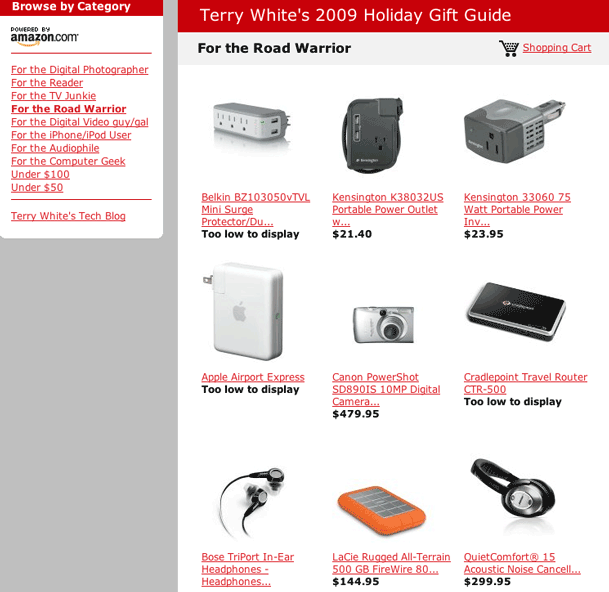
My 2009 Holiday Gift Guide is Here!

That's right it's my guide to help you with you holiday shopping for the gadget lover (freak) on your list. The way this thing started was each year towards the holiday season all my friends started asking me and emailing about what my picks were in various categories and of course the answers were usually the same. So I decided to compile a list and just email it to the folks that asked.

Once again I've put together a Holiday Gift Guide to help you pick out gifts for the techies and gadget lovers on your gift list. However, instead of making a PDF with links to multiple sources, I've decided to go with once source this year. I've chosen Amazon.com simply because they are the one online retailer with not only the largest presence, but also the one that carries 99% of the items I recommend. Another advantage is that I can continue to add things that come up all the way up to the final days of the holiday season. In previous years I would always find some cool gadgets after the static gift guide was published. Now because they don't carry every single item on my recommendation list, you can check for some Extras at the bottom of this post.


How did you pick the items that you recommend?

Simple! If it's in my guide it's because I either use it now, have used it in the past or one of my close friends or colleagues use it and I trust their opinion. Now in some cases there may be an item in the guide that is NEWER than the one I use and I had to list that one because my model is no longer available. Two examples come to mind: The Epson Workforce 610 (I have the 600) and the Sony BDP-S360 (I have the 350). So there was no choice but the recommend the current model. Each year, I get dozens of emails from companies trying to get into the guide. However, unless I've used it or know someone who has, it doesn't get in PERIOD.


How does the gift guide work?

The guide is broken out by Category so that you can shop accordingly. This way you can pick your gift by the kind of person you're shopping for. I know that sometimes you have to buy a gift based on a certain dollar amount or budget (like gifts for co-workers), so I've given you a couple of dollar amount categories too. Happy shopping and in case I don't see you later, Happy Holidays to you and your family! You can go straight to my 2009 Holiday Gift Guide here.


2009holidaygiftguide

Continue reading “My 2009 Holiday Gift Guide is Here!”

iPhone App of the Week – 1Password Pro

1passwordpro


OK, I give up! I’ve tried keeping it all in my head, but remembering all my passwords for various sites and applications has gotten the best of me. As you know and I’ve said it before, it’s not a good idea to have one password for all your websites. Sure it’s easy to remember, but if someone gets your password to say Amazon.com and it’s the same one you use for your email and your banking site, etc., well you see where I’m going with this right? So knowing that I can’t remember it all anymore, I started looking for an app that could keep all my passwords safe say in a password protected note. Well my search lead me to 1Password Pro and boy am I glad I started using this app.

Continue reading “iPhone App of the Week – 1Password Pro”

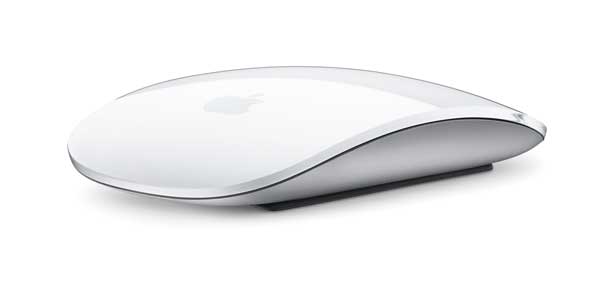
Apple Magic Mouse Review

magicmousehero

Apple recently introduced New iMacs, Mac minis and other goodies. One of those goodies was the NEW Magic Mouse. When I blogged about the new gear, I was inundated with requests to review the new mouse??? I thought wow, there is a lot of interest around this thing. Since I was upgrading to a new 27" iMac and the new iMacs come with the new Magic Mouse standard, this was a great way to get one early and play. Luckily Apple also released the drivers for non-iMacs a couple of nights ago. As with most products, there are things I like and things that could be better. The new Magic Mouse is no different. So let's get to the review you've been asking me for:


What is it?

The Magic Mouse is a Bluetooth wireless mouse with a multi-touch surface instead of the traditional multiple buttons  found on all other mice. The entire surface clicks down like any other mouse, but the top of the mouse can be used for scrolling, panning and zooming using one or two fingers. Although there is only technically one big button to click, you can setup a "Right Click" (Control-Click) using the Mouse Preference to be either on the right side or the left side (for lefties). So depending on which side of the Magic Mouse you put your finger on to click will give you different results.

Continue reading “Apple Magic Mouse Review”

Camera Mount for Your Car – Gripper 3025-RA Review

gripper

Last weekend I collaborated with my buddy Bruce over at Mandel Video on a video project. He was telling me that he bought a brand new Camera Mount for the car and wanted to use it on this project. Of course I had immediate thoughts of "yeah right, that ain't gonna work!" and I could just picture thousands of dollars in camera gear tumbling down the road. However, when I saw this thing and saw him attach it to the car I was very impressed! So impressed that when we were done shooting I immediately said "OK, how much for the mount?"


Here's a rough cut of the video we're working on that I put together for this review:

httpv://www.youtube.com/watch?v=rmsrVeSmOzc


Continue reading “Camera Mount for Your Car – Gripper 3025-RA Review”