iPhone App of the Week – RedLaser

redlaserlogo

I've pretty much always been a comparison shopper. Sure sometimes I buy things that I know I can get cheaper somewhere else, but I need them right then and there and don't feel like running around. The internet has certainly made it easier to find deals, but for those who still like to visit brick and mortar establishments, RedLaser is a must have app for you!

In these economic times everyone is looking to save a buck here and there. One way to save money is to not pay more for something than you have to. Although I have a couple of apps for doing price comparing on the iPhone, neither of them is as cool as RedLaser. 


Here's how it works

Continue reading “iPhone App of the Week – RedLaser”

New Macs, New Mouse, New Remote, & New Base Stations

magicmousehero

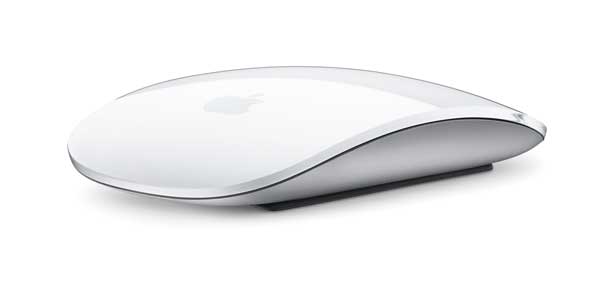
Yesterday Apple released the highly anticipated updates to the iMac and Mac mini just in time for the holiday shopping season. They also introduced a completely new entry level MacBook and some speed bumps to the AirPort Extreme Base Station and Time Capsule wireless devices. Not to mention a new Bluetooth mouse and aluminum remote.


You can get all the details you'd ever want to know about these products at apple.com. So I'm not going to waste time going into too much detail here. I'll just do my usual take on what I think about the new products. So let's get to it:


The New iMac
09imacfam_front

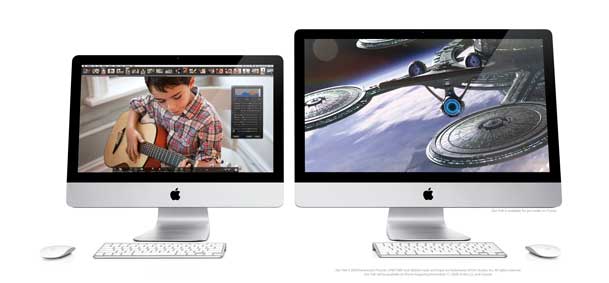
I must say WOW! It's time for a new iMac at home so needless to say I was waiting for the rumors to come true before I bought and I'm glad I did. You now have a choice between a 21.5" and 27" (LED) iMac model running the new intel i7 processors. You can even get a Quad core processor now in an iMac which is pretty amazing. I went with the 27" 3.06 GHz model with 8GB of RAM (expandable to 16GB) to replace an aging 20" iMac Core Duo (not Core 2 Duo) iMac at the house. The new iMac also has a built-in SD card slot on the side just like the new MacBook Pros do. I'm really looking forward to this speed boost. These new models have such impressive specs that I would dare say it may hurt Mac Pro sales for those who were just buying the Mac Pro for speed and not expandability. Unfortunately Apple is still defaulting to the little keyboard without the numeric keypad, but at least you can order the full-sized one (when ordering your iMac online) at no additional cost! Full details/specs here. Also check out the snazzy New Remote.


The New Mac mini
0903macmini_front

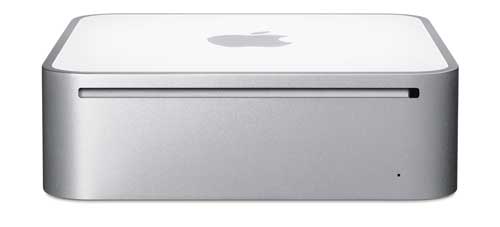
It's been a long time since the Mac mini got any love. Well today the Mac mini got a nice update. Faster processor (which was a given), but also twice the RAM for the same prices as before. The surprise here was a new Server config. As luck would have it, I was in the market for a Mac mini to replace my Power Mac G5, which I use as a file server (Drobo connected). The Power Mac runs fine, but it's big and sucks up a lot of power, not to mention the noise it can make when the fans get going. I already run Mac OS X Leopard Server on this box. So when Apple introduced a Mac mini with two 500GB drives and Mac OS X Snow Leopard (unlimited users) for less than a grand, I was all in. Full details/specs here.


New "Magic Mouse"
magicmousehero

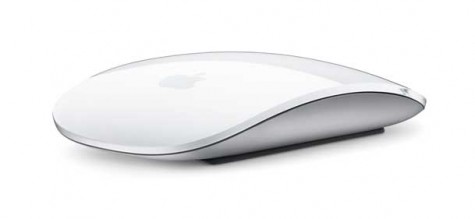
Apple is using its multi-touch technology and giving it to each new Mac in the form of a bluetooth wireless mouse. We're back to a one button surface, that is configurable to have a right (or left) click for contextual menus and scrolling. No more ball to clean! Thank God! This new mouse comes with the new iMac so I'll get a chance to play. Full details/specs here (including a movie on how it works!)


New MacBook
09macbook_hero

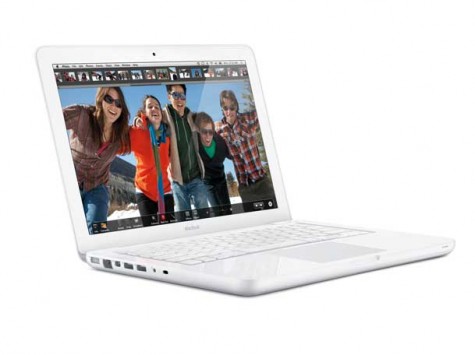
Apple replaced its entry level MacBook with a newly designed unibody 13.3" LED model. This new model doesn't have any major surprises although Apple has once again removed the Firewire port. Let the riots begin! The other thing that this model marks is the fact that now all of Apple's portables and portable devices have sealed batteries. Although the new MacBook boasts a 7 hour battery (I'll believe it when I see it), if the battery runs down you on a long trip you don't have the option to swap it out. You'll have to charge it or use an external solution such as the HyperMac battery. However, even with these limits, it's a sweet little box for less than a grand. Hey if you need Firewire (I do) then this IS NOT the one for you (or me). That's why Apple sells MacBook Pros that DO have Firewire. Full details/specs here.


25-50% faster AirPort Extreme and Faster Time Capsule

06apextreme_front

Apple has done some tweaking to make their wireless base stations and backup solutions faster. Lord knows that the Time Capsule can take all the speed gains it  can get. So again this is a welcomed update. The prices are the same, but now you get faster performance and the same dual band capabilities as before. Full details here.


If you've been putting off upgrading, now would be a good time.

iPhone App of the Week – Understanding Photoshop-Quick Fixes

quickfixes

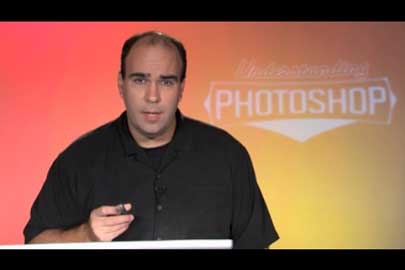
This week’s iPhone App of the Week is actually from my buddy Richard Harrington. I’ve known Rich for years and he’s an excellent instructor.

quickfixes-rich

His Understanding Photoshop – Quick Fixes app aims to be a series of video tutorials on how to do common tasks in Photoshop right in your pocket. We’ve all been there when you want to do something and you’ve got the app open on your computer and you just can’t remember how to do it or you want to know the best technique to do something.

Continue reading “iPhone App of the Week – Understanding Photoshop-Quick Fixes”

Sony DR-BT101 Bluetooth Headphones – Video Review

BT101

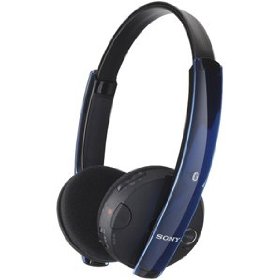
Earlier this year when Apple announced that the iPhone 3.0 and iPod touch 3.0 OS updates would now finally support stereo bluetooth headphones I began the search for the best ones. Unfortunately there was no one claiming to have found the best ones. All of the reviews I’ve found for the various models varied widely in opinions. I guess when it comes to audio everyone’s tastes and tolerances are quite different. So I decided to bite the bullet and start my own research project for the best ones. I’m starting with the Sony DR-BT101 Bluetooth Headphones. The only reason I’m starting with these is because they were very reasonably priced compared to the others I saw. Enough with the words, see my video review here:


  Continue reading “Sony DR-BT101 Bluetooth Headphones – Video Review”

Nike+iPhone – (Nike+) Shoes = Flexibility

myshoes

I’ve been a fan of the Nike+iPod kit since day one. Although I don’t consider myself to be a runner. I am a  walker and therefore like to keep track of my walking goals and progress. When the Nike+iPod kit first came out it was a two piece kit sold by Apple and Nike. What you got in the box was a sensor that went into a special compartment in the sole of your Nike+ shoes and a receiver that attached to the dock connector on the iPod nano.

nikesensor

With this combination you got music while you ran or walked, voice prompts let you know your stats and distance to go and stats that would automatically get uploaded to your Nike+ account on the web each time you’d sync your iPod. It’s GREAT!

nikeinshoe 

I’m an iPhone user though

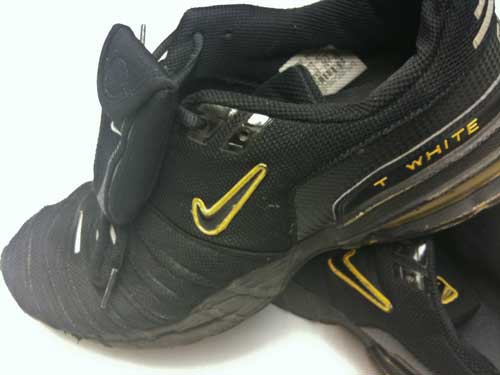
When the iPhone came out two years ago I wasn’t really interested in carrying both an iPod and my iPhone. After all the iPhone has an iPod built-in. So I kinda got away from using my Nike+ kit. Sure I was still walking, but I just wasn’t keeping track anymore. Well when I upgraded to the iPhone 3GS, I was very happy to see that like the iPod touch (2nd gen), Apple had built-in support for the Nike+iPod integration. Now I could carry just the one device and I would no longer need the receiver attached to the dock connector. Cool! I still have my original Nike+ shoes and I started using them again. This is when I realized that I’m not always going to want to wear these shoes everywhere I go. I have nothing against Nike shoes (you should see my closet), but I just didn’t want to be limited to the one pair of shoes every time I wanted to walk and track my progress.

Continue reading “Nike+iPhone – (Nike+) Shoes = Flexibility”

Weekend Update

I thought I would share some late breaking updates with you that came out on Friday:

psmobile

Adobe Releases the Photoshop.com Mobile App

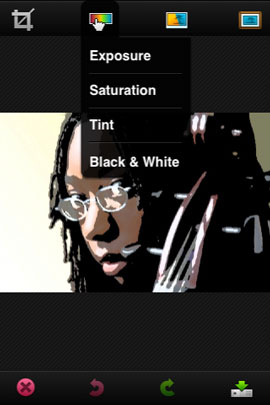
This app makes it easy for you to do basic editing of your photos including standard cropping, apply effects (including the Sketch effect I used below) and  upload to your galleries on Photoshop.com or send your photos via email. It also allows you to see all of your photos on your Photoshop.com account including the ability to run slideshows. When you’re editing the Exposure, Saturation or Tint, just drag your finger left or right across your photo to make the adjustment! Cool!

 psmobile    .psmobile2

Get the Photoshop.com App here from the App Store. It’s FREE Photoshop.com Mobile


tweetie2icon

Tweetie 2

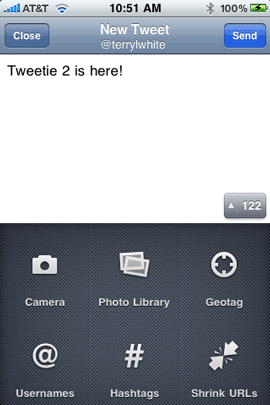
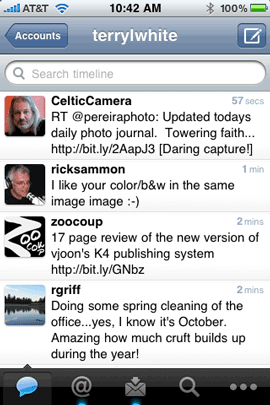
Tweetie 2 is a complete rewrite of the popular Tweetie app and Tweetie was my app of choice for doing Twitter. So of course I was interested in upgrading to Tweetie 2. There’s a lot to like here with lots of new options including access to ALL of Twitter’s features and great multiple account support.

 tweetie2tweet          .tweetie2

Follow me on Twitter

Get Tweetie 2 here from the App Store for $2.99 Tweetie 2

 Expect more complete reviews of these apps in the not to distant future via my iPhone App of the Week feature each Friday.

  Continue reading “Weekend Update”

iPhone App of the Week – Camera Genius

camerageniuslogo


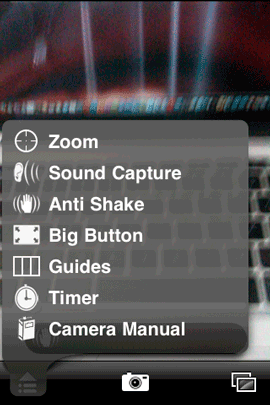
CameraGenius aims to give you more options for using your iPhone’s built-in camera. When you think about it the iPhone’s camera is OK, but limited in features. If you bought a stand alone point and shoot camera you would be able to do things like Zoom, set a timer, use image stabilization, etc.


More features for your iPhone camera

camerageniusmenu

Camera Genius adds some pretty useful features to the iPhone’s built-in camera. The first one that caught my eye was Zoom. This digital zoom feature allows you to Zoom in on the shot you’re taking with an interactive on screen slider. 

Continue reading “iPhone App of the Week – Camera Genius”

NewerTech 3 in 1 Audio/Sync/Charging Cable + PowerJolt

NT3in1

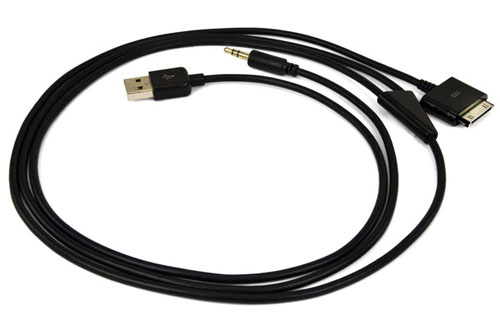
A couple of weeks back I did a 3 part series on Travel Tips including some of my favorite gear to travel with. Of course I’m always on the look out for ways to travel with less and travel smarter. One of the tips involved traveling with both a car charger for your phone and an audio cable to take advantage of your rental car’s Audio In port. Now instead of carrying two different cables I’ve been able to consolidate down to one.

Continue reading “NewerTech 3 in 1 Audio/Sync/Charging Cable + PowerJolt”

TomTom, $120 for your car kit? REALLY!!?


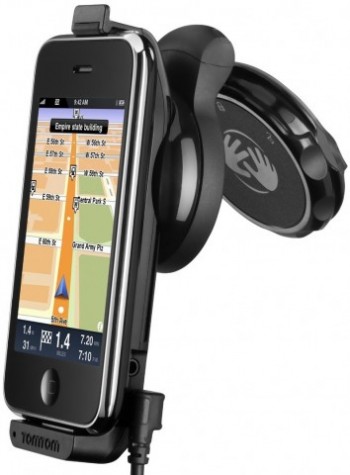
It wasn’t long ago that I reviewed the TomTom Navigation App for the iPhone. At the time the only other app that I had to compare it with was the Navigon app, which came out first. When the TomTom app came out it really wasn’t any better than the Navigon app. Sure there are some things that were nicer like more POIs, but overall the app had basically the same major limitations as the Navigon app. Well Navigon has released two updates since then and in the latest update they gave us TTS (Text to Speech) so that when you’re approaching a turn it says the name of the street that you’re about to turn on. This plus integrated iPod controls an automatic day/night mode and a few other fixes plus a cheaper retail price makes Navigon my app of choice. Check out the Navigon app here on the App Store: 

MobileNavigator North America

Continue reading “TomTom, $120 for your car kit? REALLY!!?”

iPhone App of the Week – Occasions

occasionslogo


One of the things that really bugs me about the iPhone’s built-in calendar is that there is no way to set an alert/alarm for Birthdays. They are already present in most of my Contacts. They appear automatically on the "Birthdays" Calendar, yet Apple doesn’t allow you to set reminders for this calendar without going through some workarounds. It wasn’t even until iPhone OS 3.0 that I had a way of subscribing to my Birthdays calendar on my IPhone directly. So there is still a LOT of room for improvement in this area. 


Occasions

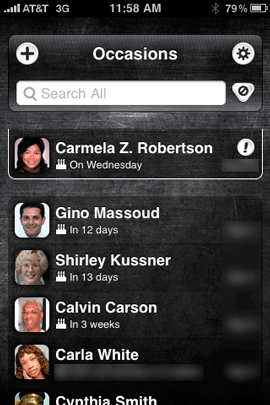
Occasions is an iPhone app that is designed to overcome this shortcoming. It automatically picks up the birthdays and anniversaries in your Contacts. You can also enter events manually if you need to. It then keeps a running list in chronological order of upcoming occasions. While there are many iPhone apps that do this including the app I was using before "Upcoming Events", this app supports the iPhone 3.0 Push Notifications feature. This means that the app can pop up alerts and sounds without being open! My old app still hasn’t been updated with this important feature so I’ve moved on.

occasions1

Continue reading “iPhone App of the Week – Occasions”