

So why MMS?

 MMS-picture 

As you know AT&T finally enabled MMS (Multimedia Messaging) on the iPhone last Friday after Apple introduced the feature back in July with the iPhone OS 3.0 update. Although the iPhone officially had this capability when 3.0 was introduced earlier this summer, AT&T iPhone customers had to wait until the end of summer before being able to use it. Now that it’s on and working for most of us (some are still having issues. If you are having issues, you may want to check out this troubleshooting document), the big question that I’ve been getting from a few friends is:


Why MMS? Why not just use email?

After all if you’re an iPhone user, you’ve been able to send pictures via email on your iPhone since day one right? In an iPhone only world, sending emails is a good way to go. However, most non-iPhones, especially non-smartphones, something as simple as email can be a real pain. Many (probably most) non-smartphone users don’t even have email setup on their phones. So the email would go to their computers and they would see what you sent then. OK, what’s wrong with that? Actually nothing at all. Desktop email is a rich experience and once the picture is received it can be printed, added to albums and managed in a photo management program. It can even be edited. So then why MMS? I don’t think that it’s one or the other (MMS or email), I think it’s a matter of using the right one for the right situation. Think of why you send SMS (text messages) vs. email today? Usually if you send someone an SMS message it’s because you want them to read it right then and there and usually you want a response. "Where are you?", "Bring home dinner." "What time does the movie start." "I’m running late." etc. etc. You could easily send each of these via email, but the problem is they may not get it in time. So you send an SMS message instead because you want immediate attention. 
Continue reading “So why MMS?”

iPhone MMS is here for AT&T customers! Sigh…

carrierupdate

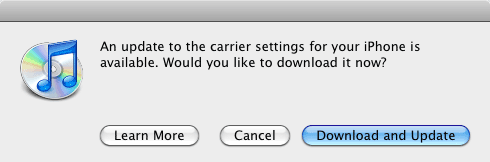
As promised (late!) AT&T/Apple released the necessary Carrier update to allow MMS (Multimedia Messaging) on the iPhone 3G and 3GS.

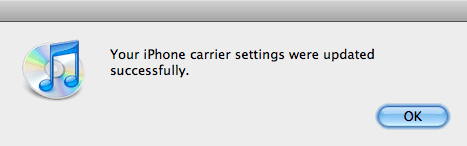
When you plug your iPhone 3G or 3GS (not compatible with the original iPhone) into iTunes,  and check for updates you should now see the update for Carrier Settings is available. I downloaded and installed the update which only took literally about 10 seconds to download and install.

updated

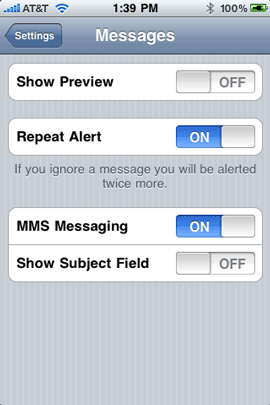
I didn’t notice any change at all until I powered the iPhone off and back on again. Once the iPhone came back up the preferences were there for MMS as well as the Camera icon in the Messages window.


It’s not soup yet

MMSprefs

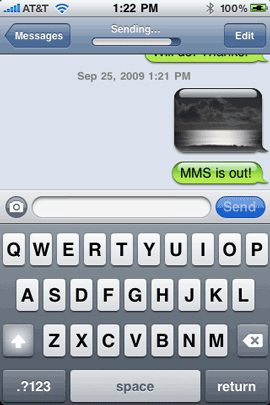
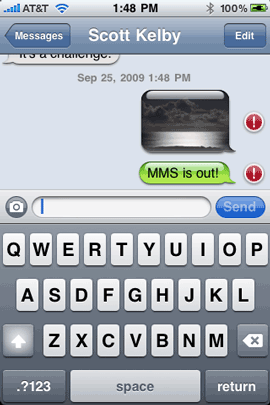
As I expected everyone must be doing this all at once and of course testing it all at once and the servers are slammed!  From my iPhone 3GS I get an error each time I try to send an MMS message although regular SMS messages go through. AT&T warned some customers (via an SMS message yesterday) that it may take time for the feature to actually work and it wouldn’t affect sending SMS. Well I’m seeing that "not working" that they mentioned. I tested another iPhone here and tried using it to send my iPhone an MMS and while it did send, I still haven’t received it yet on my iPhone 3GS (10 minutes has past).  So once again we/I wait….

   MMSsending       .MMSerror


UPDATE! Turns out my initial sending problem was AT&T account related (old data on the account). Called them and they corrected everything. All set now.


What’s your experience been with this update/feature?

iPhone App of the Week – PhotoScatter

photoscatter

I share a lot of pictures on various services. The ones I use the most are Facebook and Flickr. Sure I use Smugmug, MobileMe, Photoshop.com, Twitter, my own blog and others, but Facebook and Flickr are the ones I use the most often. Although I love the features of MobileMe, Smugmug and the others, the people that I share the most with are all on Facebook or Flickr. 


Shoot it once, upload it to many

pscatt1

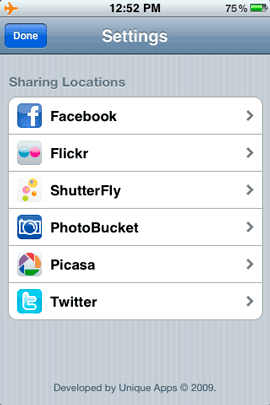
Photoscatter aims to be the only photo uploading app you’ll need. With Photoscatter you can upload to:

  • Facebook
  • Flickr
  • ShutterFly
  • PhotoBucket
  • Picasa
  • Twitter

all at the same time! Of course you can choose which services you want to upload to on an image by image basis. 


This app is ideal for me. If I’m at an event and want to share a quick snapshot from my iPhone with all my friends, I can shoot it and upload it to Facebook, Flickr and even Twitter all at once.

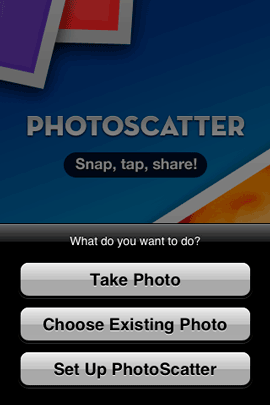
pscatt-take-choose     |pscatt-picture

Continue reading “iPhone App of the Week – PhotoScatter”

iTunes 9.0.1, a closer look

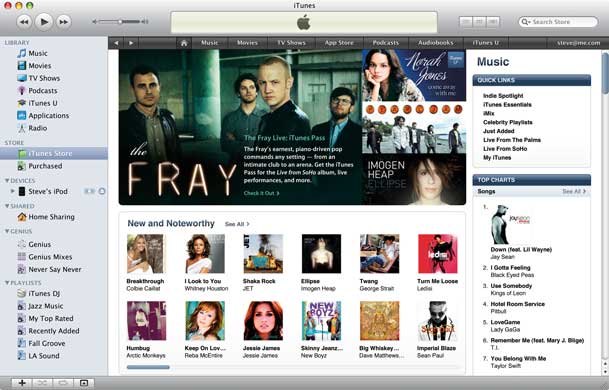
 itunes9_main

iTunes is one of those apps that’s usually open on my computer throughout the day. I’m either using it to update the contents of my iPhone or simply playing music in the background. I really like the new features of version 9 and I am a fan of the app in general, however there are a couple of things in iTunes 9 that make me cheer and sigh at the same time:


Genius Mixes

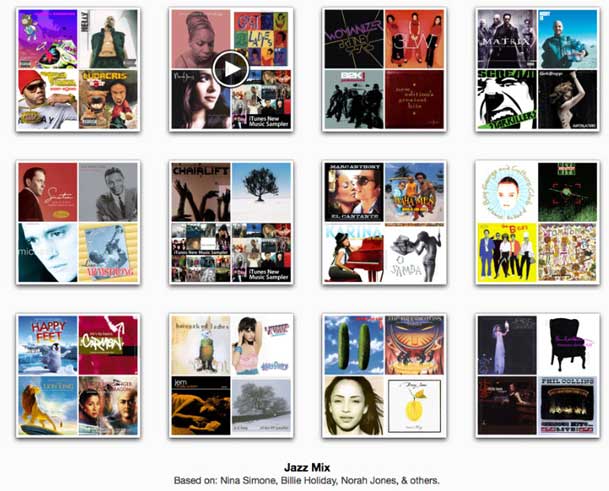
geniusmixes

Genius Mixes is a new feature that compliments the previous feature of Genius Playlists. This feature however is completely 100% automated. So much so that you can’t even see which songs are included in the Genius Mixes, which are automatically generated.  I can live with not seeing the contents as for the most part the mixes are pretty good and play songs that I like, but haven’t listened to in a while. However, every now and then a song will start playing and I’m like "how the heck did that get in there?" For example, in one of my Jazz mixes, a Christmas song started playing. Of course I can just skip right by it, but it begs the question: "why can’t I simply choose songs in my library to NEVER be included in a Genius Mix? I know, I know, if I want more control that’s what Genius Playlists are for. I hear ya! However, for some reason I just really like the automation of the Genius Mixes more, I just wish that Apple would give SOME controls over it. 

Continue reading “iTunes 9.0.1, a closer look”

iPhone App of the Week – Taxi Magic

taximagiclogo

I’ve spent the better part of this week doing a 3 part series on some of my favorite travel tips and accessories (see Part 1, 2 and 3). So I thought I would wrap things up this week with one of my new favorite Apps: Taxi Magic.


True Story

I was in a meeting in San Jose and during one of the breaks I checked my Genius App Recommendations and one of them was Taxi Magic. So out of curiosity I decided to take a look. First off, this app was getting hammered in the reviews. However, I didn’t let that stop me since the app was free and also one of the biggest complaints was the $1.50 charge if you pay for your Taxi with your credit card. I wasn’t too worried about that, so I downloaded the app.

At the end of the day I needed to go from the office in San Jose to the San Jose airport and I was going to go by Taxi. So I decided that this would be as good of a test as I could give it. I didn’t have much time and quite frankly if the app didn’t work, I may have been late/missed my flight. Risky, I know. 


taximagic


Continue reading “iPhone App of the Week – Taxi Magic”

iPhone App of the Week – Facebook 3.0.2

FBlogo

Although I’m a frequent user of Facebook, I was never a fan of their iPhone app. I don’t know how else to say it, but the previous version sucked. There, I got that out! The app worked, but it was very limited. It didn’t support many of the new features of Facebook and in most cases I ended up just doing things either on my computer in Safari or using the mobile version of Facebook in Safari on my iPhone.


3.0 changes all of that

The highly anticipated 3.0 release is finally here. There were pictures of the new interface and teasers for months, but a couple of weeks ago while checking the App Store for updates, it was there! I couldn’t click the update button fast enough. 

FBhomescreen

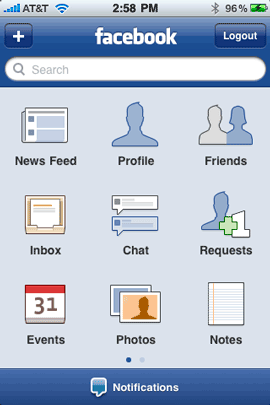
The Newly designed Facebook home screen has nice easy to read/identify icons navigate your way around. 

Continue reading “iPhone App of the Week – Facebook 3.0.2”

iPhone OS 3.1 Update – A Deep Dive

iphoneapprearrange


Although iTunes and the iPod updates took center stage at Apple’s Rock and Roll event, the iPhone update 3.1 offers a little more bang that I originally thought. 

Here’s what 3.1 brings to the table (my favorites in bold):

  • Genius Recommendations for Applications (more on this below)
  • iTunes 9 support:
    • Genius Mixes
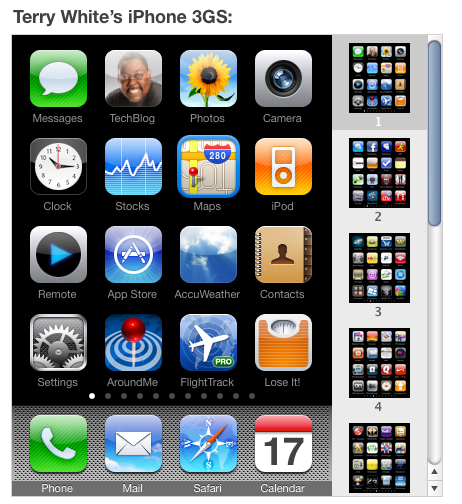
    • Organize your Apps directly in iTunes – Much Needed!
    • Improved syncing options for music, movies, TV shows, podcasts and photos
    • iTunes U organization
  • Redeem iTunes Gift Cards, codes, certificates in the App Store
  • Display available iTunes account credits in the App Store and iTunes Store
  • Browse and Download ringtones wirelessly from the iTunes store (more on this below)
  • Save video from Mail and MMS into the Camera Roll
  • Option to "Save as new clip" when trimming a video on the iPhone 3GS (the non-destructive editing that we heard about)
  • Better iPhone 3G Wi-Fi performance when Bluetooth is turned on
  • Remotely lock iPhone with a Passcode via MobileMe
  • Use Voice Control on iPhone 3GS with Bluetooth headsets (a BIGGIE!)
  • Paste phone numbers into the Keypad
  • Option to use the Home button to turn on Accessibility features on the 3GS
  • Warn when visiting fraudulent websites in Safari (anti-phising)
  • Improved Exchange calendar syncing and invitation handling
  • Fixed issues that caused some app icons to display incorrectly

  Continue reading “iPhone OS 3.1 Update – A Deep Dive”

Navigon Updates Their iPhone App With TTS

 NavigonUpdate

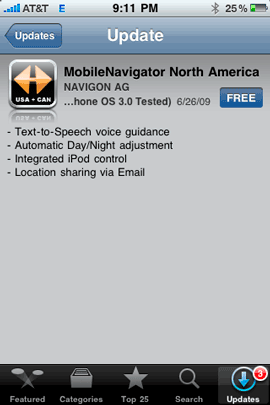
One of the things that I had originally dinged Navigon for in their GPS turn-by-turn navigation app was the lack of Text-to-Speech (TTS). This is the feature that tells you the name of the street you’re about to turn on. ie. "Turn right on Maple Street". Well to keep the pressure on TomTom and others, Navigon just released their update as promised. They also added an Automatic Day/Night adjustment for adjusting the display for the time of day. 

Now let’s have Traffic Support and we’ll be really good to go!


NavigonCarKit

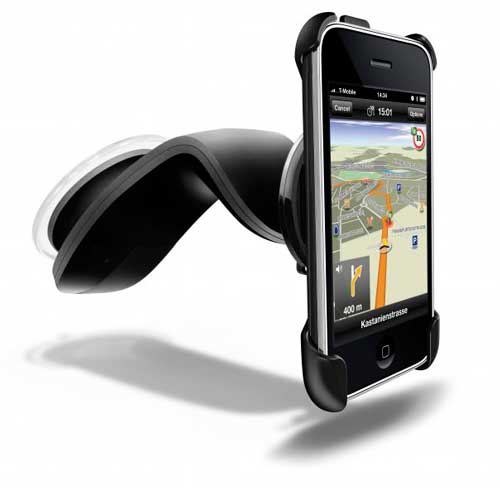
Navigon also recently announced that they were developing their own "car kit." Although the TomTom car kit seems that it will do more and offer the much needed GPS signal boost. Not to mention that the TomTom one will work with other apps besides TomTom (like the Navigon app). Both car kits are slated to ship in October. In the meantime I’m using this iPhone Vent Mount.

The Navigon app is now $89.99 and available here from the App Store.

iPhone OS 3.1, iTunes 9, New iPods Today

As expected, Apple rolled out several updates and new iPods today. So here’s a quick recap:


iPhone OS 3.1

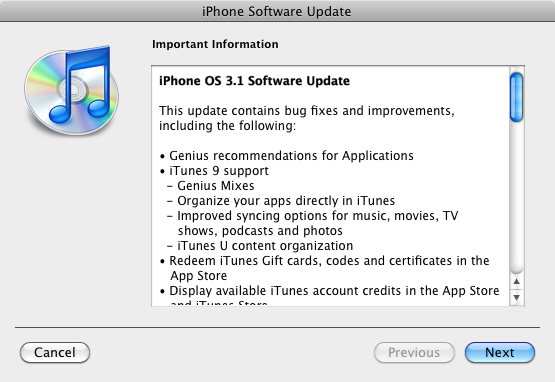
iphone3.1

The iPhone OS 3.1 update was rumored to be in the works shortly after 3.0 was released. This new version adds Genius App Store recommendations. I’ll be interested to try this feature. The idea is that now that there are over 75,000 apps available on the App Store that you can’t possibly find them all or see them all. So like Genius playlists, this feature will recommend Apps to you. Should be fun. 

Free update, available today via iTunes

  Continue reading “iPhone OS 3.1, iTunes 9, New iPods Today”