
Two New Wacom Bamboo Styluses for Touch Screens

wacom_bamboo_stylus_iPad

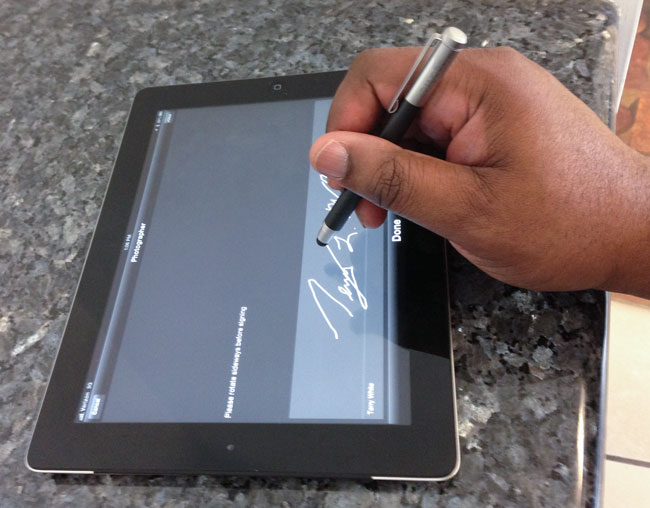
In 2007 when the iPhone was introduced, I remember many of my colleagues and pundits saying things like “I just wish it had a stylus”. Of course Steve Jobs back then made fun of phones that required a stylus. Fast forward six years later and you definitely see people using most cellphones with their finger and NOT with styluses. Although I do use my finger with my iPhone and iPad there are times where a stylus is just better. The ones that come to mind are signing my signature and drawing/handwriting notes. My signature and handwriting are bad enough. I don’t need them to look any worse because I’m using my finger. I’ve been a fan of Wacom products for many years and felt that their Bamboo Stylus Solo was definitely one of the best! They’ve now added a couple more choices to the product line up.

The Bamboo Duo Stylus + Pen and the Bamboo Pocket Expandable Stylus

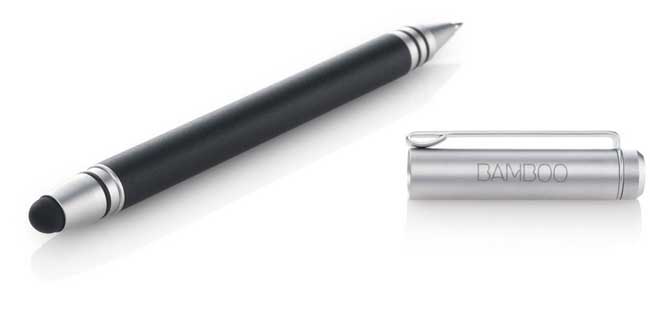
My favorite now is the New Bamboo Duo Stylus. Here you get two devices in one. You get a great stylus for your touch screens on one end and on the other end you get a regular ballpoint pen. GREAT! Fantastic and certainly the one that’s now always in my pocket. It also comes in different colors.
bamboo-duo

The next one is cool, just not my 1st choice. The Bamboo Pocket Stylus is actually retractable. Push it together or pull it to expand and you get a full sized stylus. It also has a cap that’d designed to plug-in to the headphone jack on your port as a way to carry it. I definitely couldn’t see doing this on my iPhone, but I could potentially see doing this with an iPad. I’d actually rather see a case that has a slot for a stylus. While it doesn’t come in different colors it does ship with silver, blue and red rings that you use to add a spice of color.
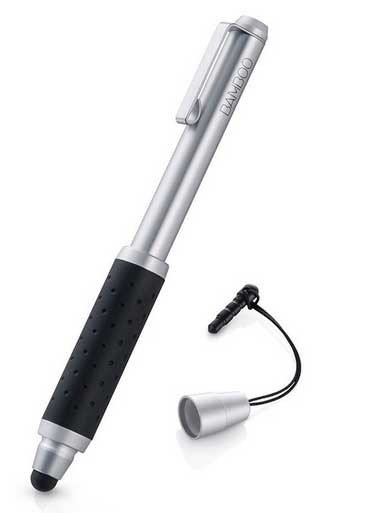
bamboo-pocket

The Bottom Line

There is no requirement to use a stylus with your smartphone or tablet. However, if you frustrated at times with the performance of your finger then you should probably invest in one. The Wacom Bamboo Styluses have a great feel to them both in hand on on screen.

You can get the Bamboo Duo Stylus + Pen here and the Bamboo Pocket Expandable Stylus here.
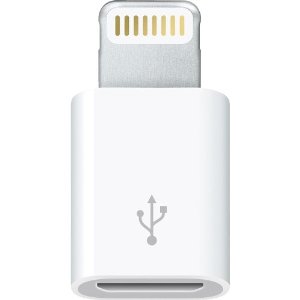
Lightning to Micro USB Adapter

microUSB_to_lightning

One of the downsides of upgrading to a new iPhone 5, iPod touch, iPad mini or iPad 4th generation device is that the traditional 30 pin connector that we’ve known for years has been replaced with a smaller “Lightning” plug. Initially Apple introduced a 30 pin to Lightning adapter and cable adapter. However, shortly thereafter they also released this very small Lightning to Micro USB adapter. What I like about this one in particular is that Micro USB cables and chargers are everywhere! Every other smartphone being sold today charges via Micro USB. So does my bluetooth headset, Jambox speaker and a variety of other gear I carry. With this small fingernail sized adapter I can use any of my existing cables/chargers to charge my iPhone 5 or iPad mini.

In my opinion all of these adapters and cables are overpriced, but it appears that the knockoffs either don’t work or are very poorly made. Until I find a good knockoff, I’ll keep buying the Apple branded adapters. You can get the Lightning to Micro USB adapter here.

My New “The iPhone Book” 6th Edition is Now in Stock!

iphonebook6e

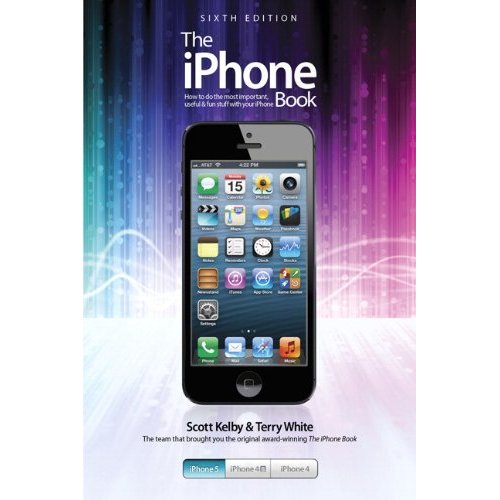
Hot off the press! My new “The iPhone Book” 6th Edition, co-authored with my good friend Scott Kelby is now instock and available at Amazon.com right here.

The book covers iPhone 5, 4s and 4 as well as iOS 6.

Sound off in the comments as to why you want or need this book and I’ll pick at least one lucky winner on Monday and ship you a free one!

WINNER UPDATE

The two winners of my iPhone book are Jo Ann Johnson and Derek.

20 Last Minute Mac and Apple Accessory Deals At B&H

mbp13

50% Off Apple Care & Free Software (up to a $59.99 value) on All Macs

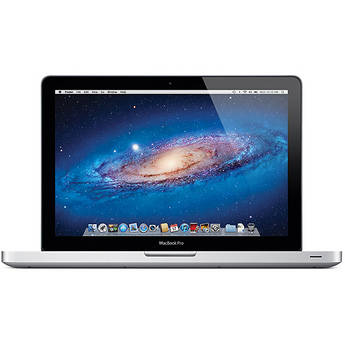
MacBook Pro 13″ Core i5 2.5GHz

MacBook Pro 13″ Core i5 1.8GHz

MacBook Pro 13″ Core i7 2.9GHz


MacBook Pro 13″ Retina Display <-HOT

MacBook Pro 15.4″ Core i7 2.4GHz $300 INSTANT SAVINGS

MacBook Pro 15.4″ Retina Display


Macbook Pro 15.4″ Retina Display <-The configuration that I use

MacBook Air 13″


MacBook Air 13″ <-The configuration that I use

MacBook Air 11.6″

mac_mini

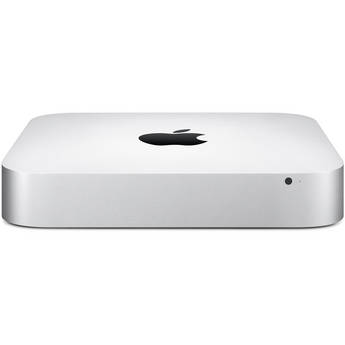
Lowest prices on Mac minis

Mac mini Desktop 2.5GHz Core i5

Mac mini Desktop 2.3GHz Core i7

Mac mini Desktop 2.3GHz Core i7 Server

apple-tb

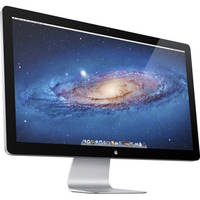
Apple 27″ Thunderbolt Display


Apple TV 1080p $94.99

Apple Thunderbolt Cable $44.99

Apple Magic Trackpad $59.99

Apple Wireless Keyboard $62.24

Apple Magic Mouse $64.46

Apple AirPort Express Base Station <-the new one $96.99


See their full line of Apple Products Here.


Video Review: Pogo Connect Pressure Sensitive Stylus with Photoshop Touch on iPad

pogoconnect

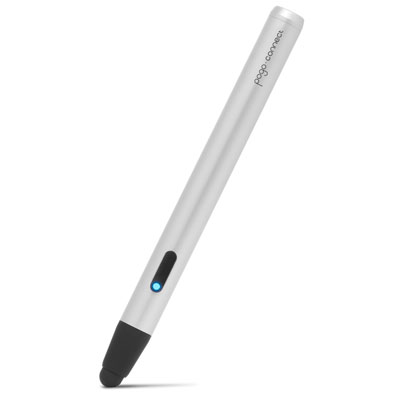
What could make Photoshop Touch on an iPad even better? Pressure Sensitivity! I wouldn’t dare retouch a photo on my computer without a Wacom tablet or Cintiq. Needless to say that means that up until now I haven’t done a lot of work in Photoshop Touch on my iPad. However, that may all change with the new Pressure Sensitive Stylus support now in Photoshop Touch and the Pogo Connect by Ten1Design.

Adobe Photoshop Touch - Adobe

See my video review here:

Wear your Nano with the Loop Band or The Clip

tw-loopband

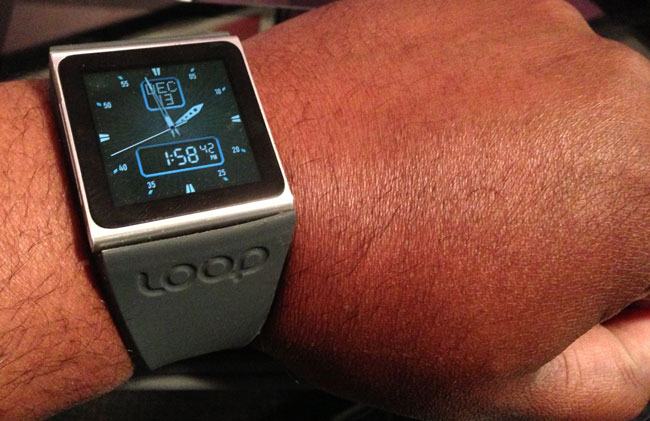
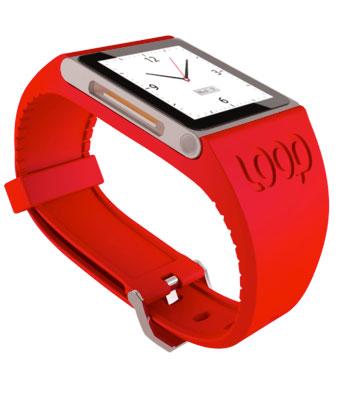
As many of you know, my watch is actually an 6th gen iPod nano. When I first started wearing it there were only a couple of different bands available. Now there are a  lot more. I like the Loop Band as my “sports” band. If I’m doing anything where I’m active the Loop Band is perfect as it won’t scratch or scuff.

Get the Loop Band here.

The iPod nano was updated with a redesign, now what?

theclip

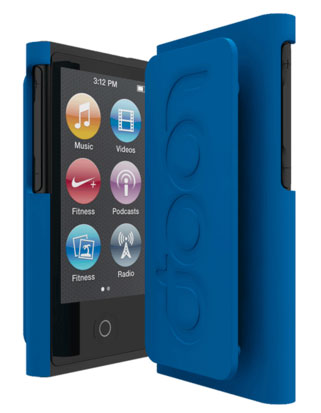
Apple totally revamped their iPod lineup including a redesign of the iPod nano. This basically means no longer wearing it on my wrist as a watch. I no plans to get the new nano. I don’t need another music player. However, Loop Attachments has developed and will be shipping soon The Clip. The Clip is designed to make the new iPod nano more like the previous generation and gives you the option to clip it onto your clothing and wear it.

Both these options come in multiple colors and they also carry other solutions for iPhones, etc.  You can check them out here.

loopband

Use a Nano SIM Cutter to Cut Your Micro SIM down for iPhone 5 or iPad mini

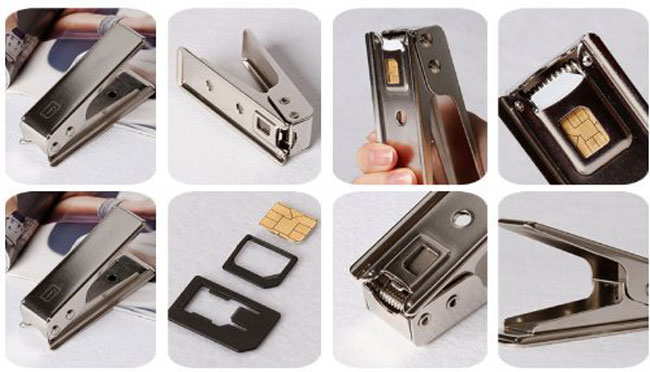
I remember when the iPhone 4 came out and it required a NEW SIM format (for GSM based iPhones). It required a Micro SIM. This wasn’t a problem if you were buying a new iPhone because it would have a new Micro SIM already installed. However, if you wanted to use a different SIM from another phone or carrier then chances are it was a full sized SIM that you would have to cut down to Micro SIM size. There were several good Micro SIM cutters on the market and I own a couple of them. I even traved with one in my suitcase in case I got to a country that I wanted to buy a pre-paid local SIM and needed to cut it down for my iPhone 4 or 4s. Once again we are faced with a new SIM format. Now the iPhone 5 and iPad mini uses a Nano SIM. This SIM is even smaller AND thinner than the Micro SIM. That of course poses a problem for those that want to move SIMs between devices. As to be expected there are now a few different Nano SIM cutters on the market. Some even come with sandpaper to sand the back of the SIM down to make it slightly thinner. I used one to cut down my AT&T Micro SIM down to Nano SIM size to use in my new iPad mini. My AT&T SIM is originally from my iPad 2 and is grandfathered in to an unlimited data plan. This is GREAT for streaming video on the road, so I wanted the ability to use this SIM in my iPad mini as well. Although this is not the cutter I used in the video, this is the one I’d recommend here.
Here’s a video on how the cut went:

AT&T May Allow FaceTime Over Cellular For All

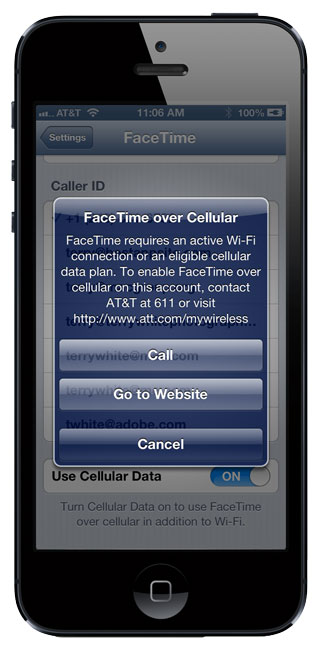
I’ve been beating up on AT&T a bit lately for their practices that basically punish users (early adopters) of their Unlimited Data Plans. The most recent punishment was when iOS 6 was introduced, Apple finally allowed for FaceTime calls over Cellular on iPhone 4s, iPhone 5 and iPad 3 (or higher). However, once again AT&T said NO to this if you were one of the original iPhone users still grandfathered in to an unlimited data plan. This is the 3rd time in recent history that AT&T has crippled a feature that the device or os could do, just because you weren’t on one of their “newer” ie. non-unlimited data plans. The first one was when iOS supported tethering. Unlimited data plan users still can’t access or add this feature even if they are willing to pay extra for it without leaving their unlimited data plan. The 2nd one was when the iPad allowed tethering and once again AT&T was silent on this issue for all users. Lastly there was the FaceTime over Cellular feature that once again AT&T said NO to all but those on their newest Shared Data Plans. I get it. AT&T wants users to move off those Unlimited Data Plans and they are trying to force the issue by basically crippling the features that your device can do. Is it fair? NO. Do you have a choice? Yep, you can switch plans or switch carriers and that’s exactly what I did with my iPads. Any cellular capable iPad I buy, I now buy the Verizon version. The irony is that back in the day Verizon was the carrier that played these games by disabling features like bluetooth on certain handsets. However, Verizon has changed their ways somewhat and now they say come on it.

AT&T may have changed their tune too

It appears that at least for some, starting yesterday AT&T has quietly been turning on FaceTime over Cellular for All users (iPhone 4s, iPhone 5, iPad 3, etc. on iOS 6). There are several reports that users simply turned their iPhones off and back on again and either the feature was already turned on or they were able to enable it without the familiar blue message I still get above. These users that have it working are all claiming that they are on a grandfathered Unlimited Plan. However, there are just as many users like me where the feature still isn’t enabled yet. So perhaps it will take time for it to roll out to all or perhaps it was a mistake, fluke or still not available for “all” users (ie those on Corporate Unlimited Data Plans), but time will tell. If this feature does roll out to all, It will change my attitude towards AT&T to be a bit more favorable than it is right now, and it truly would be a Happy Tech Thanksgiving.

Does it work for you? Did you power your iPhone down and back on again? Are you on the original Unlimited Data Plan? What state are you in? (keep in mind you have to be on iOS 6 and an iPhone 5, iPhone 4s or iPad 3 or higher).