My interview with Chuck Joiner about my New "Learn the Adobe Creative Suite with Terry White" iPhone App is now live on the MacVoices site. Check it out here. Hear my insights on iPhone App development, blogging and producing content.


Welcome to my technology blog!
My interview with Chuck Joiner about my New "Learn the Adobe Creative Suite with Terry White" iPhone App is now live on the MacVoices site. Check it out here. Hear my insights on iPhone App development, blogging and producing content.

Being an iPhone user AND an Adobe employee, I'm especially thrilled to see Photoshop.com Mobile make Time's Top 10 List of iPhone apps for 2009. In honor of this honor, I've recorded a full blown tutorial on how to use this FREE App. Download Photoshop.com Mobile from the App Store here:

…then watch my tutorial below:
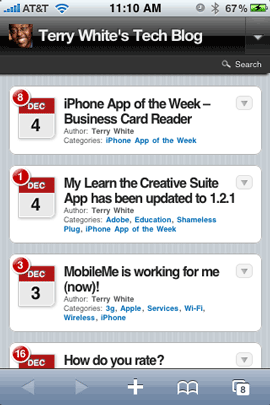
One new feature of my Tech Blog is a NEW improved interface on your Mobile Device. Although the iPhone/iPod touch does a great job of viewing websites as they are formatted, that doesn't mean that you get the most optimized experience. This is especially true for those who are on slower EDGE networks. So thanks to a WordPress Plug-in called WPtouch that my buddy and web designer Erik Berskiold turned me on to, this blog and my MacNews blog are now optimized for mobile viewing too.
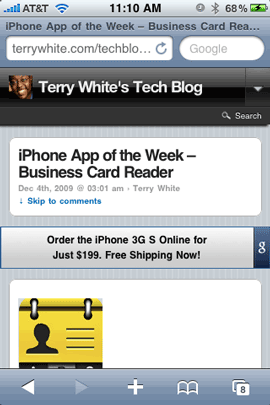
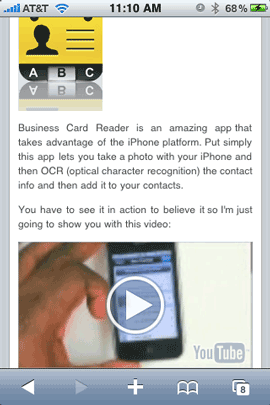
The post are automatically reformatted to fit your display nicely and of course even the YouTube videos will automatically open up the YouTube app on your device if you tap them.
Continue reading “Check out this Blog on your Mobile Device”
Business Card Reader is an amazing app that takes advantage of the iPhone platform. Put simply this app lets you take a photo with your iPhone and then OCR (optical character recognition) the contact info and then add it to your contacts.
You have to see it in action to believe it so I'm just going to show you with this video:
This app utilizes the Macro Lens features of the iPhone 3GS. So while it will work with the iPhone 3G or 2G, you will need to get a Macro lens attachment to physically put on your iPhone such as the Griffin Clarifi Protective case with built-in close-up lens case for iPhone
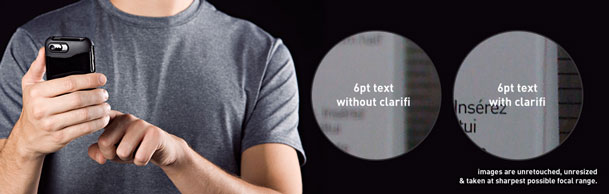
There is no magic involved – OCR is OCR, so it will only be as good as the source card that you are using. If there are smudges, script fonts, logos that run through the type, etc. Business Card Reader will not be able to recognize those words. Also note that there currently doesn't appear to be a mode for vertically oriented cards.
You can download Business Card Reader here from the App Store:
I've been getting great feedback on my app for the iPhone and iPod touch. Of course I've been getting feature requests too and I have been feeding those requests to the developer.
You can now mark your favorite episodes (this is directly from your feedback), or just mark episodes you want to come back to later, with a star. The starred episodes are accessible from new third tab in the app.
There is now the option to download starred episodes and play them when you are offline or on slow mobile networks. Getting on a plane? download a few episodes to enjoy right from your favorite show's app.
App-wide usability updates and graphical tweaks.
Thanks for you support!
The "Learn the Creative Suite with Terry White" app is available for both the iPhone and the iPod touch. You can get it from the App Store for $1.99 here:
Of course if you already have the App 1.2.1 is a free update.
In light of yesterday's post about ratings, I decided to return to a product/topic that I wanted to give everyone an update on. With each iPhone OS update that has come out since Apple switched .Mac to MobileMe I've tried to use it to wirelessly sync all my data between not only my Macs, but my iPhone as well. Each attempt in the past has lead to problems. One of the most frustrating problems I had over and over was the loss of ringtone associations with the 50+ contacts that I assigned custom ringtones too. Since you still can't assign ringtones to a group of contacts, I would have to manually go in and reassign them each time. I would typically get so frustrated that by the 3rd time this would happen, I would go back to syncing manually in iTunes.
Apple has been tweaking (ie. fixing bugs) MobileMe all along. So I tried it again when the iPhone OS 3.0 update came out. It's been working fine ever since. I've not once lost my ringtone/contact associations and it's been syncing flawlessly between my iPhone 3GS and various Macs. For me, it's finally working as advertised and I'm happy!
Much too often people are quick to tell you that something doesn't work! So I thought I'd take this opportunity to tell you that MobileMe does work.
Although MobileMe syncing is now working for me as advertised, that doesn't mean that the service itself couldn't be better. For example, I'm still stunned that to this day the iPhone doesn't support syncing of To Do items in iCal/Outlook without a 3rd party App (I use ToDo) and even more stunned that although you can finally sync Notes from Mail, that you can still only do so via the USB cable and iTunes. Notes themselves seem to sync up to the MobileMe cloud so why is it that we still have to plug in to get them to sync on the iPhone/iPod touch?
I could go on and on about things I would like to see implemented or improved, but for the most part I'm happy that it finally works the way it's supposed to.
You can get MobileMe here at a discounted price. It works on both Macs and PCs.

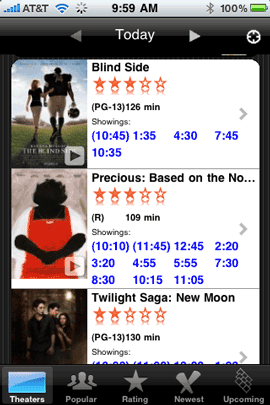
I've tried a lot of different movie showtime apps! I do really like the features in Flixter, i.TV and the others. However, recently I went back to the first Movie Showtimes App I ever used.
All of the good Movie Showtime Apps out there all basically do the same thing. They are location based, they can show you the movie theaters in the area and of course show you the show times of movies playing in a particular theater. Beyond that each one has a feature here or there that the others don't have. For example, some let you buy your tickets right in the app. Some will offer Netflix queue management. Many will let you rate the movie after you've seen it and of course play trailers.
They all miss the point! When I go to look for movie showtimes I've pretty much already decided on what I want to see. I've already decided where I'm going to see it (usually the same theater near my house 99.9% of the time!). So the only thing I'm interested in knowing is WHAT TIME(S) DOES THE MOVIE START? Sadly, In every other app I have tried to date, it's usually 2-3 taps minimum to get to this info. They usually want to start you with an Ad! Then you see a list of movies. Then you have to find the movie you want tap, it to get to the list of theaters. Then you finally get to the times. Of course they are not all this bad, but usually it's two or more taps to get to the one thing I want to know.

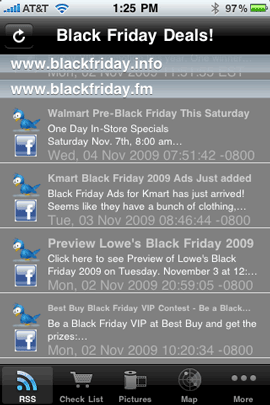
It's almost Black Friday! The day of madness and retail shopping. Actually with the economy the way it is, I welcome it this year. Go out and buy stuff PLEASE!
Of course you probably want to know where all the deals are. So I thought I would get you ready by giving you an iPhone app to use to keep up on all the potential savings.
 .
.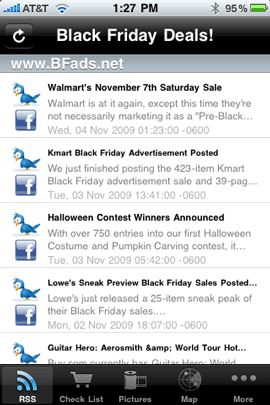
BF Deals is an iPhone/iPod touch app that dynamically pulls in the RSS feeds from all the popular Black Friday Websites. Well that's not really all that exciting. You could do the same thing with your own RSS reader. However, this app goes over and above by providing lots of useful features. First off you can enable Push Notifications to see the deals as they come in.
Yesterday I talked about showing off your Photography with Moo Cards. Today it's all about skins. My guess is that you have a cellphone, mp3 player, laptop or gaming device if not all of the above. So why not add some custom bling to your electronic devices.
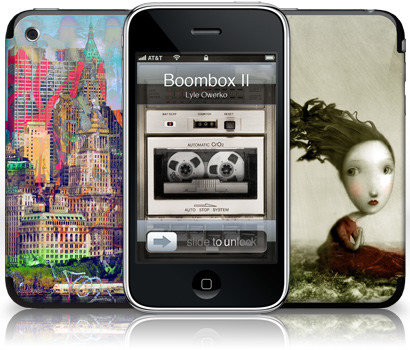
Gelaskins has been around for a while selling all kinds of creative looking skins for your various devices. Honestly I'm not really a skin kind of guy. The reason is that I usually don't find an image that I like so much that I want it on a device that I use/look at every day. However, once I found out that they now allow you to use YOUR PHOTOGRAPHY, I couldn't get the site fast enough.
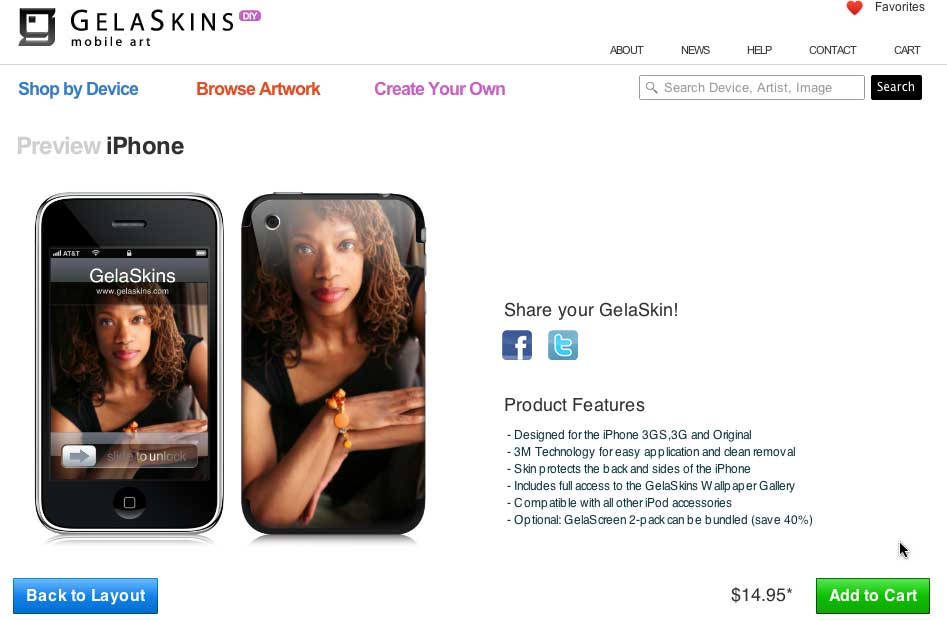
Continue reading “Creative Ways to Showoff Your Photography – Gelaskins”

This is probably going to be one of the easiest iPhone app reviews I’ve ever done. The reason that this is going to be easy is because this app is basic, does one thing and does it well!