
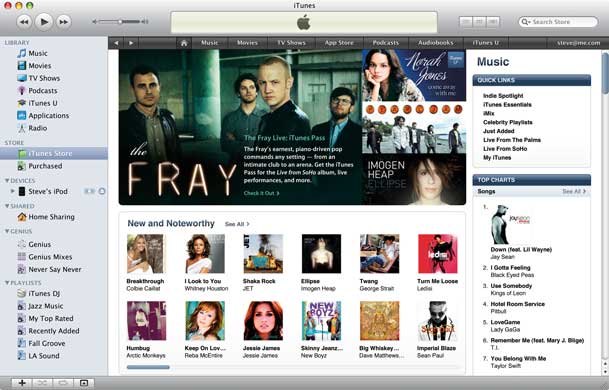
iTunes 9.0.1, a closer look

 itunes9_main

iTunes is one of those apps that’s usually open on my computer throughout the day. I’m either using it to update the contents of my iPhone or simply playing music in the background. I really like the new features of version 9 and I am a fan of the app in general, however there are a couple of things in iTunes 9 that make me cheer and sigh at the same time:


Genius Mixes
geniusmixes

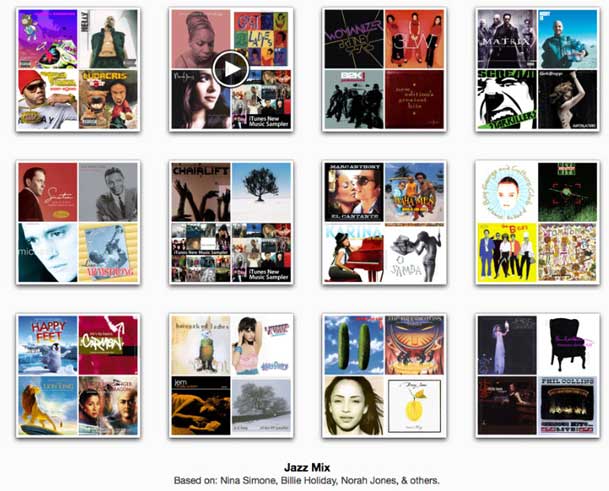
Genius Mixes is a new feature that compliments the previous feature of Genius Playlists. This feature however is completely 100% automated. So much so that you can’t even see which songs are included in the Genius Mixes, which are automatically generated.  I can live with not seeing the contents as for the most part the mixes are pretty good and play songs that I like, but haven’t listened to in a while. However, every now and then a song will start playing and I’m like "how the heck did that get in there?" For example, in one of my Jazz mixes, a Christmas song started playing. Of course I can just skip right by it, but it begs the question: "why can’t I simply choose songs in my library to NEVER be included in a Genius Mix? I know, I know, if I want more control that’s what Genius Playlists are for. I hear ya! However, for some reason I just really like the automation of the Genius Mixes more, I just wish that Apple would give SOME controls over it. 

Continue reading “iTunes 9.0.1, a closer look”

iPhone App of the Week – Taxi Magic

taximagiclogo

I’ve spent the better part of this week doing a 3 part series on some of my favorite travel tips and accessories (see Part 1, 2 and 3). So I thought I would wrap things up this week with one of my new favorite Apps: Taxi Magic.


True Story

I was in a meeting in San Jose and during one of the breaks I checked my Genius App Recommendations and one of them was Taxi Magic. So out of curiosity I decided to take a look. First off, this app was getting hammered in the reviews. However, I didn’t let that stop me since the app was free and also one of the biggest complaints was the $1.50 charge if you pay for your Taxi with your credit card. I wasn’t too worried about that, so I downloaded the app.

At the end of the day I needed to go from the office in San Jose to the San Jose airport and I was going to go by Taxi. So I decided that this would be as good of a test as I could give it. I didn’t have much time and quite frankly if the app didn’t work, I may have been late/missed my flight. Risky, I know. 


taximagic


Continue reading “iPhone App of the Week – Taxi Magic”

Travel Tips for the Techie-Part 3: What’s in my bag?

If I covered every single item I traveled with it would probably bore you to tears. So instead I’m going to focus this last segment of my favorite travel tips on my favorite/must have travel items that I take on practically every trip. Now keep in mind that the items I mentioned in Part 1 and Part 2 are also included in my favorites.


At least one camera

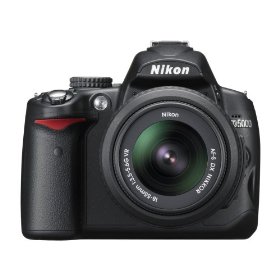
D5000

Honestly I usually have 3 to 4 cameras with me on every trip. At a minimum I have my iPhone 3GS, which I consider to be my "I want to take a picture and don’t have anything else with me" camera. I also keep my Canon PowerShot ELPH 870IS point and shoot camera in my laptop bag (in one of those mesh bags I mentioned earlier this week). Between these two I’m usually covered for those surprise photo ops. However, if I know that I’m going to be taking pictures or the purpose of the trip is photography, then I’m also going to pack either my Nikon D700 or D5000. If there is going to be a video opportunity I’m also going to pack my Canon VIXIA HF10 HD video camera too. So you see, we got to 4 cameras without blinking an eye. I never want to say that "I missed a great chance to take a shot because I didn’t have a camera with me-AGAIN." 

I also always carry either my di-GPS Pro (if I carry the D700) or Nikon GP-1 (if I carry the D5000) GPS units for Geotagging my Photos.

Continue reading “Travel Tips for the Techie-Part 3: What’s in my bag?”

Travel Tips for the Techie – Part 2: Absolute Power

If you travel with electronics then you know how important it is to keep them powered while on the go. So in this Travel Tips segment I’m going to cover some of my favorite options for keeping my gear charged/powered when I travel.


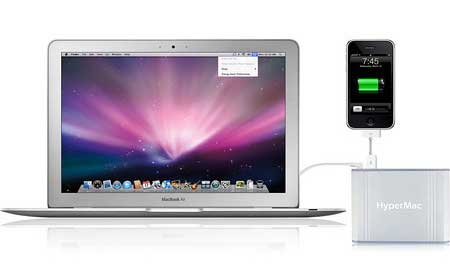
The HyperMac Battery

This is probably my favorite new backup battery because it does double duty. It keeps my MacBook Pro charged on long flights AND it can also keep my iPhone/iPod charged too. See my original review here. Prices for the HyperMac Batteries start at $199.95. As a bonus you also get a car charger for your MacBook/Pro if you go with the $299.95 model or higher. See the HyperMac products here.


iGo

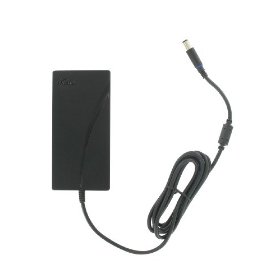
igoslim

The next solution is the Swiss Army Knife of chargers. The idea behind iGo is that you buy one universal charger that plugs into the wall and buy Tips for all your devices. Honestly I used to use the iGo charger all the time. However, I don’t carry it any more (although I should) because they don’t yet have an Tip for MacBooks/Pros because of the proprietary MagSafe plug that Apple uses (I wonder how HyperMac does it?). However, for your non MacBook laptop and your cellphone, iPod, GameBoy, video camera, etc., this one charger does it all. 

You can get the iGo Slim Design 90W Laptop Wall Charger here for $79.99. Then you can use the iGo Tip Finder to find the Tips you need for each one of the devices you want to be able to charge with this charger. So you carry ONE charger and a Tip for each device instead of having to carry multiple chargers!

  Continue reading “Travel Tips for the Techie – Part 2: Absolute Power”

Travel Tips for the Techie – Part 1: Avoid a TSA “Bag Check”

meshbags

I’m dedicating three days on my blog to "Travel Tips for the Techie". Having done a lot of travel recently I’m reminded of those things I do and bring along that make travel a little easier. So I decided to share some of my favorite tips with you here.

As a gadget junkie, I travel with a lot of electronics. So it was a common occurrence for me to hear the words "bag check" from the TSA x-ray person. I would hear those lovely words at least 50-60% of the time when going through airport security. Recently I decided to do something about it. I started to think about what  is it about my laptop bag that causes the x-ray agent so much trouble? Then it dawned upon me that I carry a lot of loose crap. What I mean by that is that I carry a lot of loose cables, connectors, adapters, etc. 

Continue reading “Travel Tips for the Techie – Part 1: Avoid a TSA “Bag Check””

New Adobe TV is on the air!


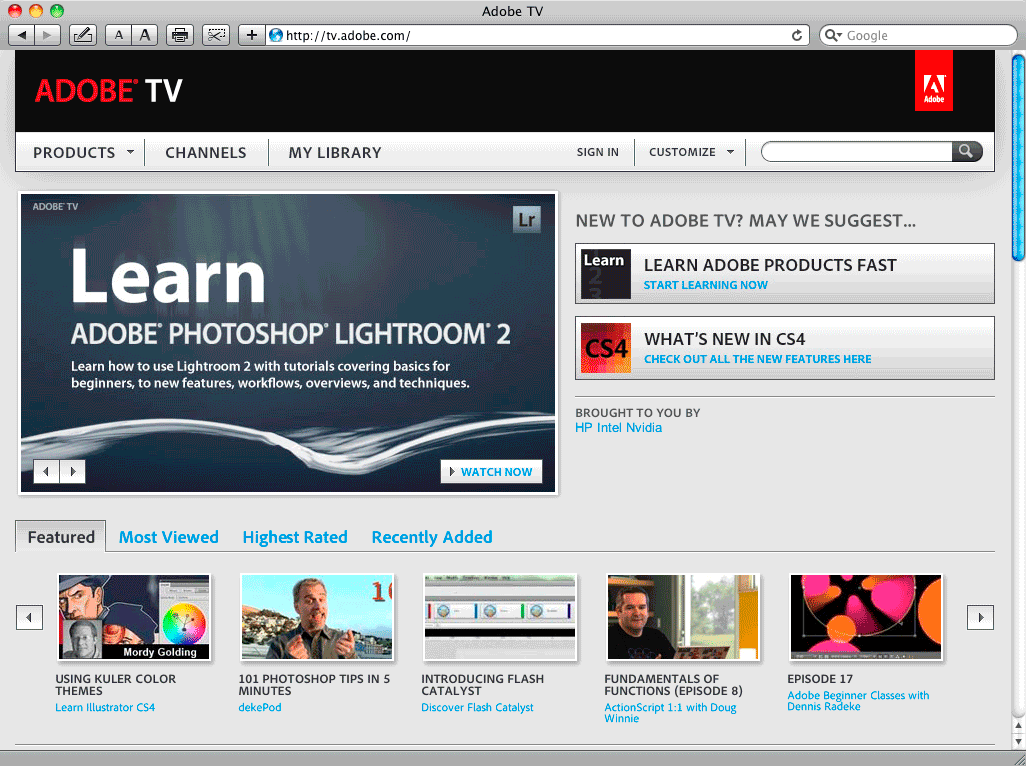
adobeTV2

If you’re a user of Adobe’s Creative Suite and other products, then you should definitely check out Adobe TV. It’s a FREE service that features hundreds of video tutorials on how to make the best use of your Adobe apps.


The New Adobe TV features:

  • User-customizable homepage
  • Vastly improved navigation & search
  • Support for saving your favorite episodes to "My Library"
  • Support for sharing videos on social networking sites such as Facebook, Digg, and StumbleUpon
  • RSS feeds to your favorite shows
  • Pop-out video player for viewing videos at any size
  • Commenting & Rating
  • Tags

Although you can enjoy Adobe TV in your web browser. You should definitely check out the Adobe Media Player too.


iPhone App of the Week – Facebook 3.0.2

FBlogo

Although I’m a frequent user of Facebook, I was never a fan of their iPhone app. I don’t know how else to say it, but the previous version sucked. There, I got that out! The app worked, but it was very limited. It didn’t support many of the new features of Facebook and in most cases I ended up just doing things either on my computer in Safari or using the mobile version of Facebook in Safari on my iPhone.


3.0 changes all of that

The highly anticipated 3.0 release is finally here. There were pictures of the new interface and teasers for months, but a couple of weeks ago while checking the App Store for updates, it was there! I couldn’t click the update button fast enough. 

FBhomescreen

The Newly designed Facebook home screen has nice easy to read/identify icons navigate your way around. 

Continue reading “iPhone App of the Week – Facebook 3.0.2”