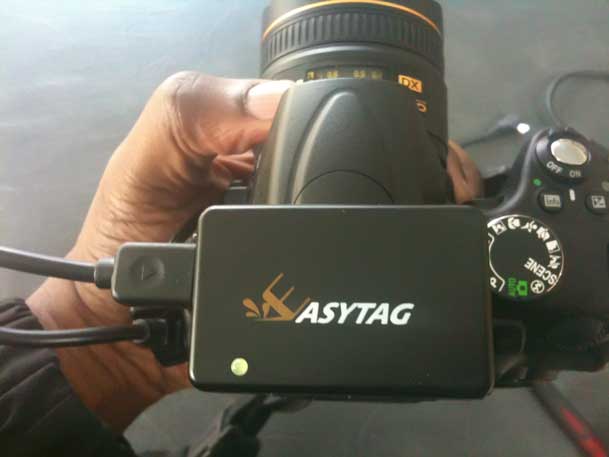
Easytag GPS for Nikon DSLRs

It's Geotagging week here on my tech blog. So today we'll take a look at the latest Nikon DSLR compatible GPS unit I've received and it's called the Easytag. 

The Basics

Like all the rest, you turn it on while you're outside and it picks up the GPS satellite signals and then adds the Longitude and Latitude to your shots so that you'll know where you were when you took them.


What I like about the Easytag… Continue reading “Easytag GPS for Nikon DSLRs”

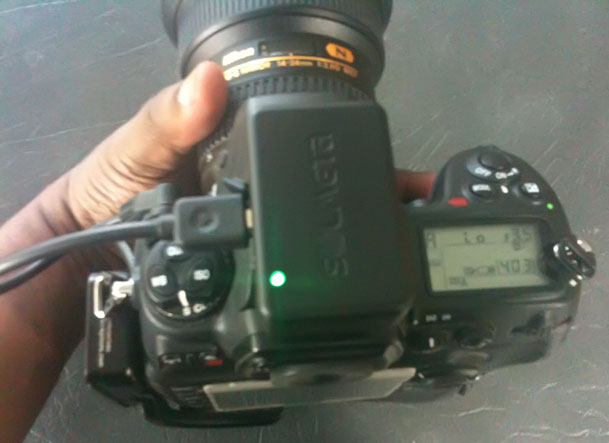
Solmeta Geotagger N2 GPS for Nikon Cameras: Take 2

It's Nikon DSLR GPS review Week!

I'm a Nikon shooter (you knew that) and I have a fascination for Geotagging. I love the BUILT-IN support that Nikon DSLR cameras have for GPS modules. I've tried a few different ones and of course this lead to different manufacturers wanting me to review theirs. My policy has always been if you want to send me something I'll take a look at it and I'll review it honestly. So you may or may not like what I have to say and as long as you're OK with that, ship it! So I decided to dedicate today, tomorrow and Thursday's posts to this topic and on Thursday I'll declare a winner! By winner I mean that I'll put up a comparison chart detailing what you get with each of the ones I've tried and I'll tell you out of the 4, which is my favorite.


Let's start off with a second look at the Solmeta GPS

You might remember a few weeks back I reviewed (or attempted to review) the Solmeta Geotagger N2 GPS unit with direct support for Nikon cameras. My initial review was cut short due to a cable mishap. Turns out I had the wrong cable and while the cable that shipped with my first unit worked, it was in the wrong orientation and therefore caused unnecessary stress that ultimately broke the connector at the base. I reported the problem to Solmeta and they were very responsive and offered a replacement unit. The replacement has arrived and I decided to give it another shot.


You're not going to believe this… Continue reading “Solmeta Geotagger N2 GPS for Nikon Cameras: Take 2”

Photoshop World 2010 Orlando Wrap Up

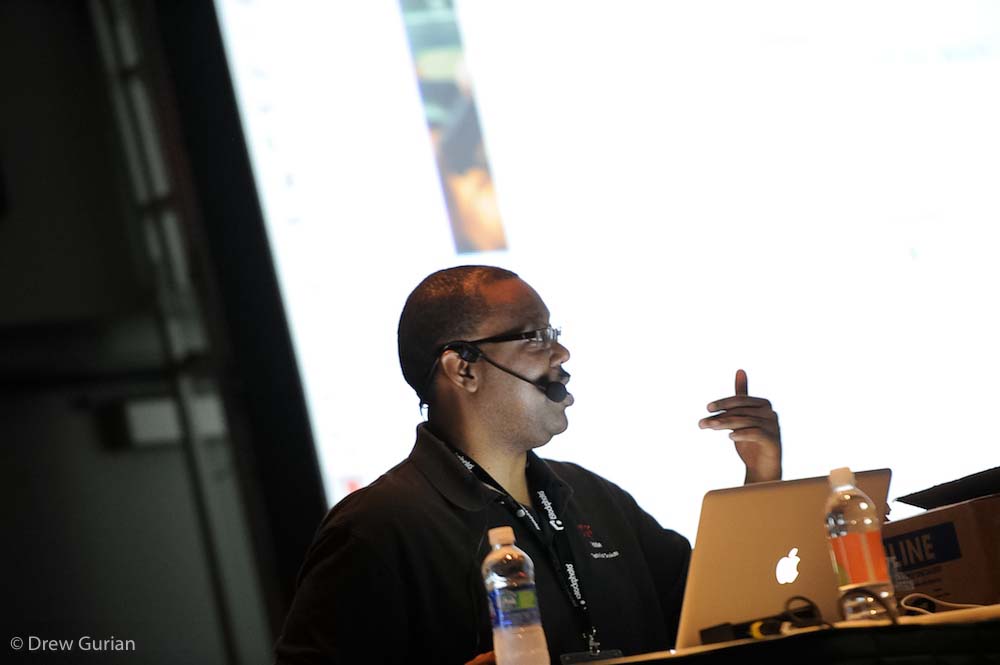
This year's Photoshop World East was a BLAST! I've been to Photoshop World more time than I can count. However, this particular conference seemed much more "upbeat". I didn't run into a single "cranky" person the whole time. Everyone was all smiles and having a great time. As an instructor, I feed off the energy of my audience. So when my audience is having a good time and learning, it gets me excited and drives me to show more and teach more. So I not only had a great crowd in each of my sessions, they were really into what I had to say and show. That makes all the difference in the world!

Here are some highlights and I've included the Keynote video too! Enjoy 🙂

Continue reading “Photoshop World 2010 Orlando Wrap Up”

Social Networking: Nothing Personal

I'm a fan of social media. I think it's fun connecting with long lost friends via sites like Facebook and Linked In as well as keeping up with buddies from high school and distant relatives. I remember when I first setup my Facebook account, my goal was to only "friend" people that I actually knew. I was looking at Facebook as being "personal" and sites like Twitter and LinkedIn being for business. Unfortunately this strategy didn't last very long at all. My Facebook inbox was inundated with friend requests from fans, people that I may have met once at an event and other total strangers that may have been friends of friends. At first I just ignored them until I could figure out what to do.
 

The problem with sites like Facebook is that if you decline a friend request, there's no ability to tell the person why you're declining their request. So you end up with potential "friends" that will have hurt feelings. If I could have had an automated response that says something like, "thanks for the friend request, but I'm using this account to connect with close friends and family. Please see my Facebook Fan page here", then I would have done that in a heartbeat. Once the request piled up to a point that I could no longer ignore them, I finally gave in and decided that my Facebook account can't be used for personal stuff. So I let everyone in. I decided that I would keep the personal information to a minimum and not post family pictures and not give my exact whereabouts in real-time (sometimes the latter can't be avoided for big events). I had suggestions from others that I should setup another account with a fake name and picture so that no one would know it's me and then I could interact with close friends and family in a more personal manner, but that just didn't feel right
 

I don't really care what you're doing

Continue reading “Social Networking: Nothing Personal”

Adobe Creative Suite 5 is Coming!


That's right! Adobe Creative Suite 5 is Coming and You can signup for the launch event here.


In the meantime check out this sneak peek of some future technology 😉

httpv://www.youtube.com/watch?v=NH0aEp1oDOI


See the Photoshop World Keynote with even more sneak peeks!

here.

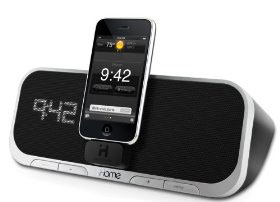
iHome iA5 App Enhanced Alarm Clock Review

When the iPod was introduced back in 2001 (yes 9 years ago!), it didn't take long for accessory manfacturers to start giving us ways of listening to our favorite tunes via better headphones and speaker systems. Once the iPod came out with a standard dock connector, this market exploded. iHome has been making iPod compatible speakers and alarm clocks for years. However, this time they've taken it up a notch. They actually gone beyond just using the dock connector as a means of filling the room with music. Instead they've integrated the iPhone/iPod touch with their hardware via a FREELY downloadable App called iHome+Sleep. This App enhances the features of the iA5 and goes way beyond just a simple alarm clock. See my more detailed review of the iHome+Sleep App here.  Rather than tell you about this device, I'd rather show you in this video:


httpv://www.youtube.com/watch?v=MXejpJyqFNM


Continue reading “iHome iA5 App Enhanced Alarm Clock Review”

Lightroom 3 Public Beta 2: What’s New?

Today Adobe has released the Lightroom 3 Public Beta 2. You can download your copy right here for free. The Lightroom 3 Public Beta 1 was downloaded by over 350,000 photographers and you guys gave us valuable feedback. Much of that feedback went into making Lightroom 3 even better. This new beta incorporates many new features and tweaks. Rather than list them all (you can get the list on the Adobe Labs site), I'd rather show you!

Check out this video:


If you missed my first video going over LR3 Public Beta 1, you can check it out here.

More of my videos are available at CreativeSuitePodcast.com

A real tripod mount for your iPhone

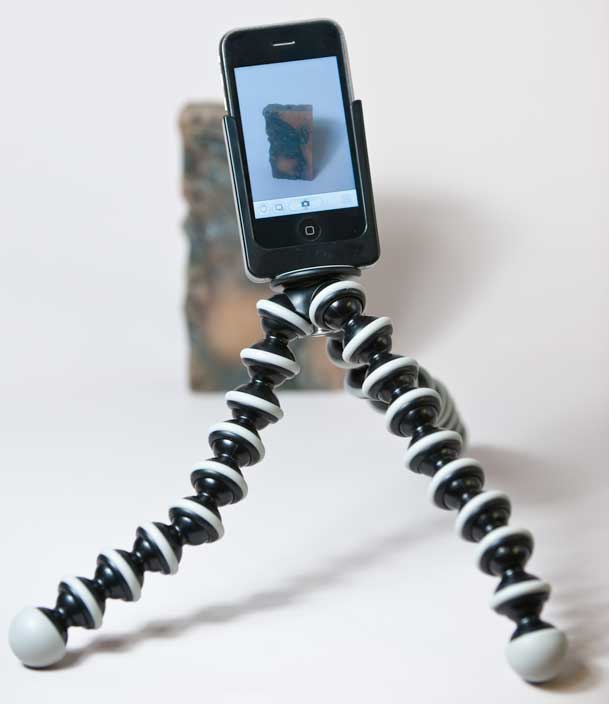
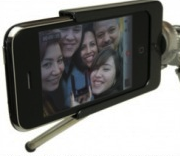
More and more I'm seeing the iPhone being used for some serious photography applications and workflows. Don't laugh, it's true. Chase Jarvis published an entire book of photos captured with nothing but an iPhone. Now that the iPhone 3GS does video, I'm even seeing Steadicam rigs. I'll be the first to admit that I'm not all that impressed with the iPhone as a camera. It's OK! It's fine for the occasional snapshot and of course in the words of Chase, the best camera is the one you have with you. A while back I reviewed an iPhone App by Joby called Gorillacam that allowed you to do timed captures. Here's another App that tries to be the only photography app that you'll need and even adds video capture to the iPhone 3G. With these apps that can do video capture and time lapse photography, the next thing you're going to want is a way of mounting your camera on a tripod. While I love the Gorillapod series, the only way of using one with the iPhone is using their specific Gorillapod Mobile. Well not anymore! The good folks at G Design have come up with the perfect solution. The U+3G is a holder for your iPhone 2G or 3G/3GS that has a standard tripod mount on the bottom. This of course will allow you to mount your iPhone on ANY standard tripod that you already have. 

On its side

Continue reading “A real tripod mount for your iPhone”

Tech Profile of Apple Co-founder Steve Wozniak

Steve Wozniak

Chief Scientist
 

Company

 
woz2010

Los Gatos, California   (my home)


Your blog/website?


Favorite Gadget(s)

Cathode Corner nixie tube watch, iPhone, Nexus One, Palm Pre, MacBook Pro 17" SSD, original Gameboy, mi-fi, Garmin 885, TomTom Go 740 Live, Canon 5D Mark II, Segway, Prius, many laser pointers…
These are all gadgets that I use regularly and am still not bored with.
I left out AV equipment.