
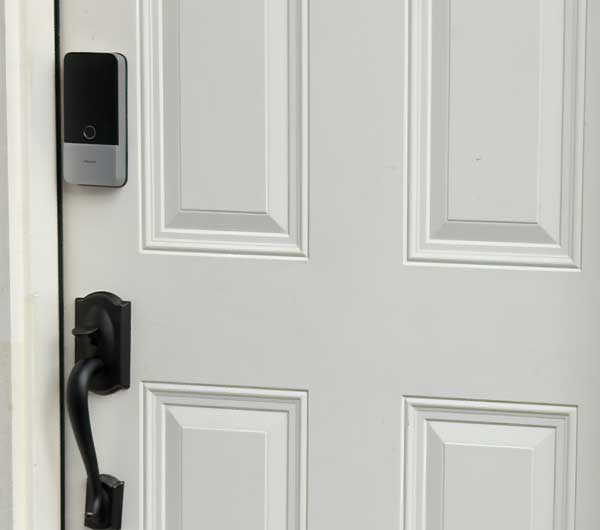
Hey I know that we’re only in month three of 2026 and there are new products being introduced all the time. However, Aqara came out with a banger of a smart lock, the Aqara U400 that has now raised the bar.
It actually dethroned my previous favorite smart lock of all time, the Lockly Visage Zeno on one of my doors.
Why is the Aqara U400 so cool?
The Aqara 400 is the first available smart lock to support UWB (Ultra Wide-Band) here in the U.S. This technology enables you to unlock your door just by approaching it with your phone in your pocket or Apple Watch on your wrist. I’m not talking about waving your phone or watch in front of the lock (that’s Apple Home Key technology which this lock supports too), no I mean just having a compatible device on you.
Apple Home Key vs. Facial Recognition vs. UWB
The first lock that was a game changer for me was the Schlage Encode Plus (see my first look here). No more entering a pin. Just wave either your iPhone or Apple Watch in front of the lock and it unlocked. This was amazing back in the day.
Then Lockly came out with the Lockly Visage and this lock introduced facial recognition. See my review here. No more having to wave a phone or watch in front of the lock. Just walk up and look at the lock. Similar to Face ID on newer phones. It was so fast that sometimes I would have to purposely look away while working on the porch to not have it unlock when I didn’t need it.
Then I went to CES at the beginning of the year and one of the first booths I went to was Aqara. I’ve been becoming more and more of a fan of Aqara products, especially their presence sensors and wanted to see what was new. I never liked their locks over the locks I already had. However, seeing the U400 in action made me order one as soon as I left the booth.
I got it, installed it on my garage door and there were hiccups.
I’m used to paying the early adopter tax in getting newly released products that may have bugs initially. The U400 was no different. The setup process could have been a little more straight forward. Since this is a lock that supports Matter Over Thread, that means that you CAN set it up directly in the ecosystem of your choice as long as you have a Thread Border Router. For me that’s my Apple TV 4K and both Apple Home and Home Assistant.
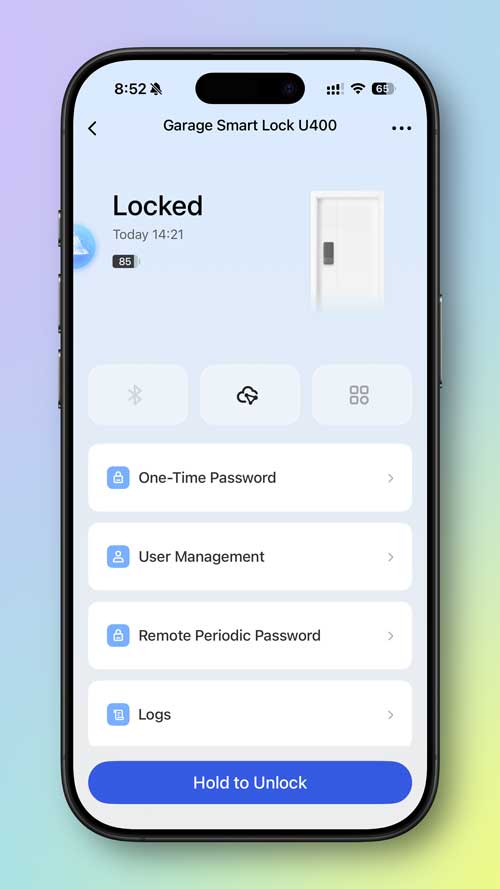
However, if you don’t set it up in the Aqara app too, you’ll be missing out on configuration features. So I would highly recommend setting it up in the Aqara app FIRST, doing the firmware update and setting up your admin passcode BEFORE adding it to your smart home ecosystem.
Once I finally got the lock setup, updated and added both to Apple Home and Home Assistant, I charged the battery. This is the first lock that I’ve had where you can charge the battery (yes it comes with a removable rechargeble battery) while it’s in the lock by plugging in a USB-C cable and either an external battery pack or other power source.
Charging is SLOW
The battery came only charged to about 20%, so you will need to charge it pretty much immediately and since charging can take several hours, plan to charge it overnight. This is where Lockly wins by including TWO rechargeable batteries in the box, but this advantage is negated since you can hang a battery bank on the door knob and still use the lock. If you really want two batteries in the U400 box, there is a “Deluxe Kit” sold at Apple Stores for $30 more that includes the second battery.
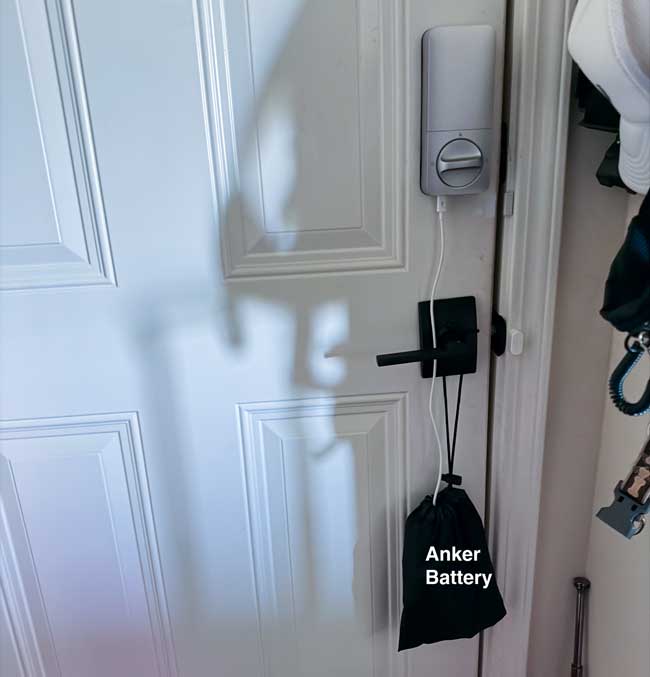
This is where I discovered the first bug. My battery would only charge to 90%. The next morning I couldn’t figure out why it didn’t charge all the way and a quick check online revealed that others had the same issue. Aqara quickly released another firmware update to fix this issue.
How Well Does UWB Work?
This is where I was immediately disappointed. My U400 lock’s UWB performance was VERY inconsistent. Sometimes I would approach my door and the lock would unlock immediately. Sometimes it would pause for a few moments and unlock. Sometimes it wouldn’t unlock at all and I have to use one of the other unlock methods.
I was thinking that maybe I got a lemon since other reviewers I knew weren’t having these issues at all.
I contacted Aqara and they were EXTREMELY RESPONSIVE. I got to work directly with one of the engineers and even did a Facetime call so that he could see what I was experiencing. Turns out that because my garage door has a step in front of it and I usually don’t stand on the step that my devices were not being detected. As soon as I learned this and stepped up on the step each time, the lock worked as advertised.
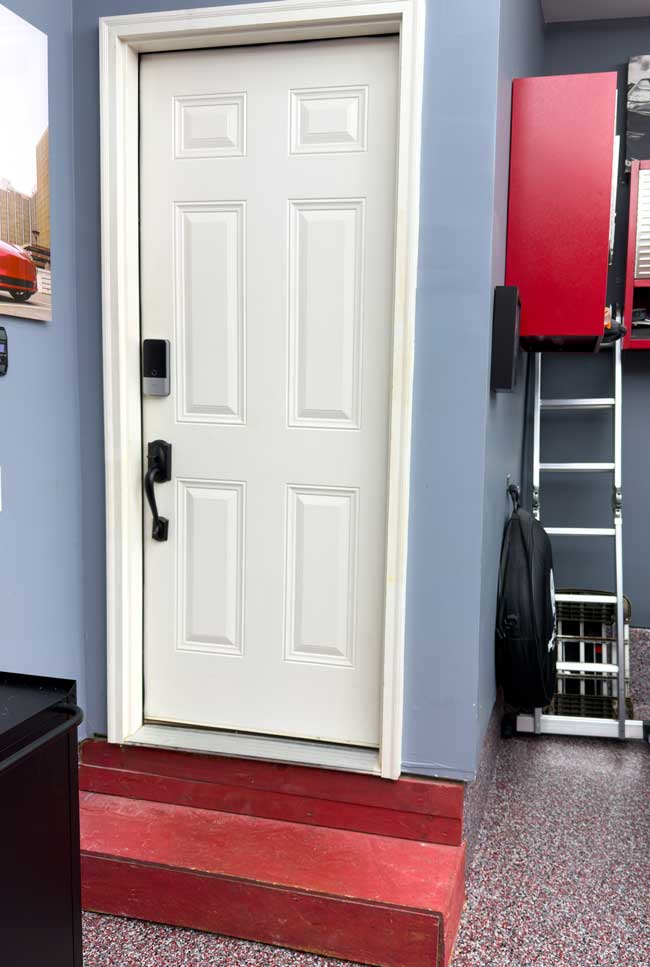
However, Aqara didn’t consider this a good thing. They wanted it to work whether I stepped up on the step (closer to the lock) or not. So they built a special firmware for me to test that allowed me to adjust the detection range.
BOOM! – Problem solved. Now the lock worked every time I approached the door the way I wanted it to without having to step up on the step first.
What about walking past the lock from inside your house? This is probably one of the most asked questions. Will the lock constantly unlock when I walk past from the the inside of my house? The answer is NO. They’ve engineered it to only unlock from the outside based on a direction that you can also set. It hasn’t unlocked one time from inside the house by walking up to it or by it.
What other unlock methods does it supprt?
UWB (Ultra Wide-Band) Auto-Unlock: Hands-free unlocking as you approach with a compatible phone or smartwatch in your pocket or on your wrist.
Apple Home Key: Tapping an iPhone or Apple Watch against the lock using NFC.
Samsung Wallet Digital Home Key: Tapping a compatible Samsung device (powered by the new Aliro standard and SmartThings integration).
Fingerprint Recognition: Using the built-in biometric scanner on the handle or face of the lock.
Keypad (PIN Codes): Entering a custom passcode on the lock’s number pad.
Smart Home Apps: Unlocking via the Aqara app, Apple Home, or Home Assistant.
Voice Assistants: Asking Siri (or other connected assistants via your smart home hubs) to unlock the door.
Physical Key: Using one of the traditional backup keys provided in the box.
Can the lock be re-keyed to match your other door lock physical keys?
Yes, the Aqara U400 can be re-keyed, but there is a major caveat regarding which keys it will accept.
Because Aqara uses a slightly non-standard cylinder size, it can only be re-keyed to match a 5-pin Schlage key (SC1). Here is what you need to know:
- Schlage Only: If your house uses 5-pin Schlage keys, you are in luck. The pins inside the U400 can be swapped out to match your existing key.
- No Kwikset or 6-Pin: If your home uses Kwikset keys (KW1) or 6-pin keys, the U400 cannot be re-keyed to match them. The physical keyway and cylinder housing simply will not accommodate those key profiles.
Emergency USB-C Power: While not technically an unlock method, you can plug a battery bank into the exterior USB-C port to power the lock just long enough to use a PIN or fingerprint if the internal battery completely dies.
Auto Locking – I should also point out that this lock doesn’t require a separate door sensor to detect if the door is closed before auto locking. This has worked flawlessly!
How did the lock just get better?
Oh yeah, unlike the Schlage Encode Plus and the Lockly Visage that cater mostly to Apple users, The U400 was built to support the Aliro standard. This means that users of Android phones will have the same benefits of a Home Key like experience and UWB. Aqara just announced that the Aqara Smart Lock U400 now supports the Samsung Wallet Digital Home Key via Samsung SmartThings! That’s what makes this the best Smart Lock of 2026 (so far)! It supports the two most popular smart phone ecosystems.
The Bottom Line
I wasn’t a fan of Matter Over Thread or Thread devices in general as when they don’t work they are hard to troubleshoot. However, in the 2+ months that I have been using this lock it has not dropped off my Thread network once. With the updated firmware, the battery charges to 100% and the lock unlocks upon approach every single time.
Now with the Aliro support rolling out, this is the lock I can easily recommend to any of my friends.
I have three smart locks and the Aqara U400 replaced the one on my garage door. This is the one we use the most. I still have the Lockly Visage on the front door and back door with no immediate plans to replace those as they work perfectly. The only reason I would ever replace them is to get Matter support. While the Lockly Visage works perfectly in Apple Home, I can’t easily get it into Home Assistant. For now that’s not a huge deal, but it would be a plus to switch.
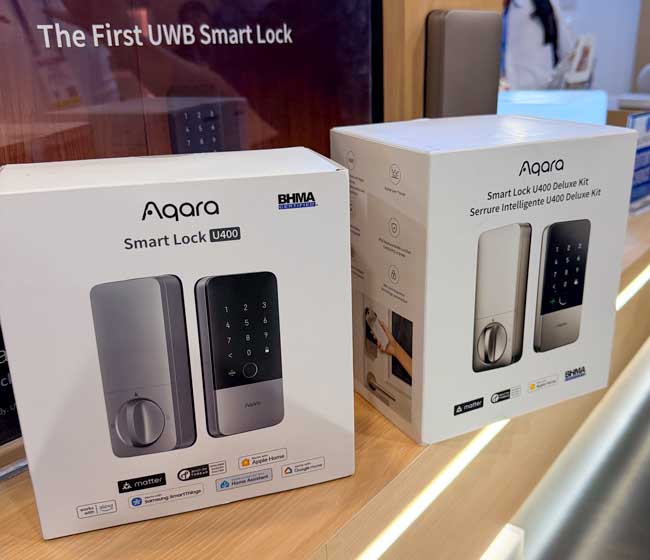
Here is my affliate link to get the Aqara U400 Smart Lock here. It comes in Black or Silver. There is a more expensive version “Deluxe Kit” sold at the Apple Store that DOES include two batteries and comes in different colors Shadow Black or Satin Nickel for $30 more. That’s not a bad deal to get the second battery and choice of Satin Nickel for those that need it. Remember you will need a Thread Border Router to add it to your smart home platform.