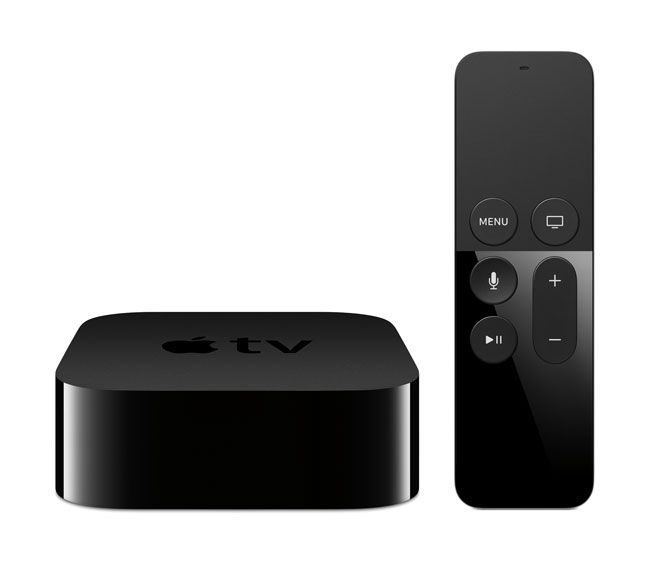
I’ve been an Apple TV user since the first model and have owned each one. The 3rd generation (1080p) model definitely became one of my favorite gadgets of all time. I not only used it for iTunes movie rentals and TV shows, but also largely to stream my own content from my own movie library. Apple TV is also great to be able to stream just about anything from your iPhone or iPad. I mirror my iPhone often to watch things like Periscope broadcasts on the big screen. It has been rumored for a long time that Apple was coming out with a “TV” and I never put a lot of faith in those rumors because I simply didn’t see what Apple could bring to the table that would make consumers want to take their existing TV’s off the wall and put up an Apple TV. It’s much smarter to make a box that connects to the TV of your choice and get all that Apple has to offer that way. The 3rd generation Apple TV was getting long in the tooth, but via all the software updates along the way it has really become a nice little full-featured box. So what could Apple do with the 4th Generation Apple TV?
My initial setup didn’t go as smoothly as I thought it would
You’ve seen the sneaks and you’ve heard the rumors about a NEW professional level retouching App for your iPad or iPhone, well the wait is over. Adobe Photoshop Fix is here! Rather than tell you about it I’d rather show it to you in action:
Photoshop Fix is exactly the kind of App that I’ve been hoping for and it was a pleasure working with the team and providing feedback during the development.
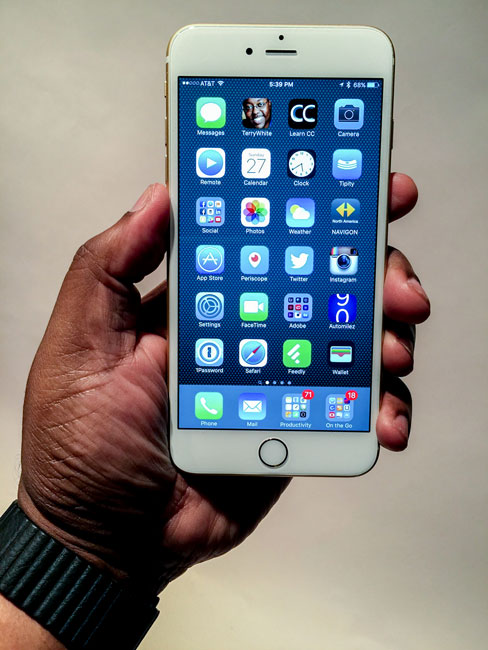
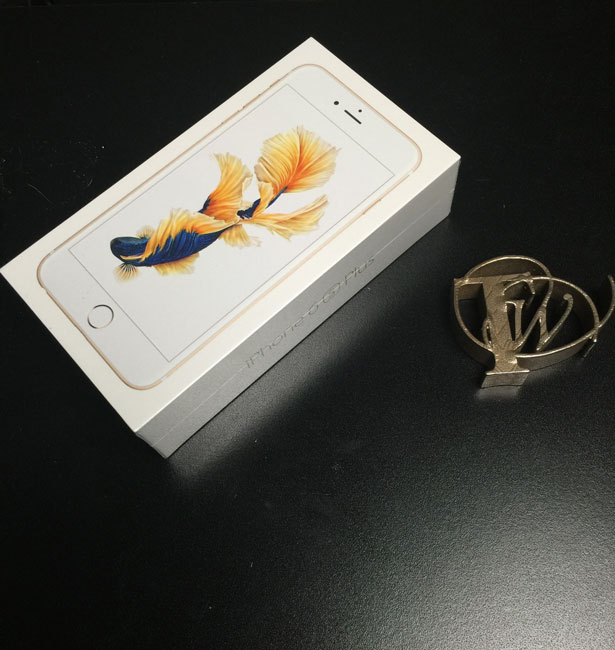
It’s that time of year again. Once a year at least one new iPhone model comes out and I upgrade to the new model. Ever since the iPhone 3GS Apple has done an incremental update to the iPhone before the next major update. So we’ve had the iPhone 3GS, iPhone 4s, iPhone 5s and now iPhone 6s. Sure we can probably expect and iPhone 7 next year, but the question becomes do you wait or do you upgrade to the 6s or 6s Plus. As usual it really depends on what you have now. If you’re on an older model such as the iPhone 5s or older then the iPhone 6s is a monumental upgrade. If you upgraded to the iPhone 6 or iPhone 6 Plus last year and you’re under a contract then you can probably sit this one out.
What’s New and What’s Cool?
It’s funny when I read comments online proclaiming the iPhone 6s to be EXACTLY the same as the iPhone 6. In other words they claim that there are NO DIFFERENCES. Really? I’m not sure if these are just haters or really uninformed people. While the iPhone 6s and iPhone 6s Plus look pretty much identical to last year’s models, there are significant changes under the hood. Like I said above Apple typically doesn’t change form factor for two models. Look back at the iPhone 3G, iPhone 4, iPhone 5 and iPhone 6. Each one was a significant change in form factor. The “s” models are usual changes all on the inside. The iPhone 6s and iPhone 6s Plus are no different. While they look just like last years models there are some great changes on the inside. Here are a few:
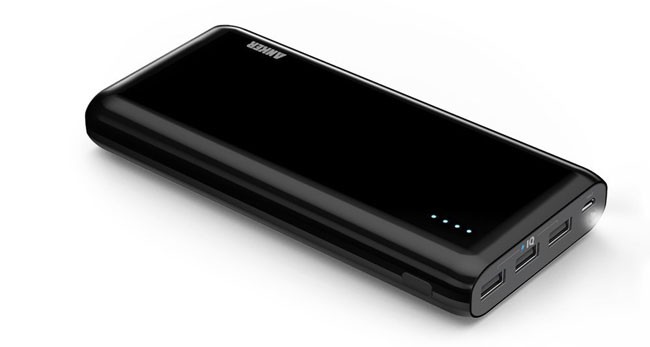
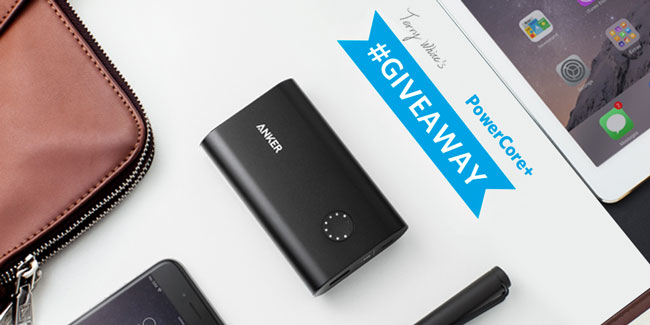
I am a fan of Anker’s battery backup products and cables. I worked out a giveaway with them that will allow me to giveaway their NEW PowerCore+ 10050 battery backup for your mobile devices. To enter all you have to do is follow me on Twitter here and retweet this tweet. On Sunday, September 20th 2015 I will pick a US or UK based follower that retweeted the tweet.
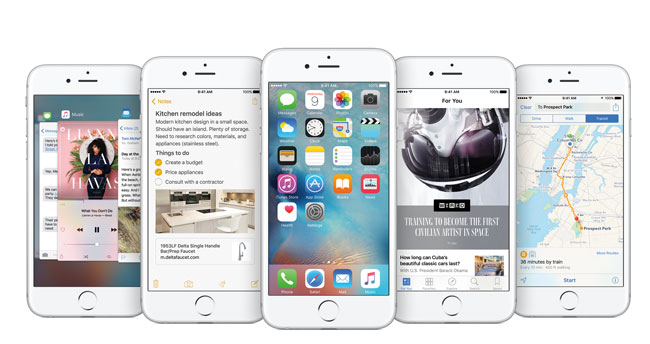
Like many of you I upgraded my iPhone and iPad yesterday when iOS 9 was officially released. Looking at Apple’s website and looking at the WWDC Apple Keynote from earlier this year, I wasn’t really excited about the update. However, after spending some time digging a little deeper, I found some really cool features and hidden gems. Rather than listing them all here. I’d rather show them to you in action in this video – See What’s NEW in iOS 9 and What Apple didn’t show us:
If you are out and about these days then chances are you in need of charging your smartphone, tablet and other mobile devices. I travel for a living so I figured I would share the four ways that I keep everything charged when I’m on the go:
The external battery that’s in my pocket
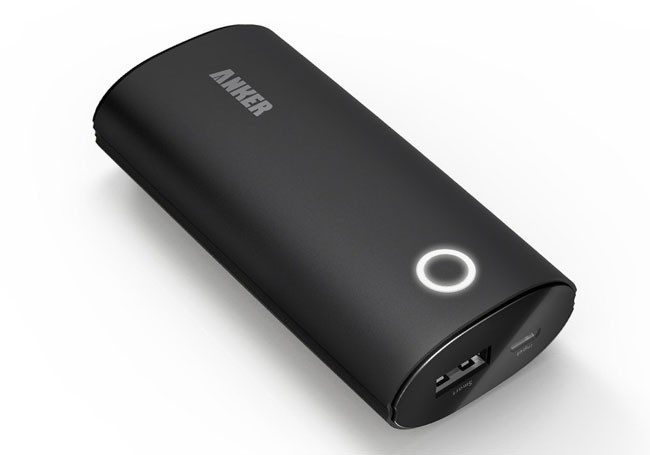
The 2nd Gen Anker Astro 6400 mAh is a great external battery to keep on your person. I love it because it has a smooth surface with no buttons to accidentally get pressed while it’s on my pocket. It change charge my iPhone 6 Plus up to 1.5 times.
In this episode of Adobe Creative Cloud TV I answer a Facebook Fan request on how to shoot tethered to an iPad? Unfortunately there still isn’t a way to just plug in your camera to your iPad and have the images show up as you shoot with your DSLR and quite frankly even if you could it would have limited application due to the storage constraints on the iPad itself. So instead I’ve come up with a way to use Lightroom CC and Lightroom Mobile to accomplish the same thing not only to an iPad, but to an iPhone, Android phone, Android tablet or even a web browser. With the technique above you can shoot tethered to Lightroom and have your shots automatically sync to Lightroom Mobile via Creative Sync and those shots will be on all of your devices as well as the web simultaneously.
Do you have my App?
See more of my Adobe Creative Cloud Videos on my Adobe Creative Cloud TV and get the App below. My iOS App is a Universal App for iPhone, iPad and iPod touch. I also have an Android version on the Amazon App Store:
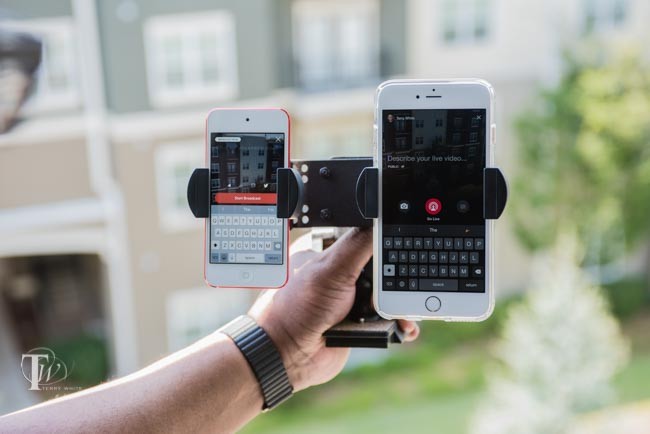
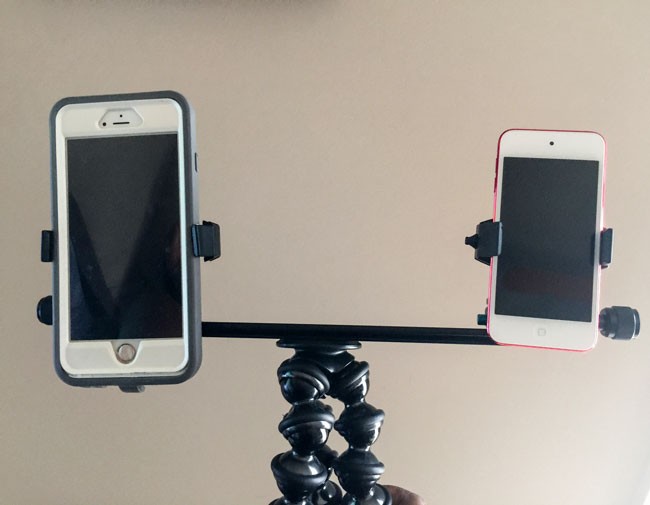
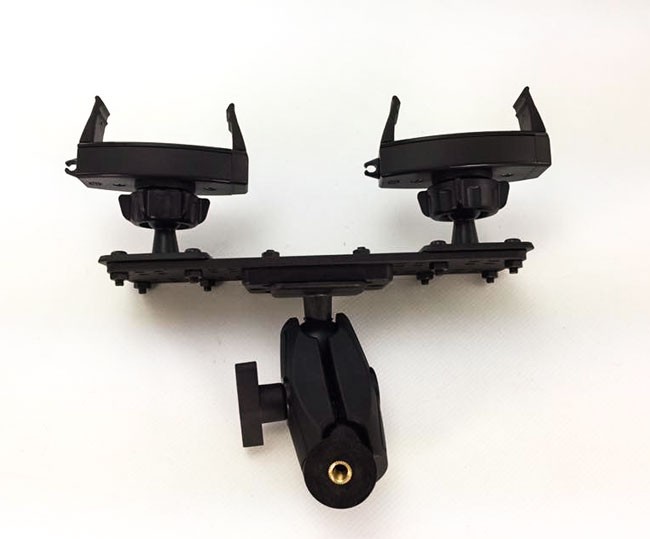
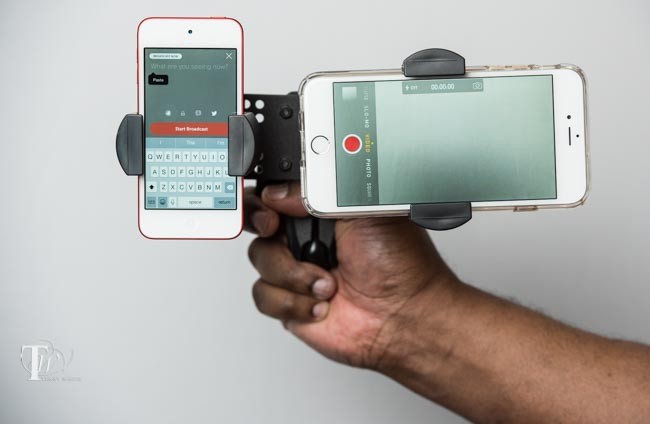
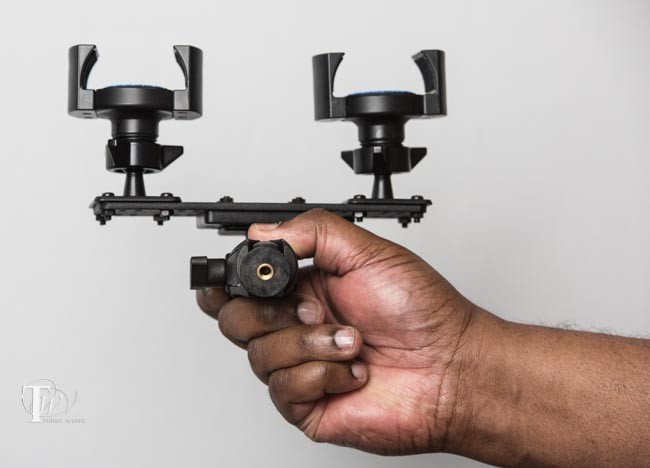
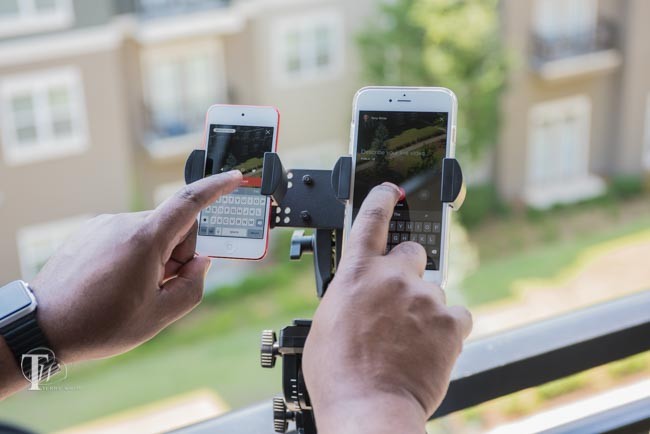
You might remember my post a couple of weeks ago comparing the NEW Live from Facebook Mentions to Periscope. After doing a few more broadcasts to both services I quickly realized that I usually have a larger number of views on Facebook. I thought that it would be great to be able to stream to both services simultaneously. That way I could finally address both my large Twitter/Periscope following as well as my large Facebook following at the same time. This would of course require streaming from two devices. I could use my iPhone 6 Plus and an iPod touch. The real question was, how would I hold both devices at the same time and keep them steady? I went in search of a “dual tripod head mount” and I found this one on Amazon. I ordered it, but when it arrived I wasn’t that happy with it. For one it was bigger and heavier than I hoped and the bigger problem was that the devices were spaced out too far apart for broadcasting the same thing up close.
That’s when I challenged my friends over at Arkon Mounts to make something better! Not only did they accept the challenge, they showed a mock up the very next day.
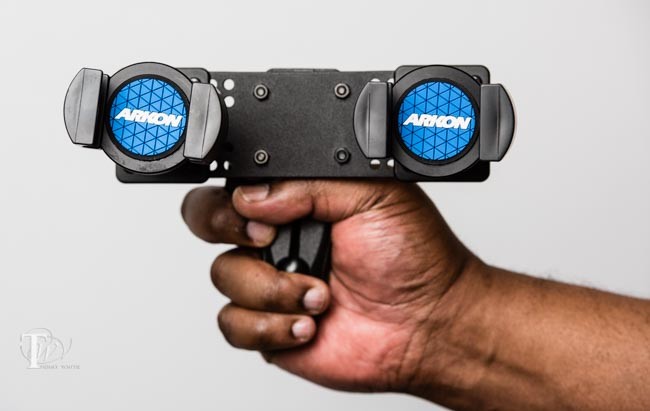
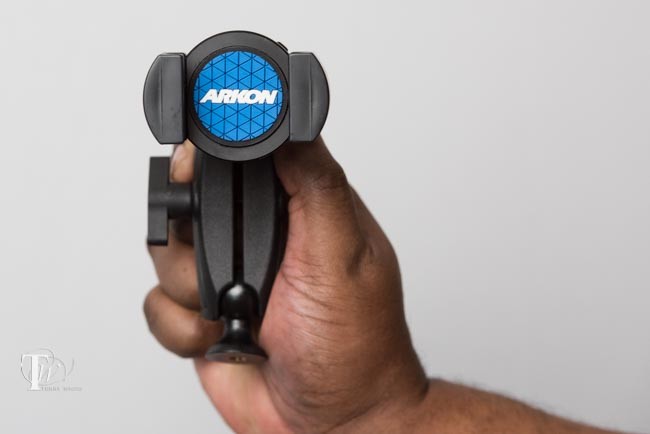
The mock up was night and day better than the one that I had put together and even better they would bring it to Photoshop World and hand it to me to try. After I used it for a day I was thrilled with it. It was everything I wanted, but that wasn’t good enough for Aaron. Aaron was concerned that the devices could possibly pop out. He had his company overnight their better smartphone grips (the ones used on their motorcycle mounts) and replaced the ones on mine with the stronger ones.
The TW Broadcaster Pro was born
Check out this video review that I recorded over the weekend:
I did several simultaneous live broadcasts to Periscope and Facebook Mentions Live. As I was walking around the show I got lots of double takes as people assumed I must be shooting 3D video.
Even if I wasn’t streaming to both Periscope and Facebook at the same time, I’d still use this to broadcast to Periscope in it’s current vertical video format and use the second device to record standard 16:9 wide video.
This mount is just freaking awesome with lots of uses. Of course it can be mounted on a tripod too.
It’s also versatile enough to be converted into a single mount (the TW Broadcaster) for those times when you only need to mount one mobile device.
The Bottom Line
I’m thrilled to have this new product which perfectly fits my broadcasting and recording needs. I’m deeply honored to have it named after me as well. Even if you’re not interested in this particular solution you should definitely check out the mounting solutions at www.arkon.com. If you have a need to mount a mobile device, camera, etc, on to something they’ve likely already built a solution for you. If you are interested in the TW Broadcaster Pro you can order it here. Or if you’re interested in the single mount (also great for selfies) TW Broadcaster model you can order it here. You can even take 10% off anything you order from their site with my discount code “twhite”.
Apple recently stated that they had over 11 million users doing the 3 month trial for Apple Music. I’m one of those 11 million folks. I wasn’t sold on the concept of Apple Music, but I wanted to give it a fare shot before I did my review. I wanted to try it for at least a month before deciding if it’s a good fit for me or not.
Let’s start with how I enjoyed music before Apple Music
I used to buy singles (45’s as a kid). If you don’t know what a 45 is then you are probably more likely to be a candidate for Apple Music 🙂 As I got older and had more money I continued buying vinyl in the form of LPs. I then moved to 8-track, then to cassettes, then CD’s and finally to digital downloads. Whenever a new song/album comes out that I like, I buy it on iTunes. But I definitely don’t spend $9.99 a month on new music. I pretty much have all the music that I’ve ever wanted and in many cases I bought that music multiple times just to get it on the newer formats. When it comes to hearing new music I rely on Pandora Radio. It gives me a nice mix of stuff I already have/like and new musicI actually have a paid account at $3.99/month just not to hear the ads and to be able to skip more songs if I want. Even with the Pandora account it’s rare that I spend $10 on music in a month unless a new album comes out that I want. I have a Spotify account too, but it’s the free one. I never could bring myself to pay for it because I already have all the music I would be listening to regularly. Also thanks to iTunes Match I access to ALL of my music on all of my devices. Now that you know a little about my music needs, let’s get to Apple Music.
What’s Apple Music?
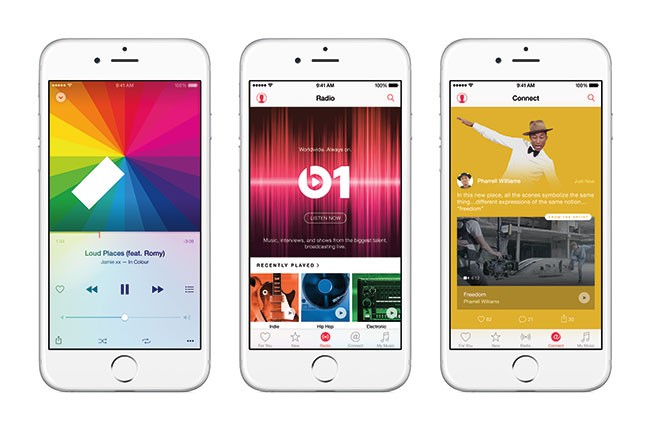
Apple Music is Apple’s new music subscription service that allows you to listen to just about every song on the iTunes Store for one price. $9.99/month. You can listen to any song, album, artist anytime you want as much as you want with no limits. You an even add songs to playlists and make them available OFFLINE so that you can listen to them on your devices when you don’t have an internet connection. Apple Music also includes currated playlists so tha you can listen to playlists put together by others. Lastly there’s Beats 1 radio. This 24/7 radio station has a real DJ and it’s the latest, hottest tracks playing anytime you want to listen.
Who is Apple Music for?
In my opinion Apple Music is for people that don’t have a huge investment in their own music. It’s for people that listen to music often and want to always be able to listen to what’s new from a variety of artists. If you’re the kind of person that LOVES music and always want to listen to either a lot of music or new/different music that you don’t own then you’ll likely love Apple Music.
I’m just not that guy
Apple Music is ok. It’s just not for me. Sure I like new music, but not enough to justify the monthly cost. Like I said, if I hear something new that I want, I just buy it and rarely does it cost me more than a few bucks a month.
The interface leaves little to be desired
Why is this so complicated? Simple Thumbs up or down would be more Apple like.
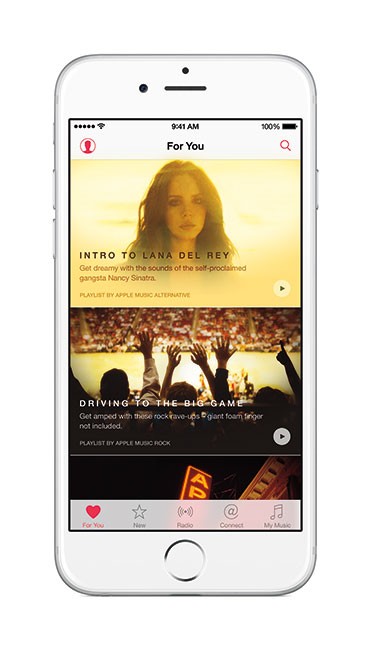
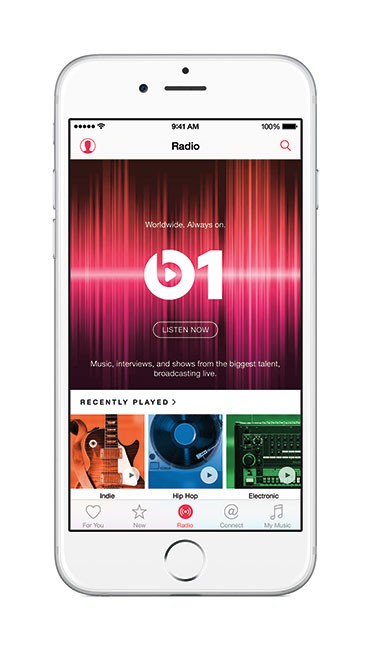
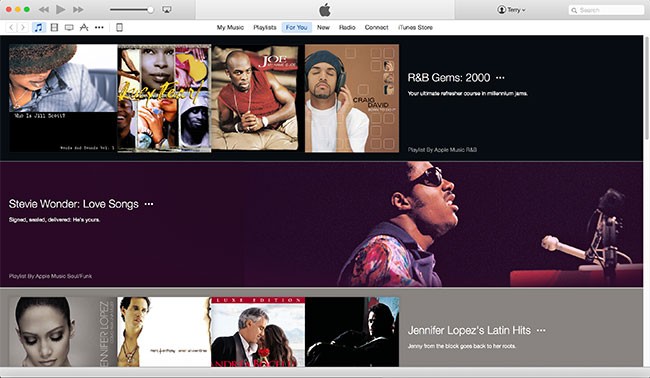
One thing I’ve always loved about Apple products is that there was a certain elegance about them. The Apple Music internace wasn’t as strait forward as I had hoped. I’m used to it now, but it just seemed a little weird at first. The For You tab contains the curated playlists based on the artists you said you liked during the setup. These playlists are usually good, just not long enough for me. This means that I either have to add the songs to an existing playlist (which in most cases I already own these songs) or I have to combine them together to get playlist that’s long enough for my drive/commute. The New tab is where you would discover new music. Radio is where you’d listen to Beats 1 or your own radio stations, Connect is Apples new attempt at connecting you with your favorite artists. Playlists is where your playlists are stored and My Music is of course my music. Since I listen to music mostly on my iPhone these days the interface is a little tighter and sometimes there’s a lot going on on the screen at the same time. Also since you can now mix Apple Music tracks in playlists with the songs you own it’s not real obvious which tracks are yours and which ones are rented.
Goodbye iTunes Radio and Good Riddance
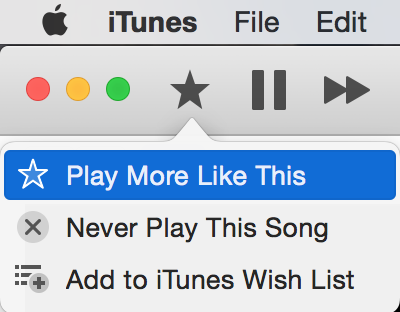
When iTunes Radio first hit the scene I was really excited to try it. I was already an iTunes Match customer and that meant that I could enjoy iTunes Radio ad free. I was hoping that I would be able to cancel my Pandora Radio account and just use iTunes Radio. However, iTunes Radio was a disaster. So much so that I ended up going back to Pandora. If I added a station based on an artist it would rarely play songs from that artist. If I added a station based on a song, I would NEVER hear that song again. I would find myself skipping several (unrelated – not even close to what I would want to hear) songs in a row just to get to one that I’d want to listen to. It was just weird the way it worked. Apple quietly changed iTunes Radio to Radio in Apple Music. At first I just avoided this option figuring that it was the same old iTunes Radio that I hated. However, one day I decided to listen to one of my stations just to see if it had improved and I was pleasantly surprised to notice that I wasn’t skipping songs. It was playing songs that I actually wanted to hear. After doing a little digging online I found that lots of former iTunes Radio users were complaining that their stations were now gone in Apple Music. Sure enough I noticed the same thing. There is a Recent Station feature but it only lists a few of the ones that I had created and only the ones based on a single artist/song. The old iTunes Radio allowed you to build a station based on multiple artists. That feature is now gone. You can only build a station based on a single song or single artist. I’ll gladly forgive them for that since it now actually creates stations that I’d listen to. Sadly Apple still as the cumbersome “Star” button that when you tap it it gives you a choice of “Play more like this” or “Play less like this”. Why can’t we simply have a separate thumbs up and thumbs down button? The NEW and IMPROVED Radio is by far my favorite Apple Music feature.
The Bottom Line
Is Apple Music worth it? The answer to that question will definitely depend on you and where you are with your purchased music and how much new music you like to listen to each month. Is it worth it to me? At this point I would say that I probably would not continue with Apple Music if it were just me. At $9.99/month I’d actually be spending more than I do now. However, what will likely make me keep it after the trial is the very smart thing that Apple did by creating a “Family Plan”. At $14.99 not only can I enjoy Apple Music, but so can 5 of my family members. I can add my two daughters and my sister for example and then it becomes a no brainer. My daughters are in their 20’s and listen to new music all the time. The new Apple Music Radio is now good enough that I’ve suspended my subscription to Pandora Radio saving $3.99/month. So while I don’t love Apple Music, I can justify it with the family option.
On a side note: iTunes on the desktop is long overdue for a complete rewrite. Every time they add something new to iTunes it becomes that much more of a pain in the ass to use. If you look at iOS you can see that Apple has separated out many functions into separate apps. You have the Music app for music, the iTunes app to buy/rent new content, the Podcasts app for Podcasts, the iBooks app for books, and the Videos App for movies and TV shows. Yet on the desktop the Mac/PC version tries to do everything in one Application. Since we rarely connect our devices up to our computers anymore to sync, there is a less of a need to have this all in one approach. Apple kept the Mac App Store separate and there’s no reason now not to separate out the iOS App Store and many of the other things that iTunes does now. They could then focus on building a killer Music app that would be the showcase for Apple Music. By the way, stop hidding the sidebar. We actually like it and use it!
If you’ve been following this blog then, you know I got an Apple Watch on day one 4/24/2015. I also bought an extra charging cable that could remain in my suitcase for travel. I take my Apple Watch off every night and put it on the charger for the night. I hate wearing any kind of jewelry when I sleep and even if Apple Watch never needed to be charged I would still take it off every night. I knew from day one that I would want a charging stand to put it on. Even before Apple Watch shipped there were companies showing their stands and I was shocked by the price of some of them. Let me explain why. An Apple Watch charging stand has NO ELECTRONICS in it. It’s simply a stand that you supply with your charging cable and it gives you place to simply lay your Apple Watch on and because of the magnetic charging cable it would simply float there on the stand. The stands are usually made of plastic, metal or wood. For something that has no electronics I couldn’t believe what some companies were charging for theirs. For example, this one goes for a whopping $99! Granted it’s made of walnut, but still that seems like a lot of money for a small piece of wood. I don’t mind spending money on engineering and R&D, but the only thing to really figure out with these is to make sure the hole is the right size to hold the Apple charging cable. The first one I got was by Spigen and it’s OK. It works. However, for just $5 more you can have the BEST one.
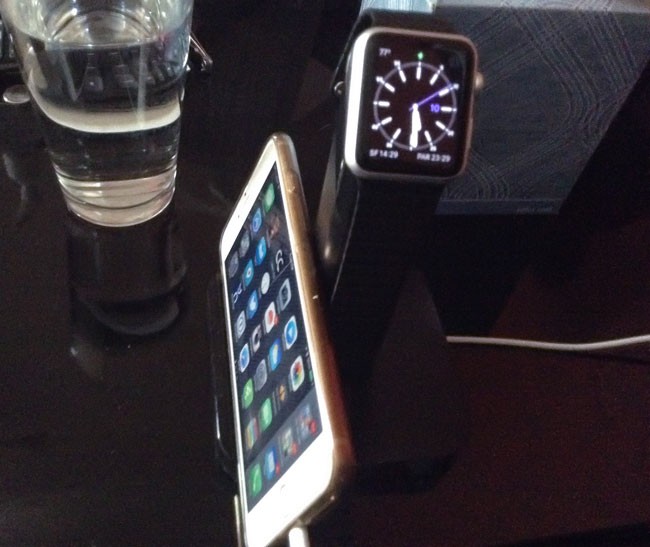
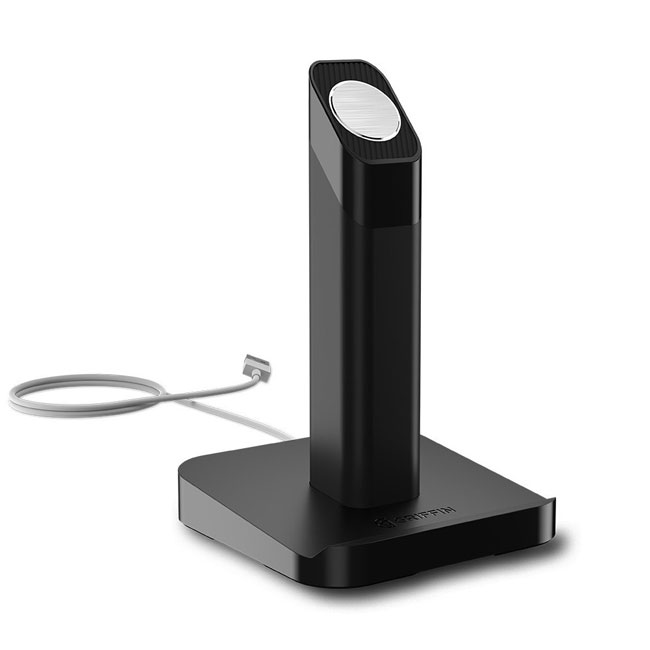
I ordered three different models including one that I had 3D printed from a design I downloaded from the web and I’m happy that I found the Griffin Technologies WatchStand. It’s by far the best one I’ve seen for the money. Like most of the others, there are no electronics in it and you need to supply your own Apple Watch charging cable. However, unlike most of the others the design is well thought out and provides great cable management and most importantly great weight at the base. There is no way that this one will tip over (a common problem with the plastic ones, like the one I 3D printed). I also really like the “lip” on one side that allows you to easily lean your iPhone up against it. While there are more expensive models that actually have a lightning adapter in them for your iPhone/iPad, the lip is all that I needed. Sometimes I grab my iPhone in the middle of the night to check messages and if I had to look for the dock to set it back on in the dark it would be a nuisance. With this one I can leave the lightning cable attached to the iPhone and just lean it back on the stand when I’m done.
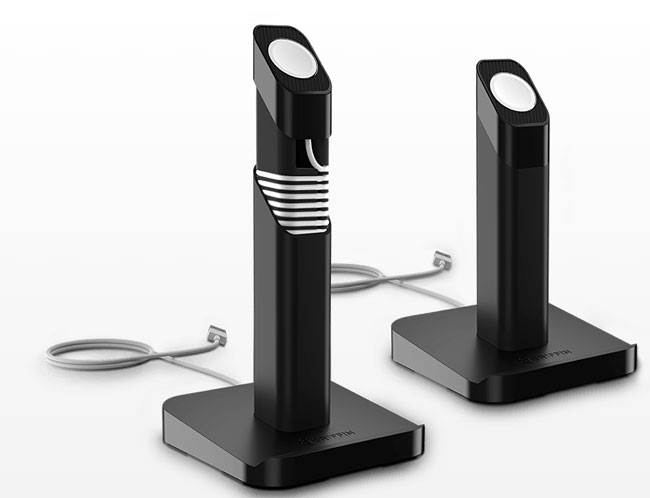
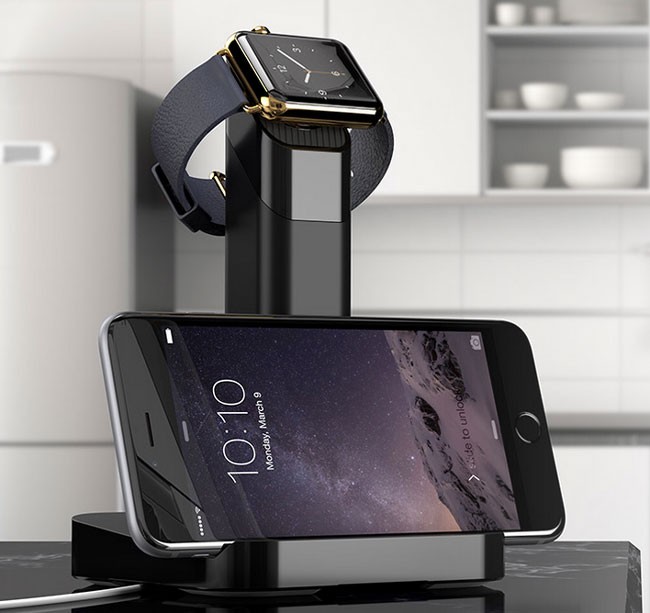
The center column detaches so that you can wrap any excess cable inside. You can also face the center column in a different direction. For example, I wanted to lean my iPhone on the side vs. the front. I was worried about those that have Apple Watches that have bands that can’t open, how would you use this stand. Then I saw this shot on their website and it became clearer:
This side orientation is great for those Apple Watches that have metal bands that don’t open all the way. It will also be handing for Apple Watch OS 2 with the nightstand mode.
If you’re an Apple Watch owner and you want the Best Apple Watch Stand for the money, then look no further than the WatchStand by Griffin Technologies.


 .
.