Although I usually find Apple’s hardware and services to be quite satisfying, I must say that I have been quite frustrated by the restrictions around the iTunes Movie Rental Service. It’s bad enough that you only have 24 hours to watch a movie once you start it. However, it’s even worse that you can’t start it unless you’re connected to the internet at the time. I’ve been burned just about every time I’ve tried iTunes rentals on my MacBook Pro. I either want to start watching a flick when I’m not able to get online to start it or I end up running into the 24 hour limit because I’m not able to finish it within the 24 hour limit.
So I’ve finally figured out that the best way to enjoy an iTunes Movie Rental is on an Apple device other than your computer
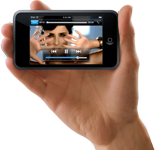
That’s right! Forget about your Apple computer for a minute. If you have a compatible iPod or an iPhone or an Apple TV, you’ll have a slight advantage. Here’s why: When you rent a movie on your computer and "move" it to your iPhone or iPod you only need to be connected to the internet at the start of the transfer. Once it’s on your iPhone or iPod you still have 30 days to start watching it. However, you don’t have to be connected to the internet anymore to START watching it. This is perfect for me! Sometimes I don’t know the exact moment when I’ll have the time and feel like watching a movie until that moment arrives. Unfortunately, that moment may arrive at 30,000 feet during a flight. If the movie is on my MacBook Pro and I didn’t start it before I left the ground (because once you start it, you HAVE TO watch it within 24 hours or it deletes itself), I’m hosed. However, if it is on my iPhone (or iPod) I can start it at any time. No internet connection required. So now I can rent and download a couple of movies ahead of time (days or even weeks), load them on my iPhone and then start them whenever the mood strikes me.
Apple TV?
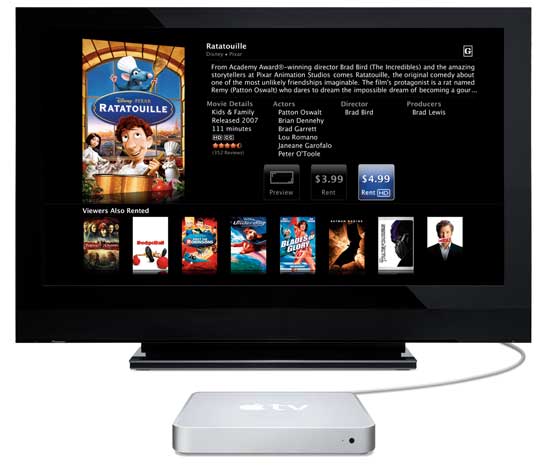
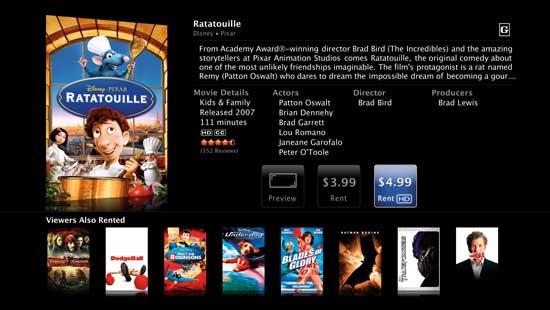
With Apple TV the rules are a little different. You can use the same method above of renting/downloading on your computer and moving the movie to your iPod, iPhone OR Apple TV. However, if you rent/download the movie directly from your Apple TV then you have no choice but to watch it on the Apple TV because you can’t move it anywhere else. Also if you want to enjoy the HD version of the movie, you HAVE TO rent it from your Apple TV. Apple doesn’t allow HD movie rental downloads from a computer. These limits are OK because I just don’t download a rental on my Apple TV until I’m ready to sit down and watch it right then and there. Even HD rentals are ready to watch (streamed enough) within about 5 minutes after hitting the Rent button.
Apple this is cool, but Netflix is still king! When you loosen up your restrictions and offer a subscription model (I know it doesn’t make sense for music, but it absolutely makes sense for movie rentals), I’ll think about letting Netflix go, but not before then.
Apple, here’s a suggestion to make the computer rental watching experience better
Instead of simply deleting the movie from my drive once the rental period has expired, why not offer a "do you want to extend your rental period?" option that let’s me pay again for another 24 hours? The way it stands now if I did want to finish watching something I rented once the 24 hours is up, I not only have to pay again, but I also have to download the whole freakin’ thing again! That bites, especially when you’re traveling and have limited or slow internet access. Steve, think about it!
While I can’t take credit for the idea (wish I had thought of it), I have never heard anyone mention it before as it relates to the iPhone. I was reading a post on engadget.com about a new phone (I don’t even remember which one it was), but it had a feature that would be KILLER on the 3g version of the iPhone.
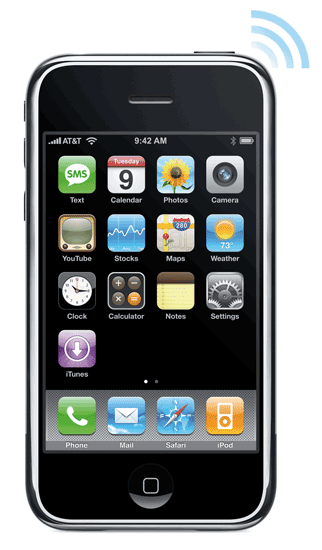
Here goes: Most of us that travel with iPhones also travel with laptops. One feature that we hope for on the 3g iPhone is to be able to use it as a wireless modem (tethering/DUN) via Bluetooth. However, what would even be sweeter is having the iPhone itself become a Wi-Fi access point. Having a 3g iPhone means that we’ll have the potential for significantly faster data access than what we now see over EDGE. Since the iPhone already has Wi-Fi built-in, why not just tap a button, set a password and have it broadcast a Wi-Fi access signal that you could tap into with your laptop and surf?
Of course there’s the whole battery life thing and I have no idea if the Wi-Fi radio uses more power than the Bluetooth radio, but it would be pretty sweet nonetheless. It would also allow multiple devices to share the 3g internet connection simultaneously whereas Bluetooth would not.
Either way, the next version of the iPhone should definitely have either Bluetooth or Wi-Fi internet sharing for your laptop! Steve would probably argue that the iPhone is so good that you shouldn’t need to connect to the internet from your laptop and maybe with all the new corporate support (MS Exchange support, VPN access, etc.) that’s coming in iPhone 2.0 he’s right. I can’t wait til June to find out!
You may remember that I have a running list of features that I would like to see come to the iPhone (some of which have either been addressed in recent updates or have been announced for the 2.0 software update due in June) and all of which could be implemented via software updates or 3rd parties. So while were on the subject of the 3g iPhone, here are my:
Top 10 iPhone 2.0.1 Feature Requests
Flash Player! – We can’t keep pretending that we don’t need this! With a faster iPhone, there’s no excuse
Video Recording – No reason not to have this either
MMS Messaging – Can we send some picts and video directly to our buddies without using email?
Cut/Copy/Paste – Duh!
Contact Search – I’m sure I’m not the only one with hundreds of contacts
Note Syncing – No reason not to have this
Audio Recording – Taking notes/Voice recorder would be a very popular feature
Email Anything – The ability to email anything that’s on the device, ie: contacts, voicemail messages, maps, etc.
Voice Dialing – Lesser phones have this basic feature
Consolidated Email Box (option) – I have 5 email accounts on my iPhone – my screen is starting to wear out in the spot that I have to keep hitting the Back button on.
As the saying goes, "there are two kinds of computer users: those who have lost data and those who are about to!" Unfortunately, I’ve lost data in the past. Therefore, I’m a firm believer in having a good backup strategy. When it comes to hard drives, it’s not a matter of if they will fail, it’s a matter of WHEN? I was always puzzled as to why Apple never had a backup utility built-in to the OS. However, I couldn’t wait for this to happen so I’ve used various backup utilities over the years and my absolute favorite is SuperDuper! SuperDuper makes a clone "bootable" backup of your drive to another drive. It has a schedule feature so that it can run unattended and it is the way that my server gets backed up every night. However, for my other Macs I wasn’t backing them up nightly. It was more like weekly (or sometimes bi-weekly) when I would think to plug in the external drive and do it. This was especially the case for my laptops which move around and don’t always have an external drive plugged in.
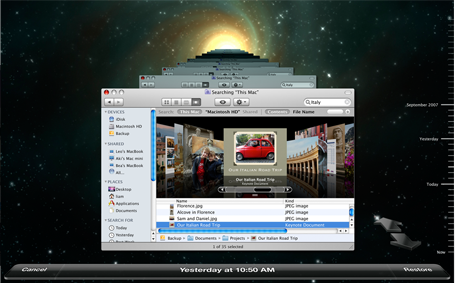
So needless to say I was quite intrigued by Mac OS X 10.5 Leopard’s Time Machine feature. You could call this "backup for idiots." In typical Apple fashion it’s just drop dead simple. You plug in an external drive, Time Machine asks if this is the drive you want to use for backups, you say "yes" and that’s it. There’s nothing to think about from that point on. It manages the backups from that point on automatically and hourly. When the drive fills up with all the incremental backups, Time Machine manages the task of deleting the oldest backups for you. It doesn’t stop there! The Time Machine interface for retrieving data from your backup is equally as slick, showing you cascading folders and allow you to scroll back in time to find the files that you want to bring back. You can even do a Spotlight search for them or bring back the whole drive if need be. Yes, Apple hit a home run with finally making backup so easy that you’d be a fool not to do it now.
This is all good except for one thing, those darn laptops. I have a young teenager that’s now on a MacBook instead of an iMac. Although I have an external drive setup on her desk, she doesn’t always remember to plug it in and of course if the drive is not plugged in, her MacBook is not being backed up.
This is where Time Capsule comes in
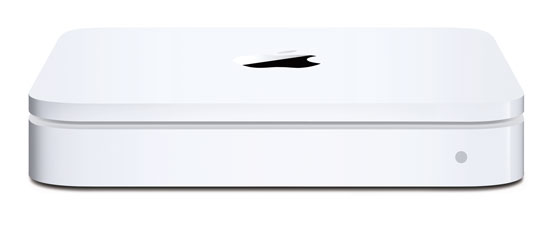
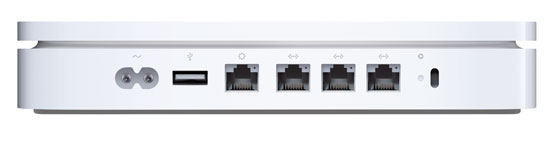
Although my desktop Macs are fine, each with their own external drives for Time Machine backups, I wanted an easier more seamless way to backup notebooks. Time Capsule is simply an 802.11n AirPort Base Station (wireless router) with a 500 GB or 1 TB hard drive built-in. I opted for the 1 TB model and used it to replace one of my existing AirPort Extreme Base Stations. It has 1 Gigabit WAN port and 3 Gigabit Ethernet ports for wired devices. So I have my iTunes Server plugged in as well as my Slingbox Pro. I had already set up a separate 802.11n network with my existing AirPort Extreme Base Stations so that I could have a really fast network that wouldn’t drop down in speed when 802.11b/g devices connected to it. They are still on my older wireless network. It all works great! When I plugged in the Time Capsule and installed the updated AirPort Utility that comes with it, setup was a snap. Took less than 5 minutes to put in all the settings I wanted. Although you can hang printers and hard drives off it to share, I don’t have a need for those features. Once I had the Time Capsule set up, I took the first MacBook and plugged it in to my network from my office via Ethernet. It saw the Time Capsule right away and I was able to pick it as my Time Machine drive. I had already figured and heard that the initial Time Machine backup over ethernet would take a long time, so I did this over night and just let it run. When I woke up the next day it was done backing up. I then unplugged it from Ethernet and put it back on Wi-Fi.
In addition to the Ethernet ports Time Capsule is expandable via the USB port which allows you to add external USB hard drives which could also be used for Time Machine backups. It’s also nice having the power supply built-in.
One of the biggest questions on my mind…
was how would it handle subsequent hourly backups. In other words, I knew that my family would NOT remember to mount the Time Capsule drive. If you’ve ever had a kid lose an important term paper or book report due to a drive hiccup, it’s not pretty! Although I had read other Time Capsule reviews, I didn’t find one that mentioned whether or not the Time Capsule drive would automount each hour. I was hoping that Time Machine would do the right thing and mount the drive as needed. I was happy that it does just that. There is no further interaction required on the users’s part. Time Machine automatically mounts the Time Capsule drive each hour (wirelessly), does the incremental backup and then unmounts the drive. Again, this is the solution I’ve waited for for years.
The next Mac to be added to the Time Capsule backup plan was my iTunes server which I had just upgraded to a 1 TB hard drive as well. This Mac is always connected to Gigabit Ethernet. When I switched to Time Machine drives to the Time Capsule I didn’t realize that Time Machine automatically backs up other attached hard drives. So my initial backup was 200 GBs bigger than it needed to be (400 GB in all). Even over Gigabit Ethernet, this took freakin’ forever! I’m not kidding, this took close to 18 hours. So let’s cut that in half and say 9 hours for 200GB. That’s a long time for the initial backup and I can’t even imagine how long that would have taken over Wi-Fi. The next day when I realized that I had backed up the second drive unnecessarily, I added it to the "do not" backup section of Time Machine. However, it didn’t automatically delete the data from Time Capsule. I assume that once the drive fills up that that will be the first data set to go, but I would think that there would be a way to kill the extra 200GB manually. I tried and got all kinds of permission warnings and just aborted my attempts.
Now that the initial backups are done, Time Machine takes only a few minute to do the hourly backups and of course it does it in the background.
The Bottom Line
I’m happy with Time Capsule so far and have had no problems. It doesn’t get any easier than this and Time Capsule is the BEST/EASIEST way to backup your multiple Macs running Leopard. Although you could also use Time Capsule as a network drive to put data on and share it amongst your users, I don’t recommend this. The reason is, if you get in the habit of using it as a server to store your daily work files, then how will they be getting backed up? If your Time Capsule dies, you’d still have your Mac hard drives. However, if Time Capsule dies and you were using it as a network server, then that data that was on it would be lost.
Time Capsule is bigger than the AirPort Extreme Base Station and while it is quiet, it’s not silent. Like Apple’s other white boxes (AirPort, Apple TV, etc.) it does run warm.
The initial backup takes way too long. So the best way to do it is to plug in and let it run overnight or over the weekend. Don’t forget to exclude things that you don’t want backed up or things that are already backed up in another location and don’t change regularly. This will save on disk space. All in all Time Machine was worth the investment for me. Time Capsule/Time Machine only works with Macs running Leopard. It will not back up PC’s or Boot Camp partitions. For a complete list of specs, go here.
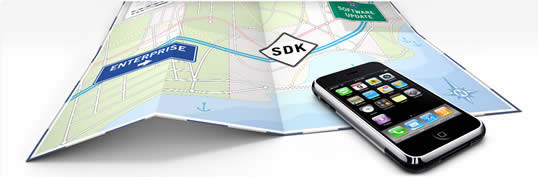
As expected Apple delivered upon their promise of an iPhone SDK (software developer kit) which will allow developers to write native apps for the iPhone or iPod touch. The Beta of the SDK is FREE for download today. You can then write your own apps and test them directly on supplied simulator. However, if you want to distribute your app, you would then have to sign up for their developer program ($99/year) even if you plan to make FREE apps. Once you write your app and sign up. Apple will then have to approve your app and then it will be available through a new App Store app directly on the device or via iTunes. If your App is FREE, then you’re all done. If you want to charge for your app, then you set the price. After that Apple sells your app, collects the money, deals with credit card fees, etc. and keeps 30% off the top. You get a check for the remaining 70% on a monthly basis. I’m not a developer, but this doesn’t sound too bad to me. Also this will be the only legitimate way to do it.
Apple is really getting ready for business now!
Not only did Apple release the SDK, but they also announced support for Enterprise connectivity! This is big because it answers all (or almost all) of the issues that most companies had with deploying iPhones company wide. Apple has licensed Exchange ActiveSync from Microsoft and is building it right into the iPhone, so that iPhone will connect out-of-the-box to Microsoft Exchange Servers 2003 and 2007 for secure over-the-air push email, contacts, calendars and global address lists. Built-in Exchange ActiveSync support also enables security features such as remote wipe, password policies and auto-discovery. The iPhone 2.0 software supports Cisco IPsec VPN to ensure the highest level of IP-based encryption available for transmission of sensitive corporate data, as well as the ability to authenticate using digital certificates or password-based, multi-factor authentication. The addition of WPA2 Enterprise with 802.1x authentication enables enterprise customers to deploy iPhone and iPod touch with the latest standards for protection of Wi-Fi networks. My IT guys are probably salivating at the moment 🙂
Games and AIM
Apple also showcased some really cool games. A couple of these games took advantage of the iPhone’s accelerometer that is built-in the iPhone. Think of it as a hand held Wii. Apple also gave AOL some stage time to show a native AIM chat client on the iPhone. This was one of my “10 iPhone Apps I Want“. This will be really cool! Surprisingly Apple also said that they wouldn’t stand in the way of VoIP apps that work via Wi-Fi! I was shocked to read that.
Sounds great, but we’ll have to wait a few more months
This all sounds very exciting! However, Apple won’t deliver the 2.0 software update to the iPhone until June. The up side of this is that it gives developers 3 months to get some apps ready. So I imagine by June we should see LOTS of available apps. It would be nice to have the ActiveSync stuff sooner than later, but I’ve waited this long, another 3 months won’t kill me. This also makes me feel even better about my iPhone investment because this update for the iPhone will be FREE. However, around the June timeframe I’m expecting their to be a 3G version of the iPhone too. So Apple will have come a long way in 1 year and they should be a lot closer to their goal of selling 10 million iPhones.
Well tomorrow’s the big day. It’s the day that Apple is rumored to be delivering the iPhone SDK(possibly just a beta of it) so that developers can begin to write native 3rd party iPhone apps. The rumors have been all of the map as to whether Apple will control/have to approve the distribution of these apps or not. Also will they only be available through iTunes or directly from the developers? I’m sure we’ll find out soon enough. Apple is supposed to release the SDK (software developer kit) at a special even on Thursday, March 6, 2008.
What I wanted to list here are the apps that I would like to see and even willing to pay for. Now keep in mind I’m talking 3rd party apps, not necessarily updates to the iPhone itself. I still have a long laundry list (50 ways to make the iPhone better) of "features" that I would like to see come to the iPhone via firmware updates (some of which have recently been addressed – ie. custom ringtones via GarageBand, iPhones on corporate plans, pseudo GPS, SMS to multiple people, etc.). However, there are certain things that Apple may never do. That’s where the 3rd party apps come in. Macworld published their list of 25 apps that they would like to see and we agree on a few, but there are some that I would like to see that they didn’t list. So here goes. These are apps that I would be willing to pay for:
10 – AIM based Instant Messenger
SMS messaging is great, but I would also like to do iChat (AIM based instant messaging). There are a couple of web based solutions, but having a native iPhone client would be great. It may not happen because it would take revenue away from AT&T. However, if a 3rd party developer could do it, It would be great.
9 – Skype/Vonage VoIP
This is another controversial one. If people could make calls while they were connected to Wi-Fi via VoIP, that would certainly save on those wireless minutes. However, this would definitely be one that AT&T wouldn’t be to happy about. However, if this one were available it would sell like hot cakes.
8 – Expense Tracker
While some are asking for a Pocket Quicken kind of app, my needs are simpler. I would like an expense tracker that I could input expenses in as they occur and then email myself an expense report at the end of the week that I could print. I could then do my real expense report quicker.
7 – Blogging App
How cool would be it be if I could take a picture(s) with the iPhone’s camera and then create a blog entry incorporating that shot? People would definitely do more blogging if they could do the whole process (EASILY) from their iPhones. So a native iPhone app that tied into the standard blogging engines (Blogger, WordPress, etc.) would be hot!
6 – Dictionary/Thesaurus
Having some more apps that I would use regularly would be nice. Not only would I like a dictionary/thesaurus, but also a unit converter and currency converter. These are no brainers and should be pretty easy for a 3rd party developer to make.
5 – FileMaker Pro Light
FileMaker Pro is one of the best database apps in existence. I’ve used it for years. It would be really cool if I could take my databases with me. The iPhone has enough storage and horsepower. It would be great to be able to sync a FMP database and update it while on the go. Come back and sync the changes I made while I was out to the main database on my desktop. Take it step further and let me update it or send the changes over the internet.
4 – Shopping List
This is so basic! Since the iPhone doesn’t have a To-Do function (go figure), it would be nice to generate shopping lists, errand lists, etc. that you could then check off as you complete or buy each item. Take it step further and allow someone to log into a website (say your spouse), generate a list and send it directly to your iPhone. This would be the answer to "honey, I’m stopping by ______, do you want anything?" Now you’re probably sorry you made that call because they start rattling off this list of things you’ll never remember. Now they could just logon on, create the list and send it directly to your iPhone.
3 – Movies App
There is a VERY GOOD web based Movies App for the iPhone now. However, since it’s web based it doesn’t really save my prefs. I would like to see this app really beefed up and made native. I would like to see not only theaters in the area and movie times, but also movies that were just released on DVD and in theaters. I would like to save my favorite theaters as preferences and be able to tap each one to see what’s playing and when.
2 – Slingbox Player
Sling Media has already expressed an interest in making a Slingbox Player for iPhone. However, the problem is going to be bandwidth over EDGE. You would either have to use it only while connected to Wi-Fi or wait for the 3G version of the iPhone. This would be a killer app though.
1 – Screen Capture
My number one need at the moment is to be able to make screen captures of what’s on the iPhone’s screen. As the co-author of The iPhone Book and a guy who writes about tech, it would be so much easier and nicer if I could pull screen captures directly from the iPhone without having to hack/jailbreak it. Hopefully the good folks at Ambrosia Software will make a version of SnapzPro for iPhone.
Apple has been a roll lately! They have been releasing new products on just about every Tuesday since Macworld Expo. Well today is no different and the highly anticipated, highly rumored updates to the MacBook Pro and MacBook made their debut just minutes ago.
The New MacBook Pro
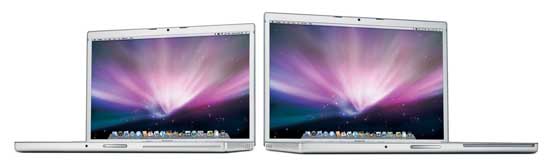
Using the latest intel core 2 duo chips, now comes in speeds up to 2.6GHz. They also feature 2GB of RAM standard and also come with larger hard drives, not to mention the latest NVIDIA graphics cards. As expected Apple also brought over the new "Multi-Touch" trackpad feature first introduced on the MacBook Air. The MacBook Pro prices start at $1,999 for the 15" model and $2,799 for the 17" model.
The New MacBook
Apple’s consumer notebook also got a speed bump as well as 2GB of RAM standard and larger hard drive options. No Multi-Touch trackpad for the MacBook. The MacBook now comes in 2.1GHz and 2.4GHz models and hard drive capacity up to 250GB all starting at $1,099.
What’s my take?
While I certainly welcome a faster MacBook Pro (since I use the MacBook Pro as my main computer), there isn’t anything revolutionary here. I had hoped that Apple would see fit to include Blu-ray movie playback as well as an option for 3G wireless support. Steve seems quite adamant about killing the optical drive before its time. While these new MacBooks still have built-in optical "super" drives, there is nothing new about them. Since Apple doesn’t rent HD movies for download on Macs and PCs (only on Apple TVs), I’m puzzled by the lack of Blu-ray support especially now that the format war has ended. Also before you start commenting on the fact that the displays may not be high def and therefore no need for high def movie playback, I get that. The problem is that I want ONE movie format from here on out. When I rent from Netflix, I now rent Blu-ray if it’s available. This means that if I decide to take that movie with me on the road, I can’t watch it. Also a Blu-ray burner “option” would mean being able to backup 50GB to one disc! I will ultimately upgrade my work notebook, but I’m certainly not in as big of a hurry as I would have been if these would have had the above features.
I now have all the pieces in place to build the Home Media Center that I’ve been dreaming of. Sure I’ve got HDTV’s, TiVo, surround sound, Blu-ray, Apple TV’s, and a pretty extensive DVD collection of over 350 movies. However, the one piece of the puzzle that was missing was having those movies that I love, the top 25 to 50 or so movies that I could watch over and over again on a hard drive that could be streamed to any one of my HDTV’s. There is nothing new about ripping DVDs to .MP4/.M4V format and serving them up. As a matter of fact I had already tried it months ago. What stopped me dead in my tracks back then was the fact that I was missing the 5.1 surround sound. The original Apple TV software 1.x did not support 5.1 surround sound playback without some cleaver hacking/encoding. It was just a bit more than I was willing to go through. However, with the latest software update to Apple TV (take 2), Apple has turned on the 5.1 surround sound playback if your movies are encoded properly.
Once Apple updated the Apple TV, I knew it would be just a matter of time before my favorite media conversion apps would be updated to take advantage of this. Sure enough, the first one, "Visual Hub" was updated almost immediately with an Apple TV 5.1 preset. Then the other shoe dropped. The other utility and probably the more important of the two, HandBrake 0.9.2 (a freeware app for both Mac and PC) was just updated a couple of days ago to support 5.1 surround on Apple TV as well. So now with a computer running iTunes and a large hard drive, an Apple TV or two around the house, I can rip my DVD’s to an Apple TV 5.1 surround format and access them at any time using the Apple TV remote.
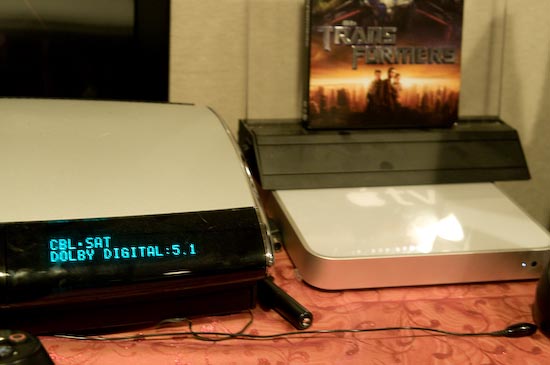
A true 5.1 Dolby Digital signal coming through to my Bose receiver from The Matrix running on my Apple TV
What’s my setup?
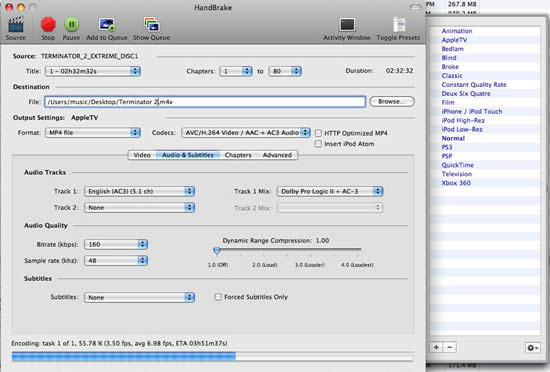
I have an iMac G5 dedicated as an iTunes server. It currently has a 250GB internal hard drive in it and I plan to update it to a terabyte drive now that this is all working. This iMac is on my network via gigabit ethernet. This iMac already has my entire music collection on it. I have some Apple TV’s in various rooms connected to HDTV’s. Using HandBrake (a freeware app for both Mac and PC) with a simple settings change, I can encode my DVDs while preserving the 5.1 surround track.
The main setting change I made in HandBrake was to change the Codec to AAC + AC3 Audio
Once the movies are encoded then what?
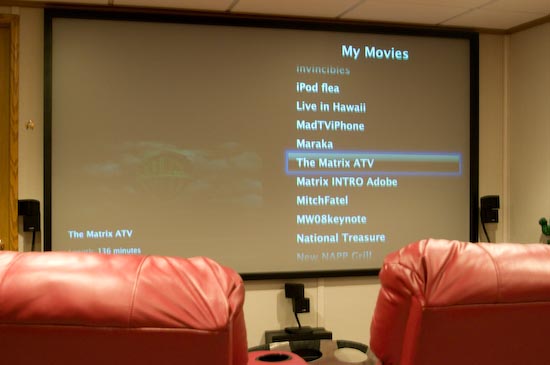
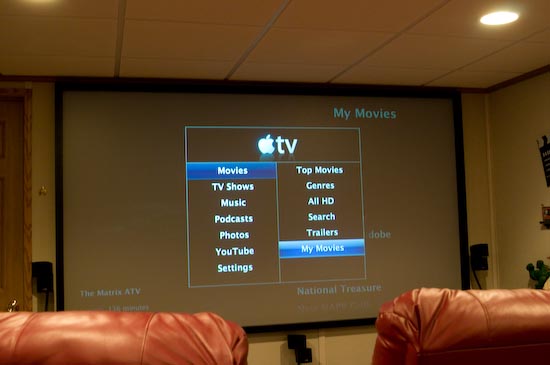
Once I rip a DVD to the hard drive using HandBrake, I then import it into iTunes. I have to option of actually syncing the movie(s) to the hard drives of the Apple TV, but this really isn’t necessary with the latest version of Apple TV, nor is it feasible because the Apple TV hard drives just aren’t large enough. With the latest software update of Apple TV the movies and other media in your iTunes library and the movies and media on your Apple TV hard drive show up together in the Apple TV menus. So Apple TV will play the movie you select regardless of which drive it actually resides on. The streaming experience has been flawless so far.
Scene from The Matrix streaming through Apple TV from my iMac G5 to my home theater
What’s next?
Now I have to decide if I really want 350+ movies at my finger tips. If so then I will definitely need to upgrade the iMac to a larger hard drive. A 2 hour movie weighs in at 2.54GB once converted to .M4V (.MP4). So 350 movies could easily take up just under 1 terabyte of drive space. The truth is that I realized some time ago that there aren’t very many movies that I could watch over and over again. So chances are I won’t be converting all of my movies. I will definitely rip my favorites. There’s also the HD issue. The vast majority of my current DVDs are in standard definition DVD. While the Apple TV does support HD content, these standard def DVDs still look pretty good or at least as good as the original DVDs did (to my eyes) using this setup. If I do buy any new movies, I will likely buy them in Blu-ray format. Hopefully iTunes will start to offer HD movies for sale. I don’t plan to buy many new flicks, but given the choice of buying a digital download vs. a disc, I may lean towards a digital download now.
It would be nice to have ONE device that does it all. However, in reality it just doesn’t exist (yet). I have 3 set-top boxes in my home theater. Those 3 boxes are TiVo HD, Sony Playstation 3 and Apple TV. Each device has some overlap in functionality to the other two, but not enough to be eliminated. My focus here is on one aspect of entertainment and that’s movie rentals via electronic download. Since your budget may not allow the purchase of two devices that do a lot of same things, I thought I would compare the two that are the most alike.
Apple TV (take 2)
Apple provided a FREE software update to the existing Apple TV. So no new hardware is required. While I’m an early adopter of Apple TV, I was never behind the whole "buy movies from iTunes thing." It just never made sense to me. I said it from day one, "If I really like a movie enough to buy it, I’d rather own it on DVD (now Blu-ray)." There wasn’t really a cost advantage in buying a movie from iTunes and they tie up space on your drive. So my reason for buying an Apple TV was mainly to showcase my photography to friends and family, watch video podcasts, watch purchased TV shows, music videos and home movies. Well the Apple TV just got a lot more useful in several ways and of course the main new feature is support for Apple’s iTune Store movie rentals. I rent movies all the time. My main rental source is Netflix (and after you read this entire post, you’ll see why it will remain my main source for a while longer).
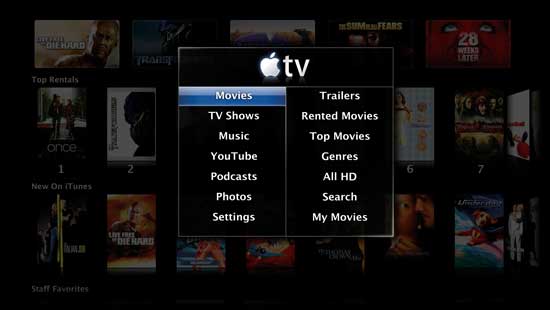
The new Apple TV interface is as you would have guessed, very slick! It’s so inviting and easy to navigate. Apple has blurred the line between what’s stored on the Apple TV’s hard drive and what’s stored on your Mac or PC’s iTunes library. So if you go to "My Movies" for example, it shows the movies from both places (the built-in hard drive and your iTunes library) all together. Pick a movie to watch and it plays it no matter where it’s located. This applies to music too. Apple has also gone a few steps further with photo slideshows by implementing direct support for .Mac gallery and Flickr online photo albums. This makes it so easy for you see photos from friends and family right on your TV. Another big improvement is the ability watch podcasts directly from Apple TV regardless of whether you’re subscribed to them or not. It will stream them right from the source. You can even bookmark your favorites such as my Creative Suite Podcast.
This is all GREAT, but what about movie rentals? The good news (make that GREAT news) is that no computer is required. You can use the Apple Remote right from your sofa/theater chair and browse movies, do searches, watch previews and RENT them on the spot. If you choose to rent a movie your iTunes account will be charged and the movie will start to download immediately. Once enough of it has downloaded, you can begin watching the movie (in my case after about 4 minutes with an HD movie). Movie rentals are priced from $2.99 to $4.99 depending upon the age of the movie and quality. Older movies are $2.99 in standard def and $3.99 in HD and newer titles are $1 more in their respective formats. Sounds great so far right? It is! However, doing my best to always do a balanced review, there are some downsides: The biggest downside for me and the reason I won’t give up Netflix is that Apple won’t get new releases until 30 days (yes one month) AFTER they come out on DVD. I’m sure this was done intentionally by the evil movie Hollywood houses, but it is what it is. Another downside is that (to the best of my knowledge) you only get 5.1 surround sound on the HD rentals. Also unlike renting from iTunes on your computer, if you rent a movie directly on your Apple TV it CAN’T be moved to any other device. This last one isn’t a big deal, but I thought you should know so that you can plan accordingly. Just like renting from iTunes on your computer, you’ll have 30 days to start the movie and then 24 hours to finish it/watch it as many times as you like. Like many of you, I feel that 24 hours is just not enough time. They should do it like they do at the rental stores. If it’s a new release you have 24 hours. If not, you have a few days. Or they should do it like Netflix, offer a monthly subscription to have a set number of movies out (downloaded) at one time to take as long as you want to watch them or watch as many times as you want. Another one of my pet peeves hasn’t been resolved in this update and that is the ability to play a playlist of music videos. Just like the original Apple TV, the first video plays and then stops returning you the list of videos. There is no technical reason that I can think of as to why it just can play one right after the other!
The Apple TV works exactly as described and is way more versatile than the original model. Apple also dropped the price down by $70 to $229 for the 40GB model. Speaking of which, a lot of people were really complaining early on about the original Apple TV ONLY having a 40GB drive. With the new software, and they way it seamlessly blends content from your computer and its built-in hard drive, the size of the internal drive is really irrelevant for most people. The only time it would be a concern is if you didn’t want to keep your computer on for live streaming of content that didn’t exist on the Apple TV’s hard drive. There’s even a new option in iTunes to have iTunes automatically figure out what content should be sync’d giving priority to newer items. However, the streaming works so well that this really isn’t an issue especially if you have an 802.11n network.
Moving back and forth
Just like before the update you can sync content from your computer to an Apple TV. You can also MOVE rentals from your computer to your Apple TV, but not the other way around. If you PURCHASE music or movies on your Apple TV they CAN be transferred to your computer so that you can sync them with iPods and such. So if you RENT a movie on Apple TV, you are only going to be able to watch it on Apple TV. Everything else goes both ways. Also if you have multiple Apple TVs there is no way to move (or watch) content between them directly.
AirTunes Bonus!
Apple also threw in an AirTunes bonus. Since you will likely have your Apple TV hooked up to your booming sound system, you can now direct your Mac or PC to stream music from iTunes directly to your Apple TV and out through your stereo. No need to buy an AirPort Express just for iTunes streaming. It would have been nice if the Apple TV was also an AirPort base station, but I’m guessing that was too much to ask for for a FREE update.
If you want more info and to see an actual demo of Apple TV, check out this guided tour. Check out the complete specs here.
What about TiVo HD?
How does TiVo HD compare? Apple has an advantage in that they make both the hardware and the software. So it will always be hard for hardware manufactures to out do Apple when it comes to user interface and user experience. However, TiVo’s user interface is legendary and should be the model for all DVRs! When it comes to movies though, TiVo has hooked up with Amazon.com (Amazon Unbox). Amazon Unbox provides movies for purchase and movie rentals with direct download to TiVo HD boxes, Windows PCs and portable devices like the Archos and Creative Zen, but NOT iPods. Although you can choose to rent movies from the website OR directly from your TiVo, trust me you’ll want to do it from the website. The TiVo interface to Amazon Unbox is nowhere near as slick or fast as Apple TV. As a matter of fact, the first time I tried it I remember saying that "I’ll never do it this way again." It works, it’s just SLOW!
Amazon Unbox links up with your TiVo Central account. Since your TiVo connects to the internet every 30 minutes or so, it will see the request/purchase from Amazon Unbox within 30 minutes and start downloading your rental. Of course if you want it sooner you can either rent directly from the TiVo HD or force an immediate connection. Like Apple TV, once enough of the movie has downloaded you can begin watching it.
Although the TiVo HD outputs an HD quality signal (up to 1080i) to your HDTV, the movie rentals themselves are NOT in HD format. They are in widescreen format and seem to be in the original movie aspect ratio. So you will get even more letterboxing than you do with a DVD. The quality is decent, but the Apple TV/iTunes quality is BETTER!
Amazon Unbox rentals can cost less too. They often run 99¢ rental specials. The first movie I rented (Shooter) cost me only 99¢ and that was certainly cheaper than going anywhere else to get it. Amazon Unbox seems to also be restricted by the movie houses in that their movies come out well after the DVD versions. Movie rentals from Amazon Unbox cost from 99¢-$3.99. They also sell TV shows for the same $1.99 as iTunes.
Although TiVo HD doesn’t hold up as strong for movie rentals, the one thing that it has that Apple TV doesn’t is DVR functionality. Not only can I play back my purchases and computer generated content, but I can RECORD TV shows and move those TV shows to my computer for viewing or downloading to my iPhone/iPod/Apple TV.
When Apple TV first came out, it was exactly the same price as TiVo HD $299. That coupled with the limited functionality it was pretty much a no brainer to go with TiVo HD if you were going to pick one device. Now Apple TV costs less and has a lot more functionality than the original model so you would have to decide which features are more important to you. For me, I need BOTH devices. If Apple TV were a DVR, I’d potentially be saying good-bye to TiVo. If TiVo HD improved in the areas of movie rental interface, streaming from Macs, etc. I could live without AppleTV. However, neither device is strong enough to run solo in my theater. Since I still need disc playback capabilities the Playstation 3 isn’t going anywhere either. It makes a great Blu-ray player.
Netflix still wins the bulk of my business
Why? Netflix offers me something that Apple TV/iTunes and TiVo HD/Amazon Unbox don’t and that is I can watch my rentals whenever I feel like it, anywhere I like with an all-you-can eat price. The movies are available immediately when they are released on DVD. I can take my time and no have to watch a 24 hour clock. There are no late fees and as their commercial suggests, "there’s always something to watch!" I usually have two DVD’s that I haven’t watch at home almost all the time. So I’ll probably only do iTunes/Apple TV rentals when it’s a spur of the moment kinda situation OR if I’m already on the road and want to watch something for the flight home. Netflix has also promised Mac support in 2008 for their online movie stream service. So things should really start to heat up when that happens.
This will be old news to many of you, but yesterday Apple released Mac OS X 10.5.2 with a slew of fixes. Most notable for my Adobe CS3 and Lightroom users are important fixes that Adobe’s Photoshop Product Manager John Nack details here. When Leopard was announced Adobe announced that Adobe Creative Suite 3 was compatible with a couple of exceptions. Most notably the Adobe CS3 Production Premium products and Acrobat 8 Professional. The Production Premium updates came out on scedule in December and that suite is now Leopard compatible and the Acrobat 8 Professional 8.1.2 update came out last week. So now CS3 is completely compatible with Leopard. The water is safe!
It may not be the 3g iPhone that many of us are waiting for, but it is the highly anticipated 16GB model! That’s right Apple just quietly updated the Apple online store with new iPhone and iPod touch models. The NEW 16GB iPhone goes for $499 (ships 1-3 days) and the 8GB model is unchanged at $399. There doesn’t seem to be any other apparent changes in the iPhone itself.
The iPod touch gets a more significant boost now with a 32GB model at the same $499 price as the 16GB iPhone. So you can get an iPod touch 8GB for $299, 16GB for $399 or 32GB for $499 (ships 1-2 days).
While I’m always up for more storage on my iPhone, I still remain puzzled as to why Apple wouldn’t release an iPhone that has the same capacity as the higher end iPod touch? Yes I want a 32GB iPhone! I don’t want to (read-refuse to!) have to carry two devices. I’ve been getting by with 8GB and 16GB is certainly welcomed (means I can travel with more video content now), but 32GB would have even been better. Seeing how I spent $599 for an 8GB model back in June 07, would it be unreasonable to think that some would be willing to pay $599 now for a 32GB model? $499 would be even better!
Now the question that many of you are going to be asking is, "do I upgrade to the 16GB iPhone now or wait for the 3g model that’s coming out later this year?" Good question and it’s one of those questions that only you can answer. If you can live with a mere 8GB of space for another 3-8 months (my speculation on timing), then I would wait. If you are feeling severely cramped right now and constantly having to take stuff off your iPhone to make room for new stuff, then you might want to fire up eBay.com and sell your existing iPhone. My personal feeling is that I’ll probably wait. More space is nice, but I want a 3g model even more.
I can hear the screaming in the streets now! "I just bought _______ and now I want a refund!" Here’s the thing. The model of iPhone/iPod you just bought is still the current model at the same price. So I don’t think you have much of a case. However, I’ll be standing outside your local Apple store selling pitch forks and torches. Mention this blog for a deal.