
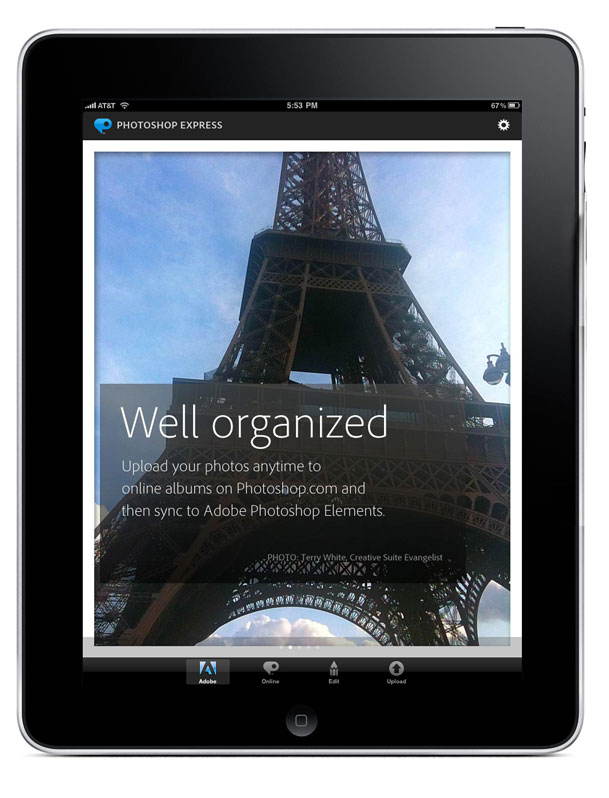
Adobe just released an update Photoshop Express (formally called Photoshop.com Mobile) App for all iOS devices! Besides being a great App, I'm stoked to have my photos featured on the Adobe tab 🙂
What's New In Version 1.3
• Initial support for iPad
• New name: Adobe® Photoshop® Express
• Updated UI
• Bug fixes and performance improvements
Features specific to iPad:
• Support for portrait and landscape orientations
• Redesigned Online, Edit, and Upload workflows
• Ability to work on multiple photos in sequence from within a single workflow
• Redesigned Organizer view with simplified album sharing
• Updated icons and visuals that make it easier to navigate and use the Editor
• Ability to upload to Photoshop.com and Facebook simultaneously
one small bug: Although everything seems to be working great on the iPad, I did run into one bug while launching the app in landscape mode with the Adobe tab chosen on the iPad. So if you have a crash just launch it in portrait mode first. If you switch to any other tab, say the Edit tab for example, you should then be able to launch the App in Landscape mode just fine. I've already reported the bug and it appears to be related to other Apps (in my case ePrint) trying to hi-jack the sample images.
UPDATE: The 1.3.1 update is now available that fixes the iPad landscape launch crash and other bugs.
You can get Photoshop Express for iPad, iPhone and iPod touch as a FREE download here from the 
This update is also available for Droid owners too!
I recorded this video to walk you though some of the features AND I've got a tip for using the iPad Camera Connection Kit:
httpv://www.youtube.com/watch?v=vvnNfJIwSug
Great video, thanks Terry.
I have a question about the iPad camera connection kit you might be able to help me with. I understand that the kit supports RAW but when you import the RAW files does the iPad make a lower res version of the file or is it identical? I’d like to use my iPad as portable storage instead of taking my MBP with me.
Thanks in advance.
Your unaltered RAW file is imported. What you see on the iPad is the JPEG preview built into the RAW file.
But PS Express does work on the original files (either RAW or hi-res JPEG) not the modified files, correct?
Terry, I’m going to watch e video when I get home from work, but an iPad photo editing question for you. I’d really like to not take my laptop to PSW, and I do have the iPad connection kit so I can at least dump my photos (well, some of them i guess) on the iPad (I’m going on the Safari, but am thinking I won’t have a lot of time to mess with photos in Lightroom on my laptop anyways). Is Photoshop Express good for initial editing of RAW files, or is there something else you would recommend?
Michelle H, yes and no. You should be fine copying photos to your iPad. That’s what the connection kit is for :). However, please note that nothing on the iPad actually “edits” or adjusts the RAW files. You’re editing a JPG preview of the RAW file which is fine for seeing your images, making tweaks, emailing, sharing, posting, etc. However, when you get to your computer and download those images, you’ll have the untouched RAW file and the NEW JPG that you created in PS Express. In other words, no work will be done on the RAW files for better or worse.
Thanks Terry, that’s actually exactly what I want anyways. Sweet, now I can shed a bunch of pounds from my luggage. 🙂
I would like to get an iPad if I can somehow use the camera connection kit to show images on a compact flash card. I have a USB card reader that I use to download/show the images on my laptop at a shoot. Can I use the USB connector part of the kit to plug in that USB card reader? If not, is there any other way of showing images taken using a CF card?
I answer that here:
http://terrywhite.com/archives/5214
As long as your CF card is not high speed (requiring too much power) you should be fine.
Hey Terry, nice photos in the PS Express app! Can you let your buddies @ adobe know it crashes if you try to open it in landscape mode?
Regards.
Ender
Thanks! See the bold note above in the post 😉
BTW the update has already been submitted to Apple.
Ender,
The 1.3.1 update is now available and fixes that and other bugs.
Hi Terry,
Is text overlay and editing coming to PsX any time soon.
It’s a great product and iPad is all I’m bringing to PSW.
I see you’re enjoying SA.
Regards.
Does anyone know why my photos won’t appear on my facebook after in hit upload
How do you upload photos from photoexpress on iPad to Elements on PC? Just loaded Elements 8 this weekend so have a lot to learn but need my photos ASAP from the iPad.
Hi Debbie,
1) Photos are loaded onto an iPad via iTunes and from a folder.
2) Photos are loaded from an iPad via Photoshop Elements as it should see it as a camera when you connected and fire up the Camera Downloaded
3) Photos uploaded to PS Express via PS Elements will be able to be seen in the PS Express App on the iPad
I guess I need help with #2. The photos on the iPad were synced with my husband’s laptop. I edited them on the iPad using PS Express because my PC was having issues, but now need to get the photos from PS Express into PS Elements on the PC.
Log into your PS Express account on your PC, download the images and open them up in PS Elements.
Thanks.
I am interested in getting the iPad but I need to be able to edit photoshop cards by putting in text and photos on editable layers, then printing them out on site. Is it possible? I don’t see any of those options on the photoshop express app, I’m assuming I need full on Photoshop to do it, but can I get that for the iPad?
Also, there is an app for my iPhone where I can run credit cards, can I use the iPad for that too?
Thanks!
Anyone getting crashes when opening RAW files in 1.3.1? I get the same problem in the Best Photo app. I think it’s since iOS 4.2 but can’t be sure of that.
Basically, everything works fine if I open a JPEG, but as soon as I try to open an imported RAW file (which displays fine in the Photo app) it crashes back to the home screen. This happens with both apps 100% of the time. The Best Photo app was downloaded fresh purely to see if it was a PSE issue. It appears not, but I can’t see any discussion of this problem online.
I’ve done a full reboot of the iPad to no avail. I’ve tried opening RAW files that were imported under 3.2 and under 4.2.1. No joy.
The RAW files are Pentax .PEF from a K10D. I had no problems previously under 3.2. In fact I still have some photos on there that I have previously opened OK that now don’t.