

GUEST POST
By Chita Hunter
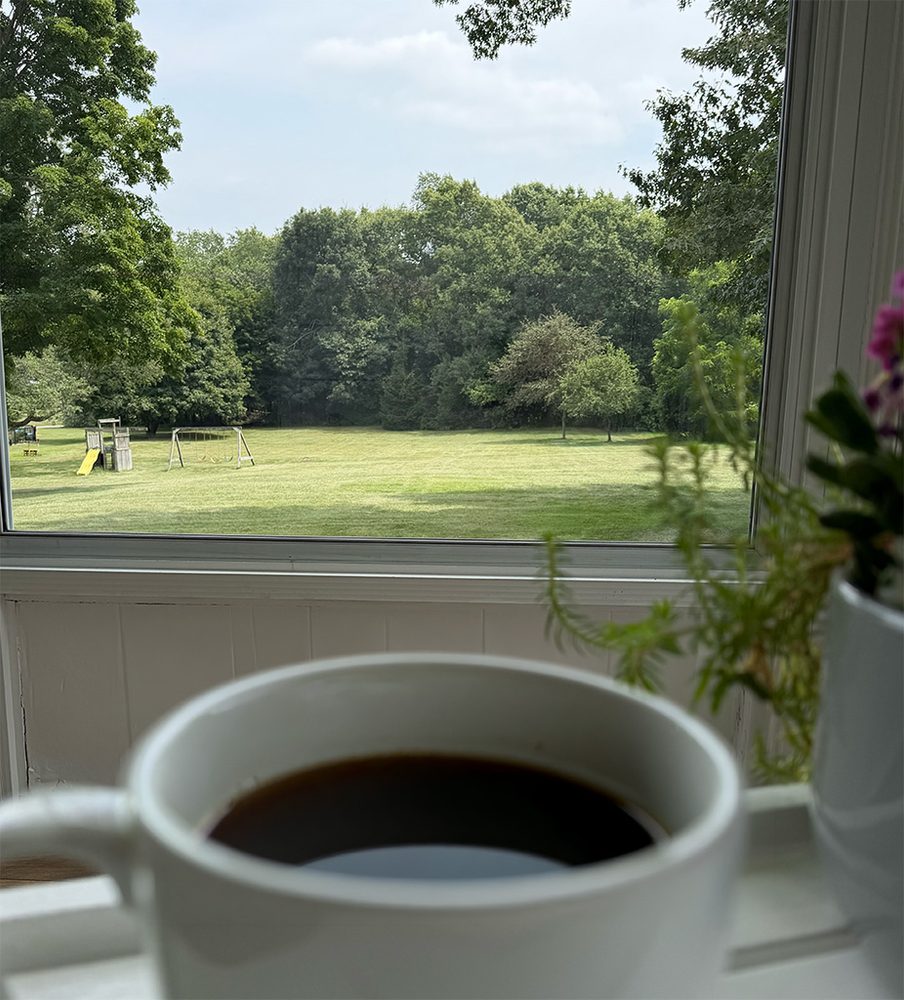
Seasonal changes and even your environment can cause something you can’t ever get away from in your home: Dirty windows. No one really wants the job to clean their home windows do they? Especially so when the windows are large, taller than you can safely reach, and two stories up from the ground. But, you do want and maybe even cherish a clear-dirt-free view when having that morning coffee. I do.
So, what then do you do, hire a professional window cleaning service? Then, with scheduling, you probably have to wait a few weeks for them to come out to your home. And, guaranteed, it will rain a day or two after you have your windows cleaned. In 4 weeks you may be right back where you started. Some services will give you the option to schedule them to come back out on a monthly basis (yes, subscription), but only after they’ve charged for the whole home service first. Nothing against professional window cleaning services, they are valued and needed, but for any homeowner, this cost can understandably add up. Your joy of having clean windows and a clear view can be short-lived and costly.
After years of that experience, I decided to look at an option that could get me clean windows on a more regular basis without costing an arm and a leg. Mainly, I need help with just two areas around my home, the large picture window on one side of the home and the sunroom on another. The exterior of both are two-stories off the ground. The rest of the windows of the home are easy to maintain. But, getting just these two select areas cleaned is as costly as cleaning all the windows of the whole house, for the previously mentioned reasons.
One day I saw a robot window cleaner in action on TV. I’d never been curious before, but I was more than curious now, it was Spring window cleaning season. I had plenty of questions: Does this really work? How does this work? Would I be able to clean those selected areas, foremost, easily and as frequently as I wanted, or at all? The only way to find out was to get one. So, I first took to research, then took the plunge and purchased a robot window cleaner.
EcoVacs Winbot W3 Omni
The unit I decided to purchase was the EcoVacs Winbot W3 Omni, due to a few features that won me over.
Some of those features were: Multiple cleaning modes, edge-to-edge cleaning, contact-free Wiping Pad wash (think built-in washing machine for the pads), 12-level drop protection features for the Robot (think 2 stories up), power and safety cables, self-cleaning Base Station, included additional battery. There were more features that I liked, but these were the biggies.
In my research I scoured many, many written reviews and videos, especially any bad ones I could find, which were few. Bad reviews sometimes can give you insights that the good reviews don’t. I had tons of questions. I wanted to know if these window cleaning robots caused damage adhering to windows, how did they adhere, was there a window thickness criteria, how long was the cable, etc. I tried to get all these questions answered before my purchase. Before I go into my experience, let’s get into more about the unit.
What’s in the box?
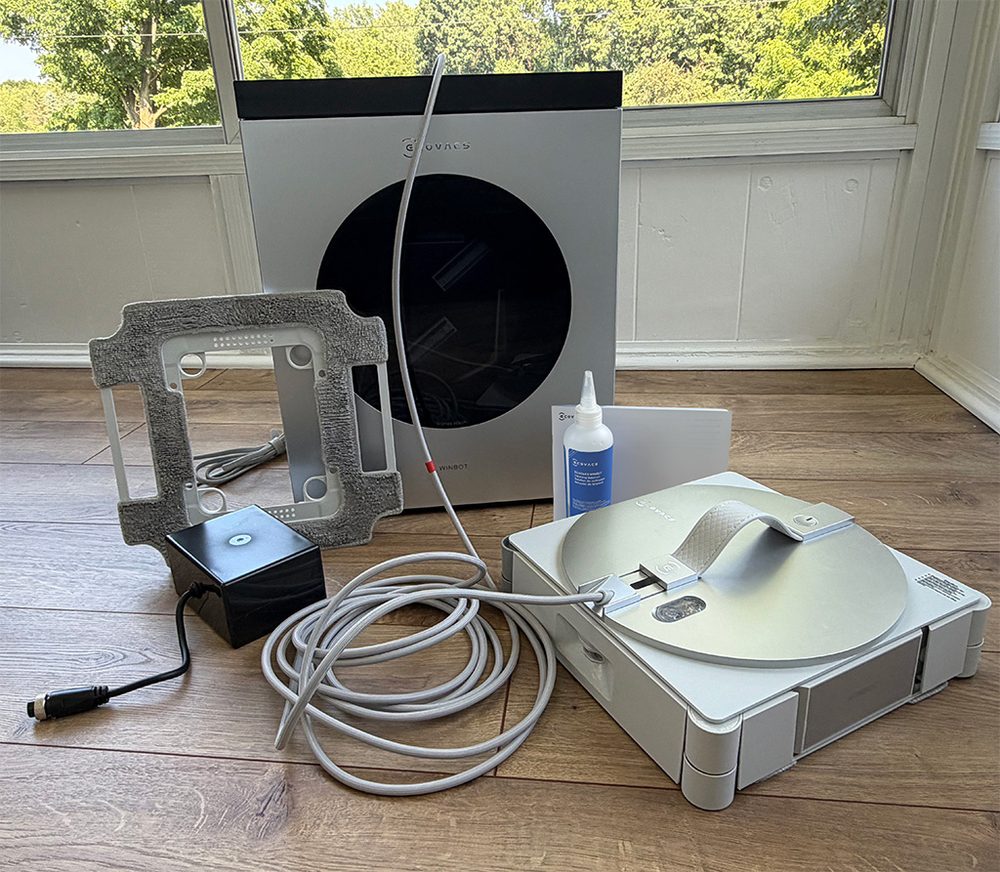
In the box is: the Base unit, Robot, external battery, two cleaning pads (one already attached to the Robot, one secured to the packing foam), manual and small bottle of EcoVacs cleaning solution.
Base Station:
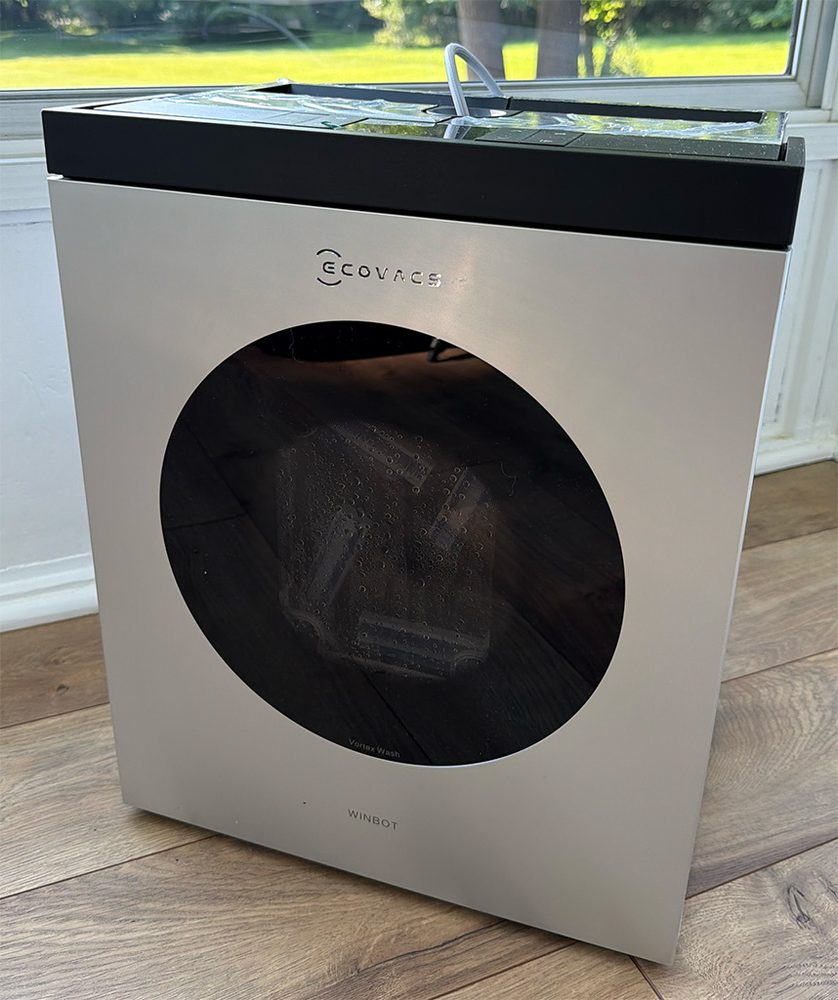
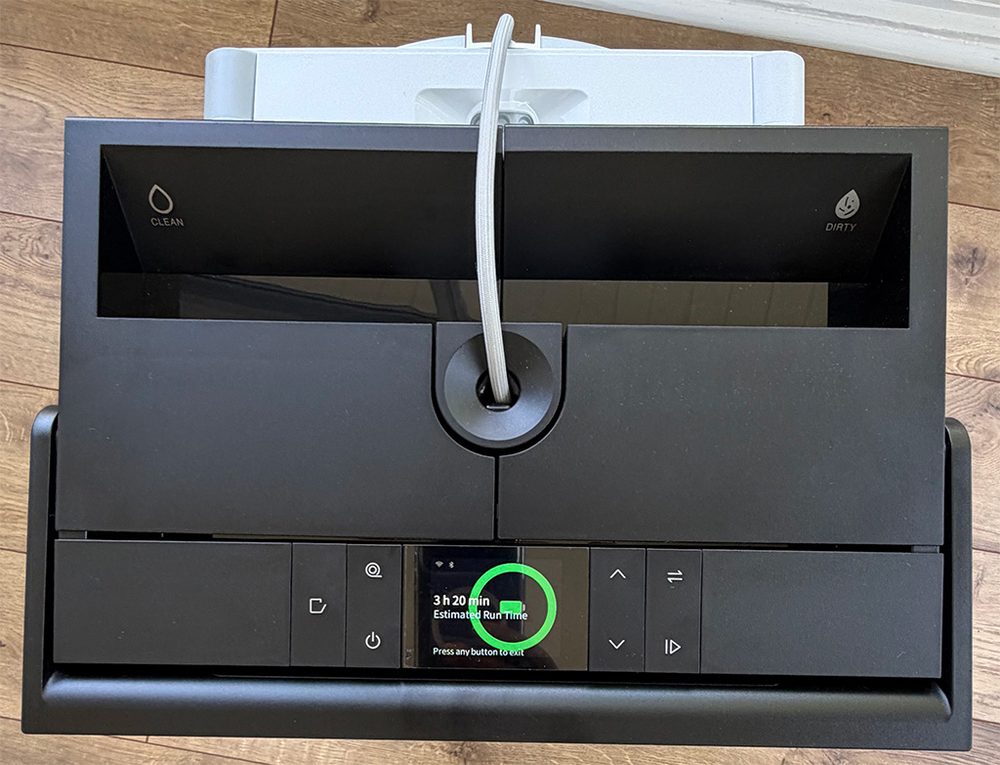
The Base Station is 13.54”w x 16.93”h x 8.9”d in shape. It’s a hefty rectangle, with a flush swing-up handle at the top.
There are flush physical control buttons at the top panel for powering the unit, opening the washing bay door, cycling from the Base Station to Robot control settings, retracting the Robot power cord, etc. There is an EcoVacs app you can download from the App Store for operational purposes. The app has more features and it’s easier to navigate and control the entire unit from the app.
The Base Station unit has an internal battery that gives about 1.5 hours of run-time. The separate external battery that comes with the unit adds an additional 1.5 hours to the run-time. The Base Station also has a power cord and can be plugged in while using, which gives you unlimited run-time and charges the batteries at the same time. The control panel displays how much battery power and time you have left when running on battery power alone. The unit also has voice prompts that detail what is happening with the unit. For example, a voice prompt instructs you to install the cleaning pad into the Base Station for washing prior to use on the Robot; there are prompts when you change cleaning modes in the app while the Robot is in operation; voice prompts when the Robot has completed a cleaning task, etc. You can adjust the volume in the app.
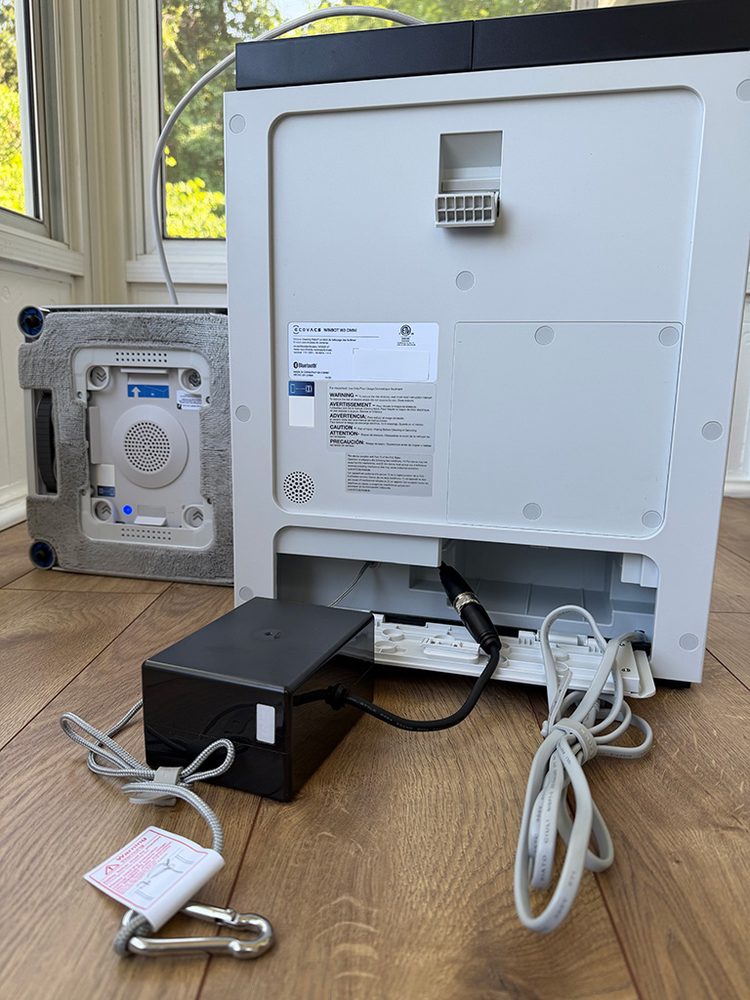
Here you see the Base Station with the external battery connected, the power cord, the safety cable with carabiner, the hook the Robot hangs from when placed on the Base Station, and the bottom of the Robot unit with a cleaning pad installed. The power cord of the Base Station is 6 feet in length. The safety cable with carabiner is 3 feet in length and is used to attach the Base Station to an immovable object if the situation calls for it.
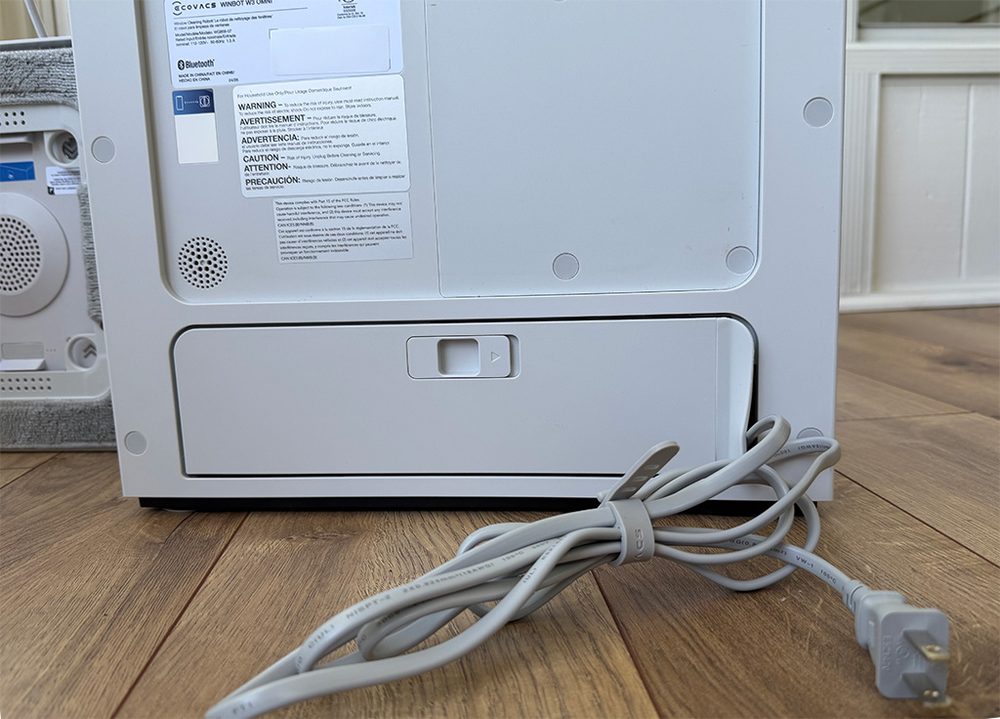
The external battery, the power cord, and the safety cable with carabiner, all can tuck into the back compartment of the Base Station, but the power cable can extend out of the back compartment through a flexible flap opening at the one side.
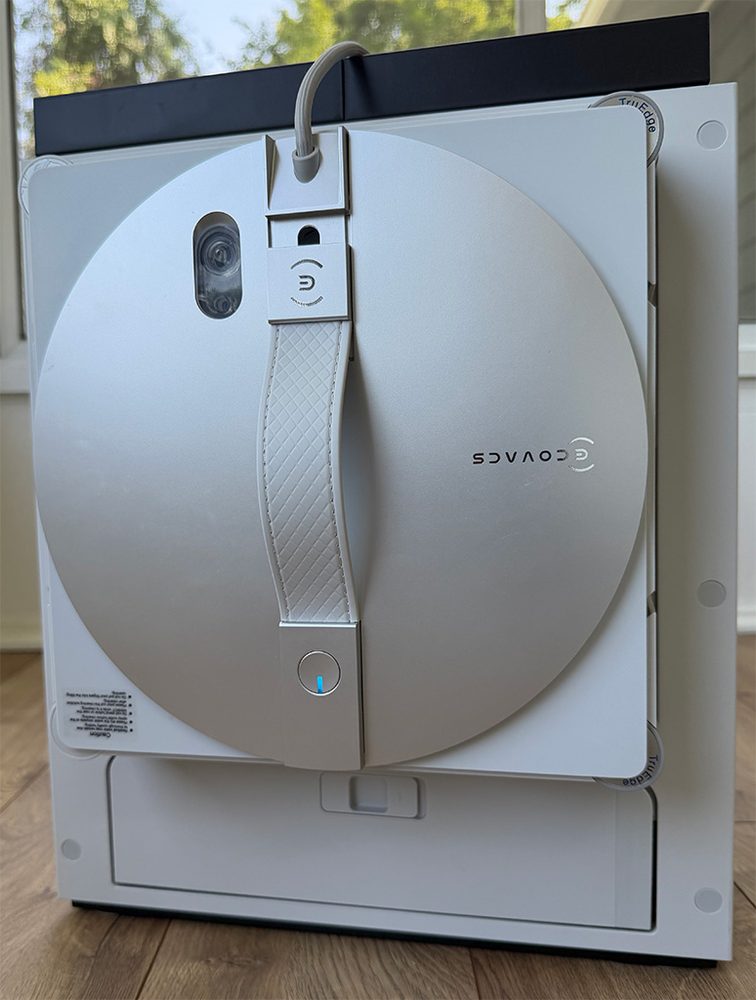
The Robot unit hangs on a hook at the back of the Base Station unit when the unit is not in use.
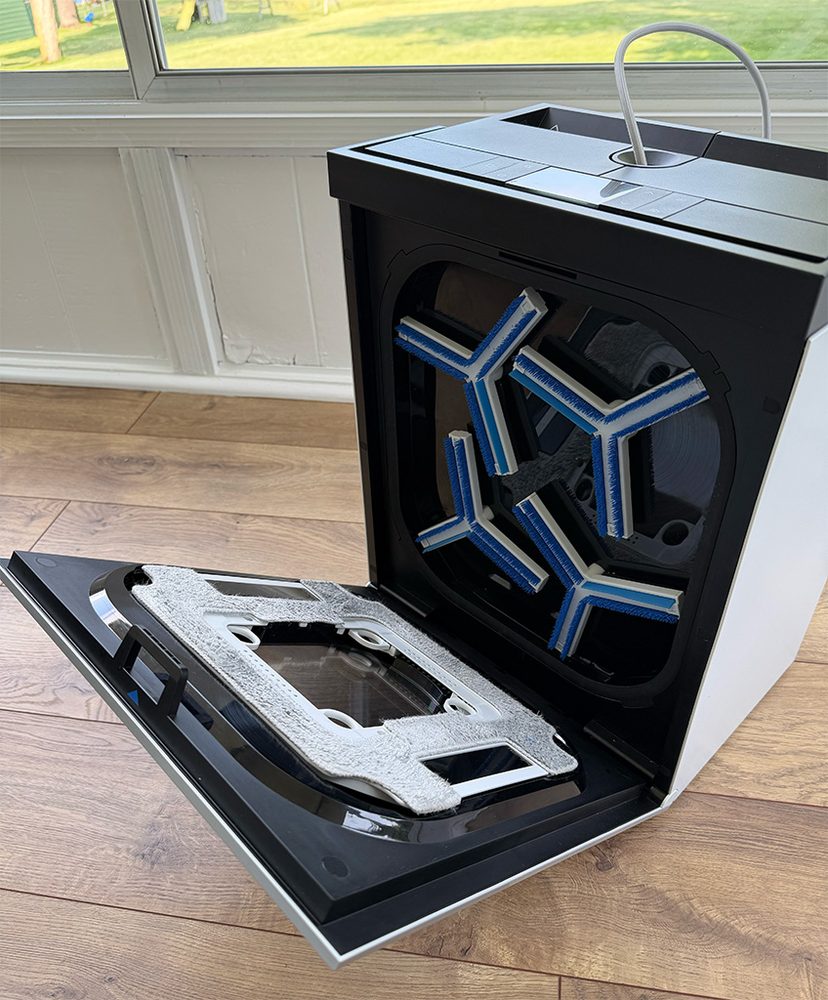
The cleaning pads are “spring-loaded” into place on the inside of the Base Station tub door, fabric-side facing the brushes.
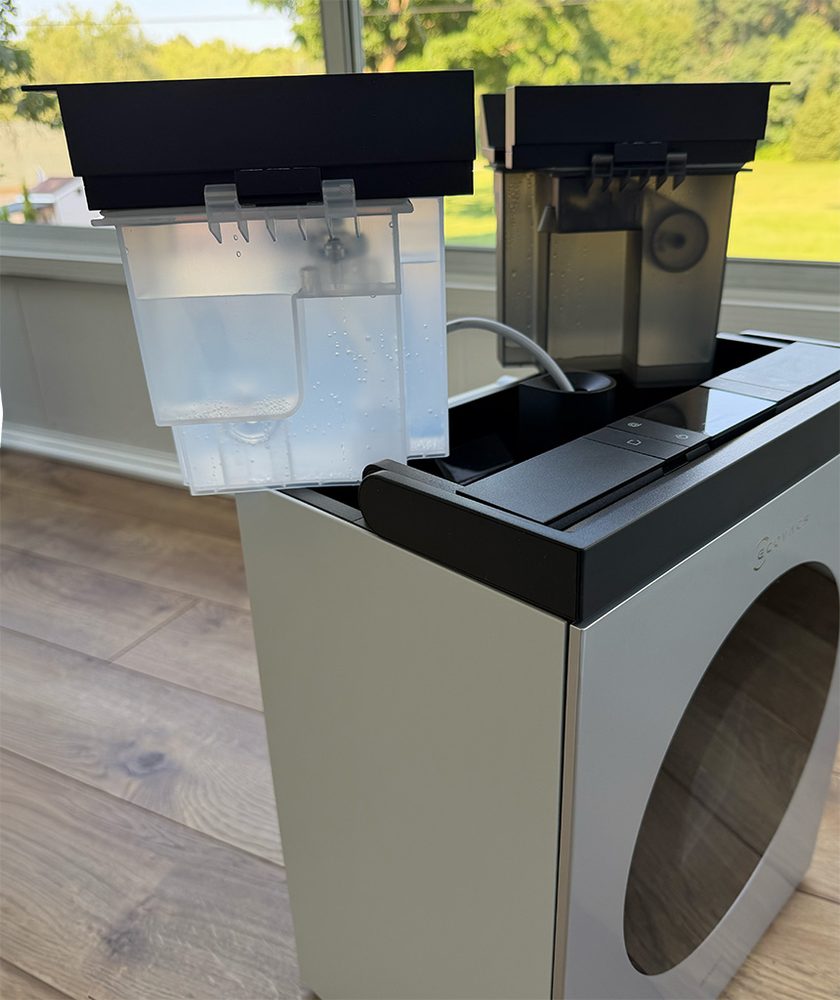
A Clean water tank and a Dirty water tank rest inside the top of the Base Station. You will receive a voice prompt if either of the tanks need attention.
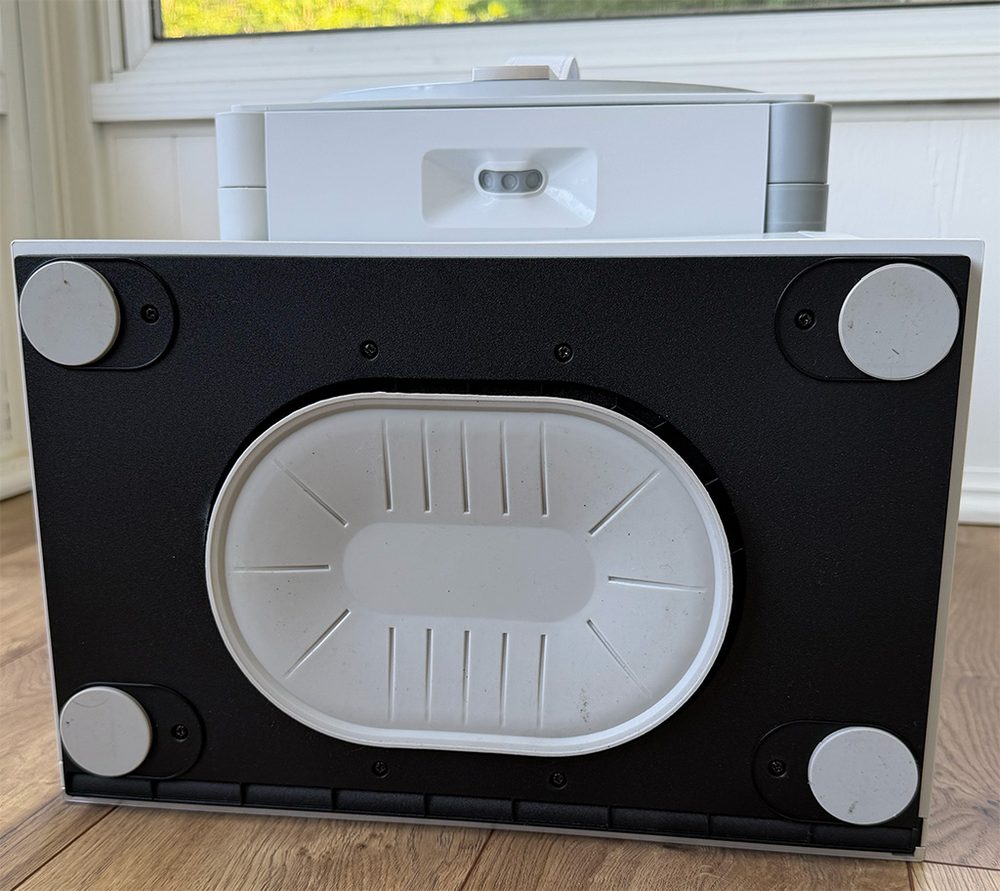
There is a large suction cup at the bottom of the Base Station. When the Robot is in operation, the Base Station will suction itself to whatever it is resting on as a safety precaution for the Base Station and the Robot. The manual instructs to place the Base Station on flat “smooth, seamless ground such as polished floors, tile, and marble without gaps.” While I can understand this, when you are cleaning interior windows of your home, you may have some areas of fully carpeted rooms. I haven’t found this to be an issue in those cases. It is, also, not recommended attempting to pick up the Base Station unit while the Robot is in operation. Speaking of picking up the unit, with a full water tank it can weigh about 30 pounds. The carry handle is thick, strong and sturdy, which makes carting the unit around manageable.
Robot and Cleaning Pads:
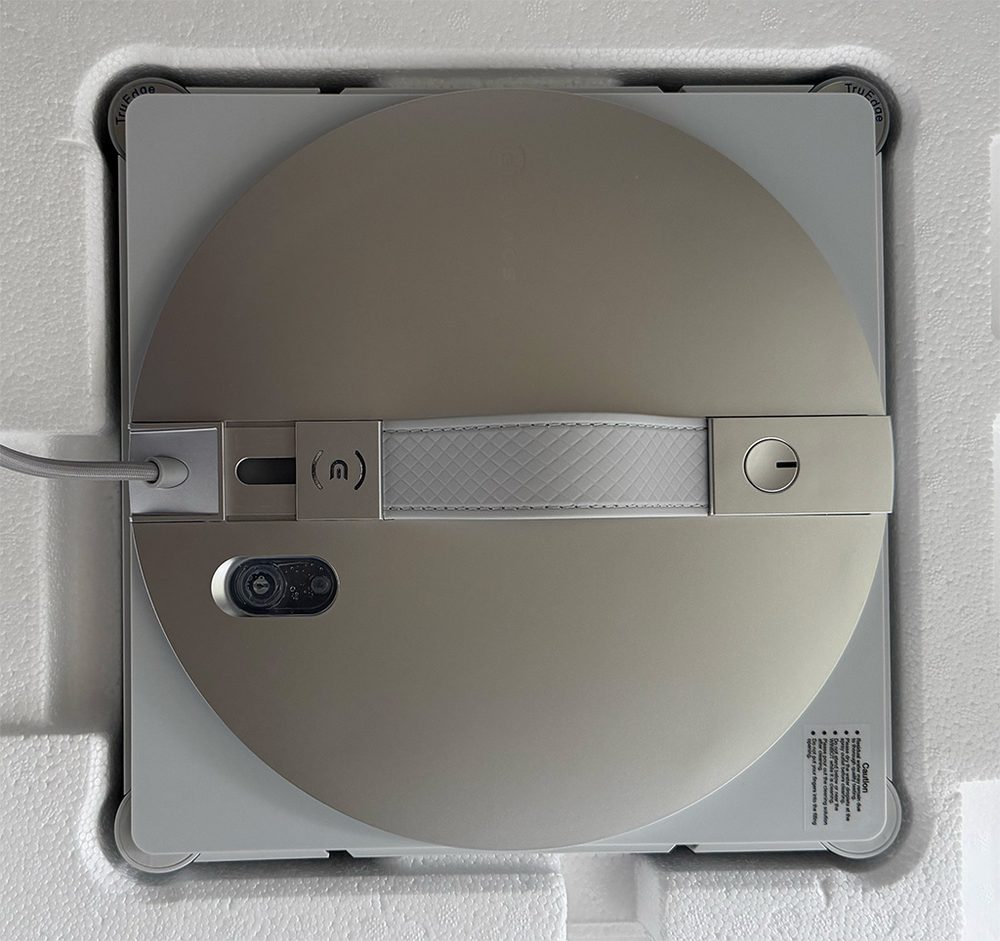
The Robot cleaning unit is lightweight, roughly 10.5 inches square and 3 inches in height. The attached strap is used to handle and hold the Robot unit as you are positioning it on a glass pane. Press and hold the power button for two seconds to engage the Robot. You’ll hear the suction fan start and voice prompts will alert when (or if) the unit is suctioned properly and when cleaning will start. Do not release your grip on the Robot until you hear that prompt that is securely attached. You will also get prompts when the Robot has completed a task, has changed tasks, is about to end its operation and disengage, etc. If the power button is not pressed for two seconds after completion of a task, the Robot will remain attached/suctioned to its location for 30 minutes. When the Robot has finished its task, it will go back to the location it originally started from. This is great for those tricky placings, especially when reaching around onto exterior panes. But, the unit can miss the location mark by a few inches sometimes, so initial placement can be crucial.
The retractable combo power cord-safety cable from the Base Station to the Robot is about 17’- 4” in total length (5.5m per the manual). There is a “red rubber marking line” around the cord at about 15’-8” from the Robot going to the Base Station, the cord then extends another 20” to the Base Station. I’m sure that red marking is to advise the user not to extend the retractable cord beyond this marking. Knowing the reach of the device can be a critical piece of information for its use. The manual also gives information regarding the ‘maximum applicable single-window size’ being 8m wide x 2.5m high.
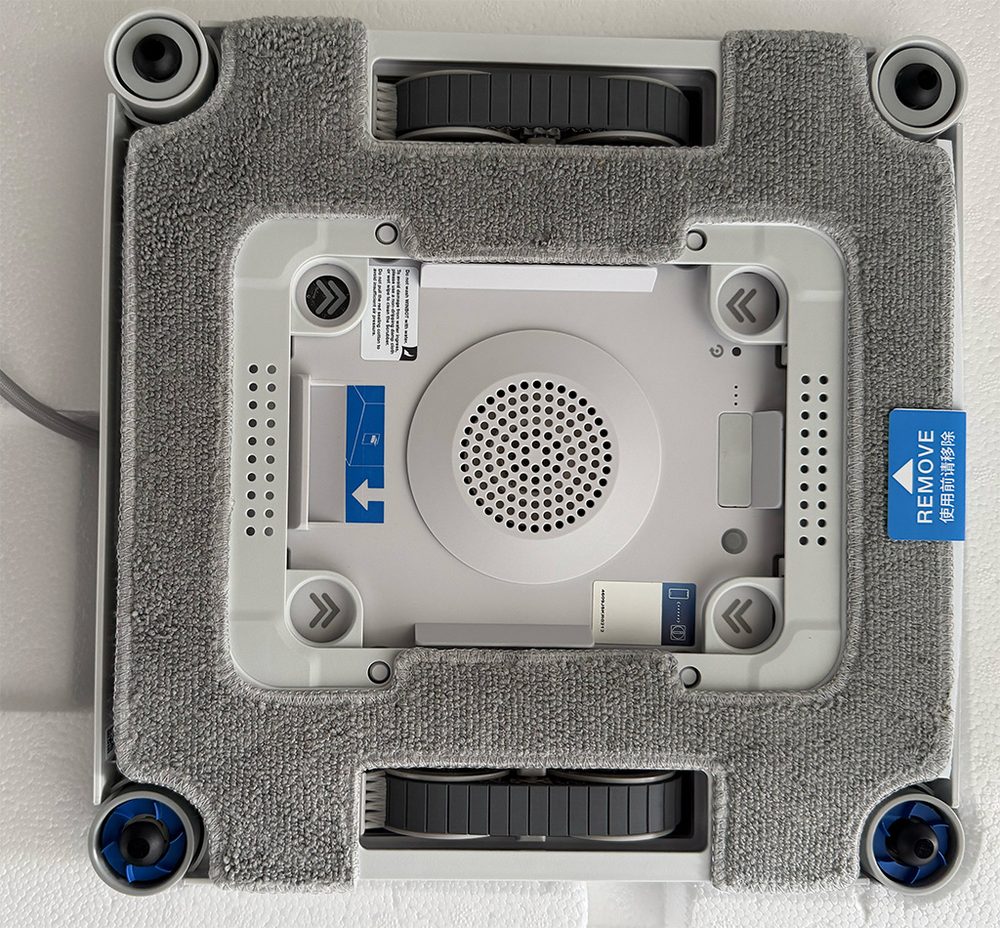
There are Scrubber heads in two corners and side rollers and spherical sensors in the opposite corners of the Robot unit. You really see these in action during an Edge Clean sequence. These will need manual cleaning on a regular basis, as they get just as dirty as the cleaning pad. The driving wheel tracks have self-cleaning brushes to help maintain good suction tracking across the glass. The microfiber cleaning pad is affixed to a plastic frame, and is attached into place on the Robot by “spring-loaded” tabs (where you see the double arrows).
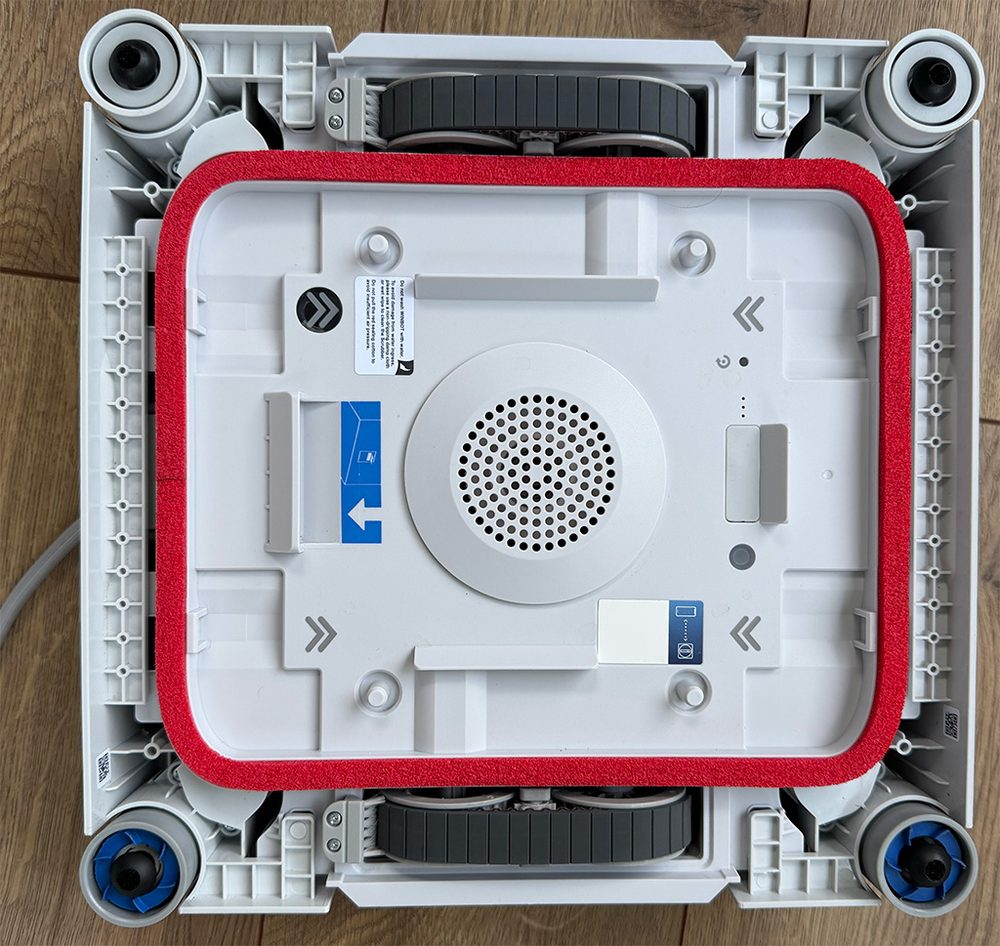
This image shows the bottom of the Robot without a cleaning pad attached. In the center of the Robot is the suction fan.
Adding Cleaning Solution:
There is a small 80ml tank that holds the cleaning solution, added by opening the plug at the top of the Robot unit, positioned adjacent to the strap. You’ll want to keep this included bottle for later use, due to its tapered nozzle.
Of the 230ml (7.77oz) bottle of cleaning solution that comes with the unit, I’ve cleaned (6) 3’x5’-8”x 2 (both sides), (1) 4’-10” x 4’-10”x 2 (both sides), (2) full glass storm doors (both sides), worth of glass and have a little less than 1/2 a bottle of cleaning solution remaining. I thought it wouldn’t be enough, but it was. This is a long way of saying that the Robot efficiently uses enough solution when cleaning. Depending on dirt buildup on exterior windows you may need to do several runs. I did. But, if you didn’t purchase extra cleaning solution at the time of purchase, you will have enough to get you started and get your windows clean. The manual instructs you to empty the cleaning solution out of the Robot when it is not in use. I poured the unused cleaning solution from the Robot into a measuring cup and back into the solution bottle. Due to the location of the plug, this is not a graceful process, but it can be done with minimal spillage. The manual recommends using the EcoVacs Winbot cleaning solution for optimum results. I’ve found this solution to work great on other windows I clean by hand, too.
The Window Cleaning Process:
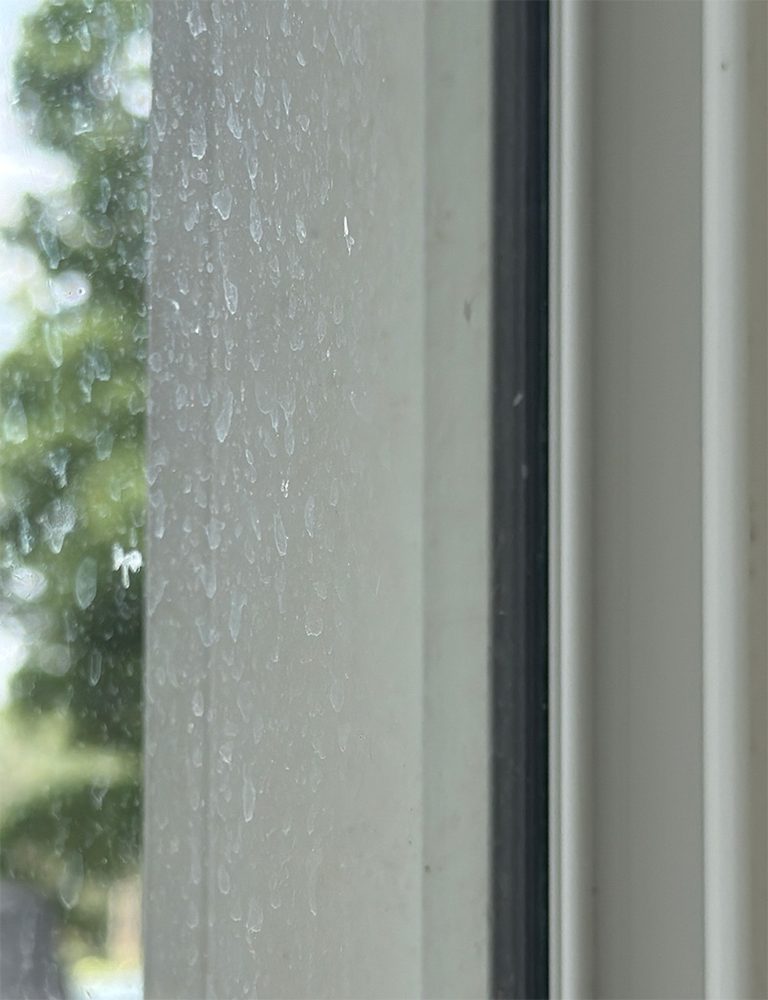
My windows hadn’t been cleaned since last summer and the build-up was a bit dense. I had high-hopes for this Winbot W3 Omni.
There is a companion EcoVacs app, that the manual recommends you to download and set up prior to use of the unit. The Robot will operate from the controls on the Base Station, but the app gives you more features and greater control. Also, as recommended in the manual for this dense buildup condition, I first went through a ‘Thorough Clean’ sequence, which sprays cleaning solution as it goes back and forth in a slight zig-zag pattern across the window and does edge cleaning in the process. Even this first pass saw a dramatic difference.
Voice prompts will instruct you to place the cleaning pad in the Base Station washer unit, to wet the pads before installing onto the Robot. Once wet cleaning pad is installed and you attach the Robot to the pane of glass, you stand back and watch. And stare. I have to admit that I was indeed scared concerned. This was a new device experience. But, unlike, say robot vacuums, a misstep here could be extremely costly. The manual safety instruction warnings list frame, glass, and mirror thicknesses not to go below, of 5mm, 3mm, 4mm, respectively. As well as glass types and shapes, temperature cautions and best practices. It’s worth taking the time to read the manual before you start using the unit. So, I started my Robot window cleaning journey on the interior/exterior storm door glass, lower levels, before I graduated to being brave enough to reach around to the exterior of the sunroom windows, two-stories high.
Here is a video of that first experience. This short video is sped up for length, but you’ll also see how the Robot maneuvers corners, edges, and how it navigated the door handle of the storm door without human intervention.
Feeling more confident after cleaning the doors, I graduated to the sunroom interior and exterior. After a first Thorough Clean, I used the app to have the Robot perform several of the other cleaning modes, Deep Clean, Edge Clean, and Fast Clean to see what they looked like. I was really impressed with the standalone Edge Clean mode. The frames on the sunroom windows are shallow, which allowed the Robot corner scrubber brushes to clean right to the edge of the glass where it meets the frame. After your first pass on any pane, you should clean the pads. This is where the Base Station washing ability is priceless. You will use this feature a lot.
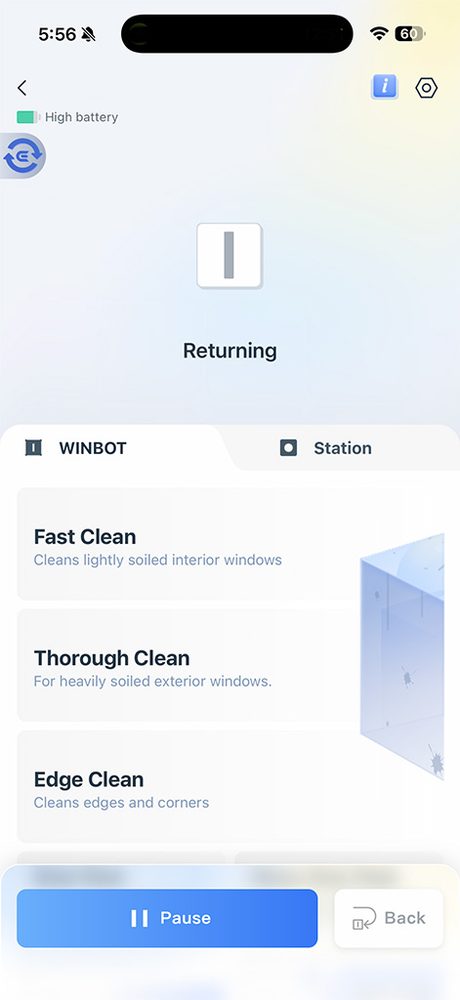
There are 8 cleaning modes available from within the app:
Fast Clean: Quick removal of light dust.
Thorough Clean: Intensive cleaning for a spotless finish.
Edge Clean: Cleaning along edges to clear accumulated dust.
Deep Clean: Denser cleaning path for tackling heavy dust.
Heavy-Duty Clean: Segmented wiping for enhanced efficiency.
Zone Clean: Leftward & Rightward—flexible division for targeted cleaning.
Spot Clean: Repeated wiping to remove localized dust.
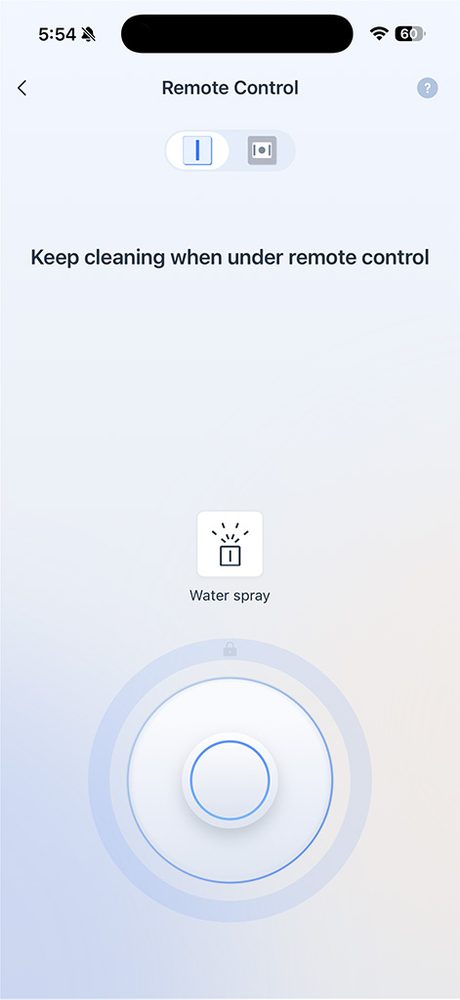
Remote Control
It was not unusual to read, and experience, that the cleaning pad left an ‘imprint’ on the location that the Robot is removed from. In this case, using a microfiber cloth to wipe the area removes this ‘imprint.’ I found that if I did successive cleaning of the pane, washing of the cleaning pad in-between (or a newly washed cleaning pad), this imprint subsequently stopped occurring. Yes, that might mean purchasing more than the two included cleaning pads, to have for ready use cleaning pads that you will need anyway if this machine fits your needs.
Washing the Cleaning Pads
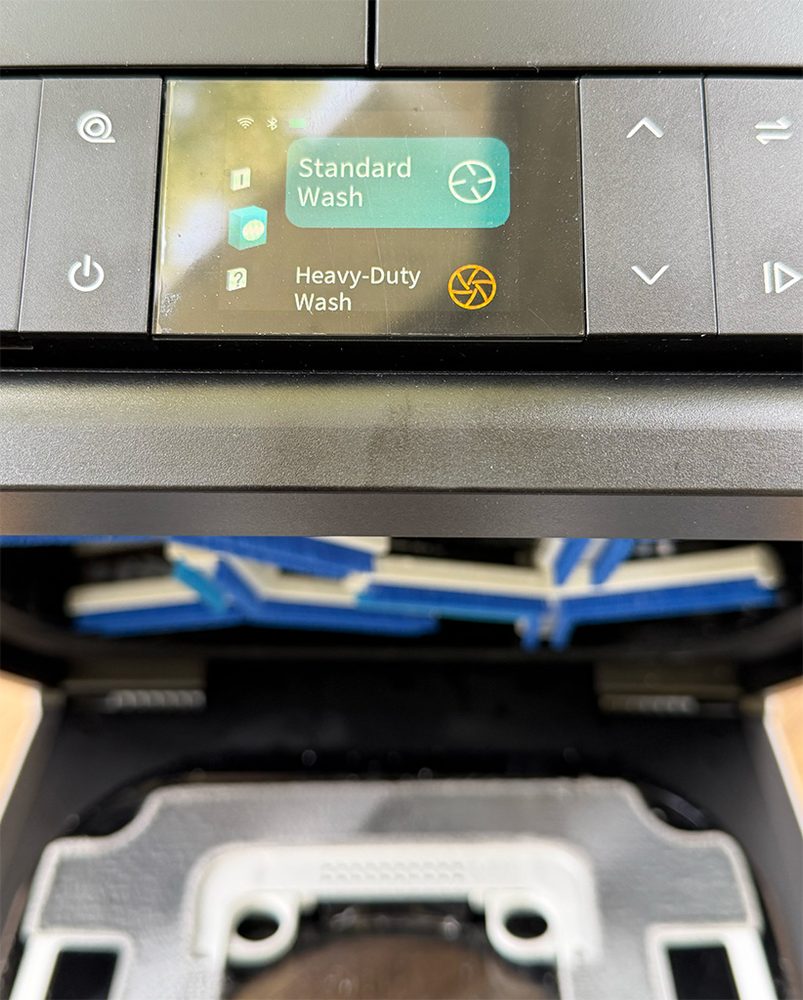
As expected, the cleaning pad will get dirty, sometimes very dirty, during exterior window cleaning. A big reason that I chose the Winbot W3 Omni was due to the washing pad capability of the Base Station. Nobody wants this chore. Here all you have to do is remove the dirty pad from the Robot, install the pad into the Base Station wash tub, set to quick clean or deep clean, and pull out a cleaned pad. You can wash one cleaning pad, while the Robot is cleaning with the other. The Base Station is even a self-cleaning unit. There were no downsides to this purchase. Maybe emptying the dirty water tank, but that’s a small price to pay.
Cost
The EcoVac Winbot W3 Omni is priced at $594 – $750 depending on where you look. The Ecovacs website, Amazon, what sale is going on, etc.
My Experience
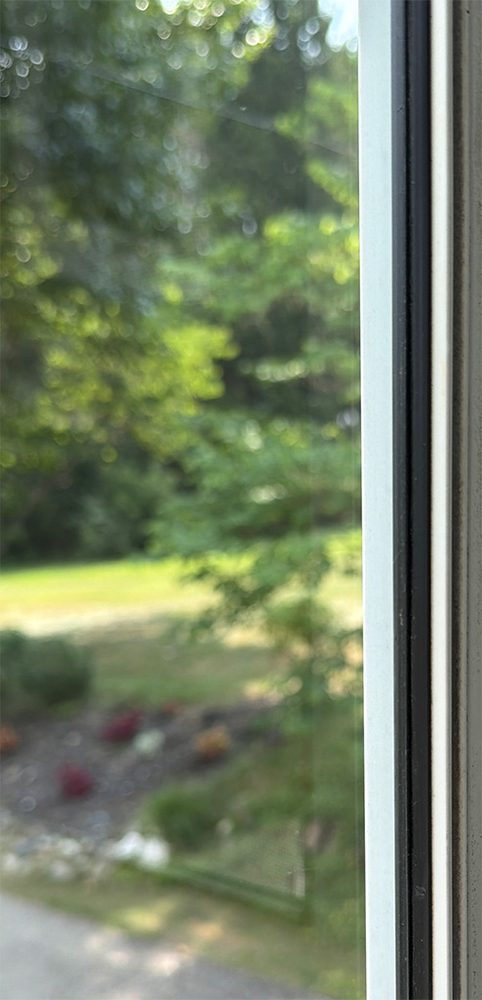
The EcoVacs Winbot W3 Omni is very easy to use, even fun to use. Setup and use takes just minutes. Results are stellar. You have to be careful carrying it around, cognizant of its weight and size. But this unit is another one of those items I term a ‘quality of life’ device. It has taken a job that needed doing, including parts I couldn’t do, or had to hire out to get done, and made it relatively do-able and cost-efficient, with great results I can get on my schedule and timeline. It has made my life easier. I’ve owned the unit for several weeks now, and have cleaned my sunroom windows twice, due to rain, a small amount of window buildup, and mostly, just because I can.
Morning coffee in my sunroom, watching the sunrise and the grass grow, through a clean window, is a small gift I give to myself.