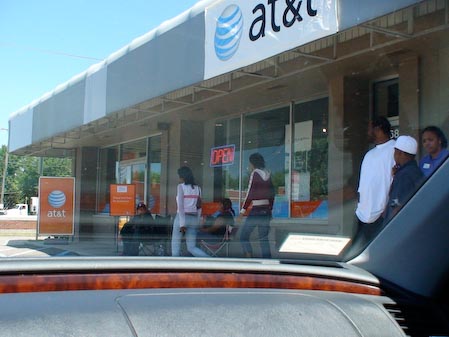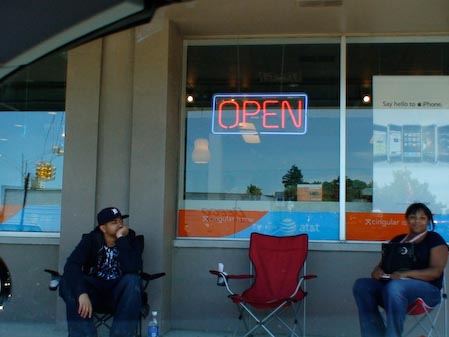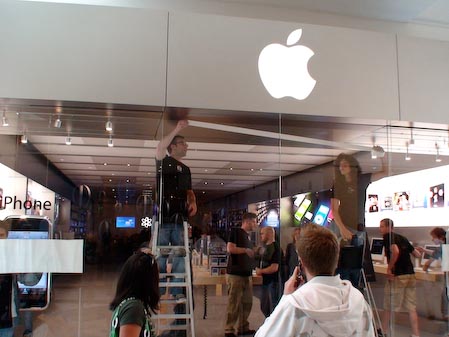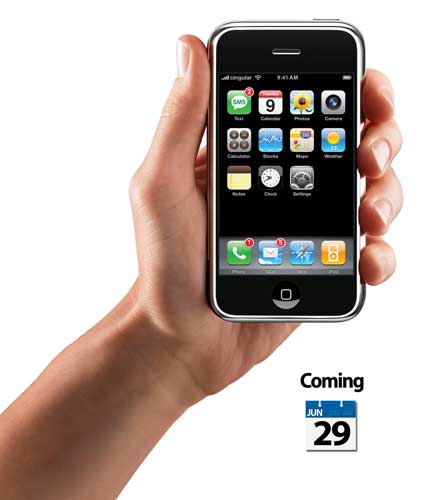

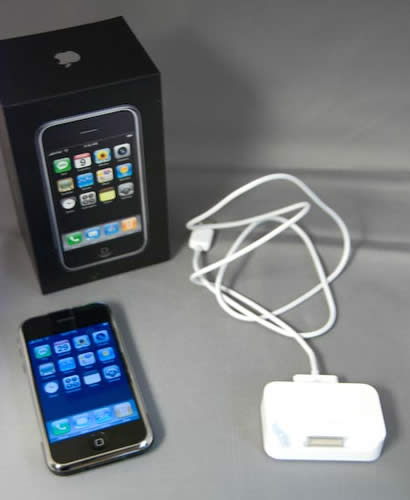
I was able to snag an iPhone at my local Apple store today! I was in and out of the store by 6:15PM. Everyone in line (over 100) seemed upbeat and friendly. Apple had a very cool display in the window that counted down the last 30 minutes before the doors opened at 6PM.
Now on to my initial impressions…
First I must say that Apple did an excellent job not only organizing the rollout in their stores, but they also did a great job with the packaging. The iPhone is in a box no larger than it needs to be which should appease the eco groups out there. The iPhone box includes the iPhone of course, a dock, a USB to iPhone /Dock cable, earbuds with integrated mic/remote and a USB wall adapter for charging that is about 1/3rd the size of the old one.
After unboxing my iPhone I plugged it into the dock and USB port on my MacBook Pro. iTunes 7.3 fired up. Although the phone was in the source list it was not selected by default. So I sat there a few seconds waiting for something to happen and nothing happened until I clicked on it. Then I got the walk through to either transfer an existing number over or set up a new account/phone number on AT&T. Since I already have a family plan account, I just had to add this new phone to it and it gave me a new phone number (couldn’t use my old number because it’s tied to my corporate account at work). That process took less than two minutes and the phone was activated! I couldn’t believe how fast that went.
Next I began the process of syncing my content. It’s all done through iTunes. I was able to sync all of my contacts, all the calendars I wanted, my email accounts, Safari bookmarks, favorite songs, favorite videos, favorite podcasts, and a few movies. Now I only have about 236MB left out of 8GB. However, I got it all on there! Including a full length movie just to test. That movie takes up about 1GB and I can delete that once I’ve tested/watched it. I would have loved to have had a 16GB iPhone, but 8GB will do for now. 4GB is definitely not enough for my needs. Syncing took a while. Longer than I expected, but not too long. It probably took about 20-30 minutes to sync everything including 855 contacts, many with photos.
The first thing I tried was the web browser, not sure why. Since it detected my Wi-Fi network it asked for the password for it. I have two networks. One with WEP and one with WPA security. No matter what, the iPhone would NOT logon to my WEP network with the password. I had to finally dig out the HEX key and key that in, which leads me to the virtual keyboard. It’s not bad, but it’s not great either. It will definitely take some getting used to. The HEX key was a challenge because it consists of just about every other character being a number. The iPhone virtual keyboard displays letters or numbers but not both at the same time. So I would type a letter and then have to switch to the numbers just to type a number and then back again. It’s also not apparent to me how to do Caps Lock. I tried double tapping the shift key and holding it down. Neither one worked. So with each letter I had to also press the shift key (although this may not be necessary for HEX). Granted this was not the normal use for the keyboard. Later I typed a few emails and while it works, the auto correct could be better. It seems to not suggest the word you’re trying to type until you’re on the last letter or two. By that time you can just finish typing. It would be great if it would LEARN as you go to get better. Not sure that it does. I haven’t tried EDGE yet for web/email. I’ll do that tomorrow when I’m out and about and away from Wi-Fi. However, Wi-Fi is VERY FAST and I’m afraid that I’ll be spoiled rotten by it.
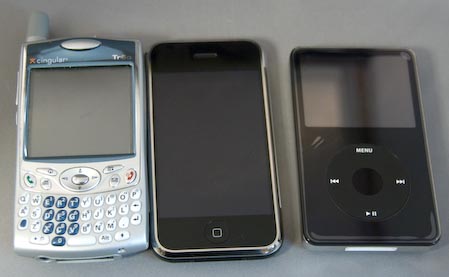
Palm Treo 650, iPhone and iPod 80GB
Aesthetics
The iPhone is beautiful! It’s got a bright easy to read screen and it feels so small in my (larger than most) hands. Almost a little too small. Again, your hands are different and therefore it may feel just right. While early reviews say that they didn’t have a scratch on it, the back looks like it would scratch up over time. I have no proof of this, it’s just my observation.

The iPhone looks to be less than half as thin as my Treo.
Does it live up to the hype or not?
Actually so far I would have to say yes. Keep in mind that I have my complaints about missing features that I will cover more thoroughly in the full review. However, my initial impressions are very good. I can see kissing my Treo 650 good-bye. Palm should be very afraid right now. It’s slick, it’s sleek, it’s fast, it has a beautiful UI (user interface) and works as advertised (so far in the few hours I’ve had with it). Can it be improved upon? ABSOLUTELY!
Now it’s time to answer some questions I’ve had and posted earlier
Bluetooth
Does the iPhone have Bluetooth hands-free car support (download address book to car)?
- Yes and no! It worked in my wife’s car, but not mine. In my car I can make hands-free calls, but not see the address book on my car’s screen.
Can it be used for DUN – use it as a wireless modem to your MacBook, PowerBook, etc.?
- It doesn’t look like you can. I ran the BT setup assistant and the Mac OS Found NO extra features on the iPhone during the pairing process!
What’s the compatibility like with non-Apple headsets?
- Haven’t tried yet – wait for the full review later this weekend.
Can you Redial/Answer from non-Apple headsets?
- Haven’t tried yet – wait for the full review later this weekend.
Is Bluetooth syncing of Contacts, iTunes, etc. possible?
- Nope
Phone
Does it use a SIM card that is user accessible?
- Yes, but I’m not sure what good it will do you yet. I will try putting my other SIM card in and see what happens. My guess is that it won’t work since the one that comes in the iPhone is Newer!
Does the iPhone support voice dialing?
- Nope
Will there be a VoIP solution for making calls while on Wi-Fi?
- Not that I’ve seen yet.
Can I use iTunes songs as ring tones (mp3 or AAC)?
- Not that I’ve seen yet.
Can I assign ring tones to contacts?
- Yes
Does the iPhone support Address Book categories?
- Correction – I found the "groups" button above the contact list. So YES, the iPhone does support Address Book Groups.
How is it for one hand operation?
- Haven’t tried yet – wait for the full review later this weekend.
Is there a single button speed dial feature? (looking at the tutorial, it takes at least two taps to speed dial)
- No, it requires you to press home, then phone then favorites, then a favorite you want to call.
Calendar
Does the calendar have Alarms?
- Yes
Can I add/modify calendar entries from the handset?
- Yes
Does it have multiple Calendar support from iCal?
- Yes, but all your calendars show up as one calendar on the iPhone.
Notes
I assume this will sync to the new Mail app in Leopard, however what other notes programs will it sync to?
- There doesn’t appear to be any support yet for syncing notes on the Mac. You can create them and email them on the iPhone itself. This is disappointing! I like creating notes on my Mac and syncing them to my Treo. This will be missed unless someone steps in and provides a solution quickly.
iPod
Can I listen to music over Bluetooth?
- No
Can I sync music from one computer and contacts/calendar from another?
- Haven’t tried yet – wait for the full review later this weekend.
Will iPod games work?
- No
Web/Internet/Email
What happens when you visit a site that has Flash content?
- Since it doesn’t play Flash content, the site has to have an alternate image for those 2% of the computers out there that don’t have the flash player. All you see is an image or a broken graphic. This has to be fixed soon. Why have a full featured browser that can’t play Flash content?
Does it have connectivity to MS Exchange servers beyond IMAP?
- Nope, although Steve Jobs says they are working on something.
3G support (when? and will my version 1.0 phone be upgradable to it?)
- Other reviewers say you’ll need to buy a new iPhone to get 3G whenever Apple decides to put it in.
MMS support?
- Not currently! This seems retarded.
What happens when you click a link to download a file from a website?
- You get a message that says “Safari can’t download this file”
Will there be .Mac integration?
- Beyond .Mac email, I see no other .Mac integration. This puzzles me too. They have Yahoo push email, but not .Mac push email.
AT&T
What will the data plan(s) cost?
- $59/month on up which includes 450 minutes, unlimited data and 200 text messages/month.
Rollover minutes/family plan?
- Yes, you can put it on a Family plan and enjoy rollover minutes. This is cool.
Can you put it on a corporate plan?
- No, not currently
Do I have to activate it on the spot?
- No, take it home and do it via iTunes.
Other
Is there a GPS option, coming?
- No word on this.
Does it have an Alarm Clock?
- Yes, even with multiple alarms – sweet!
Does it have a World Clock?
- Yes, a nice one.
Can I use my own sounds for alerts other than ringtones?
- Not that I can see
Does it have Unit conversions in the Calculator?
- Not that I can see
More later after I do some more playing.