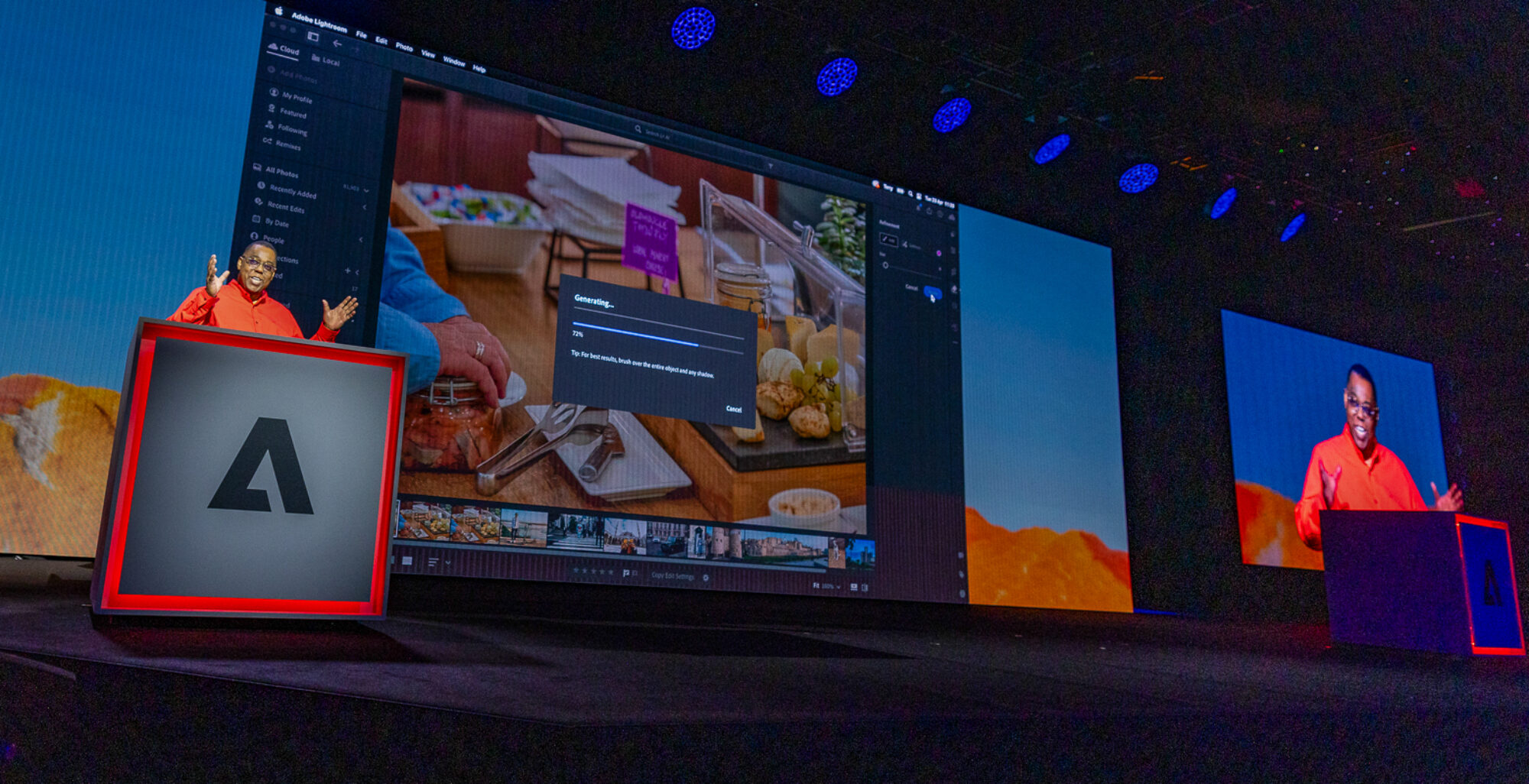

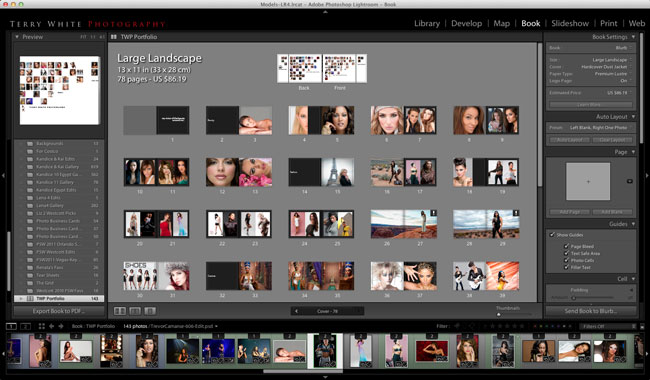
I’ve been creating Photo Books in other applications for quite some time now. While I’ve always gotten the books printed that I wanted, it was always a chore managing the photos in my App of choice (Lightroom) and then exporting/importing them into another App or Service just to layout a book. That all goes away for me with the introduction of the Adobe Lightroom 4 Beta. One of the books that I do/update on a regular basis is my “Portfolio” book. People are always impressed when I show them my Portfolio as an actual professionally printed book. Since my photos are all in Lightroom I decided to recreate my Portfolio book in using the New Lightroom 4 Book module. Laying the book out was pretty straight forward and once I got into the swing of switching layouts between single photo pages and 2 up photo pages (the two formats I use the most), I got the book laid out pretty quickly. One of the things I appreciated over other methods and software that I’ve used in the past was the ability to use “typography”. I had access to all my fonts and the same typography controls over size, leading, tracking, kerning, etc. as I would in Photoshop or Illustrator.
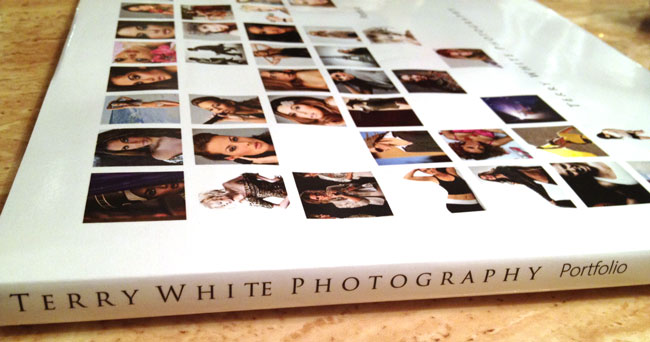
After the book was laid out I had the option of sending it right up to Blurb for printing or exporting it as a PDF. I choose to have it professionally printed as with my previous versions. I got the books back pretty quickly. Even though Blurb is based out of California, my books were printed in New York and once shipped arrived at my door two days later.
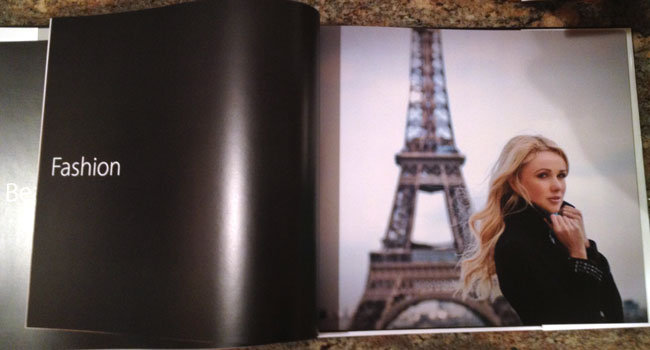
As far as cost goes they cost about what I was paying for my other books even though I added more pages this time and went with a hard cover vs. a soft cover.
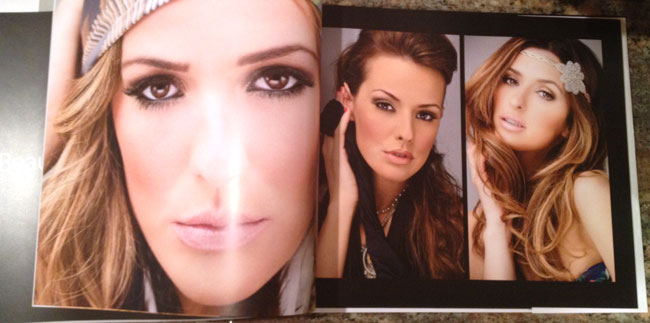
The quality and color is what I expected it to be and very on par with with my other books.
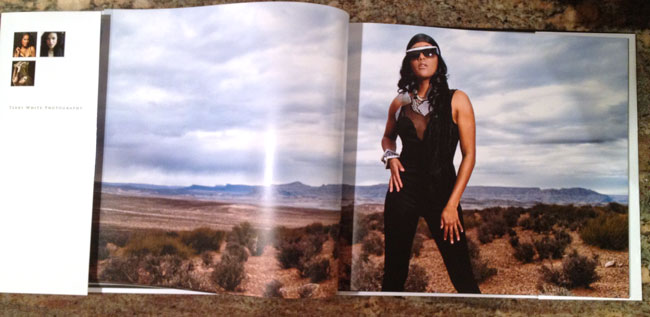
Saving a few bucks – you have the option of turning on or off the Blurb logo page in the back of your book. If you leave it on your printed book will cost less. The difference was about $19 for my books. It wasn’t worth the savings since these books are for me. However, if I were doing a book for a client I’d pay it not to have the Blurb advertising in it.
All in all I’m very happy with the results of my 78 page Portfolio Book and I’m glad that the Lightroom team built this feature in (finally!) Download the Public Beta of Adobe Lightroom 4 here and give it a spin.
Use Blurb Promo Code: LR4BOOK for 20% off your next Lightroom Photo Book now through 12/31/2012!
Hey Terry – I’ve been thinking of putting together a portfolio book, and think I’ll give blurb a shot. Would you mind sharing the type of paper you generally use? In the pics, your book looks great. Thanks!
Sam
I used Premium Lustre for these books.
Thanks for the review Terry. This is what I am tackling today for my boss. It makes my day seem a little less stressful knowing I shouldn’t have much, if any, trouble with this.
Can you comment on how color profile is handled in LR4 prior to sending the images to Blurb?
It’s my understanding that the book is converted to sRGB (Blurb’s preference) during the upload process to Blurb.
Hi Terry, I am pleased to see that this feature has been added to LR4 and I have played around with it while not actually having the book printed. It’s a tool that I’m sure I’ll make use of down the road when LR4 is finalized. I have had three books printed by Blurb and find that their work is quite satisfactory. I do like the PDF feature in LR4.
Overall, this is a worthwhile update. All my pics are in Lighroom.
Do you know if the books can be sent to the UK? Or if Adobe has a printing partner in the UK or Europe?
One of the good things about using Blurb is that they also print in Europe, and unlike some competitors, know that books are zero rated for tax in Britain.. I was already using them for my trip books, so am looking forward to this integration.
Thanks for doing a feature on this because it has been at the top of my list of needed features in Lightroom. I am looking forward to being able to add a book option for my clients and for myself as a portfolio.
Hi Terry,
Thanks for sharing. I like your new portfolio book. It is great to see the actual product. I haven’t used Blurb before so I ordered their swatches to get a better idea of my options. They just arrived in the mail today and I shared my thoughts over on my blog. I am looking forward to making a book myself.
Wow, the photos in your portfolio look great.
Looks fabulous! Thanks for sharing your experience. I just bought LR4 and will be trying this out very soon.
I’m just curious if you are required to print with Blurb, or if you can design, say a wedding album in LR4, and then have it printed where you want? Thanks for the review. 🙂
You can export a PDF of the book and print it anywhere you want.
Thank you Terry, I appreciate the reply. My only remaining question would be, will a PDF of an album page print as well as a tiff or jpeg?
Perfect, I’ve been looking for the answer to this, thanks for providing it here Terry! I enjoyed your video on 10 tips for people getting into lightroom 4 – I intend to get hold of a copy soon.
Terry,
Just wanted to say that I love your work and I have been watching all your videos. Oh, I just wanted to let you know that one day. Do you ever come to England? It would be a privilege to meet you if you ever come to this end
I do get to England at least once or twice a year. My tour schedule is always updated on my blog in the side bar. Hope to meet you too.
Do you still have to check out once you upload your book via Lightroom to Blurb? I ask because I want to know if you can still use promo-codes when creating and publishing a book directly via Lightroom. Thanks.