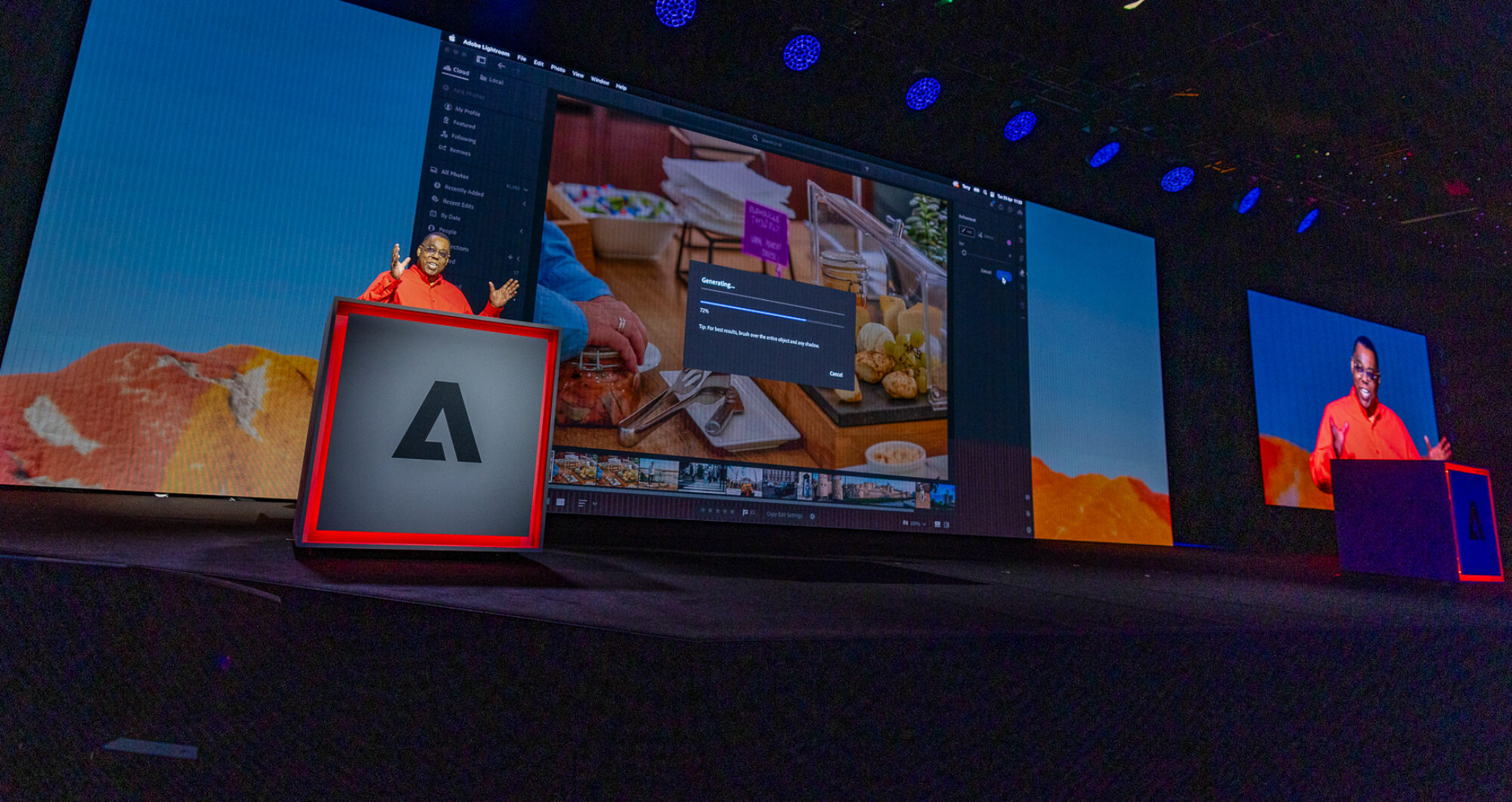
Join us today for the Adobe Create Now event to see what’s next in Adobe’s Creative Cloud. You can watch it below starting at 10 am PT Tues, Dec 11, 2012:

Welcome to my technology blog!
Join us today for the Adobe Create Now event to see what’s next in Adobe’s Creative Cloud. You can watch it below starting at 10 am PT Tues, Dec 11, 2012:
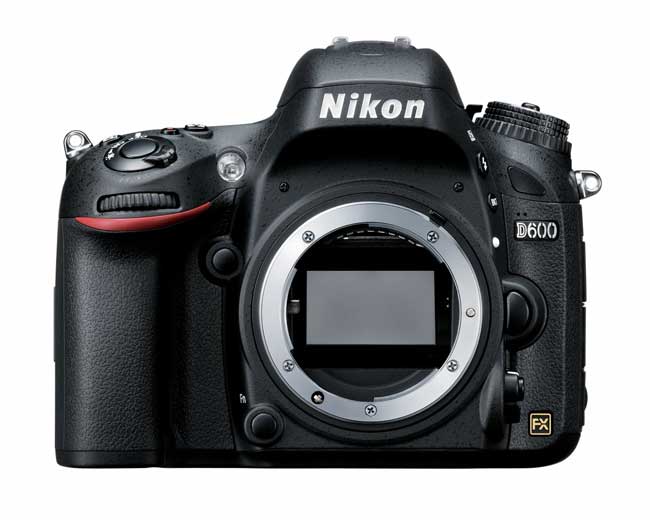
I recently replaced my Nikon D7000 with a Nikon D600. The D600 is to serve as my travel body and backup body to my Nikon D4. Although the D7000 served me well, I couldn’t help but be tempted by having another Full Frame (FX) body. All but one of my lenses are Full Frame lenses. So the D600 fits in perfectly. It’s Nikon’s lowest priced Full Frame body and while it’s not technically a D700 replacement, it is the closest thing to date that Nikon has introduced to replace the D700. Let me answer some questions right off the bat…
As I’ve said before, I love the D800 and the only thing that is stopping me from getting one is the fact that it shoots 36MP RAW files and that’s just more data than I “need” and certainly much more than I want to deal with in terms of retouching, RAM requirements, storage, transfer speeds, etc. etc. If they come out with a model or update that allows you to turn down the size of the RAW files I’d certainly give it another look.
The first negative I read about the D600 was from David Hobby. The deal breaker for him was the Flash Sync Speed being capped at 1/200th. Not a concern for me. The next one I read about was “dust”. Apparently there are/were D600 shipping with dust on the sensor right out of the box. I haven’t noticed this issue. I do plan to do some extensive checking/testing, but as of right now, no dust that I can see. Lastly, both Scott Kelby and Jason Lykins were frustrated by not being able to program the center select button to zoom into an image at 100%. I can certainly see this as a potential deal breaker if you were used to that configuration on your previous/other body. Since I had never configured the button to do that on my other bodies, I don’t miss it not being there on the D600. Others have asked “is the 3 exposure bracketing limit too limiting for HDR?” I would say yes and no. If you shoot a lot of HDR, yes. However, you could always manually adjust the exposure to get more in s pinch. I don’t shoot a lot of HDR so I’m fine with this limitation. All systems go!

The first thing I noticed when I picked up a D600 was how good it felt in my hand. It’s one of those things that you can’t really put into words, but it just felt very comfortable. Of course much lighter than my D4 and even a better “more secure” feel than my D7000 and even better than that of the D700 from what I remember.
When I talk to photographers that are just starting out, they usually ask me why do some DSLRs cost more than others. Outside of the differences in sensors, fps, and other internal characteristics, the other major difference is the number of dials and buttons on the body itself. Most low end DSLRs have few buttons and controls as dedicated buttons. This means more trips the menu. The D600 doesn’t have as many options as the much more expensive D4, but it does have the right balance/mix for what I intend to use it for. I can operate the camera in Manual mode or a shooting mode without making any additional trips to the menu.
I have ordered the WU-1b wireless module, but I have yet to see it show up. In the meantime the D600 has been working just fine with my Eye-Fi card in the 2nd SD slot just like I used it in my D7000.
I was very happy to see Nikon use the same battery/charger as the D7000 and D800. Since I already had some extra batteries for my D7000 I was able to use them in the D600 instead of selling them with the D7000. Once again I went with a 3rd party Battery Grip (just as I did with the D7000), look for a separate review of that this week.
I love this camera! It’s perfect for my needs of a travel body and backup body. The 24MP upgrade from 16MP isn’t too bad either. However, there is one thing that annoys the crap out of me. The mode dial has a button on the top of that you have to press before turning the dial. I’ve never had to do this with any of my other Nikon bodies and while I’m sure I’ll get used to it, it bugs me a LOT right now. The only other wish I had was that of a terminal port. It’s not crucial for me for this body, but it definitely would have been a nice to have.
You can get the Nikon D600 ON SALE here from B&H Photo or here from Amazon.
See more of my photography here.
If you’re in the market for a new Mac, B&H has some deals going on right now!

Last year, I did a post towards the end of the year called “What’s in my Studio?” The purpose of that post was to give my readers a stop shop to see what I use with a brief explanation on how I use it and a few sample photos spread throughout the post. I always get the question of “what camera do you use?” Or “what lights do you use?” or “where did you get that background?” When I get those kinds of questions it’s easy just to point them to the post. Of course that post got outdated fairly quickly as I added new gear and upgraded. I’ve been secretly updating it along the way and I’ve decided to make it my official “photography gear guide“. I will keep it updated with any significant changes and I’ve given it a simple URL: http://terrywhite.com/studio/
Now if you ever want to know “what does Terry use?” it’s one click away. If you forget the URL you can always find it on the sidebar of this site.
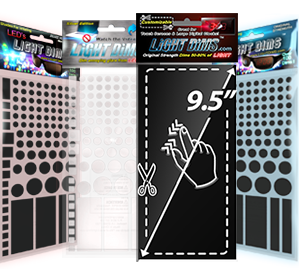
I originally reviewed Light Dims last year here. For those that know me, I’ve earned the nickname “vampire” because I love total darkness when it comes time for sleep. However, being a gadget guy also means that there is bound to be a few things in the room with annoying LEDs on them that can’t be turned off. Light Dims helped out quite a bit and this year they introduced a new silver color. There really isn’t anything new about how they work. They sell them in two different strengths, dim and blackout. It’s just that now you can get Silver to better match your silver or white gear. Also there are larger strips in the package so that you can cut them to fit a specific application. These are a lot more attractive than duct/electrical tape and in most cases will blend right in. I’m happy to see the new color and shapes. Check them out here. Now if someone would just invent “sound dims” for the paper thin walls in some hotels, I’d be totally set! 🙂

It’s been a long time coming, but they are finally here. I finally got a chance to get into the studio and record two new classes for Kelby Training and they are now LIVE. The long awaited “Creating iPad Apps with Adobe InDesign CS6”

and my “Using an iPad in a Digital Photography Workflow” classes are available for your viewing and learning pleasure.

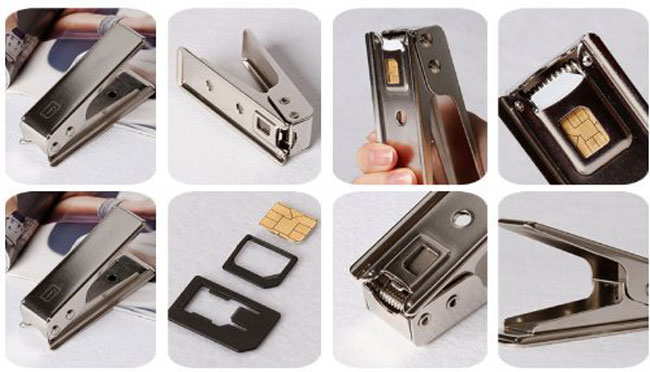
I remember when the iPhone 4 came out and it required a NEW SIM format (for GSM based iPhones). It required a Micro SIM. This wasn’t a problem if you were buying a new iPhone because it would have a new Micro SIM already installed. However, if you wanted to use a different SIM from another phone or carrier then chances are it was a full sized SIM that you would have to cut down to Micro SIM size. There were several good Micro SIM cutters on the market and I own a couple of them. I even traved with one in my suitcase in case I got to a country that I wanted to buy a pre-paid local SIM and needed to cut it down for my iPhone 4 or 4s. Once again we are faced with a new SIM format. Now the iPhone 5 and iPad mini uses a Nano SIM. This SIM is even smaller AND thinner than the Micro SIM. That of course poses a problem for those that want to move SIMs between devices. As to be expected there are now a few different Nano SIM cutters on the market. Some even come with sandpaper to sand the back of the SIM down to make it slightly thinner. I used one to cut down my AT&T Micro SIM down to Nano SIM size to use in my new iPad mini. My AT&T SIM is originally from my iPad 2 and is grandfathered in to an unlimited data plan. This is GREAT for streaming video on the road, so I wanted the ability to use this SIM in my iPad mini as well. Although this is not the cutter I used in the video, this is the one I’d recommend here.
Here’s a video on how the cut went:

Join me on December 11, 2012 to see what’s Next in Adobe’s Creative Cloud at the Adobe Create Now Event. This live webinar will feature presentations from myself, Scott Kelby and the other Adobe Worldwide Evangelists. You can register here for this free event.
Also check out this sneak peek

If you are like me and stayed at home on Black Friday, you know that there are some great deals online without fighting the crowds in the stores. Cyber Monday is the official day for etailers to lure us in with their online deals. Here are a few noteworthy ones:
Adobe Creative Cloud Memberships – $29.99/month (regular $49.99/month) Save 40%
B&H Photo & Video – various deals
Gelaskins (where I get my custom skins for my MacBook Pros, iPad and iPhones) are doing 20% Off
iHome Audio – is doing 25% off Select Items + Free shipping (on orders $60 or more) Use code ALSUPLD25
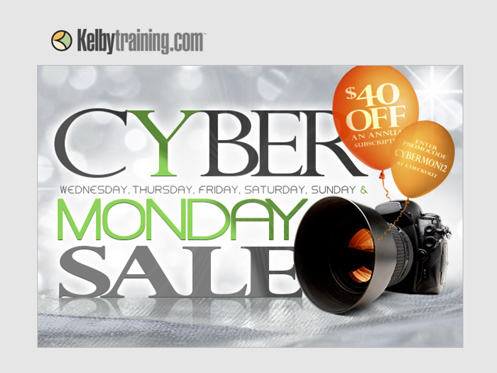
Kelby Training – Their biggest sale of the year!
Larry Becker’s Outrigger TetherShelf
LCD4Video – Lots of cool photography and video gadgets on sale today!
MacMall – Up to $649 off 600+ Deals!
Moo – (where I get my photo business cards) 30% off!
NAPP (National Assoc of Photoshop Professionals) is doing various deals on membership
Scottevest (jackets with pockets for your gear – yes I wear one) is doing 30% 9 items
Tether Tools – (the gear that helps me shoot tethered) is doing 20% off.

If you live in the US, then chances are you’ve heard of Black Friday. It’s the day after Thanksgiving that retailers hold special sales to lure you in to get your holiday shopping dollars. Whether you’re shopping for holiday gifts or just looking for deals on stuff, Black Friday, the fairly new Local/Small Business Saturday and Now Cyber Monday (the Monday following Thanksgiving) are worth checking out. Sometimes the savings can be substantial and if it saves you a few bucks on something you were going to buy anyway, why not take it?
I’m not one to go out and stand in line to save a few bucks on something, however I will absolutely check out online deals for gear.
As you might imagine I get all kinds of emails advertising Black Friday deals. So I’ve decided to share some of the ones I’ve hand picked here based on technology, Adobe, iOS/Apple, Photography and the other things that I’m interested in. So here are my Top 10 Picks in no particular order:

Here are some deals on Lightroom 4 and Photoshop Elements:
Special Holiday Pricing: Valid Nov. 22 through Nov. 28
· Lightroom 4 — Available now for $119 (originally $149)
· Photoshop Elements 11 — Available now for $59.99 (originally $99)
· Premiere Elements 11 — Available now for $59.99 (originally $99)
· Photoshop Elements 11 & Premiere Elements 11 bundle— Available now for $89.99 (originally $149)